Momentum Trading Software Buyer's Guide: 7 Must-Have Features
You've refreshed your screener 47 times today. You missed that perfect opening range breakout because you were in a meeting. And that VWAP reclaim you've been waiting for? It triggered while you were grabbing coffee. Sound familiar?
In 2026, momentum trading moves faster than ever. The days of manually scanning charts and hoping you catch the right setup at the right time are over. Professional momentum traders now rely on sophisticated software platforms that scan thousands of stocks in real-time, validate setups with historical data, and deliver alerts the moment opportunities appear.
But here's the problem: not all momentum trading software is created equal. Some platforms bury you in alert fatigue. Others require coding skills you don't have. Many charge premium prices for features that don't actually help you make better trades.
This comprehensive buyer's guide breaks down the 7 essential features every momentum trader needs when evaluating software platforms in 2026. Whether you're a day trader executing scalps on 5-minute charts or a swing trader looking for multi-day breakouts, you'll learn exactly what to look for—and what red flags to avoid—before committing to a platform.
What Is Momentum Trading Software and Why You Need It
Momentum trading is a strategy that capitalizes on the continuation of existing price trends. Traders identify stocks showing strong directional movement—supported by volume, volatility, and technical indicators—and enter positions expecting the trend to persist. The edge comes from timing: catching the move early enough to profit before momentum fades.
The challenge? Momentum opportunities are fleeting. A stock breaking above VWAP with 3x relative volume at 10:47 AM won't wait for you to notice it at 11:15 AM. By then, the best entry is gone, and you're either chasing or sitting on the sidelines.
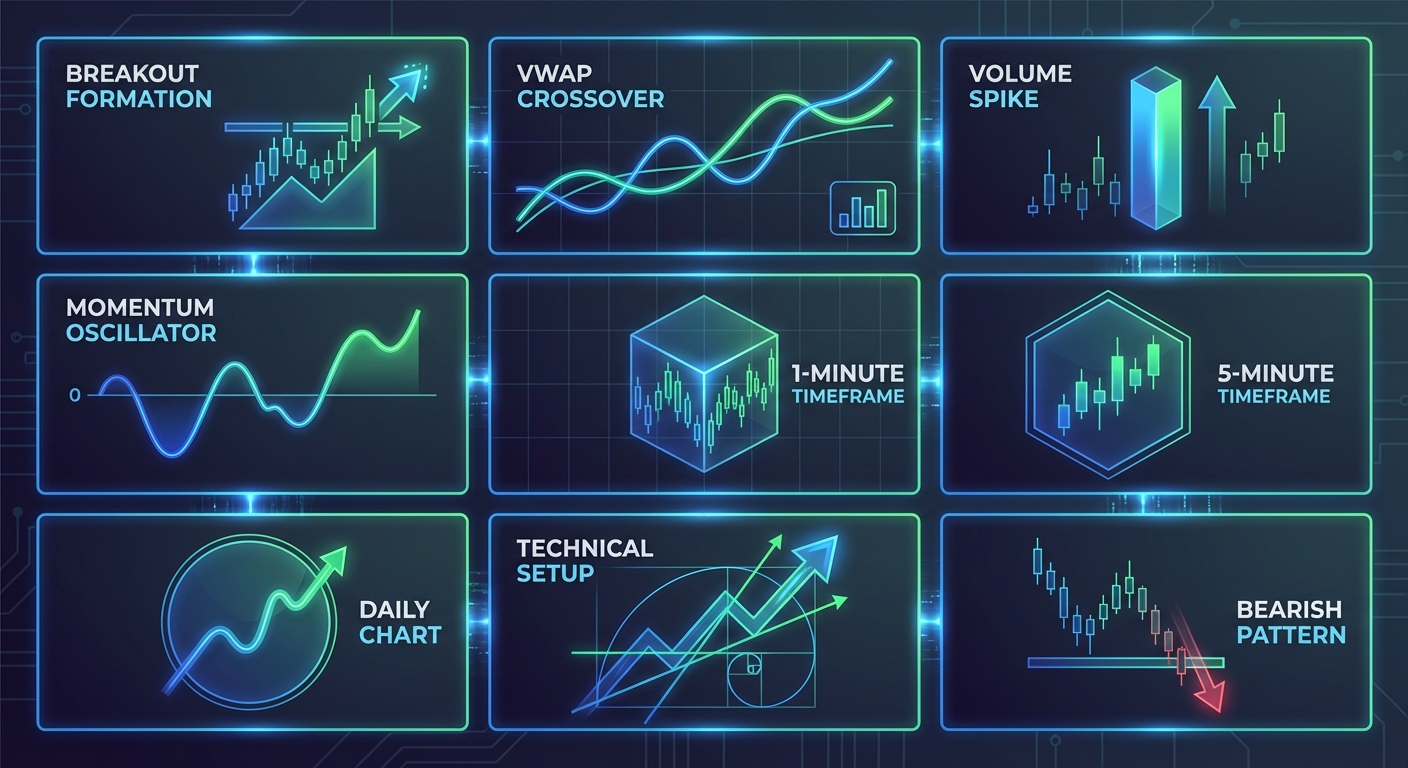
This is where momentum trading software becomes essential. These platforms continuously scan the entire market across multiple technical setups, opening range breakouts, VWAP reclaims, relative volume spikes, breakout patterns, and momentum indicators, and alert you the instant conditions align. Instead of manually checking hundreds of charts, the software does the heavy lifting while you focus on execution.
In 2026, the gap between traders using sophisticated scanning tools and those relying on manual methods has never been wider. Stock screeners have evolved from simple end-of-day filters to real-time discovery engines that combine pattern recognition, backtested performance data, and intelligent alert systems. The question isn't whether you need momentum trading software, it's which platform gives you the right features without overwhelming you or draining your account with subscription fees.
Let's break down the 7 must-have features that separate professional-grade momentum trading platforms from the rest.
1. Real-Time Market Scanning Across Multiple Technical Setups
The foundation of any serious momentum trading platform is real-time market scanning. Not delayed data. Not end-of-day snapshots. Real-time scanning that monitors the market continuously throughout the trading session.
Here's why this matters: momentum setups form and dissolve within minutes. An opening range breakout on a 5-minute chart doesn't wait for your lunch break to finish. A VWAP reclaim with volume confirmation needs to be caught as it happens, not discovered hours later when you finally refresh your screener.
What to look for in real-time scanning:
- Breadth of coverage: The platform should scan for multiple technical setups simultaneously, not just one or two patterns. Look for platforms offering 100+ screens covering ORB, VWAP, RVOL, breakouts, momentum indicators, reversals, and chart patterns. The more setups the software monitors, the more opportunities you'll discover.
- Continuous monitoring: The software should scan automatically without requiring manual refreshes. Every time you click "refresh" on a screener, you're already behind the market.
- Customizable timeframes: Day traders need 1-minute, 5-minute, and 15-minute scans. Swing traders need daily and weekly views. Your platform should support multiple timeframes without forcing you to choose just one.
- Market-wide coverage: The best platforms scan the entire universe of tradable stocks, not just a limited watchlist. You want to discover new opportunities, not just monitor stocks you already know about.
Platforms like Finviz offer free screening, but their data updates only at end-of-day, useless for intraday trading and momentum plays that develop during market hours. TradingView provides real-time data, but you need to build custom Pine Script alerts for each setup you want to monitor. That's a significant barrier if you're not a programmer.
The ideal momentum trading software delivers pre-built, real-time screens across dozens of proven technical setups without requiring coding knowledge. This is where platforms like ChartMath differentiate themselves, offering 200+ curated screens that run continuously and alert you when setups form, so you never miss an entry while away from your desk.
2. Backtest Validation and Historical Performance Data
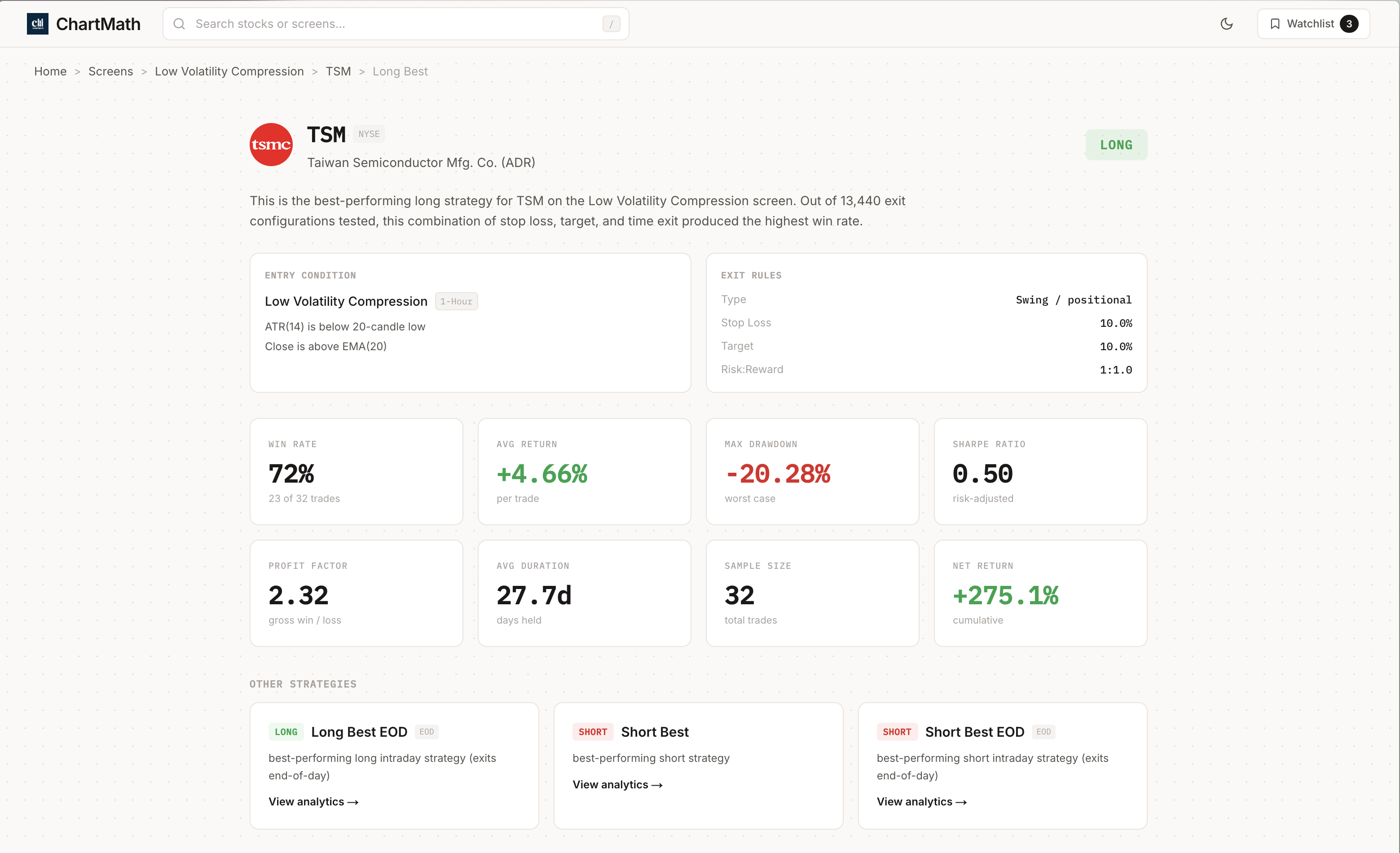
Real-time scanning is worthless if the setups you're trading don't actually work. This is where backtesting strategies becomes critical, and where most momentum trading platforms fall short.
Too many traders chase alerts without understanding the historical edge behind them. They see "VWAP reclaim" or "ascending triangle breakout" and assume it's a profitable setup. But without backtest data, you're trading blind. What's the win rate? What's the average return per trade? What's the maximum drawdown? How many times has this setup actually occurred?
Key backtest metrics you'll want to look for in your trading platform:
- Win rate: The percentage of trades that closed profitably. A 60% win rate means 6 out of 10 trades were winners. This helps you set realistic expectations and manage position sizing.
- Average return per trade: The mean profit or loss across all historical occurrences of the setup. A setup with a 55% win rate but +8% average return can be more profitable than a 70% win rate setup with +2% average return.
- Maximum drawdown: The largest peak-to-trough decline in equity when trading the setup. This tells you how much pain you'll need to endure during losing streaks.
- Sample size: How many historical occurrences were tested. A 75% win rate based on 10 trades is statistically meaningless. A 58% win rate based on 500 trades is reliable.
- Exit strategy variations: The best platforms show performance across multiple exit strategies (1% target, 2% target, trailing stop, end-of-day exit) so you can choose the approach that fits your risk tolerance.
Platforms like Tickeron use AI to assign pattern confidence scores, but the methodology is a black box. You don't know how the score was calculated or what historical data supports it. LuxAlgo sells hundreds of TradingView indicators, but provides no backtested performance data, you're expected to build and test strategies yourself.
The transparency gap is real. Professional momentum traders need platforms that show the actual filters, actual backtest stats, and actual sample sizes for every screen. ChartMath addresses this by displaying win rate, average return, and historical performance data for each of its 200+ screens, giving traders the confidence to execute setups backed by data rather than hope.
Before committing to any momentum trading software, ask: "Can I see the historical performance of every setup this platform alerts me to?" If the answer is no, keep looking.
3. Intelligent Alert Quality Filtering
Alert fatigue is real. If your phone buzzes 200 times a day with trading alerts, you'll start ignoring them, and eventually miss the one setup that actually mattered.
The problem isn't alerts themselves. It's low-quality alerts that lack context, prioritization, and filtering. A momentum trading platform that sends you every single VWAP touch across 5,000 stocks isn't helping you, it's drowning you in noise.
What intelligent alert filtering looks like:
- Quality ranking: Alerts should be ranked by setup quality, freshness, and historical performance. The platform should surface the highest-probability setups first, not just chronological order.
- Context and explanations: Every alert should include a plain-English explanation of why it triggered and what the edge is. "AAPL just reclaimed VWAP with 2x volume on the 15-minute chart. Historically, this setup wins 62% of the time with an average return of +3.4%." That's actionable context.
- Customizable thresholds: You should be able to set minimum win rates, minimum volume requirements, and price filters to reduce noise. If you only want alerts for setups with 60%+ win rates above $10/share, the platform should respect that.
- Push notifications vs. email: For momentum trading, push notifications to your phone are essential. Email alerts arrive too late. The best platforms offer instant push alerts with the option to customize notification frequency.
- Snooze and filter options: If you're not interested in certain sectors or setups during specific market conditions, you should be able to temporarily disable those alerts without deleting your entire configuration.
Trade Ideas sends high-frequency alerts but lacks the context and quality filtering that prevents alert fatigue. TrendSpider focuses on chart analysis rather than screening, so you won't get proactive alerts when new setups form across the market.
The best momentum trading software strikes a balance: enough alerts to keep you informed, but filtered intelligently so you're only notified about high-quality setups worth your attention. ChartMath's approach ranks setups by quality and freshness in a swipe-based feed, allowing traders to quickly dismiss low-priority alerts and focus on the best opportunities.
If you're evaluating platforms, test the alert system during a free trial. Count how many alerts you receive in a day. Ask yourself: "Are these actionable, or am I just being spammed?" The answer will tell you everything you need to know.
4. Multi-Timeframe Analysis Capabilities
Momentum traders operate across different timeframes depending on their strategy. Day traders focus on 1-minute, 5-minute, and 15-minute charts for intraday trading scalps. Swing traders analyze daily and weekly charts for multi-day position trades. The best momentum trading software supports both, without forcing you to choose.
Why multi-timeframe analysis matters:
A stock breaking out on a 5-minute chart might look compelling in isolation. But if the daily chart shows the stock is hitting resistance at a major moving average, that 5-minute breakout is likely to fail. Multi-timeframe confirmation improves trade quality by ensuring your momentum setup aligns across different time horizons.
Similarly, a swing trader might spot a daily chart breakout, but checking the 1-hour chart reveals the stock is already overextended and due for a pullback. Multi-timeframe analysis prevents you from entering at the worst possible moment.
Timeframes your platform should support:
- 1-minute and 5-minute: Essential for day traders executing scalps and momentum plays during the first hour of trading.
- 15-minute and 1-hour: Useful for intraday swing trades and confirming momentum on slightly longer timeframes.
- Daily and weekly: Critical for swing traders looking for multi-day breakouts and momentum plays that develop over several sessions.
- Monthly: Helpful for long-term position traders and investors analyzing macro trends.
Platforms like Finviz lock you into end-of-day data, making them useless for day traders. Edgeful focuses exclusively on futures with intraday timeframes, but doesn't support equities or longer-term swing trading. TC2000 offers multi-timeframe charting, but their scanning tool doesn't show backtested performance across different timeframes.
The ideal momentum trading platform lets you scan for setups across all relevant timeframes simultaneously. ChartMath supports 1-minute, 5-minute, 15-minute, 1-hour, daily, weekly, and monthly scans, allowing day traders and swing traders to use the same platform without compromise.
When evaluating software, ask: "Can I scan for momentum setups on both 5-minute and daily charts without switching platforms or paying for multiple subscriptions?" If the answer is no, you're limiting your trading flexibility.
5. Mobile Accessibility and Cross-Platform Functionality
It's 2026. If your momentum trading software chains you to a desktop, you're already at a disadvantage.
The reality of modern trading is that opportunities don't wait for you to be at your desk. That perfect breakout trading setup might form while you're commuting, in a meeting, or picking up your kids from school. If your platform doesn't deliver alerts and actionable information to your phone, you'll miss entries, plain and simple.
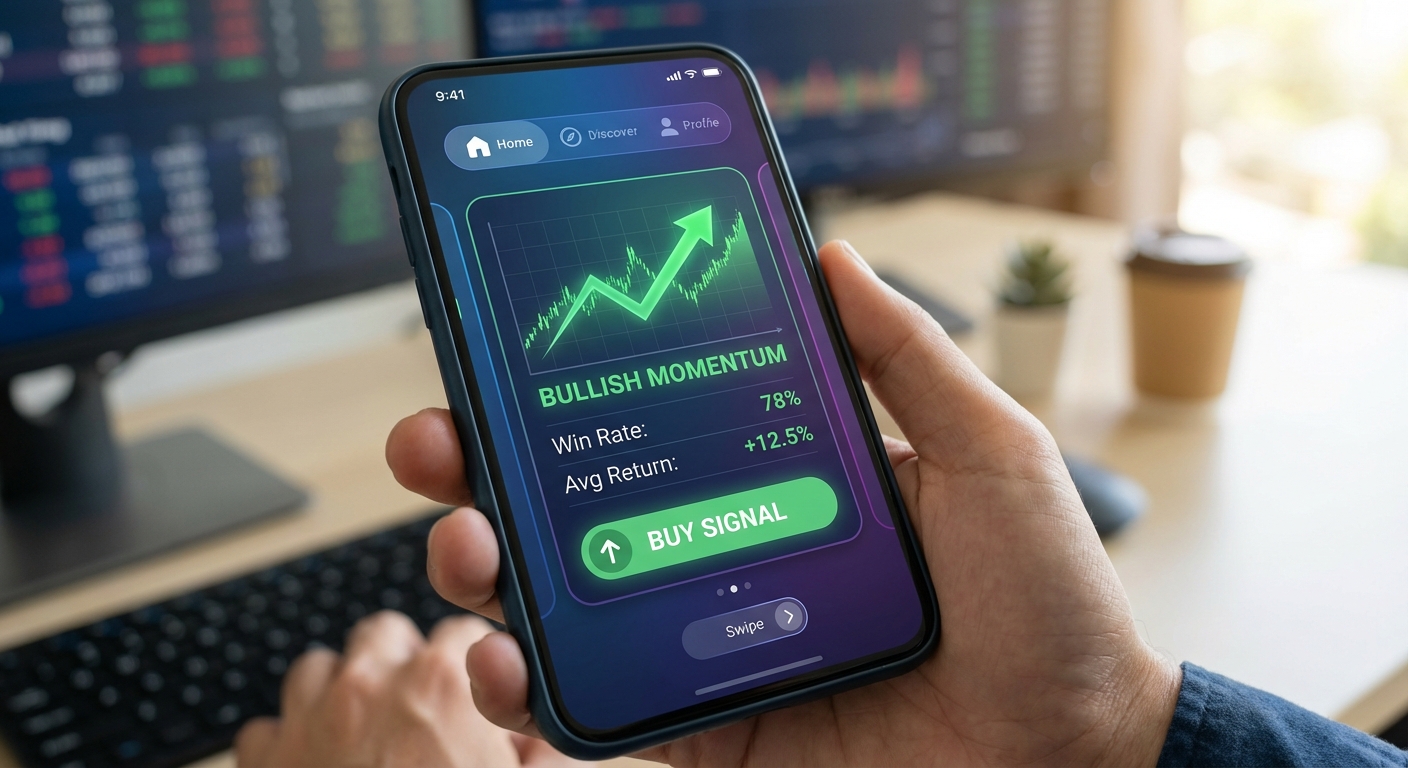
Why mobile-first design matters for momentum trading:
- Push alerts on the go: You need instant notifications when high-quality setups form, regardless of where you are. Desktop-only platforms can't deliver this.
- Quick decision-making: Mobile interfaces should allow you to review setup details, check backtest data, and add stocks to watchlists in seconds, not minutes. Swipe-based interfaces (similar to TikTok or Tinder) are faster than traditional screener tables.
- Companion to charting platforms: Most traders already have a preferred charting tool (TradingView, Thinkorswim, etc.). Your momentum trading software should complement these tools by delivering trade ideas to your phone, which you then execute on your charting platform.
- No desktop required: Busy traders with limited screen time (30 minutes per day) need to discover and evaluate setups entirely from their phone. Web-only platforms that require desktop access create friction.
Trade Ideas is a powerful desktop scanner, but it's desktop-only with no native mobile app. You can't receive push alerts or review setups on your phone. TrendSpider and TC2000 are similarly desktop-focused. Tickeron is web-only with no mobile app at all.
ChartMath takes the opposite approach: mobile-first design with a TikTok-style swipe interface that lets traders discover, screen, and track opportunities entirely from their phone. The platform is designed as a companion to existing charting tools, delivering trade ideas via push alerts so you can execute on your preferred platform.
When evaluating momentum trading software, test the mobile experience. Download the app (if one exists) and ask: "Can I discover, evaluate, and track setups entirely from my phone? Or am I forced to use a desktop?" The answer will determine whether the platform fits your lifestyle.
6. Custom Watchlist Tracking with Setup Notifications
Broad market scanning is essential for discovering new opportunities. But most traders also have a core group of stocks they follow closely, names they know well, understand the price action, and want to trade when the right setup appears.
This is where custom watchlist tracking becomes critical. Your momentum trading software should allow you to create personalized watchlists and receive alerts when your favorite stocks form high-quality technical setups.
Key watchlist features to look for:
- Setup-based alerts: You shouldn't just get notified when a stock hits a price level. You should get alerted when a stock on your watchlist forms a specific momentum setup (ORB break, VWAP reclaim, breakout pattern, etc.).
- Multiple watchlists: Day traders might have separate lists for high-volume momentum stocks, low-float runners, and sector-specific plays. The platform should support multiple watchlists without limits.
- Easy management: Adding and removing stocks from watchlists should take seconds, not minutes. Swipe-to-add or one-click functionality is ideal.
- Integration with scanning: Watchlist alerts should include the same backtest data and context as broad market scans. You want to know the win rate and average return for the setup, even on your watchlist stocks.
Finviz allows you to create watchlists, but you won't get real-time alerts when setups form, you have to manually check. TradingView supports watchlist alerts, but you need to code each alert individually using Pine Script. That's time-consuming and requires technical skills many traders don't have.
The best momentum trading platforms combine broad market scanning with personalized watchlist tracking. ChartMath lets traders create custom watchlists and receive push alerts when stocks on those lists match any of the 200+ technical screens, complete with backtest data and plain-English explanations.
This dual approach, discovering new opportunities through market-wide scans while monitoring your favorite stocks for specific setups, gives you the best of both worlds. You're not limited to a narrow watchlist, but you're also not overwhelmed by alerts for stocks you have no interest in trading.
7. User-Friendly Interface Without Coding Requirements
Here's an uncomfortable truth: most momentum trading platforms are built by programmers for programmers. They assume you want to spend hours coding custom indicators, writing Pine Script alerts, and backtesting strategies from scratch.
But most traders don't want to code. They want to trade.
If you're a busy day trader with 30 minutes to prepare for the market open, you don't have time to build and test custom screens. If you're a beginner learning technical indicators and chart patterns, you shouldn't need to learn a programming language before you can scan for setups.
What user-friendly momentum trading software looks like:
- Pre-built screens: The platform should offer dozens (or hundreds) of ready-to-use screens covering proven technical setups. No coding required. Just select the setups you want to monitor and start receiving alerts.
- Plain-English explanations: Every setup should include a clear description of what it is, why it works, and what the historical performance shows. Beginners should be able to learn while they trade.
- Intuitive navigation: Swipe-based interfaces, card-style layouts, and visual discovery feeds are faster and more intuitive than traditional screener tables with 20 columns of data.
- Minimal learning curve: You should be able to start using the platform productively within 10 minutes, not 10 hours. If the onboarding process requires watching multiple tutorial videos, the interface is too complex.
- No technical prerequisites: The platform should work for traders of all skill levels, from beginners learning the basics to experienced traders looking for an edge.
TradingView is the gold standard for charting, but it requires Pine Script knowledge to build custom alerts. LuxAlgo sells 386 indicators and an AI code generator, but you're still expected to build strategies from scratch. Trade Ideas offers pre-built scans, but the desktop interface is complex and overwhelming for beginners.
ChartMath takes a different approach: 200+ pre-built, backtested screens with plain-English explanations, delivered through a mobile swipe interface that requires zero coding knowledge. The platform is designed for traders who want curated setups delivered to their phone, not a toolkit for building custom strategies.
When evaluating momentum trading software, ask yourself: "How long will it take me to start receiving actionable alerts?" If the answer is more than 15 minutes, the platform is too complex for most traders.
For more guidance on using screening tools effectively, check out our guide on how to use stock screeners for day trading in 2026.
Comparing Popular Momentum Trading Software Platforms in 2026
Now that you understand the 7 must-have features, let's compare how popular platforms stack up in the momentum trading software landscape.
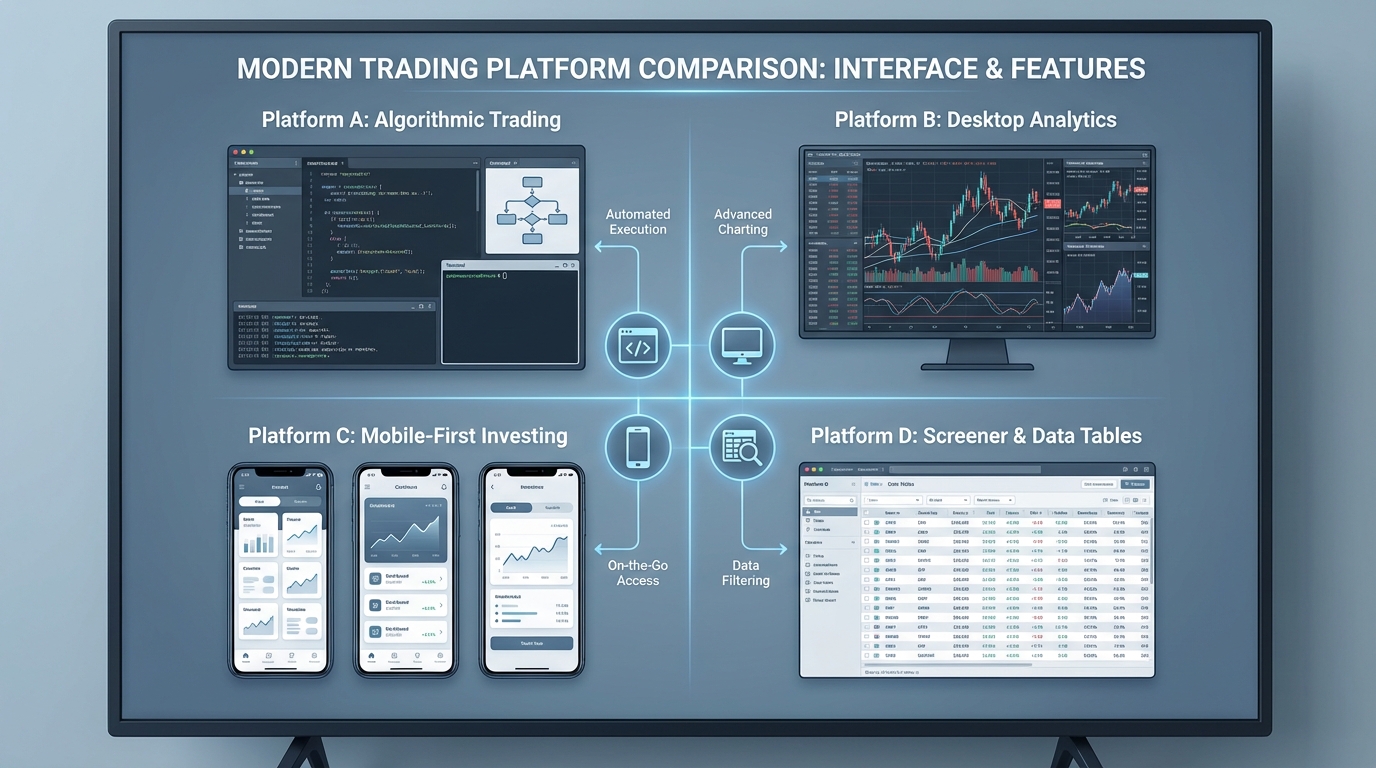
TradingView: The most popular charting platform in the world, TradingView excels at technical analysis and social trading. However, it requires Pine Script coding to build custom alerts for momentum setups. There's no pre-built library of backtested screens, and the mobile app is primarily for viewing charts rather than discovering new trade ideas. Best for: Traders who want powerful charting and are comfortable coding their own alerts.
Trade Ideas: A professional-grade desktop scanner with AI-powered trade discovery. Trade Ideas offers real-time scanning and pre-built strategies, but it's desktop-only (no mobile app), starts at $118/month, and has no free tier. The interface is complex and overwhelming for beginners. Best for: Full-time day traders who sit at a desktop all day and have the budget for premium software.
Finviz: A free stock screener with fundamental and technical filters. Finviz is excellent for end-of-day screening, but the data updates only once per day, making it useless for intraday momentum trading. There are no real-time alerts, no mobile app, and no backtest data. Best for: Swing traders who screen for setups after market close and don't need intraday alerts.
TrendSpider: An automated chart analysis platform with multi-timeframe overlays and 147 pattern types. TrendSpider is a charting tool, not a screener, you can't say "show me all stocks in ascending triangles right now." It's web-only with no mobile app and doesn't provide backtested performance data. Best for: Traders who want automated technical analysis on stocks they're already watching.
Tickeron: An AI-powered pattern recognition platform that assigns confidence scores to setups. The methodology is a black box, you don't see the actual filters or backtest stats. It's web-only with no mobile app and no push alerts. Best for: Traders who trust AI scoring systems and don't need transparency into how patterns are identified.
ChartMath: A mobile-first trade discovery platform with 200+ pre-built, backtested screens covering ORB, VWAP, RVOL, breakouts, and momentum indicators. ChartMath provides real-time scanning, push alerts, backtest data (win rate, average return), and a TikTok-style swipe interface, all without requiring coding knowledge. It's designed as a companion to existing charting platforms, delivering trade ideas to your phone so you can execute on your preferred tool. Best for: Day traders and swing traders who want curated, backtested setups delivered to their phone without coding.
How to choose: Match the platform to your trading style. If you're a full-time desktop trader comfortable with coding, TradingView or Trade Ideas might fit. If you're a busy trader with limited screen time who needs mobile alerts for backtested setups, ChartMath is purpose-built for that use case. If you're a swing trader who only screens after market close, Finviz's free tier might be sufficient.
The key is understanding your own workflow and choosing software that enhances it rather than forcing you to adapt to the platform's limitations.
Red Flags to Avoid When Choosing Momentum Trading Software
Not all momentum trading platforms are created equal. Here are the red flags that should make you think twice before committing:
No free trial or demo: If a platform won't let you test the software before paying, that's a red flag. Reputable platforms offer free trials, free tiers, or live demos so you can evaluate whether the features match your needs. Avoid platforms that demand payment upfront without letting you see the product in action.
Black-box AI systems: Platforms that use AI to generate trade ideas but won't show you the methodology, filters, or backtest data are asking you to trade blind. You should always know why a setup triggered and what the historical edge is. Transparency matters.
Limited technical setup coverage: If a platform only scans for 5-10 setups, you're missing opportunities. The market offers dozens of proven momentum patterns, ORB, VWAP, RVOL, breakouts, reversals, chart patterns, and more. Your software should cover a broad range of technical setups, not just a handful.
No mobile access: In 2026, desktop-only platforms are a liability. If you can't receive push alerts and review setups on your phone, you'll miss trades. Period. Avoid platforms that lock you into a desktop workflow.
Missing backtest data: If the platform sends you alerts but won't show you the win rate, average return, or sample size for each setup, you're trading on hope rather than data. Demand transparency in historical performance.
Excessive pricing without clear value: Some platforms charge $200+/month for features you can get elsewhere for a fraction of the cost. Evaluate whether the pricing matches the value delivered. Premium pricing is justified when the features genuinely improve your trading, not when you're paying for brand name alone.
Poor customer support: If you can't get help when you need it, the platform isn't worth your time. Look for platforms with responsive support teams, active communities, and comprehensive documentation.
Before committing to any momentum trading software, run it through this checklist. If you spot multiple red flags, keep looking. The right platform should feel like it's working for you, not against you.
Making Your Final Decision: Which Momentum Trading Software Is Right for You?
Choosing the right momentum trading software comes down to matching features to your specific trading style, skill level, and time availability. Here's how to make your final decision:
For day traders: You need real-time scanning across 1-minute, 5-minute, and 15-minute timeframes with instant push alerts. Mobile accessibility is critical since you can't be chained to a desktop all day. Look for platforms with pre-built screens covering ORB, VWAP, RVOL, and intraday breakouts. ChartMath is purpose-built for this use case, offering 200+ real-time screens with mobile-first design and push alerts.
For swing traders: You need daily and weekly scanning with end-of-day alerts for multi-day breakout setups. Backtest data is essential so you can validate setups before committing capital. Mobile access is helpful but less critical than for day traders. Platforms like ChartMath (for real-time discovery) or Finviz (for free end-of-day screening) can both work depending on your budget and need for intraday updates.
For beginners: You need a user-friendly interface with plain-English explanations and no coding requirements. Pre-built screens with backtest data help you learn which setups actually work. Avoid complex platforms like TradingView or Trade Ideas until you've built foundational knowledge. Start with platforms that educate while you trade, like ChartMath's curated screens with performance data.
For experienced traders: You might want the flexibility to build custom screens and alerts. TradingView with Pine Script gives you maximum customization. Trade Ideas offers AI-powered scanning for desktop users. But if you're tired of coding and want curated setups delivered to your phone, ChartMath offers a different approach: pre-built screens backed by data, so you can focus on execution rather than setup discovery.
Budget considerations: Free platforms like Finviz work for end-of-day screening but lack real-time data. Premium platforms like Trade Ideas ($118+/month) offer professional features but require significant investment. ChartMath lets you browse screens free on the web with access to core features, making it accessible for traders at all budget levels.
The importance of trying before buying: Don't commit to a platform based on marketing claims alone. Test the software during a free trial. Count how many alerts you receive. Evaluate the mobile experience. Check whether the backtest data is transparent and actionable. The right platform should feel intuitive within the first 10 minutes of use.
If you're ready to see how momentum trading software can transform your trade discovery process, watch a demo of ChartMath to see real-time scanning, backtested performance data, and mobile-first design in action. You'll see exactly how 200+ curated screens deliver high-quality momentum setups to your phone, without coding, without alert fatigue, and without missing entries while you're away from your desk.
For additional guidance on integrating alerts into your existing workflow, read our article on how to integrate trading alerts with your charting platform.
The right momentum trading software doesn't just scan the market, it gives you an edge. It surfaces high-probability setups backed by data, delivers them to your phone at the right time, and helps you make better trading decisions without overwhelming you with noise. In 2026, that's the difference between catching momentum moves and watching them pass you by.
Choose wisely. Your trading results depend on it.

See these setups live in ChartMath
200+ curated screens with backtest data. Free. No credit card required.