Switching from Trade Ideas to a Cheaper Scanner: What You'll Gain and Lose
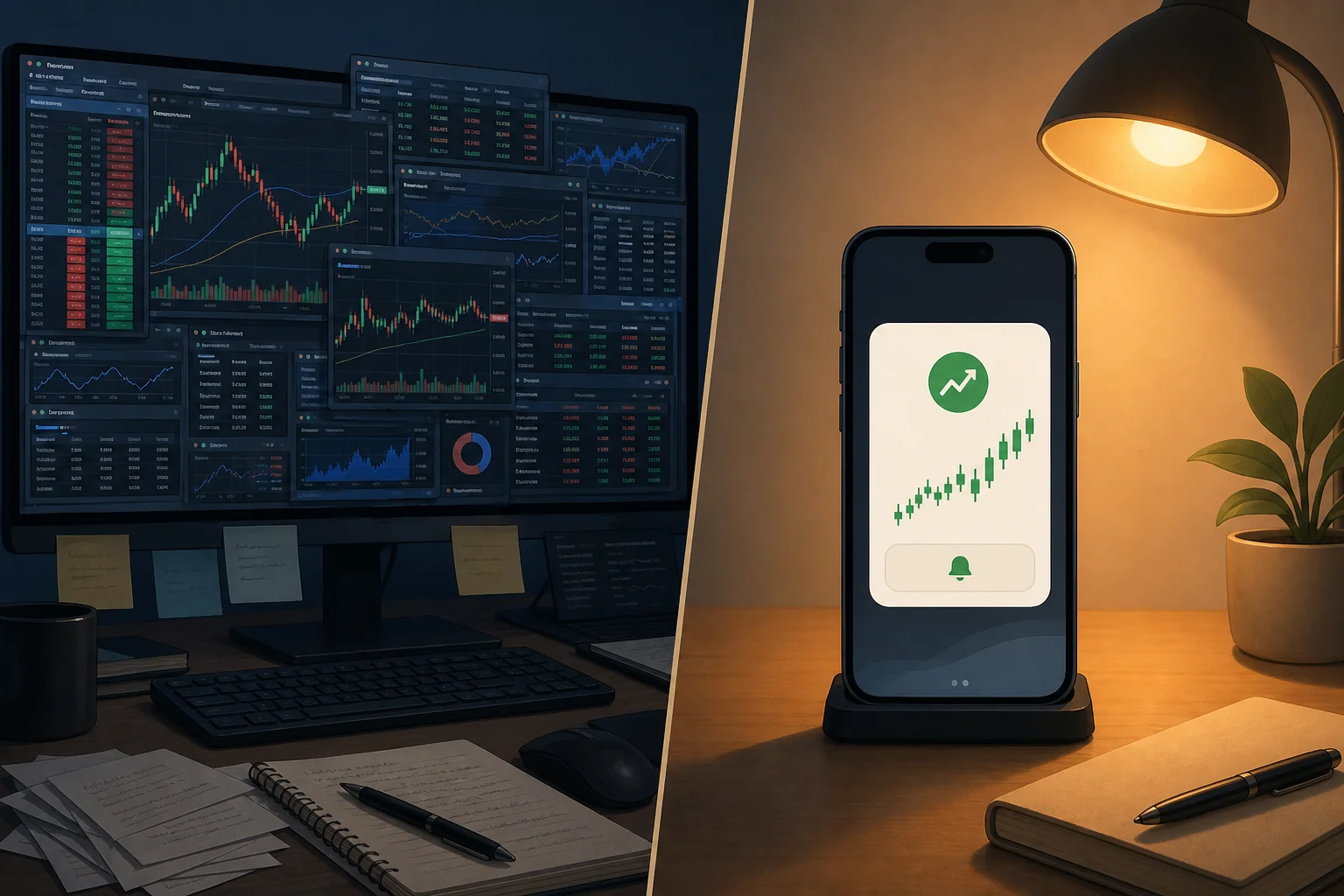
Let's be direct: Trade Ideas is a genuinely impressive platform. It's also $118 to $228 per month, desktop-only, and built for professional day traders who live in front of multiple monitors. If that's not you — if you're a swing trader with a day job, or someone who just wants clean, actionable alerts on your phone — you're probably paying for a lot of horsepower you never actually use.
This post is an honest comparison. Not a hit piece on Trade Ideas, and not a sales pitch dressed up as a review. We'll walk through what Trade Ideas does well, what most retail traders never touch, what features actually matter in a scanner, and how ChartMath stacks up as a more focused alternative. By the end, you'll know whether switching makes sense for your specific trading style — and how to do it without missing a beat.
Why Traders Start Questioning Trade Ideas
The moment usually arrives around month three. You've paid for Trade Ideas, you've watched the tutorial videos, you've set up a few scanner windows, and you're still not sure you're getting $118 worth of value every month. The platform works. The data is real-time. But something feels off.
Part of it is the price. Trade Ideas Standard runs $118/month (billed monthly) and the Premium tier, which includes Holly AI, the platform's flagship AI feature, sits at $228/month. For a retail trader running a $25,000 account, that's a meaningful drag on your P&L before you've placed a single trade.
Part of it is the complexity. Trade Ideas was built for professional day traders who run multiple scanner windows simultaneously, configure custom channel layouts, and spend hours fine-tuning filter combinations. The interface reflects that. It's powerful, but it's also dense. Many traders spend their first few weeks just trying to figure out which windows to open.
And part of it is the platform's fundamental design assumption: that you're sitting at a desktop, watching the market, all day. If you're a swing trader who reviews charts after hours, or someone who needs alerts pushed to your phone while you're in a meeting, Trade Ideas wasn't really built for you. It was built for the trader who has a dedicated trading room and treats this like a full-time job.
None of that makes Trade Ideas bad. It makes it the wrong tool for a specific type of trader. The question worth asking is: are you that trader?
What Trade Ideas Actually Does Well
Before we talk about switching, let's give credit where it's due. Trade Ideas has earned its reputation in certain circles, and for good reason.
Real-time scanning speed is genuinely excellent. Trade Ideas processes market data with very low latency, which matters if you're scalping or running momentum plays where a 30-second delay means a missed entry. The scanner updates continuously throughout the trading day.
Holly AI is the platform's most distinctive feature. It's an AI-driven system that runs pre-market analysis and generates a daily briefing of high-probability setups. For active day traders who want a curated morning watchlist without doing all the manual work, Holly is legitimately useful, though it's only available on the Premium plan.
OddsMaker backtesting lets you test scanner configurations against historical data to see how specific filter combinations would have performed. It's a powerful concept, though the execution requires significant setup time and a solid understanding of how to configure scanner parameters correctly.
Filter depth is unmatched at this price point. Trade Ideas offers hundreds of technical and fundamental filters, giving experienced traders the ability to build highly specific scanner configurations. If you know exactly what you're looking for and have the time to build it, the filter library is comprehensive.
The platform also has a strong community, solid educational resources, and a simulated trading environment built directly in. For traders who want everything in one place and have the time to learn it, Trade Ideas delivers.
What Most Traders Never Actually Use in Trade Ideas
Here's the uncomfortable truth that most Trade Ideas reviews skip: the majority of retail traders use a small fraction of what they're paying for.
Do an honest audit. Open your Trade Ideas account and ask yourself: in the last 30 days, which features did you actually use? For most swing traders and part-time traders, the answer looks something like this:
- Holly AI: Checked it a few times in the morning, but the setups are mostly intraday scalps that don't fit a swing trading style.
- OddsMaker: Opened it once, found the configuration process confusing, closed it. Never went back.
- Simulated trading: Already have paper trading through your broker. Redundant.
- Level 2 data integration: Useful for scalpers watching the order book. Irrelevant for daily chart swing trades.
- Multi-window channel layouts: Set up once, never changed. Using maybe two of the six windows you configured.
What most traders actually use Trade Ideas for is a basic real-time scanner with a handful of filters. That's a $20-$30 use case being paid for at $118-$228/month. The rest is overhead, impressive overhead, but overhead nonetheless.
This isn't a criticism of Trade Ideas. It's a mismatch between what the platform was designed for (professional, full-time day traders) and who's actually subscribing to it (retail traders, swing traders, people with day jobs who trade on the side).
The Core Features That Actually Matter in a Scanner
Before evaluating any alternative, it helps to define what a scanner actually needs to do for your trading style. Strip away the marketing and the feature lists, and most technical traders need the same five things.
1. Real-time scanning. End-of-day screeners like Finviz (in its free form) are useful for overnight research, but they can't catch intraday setups as they form. If you're trading breakouts, VWAP reclaims, or RVOL spikes, you need a scanner that's watching the market continuously, not one that updates at 4 PM. For more on why this matters, see our breakdown of how to use stock screeners for day trading.
2. Alert quality over alert quantity. Getting 200 alerts a day is worse than getting 5 good ones. The best scanners don't just tell you that something happened, they tell you why it matters, what the setup is, and whether it fits your criteria. Alert fatigue is a real problem, and it's one of the top reasons traders abandon platforms after a few weeks.
3. Coverage of the setups you actually trade. This sounds obvious, but it's worth checking explicitly. Does the scanner cover VWAP reclaims? RVOL spikes? Opening range breakouts? 52-week high breakouts? Momentum continuation? If your scanner doesn't cover your setups, it doesn't matter how cheap it is.
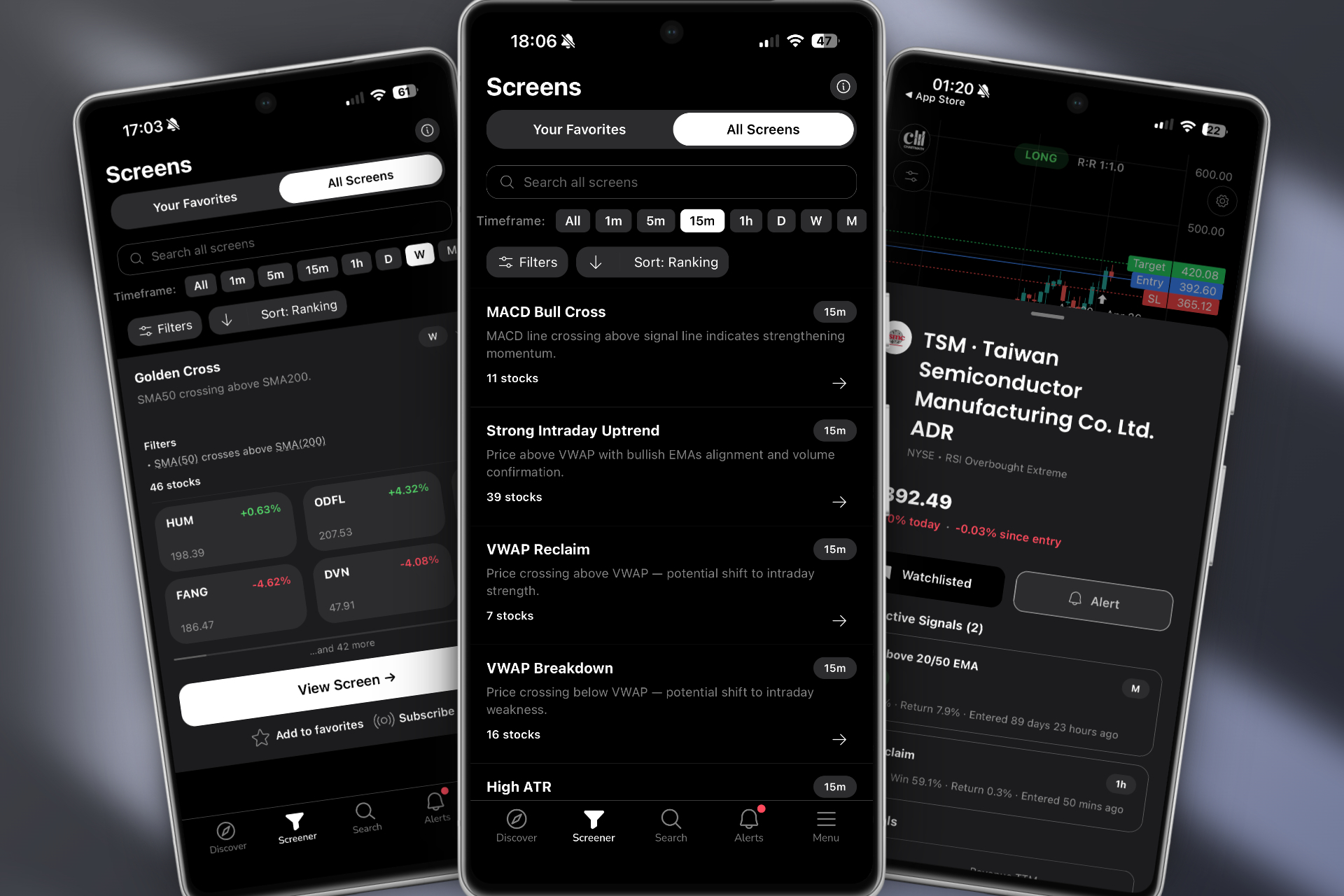
4. Mobile delivery. If you have a day job, your phone is your trading terminal during market hours. A scanner that only works on desktop is a scanner you can't use when it matters most, when a setup is forming at 10:30 AM and you're in a meeting. Push notifications to mobile aren't a nice-to-have; for most retail traders, they're the whole point.
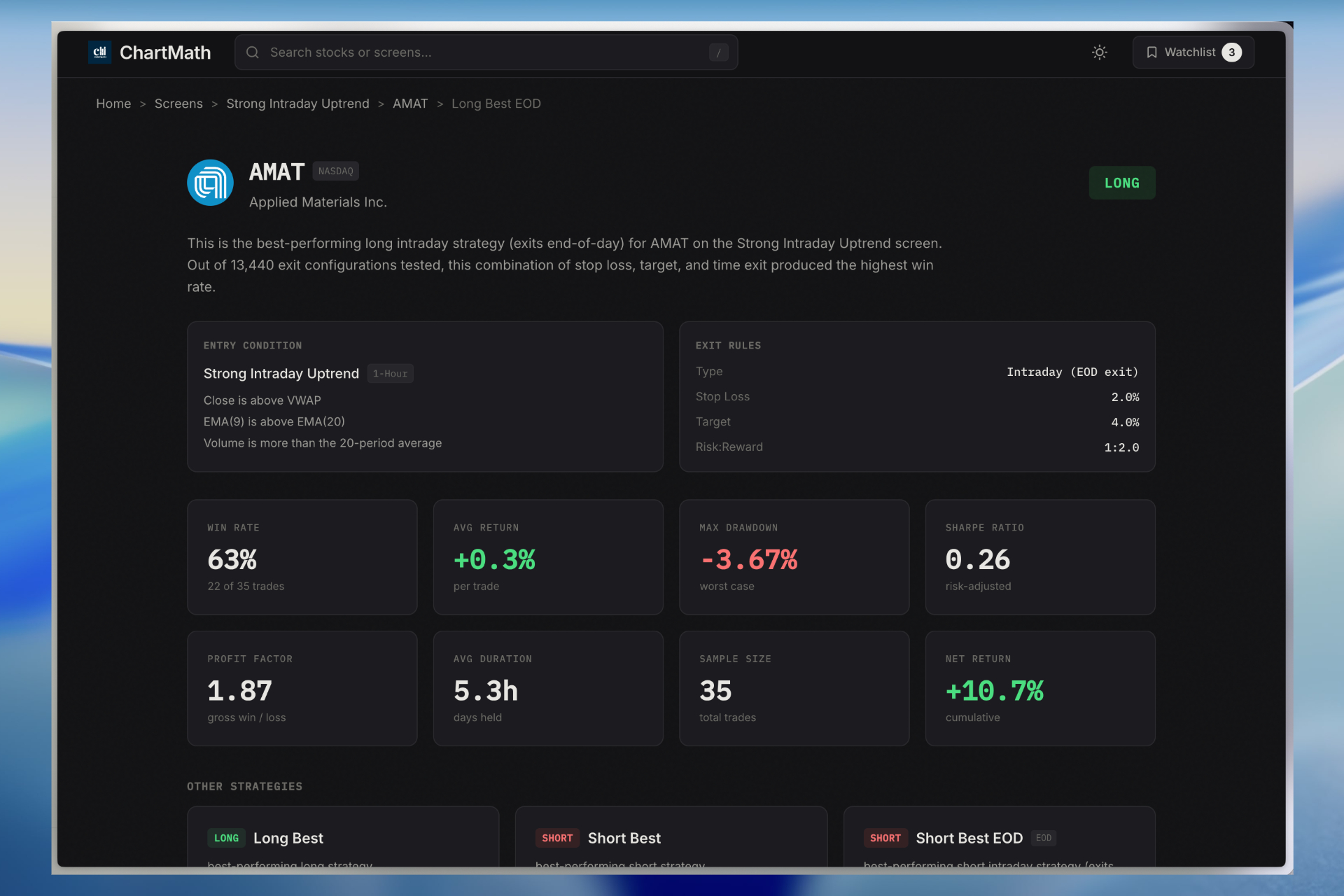
5. Backtest transparency. Any scanner can fire alerts. The question is whether those alerts have a historical edge. Platforms that show you win rates, average returns, and drawdown data for each screen give you something Trade Ideas' raw alerts don't: confidence that the setup you're trading has actually worked before. See our guide on building winning backtesting strategies for more context on why this matters.
ChartMath vs Trade Ideas: A Feature-by-Feature Comparison
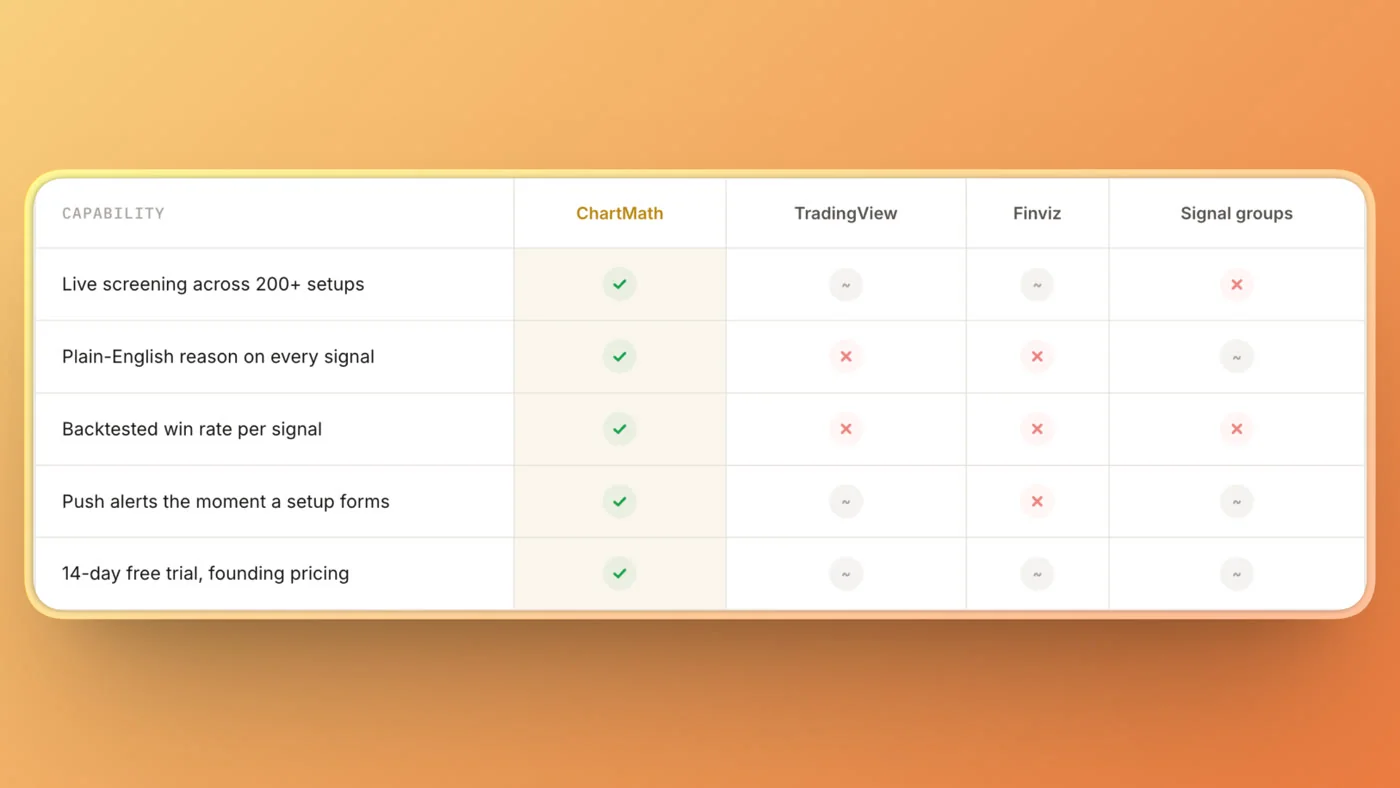
With those five criteria in mind, here's how ChartMath and Trade Ideas compare across the dimensions that actually matter for most retail traders.
| Feature | Trade Ideas | ChartMath |
|---|---|---|
| Pricing | $118–$228/month | Free |
| Mobile App | Desktop only | Mobile-first with push alerts (iOS & Android) |
| Pre-built Screens | Requires manual filter configuration | 200+ curated screens ready out of the box |
| Backtesting | OddsMaker (complex setup required) | Per-screen stats: win rate, avg return, drawdown |
| Alert Explanations | Raw alert data (ticker, price, filter triggered) | Plain-English explanation of why each alert fired |
| Coding Required | No coding, but complex filter configuration | Zero coding, zero configuration, screens are ready |
| Real-Time Scanning | Yes, sub-second on Level 2 data | Yes, continuous intraday scanning |
| AI Features | Holly AI (Premium plan only) | Backtested screens with explainable alerts |
| Target User | Professional full-time day traders | Swing traders with day jobs; active technical traders |
| Works Alongside TradingView | Standalone platform | Designed as a discovery layer alongside your charting tool |
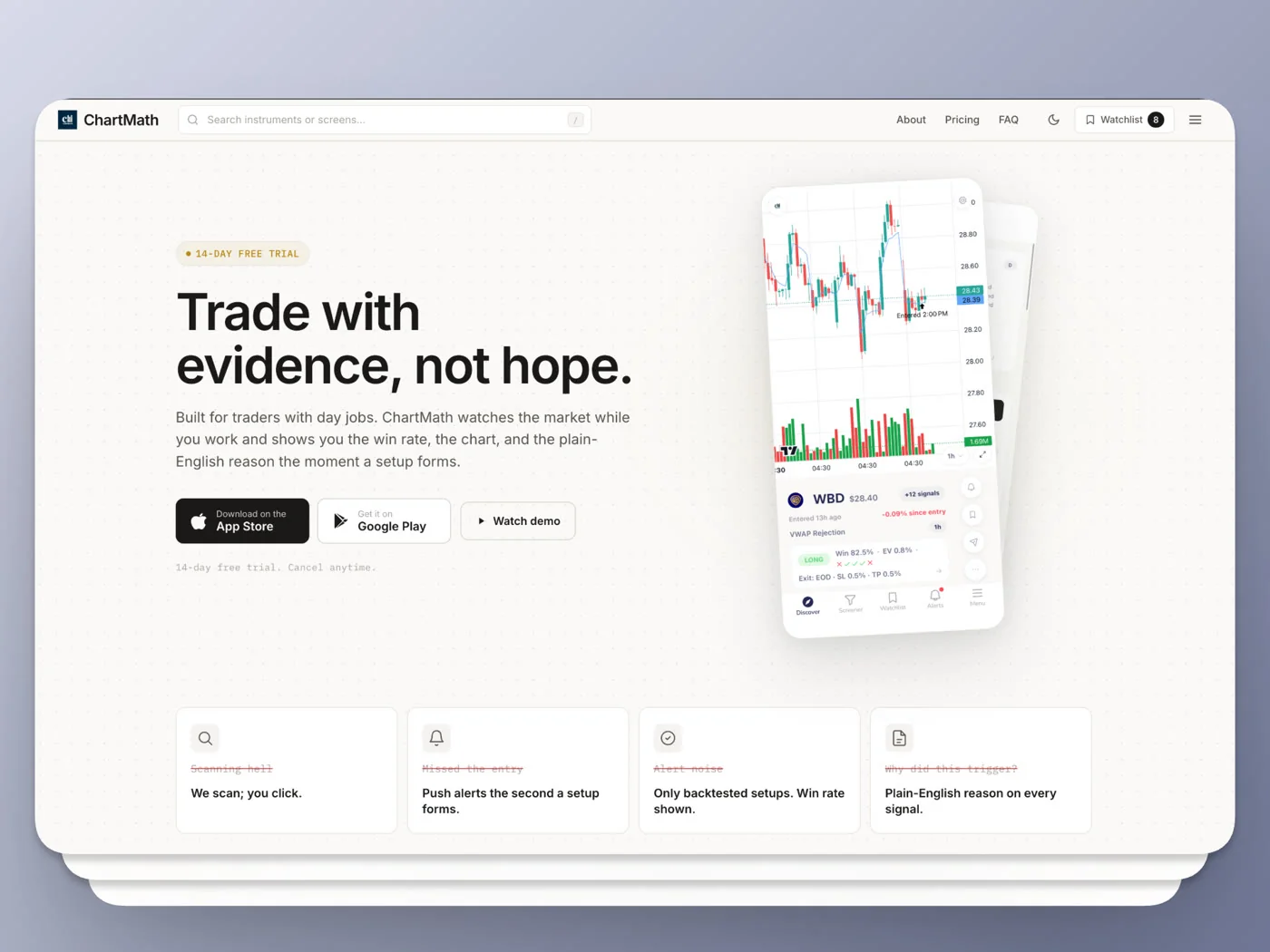
The key difference isn't just price, it's philosophy. Trade Ideas is a full trading workstation that assumes you're at your desk all day. ChartMath is a discovery layer that finds setups for you and pushes them to your phone, so you can review them when you have a moment and execute through the charting platform you already use.
ChartMath's Pre-Built Screens: What You Get Out of the Box
One of the most common frustrations with Trade Ideas is the setup time. Before you get a single useful alert, you need to understand the filter library, configure scanner windows, set thresholds, and test your configurations. For traders who just want to start finding setups, that's a significant barrier.
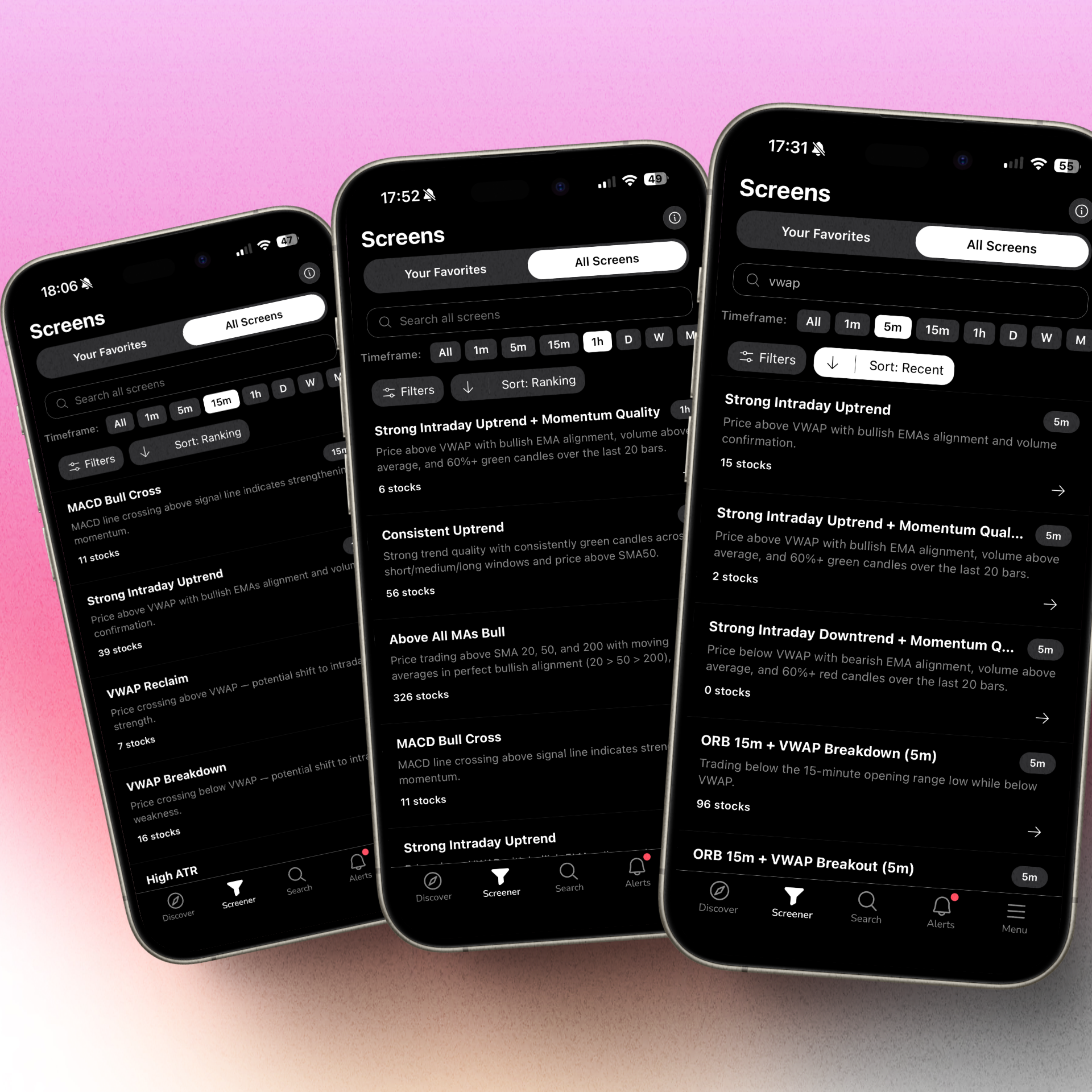
ChartMath takes the opposite approach. The platform ships with 200+ pre-built, curated technical screens, all of them backtested, all of them ready to use the moment you open the app. Here's a look at what's covered across the major categories:
Breakout Screens
- 52-Week High Breakouts, stocks clearing their annual high on elevated volume, one of the most reliable momentum signals in technical trading. See our deep dive on the 52-week high breakout screener for context on why this setup works.
- Consolidation Breakouts, stocks breaking out of tight multi-week bases, a classic swing trading setup
- Volume Breakouts, price breaking key levels with RVOL confirmation
Momentum Screens
- RVOL Spikes, relative volume surges that often precede significant price moves
- Gap-and-Go, stocks gapping up premarket with follow-through momentum
- Relative Strength, stocks outperforming the broader market on a rolling basis
VWAP Screens
- VWAP Reclaims, stocks recovering above VWAP after a dip, a high-probability long setup for intraday traders
- VWAP Breakdowns, for traders who run short setups
- VWAP Squeeze, price coiling near VWAP before a directional move
Opening Range Breakout (ORB) Screens
- ORB setups across multiple timeframes (5-minute, 15-minute, 30-minute opening ranges)
- Pre-market high breakouts that confirm at the open
Swing Trading Screens
- Daily chart setups for traders who hold positions for days to weeks
- Weekly momentum screens for longer-duration swing trades
- Multi-timeframe confluence screens that combine daily and hourly signals
Every single screen comes with backtest data: win rate, average return, and maximum drawdown. You're not flying blind. Before you act on an alert, you can see exactly how that setup has performed historically, something Trade Ideas' OddsMaker requires significant manual work to replicate.
For traders who want to explore the full screen library, ChartMath's screens page shows every available setup with its category, timeframe, and backtest summary. It's worth spending 10 minutes browsing to see how many of your current Trade Ideas setups are already covered.
You can also explore setups directly in the web-based screener without downloading anything first.
Who Should Switch (and Who Shouldn't)
This is the section most comparison posts skip, so let's be direct about it.
Switch if:
- You're a swing trader with a day job who needs mobile alerts, not a desktop war room. ChartMath was built specifically for this use case.
- You're paying for Trade Ideas but only using the basic scanner, a handful of filters and some alerts. You're paying for a Ferrari and using it to drive to the grocery store.
- Alert fatigue is real for you. You want fewer, higher-quality signals with plain-English context, not 300 raw alerts a day that you have to manually evaluate.
- You want backtest data on every screen without spending hours configuring OddsMaker. ChartMath ships that data with every pre-built screen.
- You're already paying for TradingView or TrendSpider for charting and just need a discovery layer that finds new setups across the whole market and pushes them to you.
- You trade on your phone and need a mobile-first experience, not a desktop platform you're trying to access through a browser on your iPhone.
Stay with Trade Ideas if:
- You're a professional scalper who needs Level 2 data integration and sub-second alert delivery for order-flow-based strategies.
- Holly AI's pre-market briefing is genuinely central to your daily process and you're on the Premium plan specifically for it.
- You're running a trading desk or prop firm and need multi-user, institutional-grade infrastructure with deep customization.
- You've invested significant time building custom OddsMaker configurations that are producing consistent results, that's a real asset worth keeping.
The honest answer is that Trade Ideas is the right tool for a specific, professional use case. If you fit that profile, the price is justified. If you don't, and most retail traders don't, you're paying for infrastructure you don't need.
How to Make the Switch Without Missing a Beat
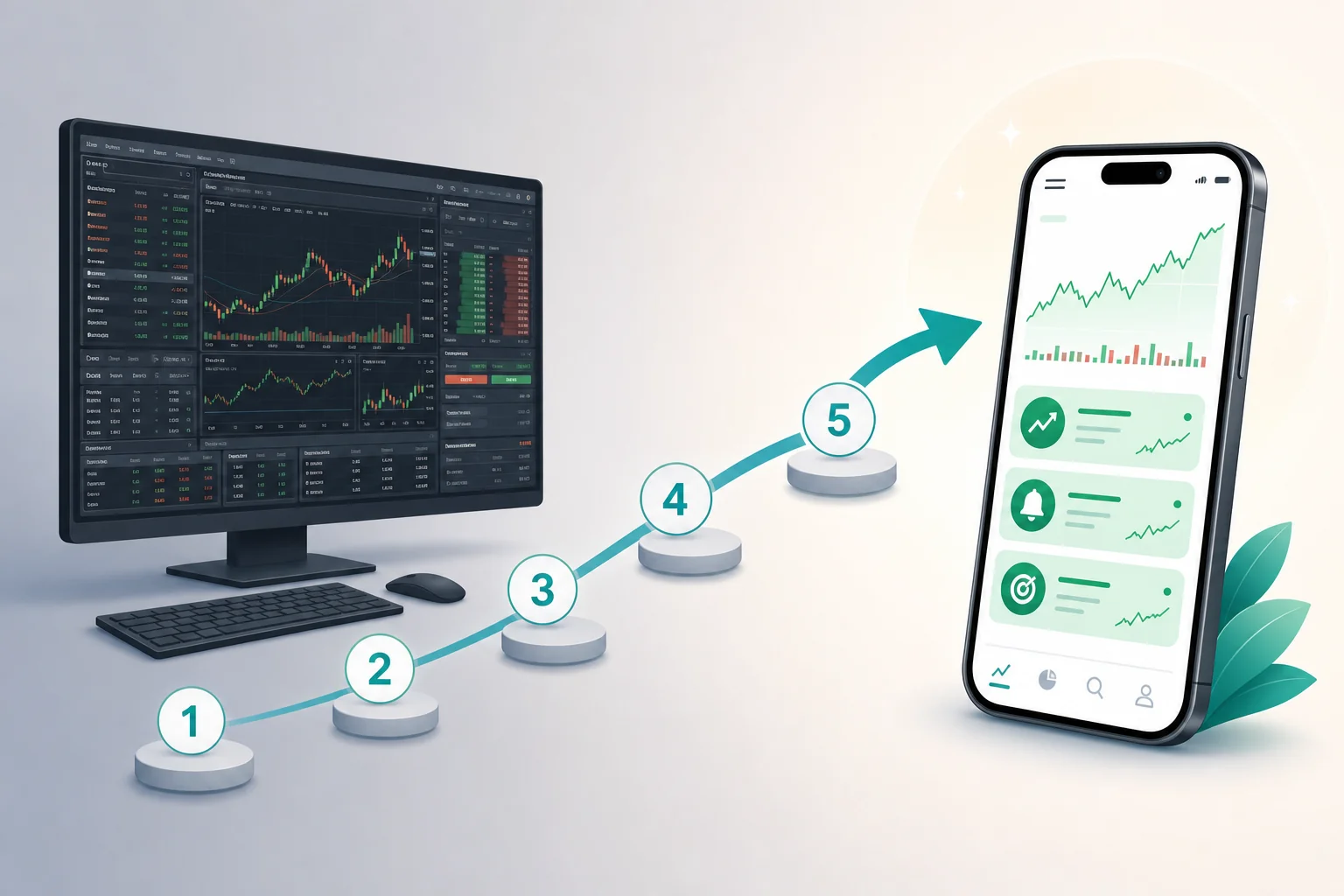
If you've decided to make the move, here's a practical process that minimizes disruption to your trading. Don't just cancel Trade Ideas and start fresh, do this in order.
Step 1: Audit Your Actual Trade Ideas Usage
Before you switch anything, spend 15 minutes reviewing the last 30 days. Which Trade Ideas alerts did you actually act on? Which scanner windows were open? Which filters were producing useful signals? Write it down. This list is your requirements document for any replacement platform.
Step 2: Map Your Setups to ChartMath's Screen Library
Take your list from Step 1 and check it against ChartMath's 200+ pre-built screens. For most swing traders and momentum traders, you'll find direct equivalents, ORB, VWAP reclaims, RVOL spikes, breakouts, 52-week highs. If a setup you rely on isn't covered, that's important information before you commit to switching. For a broader look at building an efficient workflow, see our guide on building an efficient trading workflow in 2026.
Step 3: Set Up Your Watchlist and Enable Push Notifications
Add your core tickers to ChartMath's watchlist and enable push notifications for your top 5-10 screens. Start narrow, you can always add more screens later. The goal in the first week is to get a feel for alert quality and frequency, not to replicate every Trade Ideas configuration you've ever built.
Step 4: Run Both Platforms in Parallel for Two Weeks
This is the most important step. Don't cancel Trade Ideas immediately. Run both platforms simultaneously for two weeks and compare: Are ChartMath's alerts catching the same setups? Are they arriving in time? Is the alert quality (context, explanation, setup clarity) better or worse? Two weeks of parallel running gives you real data instead of assumptions.
Step 5: Review the Backtest Data on Each Screen
For every ChartMath screen you're using, check the historical performance data. Win rate, average return, max drawdown. This is the step that Trade Ideas' OddsMaker requires hours to replicate, in ChartMath, it's built into every screen. Use this data to prioritize which screens deserve your attention and which setups have the strongest historical edge. Our guide on integrating trading alerts with your charting platform covers how to build this into a repeatable workflow.
Step 6: Cancel Trade Ideas and Redirect the Budget
Once you've confirmed that ChartMath is covering your setups with equal or better quality, cancel Trade Ideas. The $118-$228/month you were spending is now available for your trading account, better data subscriptions, or simply staying in your pocket.
Important note: ChartMath is designed to work alongside your existing charting platform, not replace it. If you're using TradingView or TrendSpider for chart analysis, keep using them. ChartMath is the discovery layer that finds new setups across the whole market and pushes them to you. Your charting platform is where you analyze and execute. They're complementary, not competing.
Frequently Asked Questions
Does ChartMath have real-time scanning like Trade Ideas?
Yes. ChartMath scans the market continuously throughout the trading day and delivers push alerts the moment a stock matches a setup. It's not an end-of-day screener, it's designed to catch intraday setups like VWAP reclaims, ORB breakouts, and RVOL spikes as they happen.
Can ChartMath replace Trade Ideas for day trading?
For most retail day traders and swing traders, yes. ChartMath covers the core setups that active technical traders use, ORB, VWAP, RVOL, breakouts, momentum, with real-time alerts and backtest data. The one area where Trade Ideas has an edge is Level 2 data integration for professional scalpers, which ChartMath doesn't replicate. If your day trading strategy depends on order flow and Level 2 data, that's worth factoring in.
Does ChartMath work on mobile?
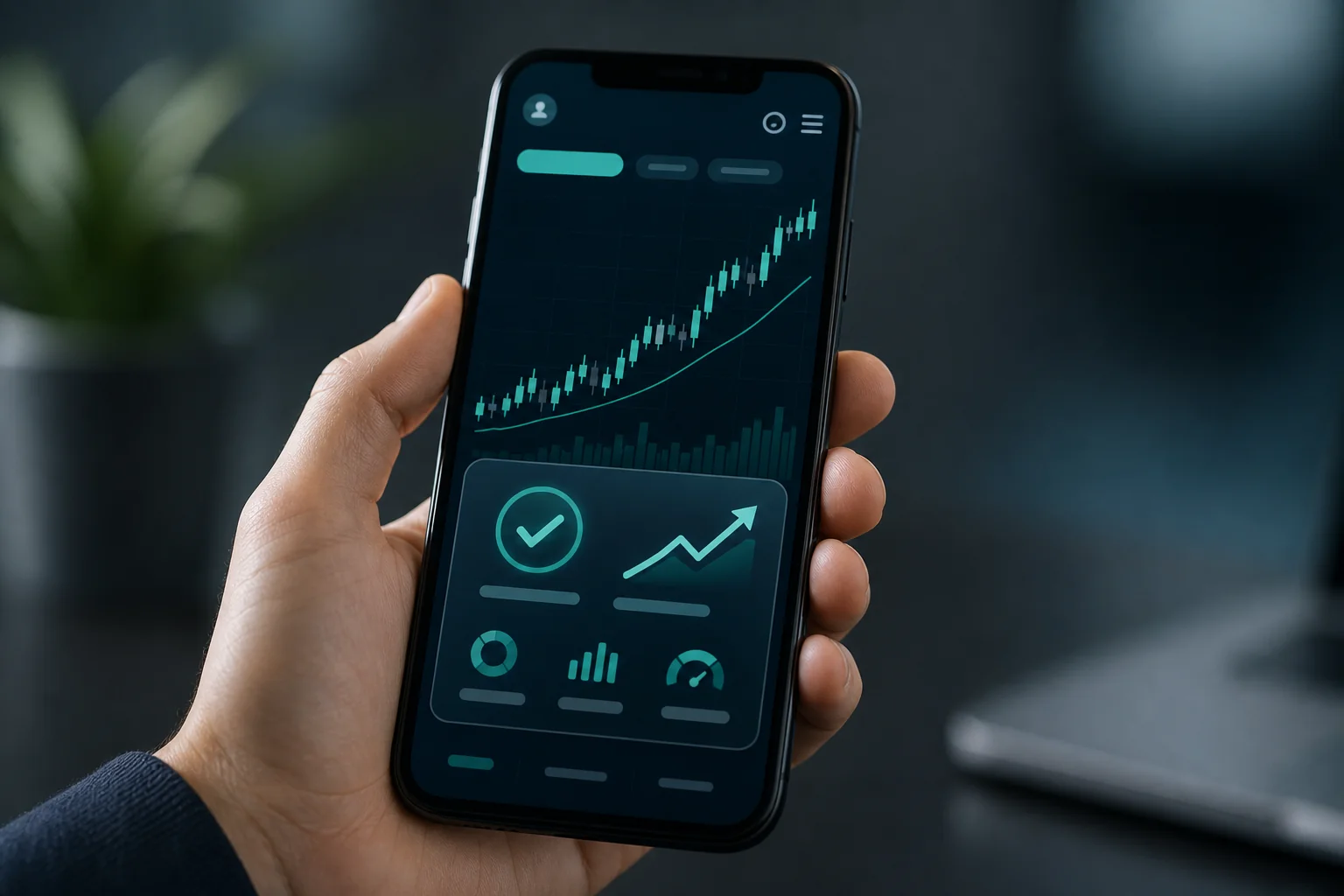
ChartMath is mobile-first. The app is built specifically for traders who can't watch a desktop screen all day. Push notifications fire directly to your iPhone or Android device the moment a setup triggers. The interface uses a swipe-based card layout designed for quick evaluation on a small screen. Download the ChartMath app to see it in action.
Do I need to know Pine Script or coding to use ChartMath?
No. ChartMath requires zero coding. All 200+ screens are pre-built and ready to use immediately. You don't configure filters, write scripts, or set up complex alert conditions. You pick the screens that match your trading style, add your watchlist, and the platform does the scanning. This is one of the biggest practical differences from platforms like TradingView, where building custom alerts requires Pine Script. For more on this, see our post on what to look for in momentum trading software.
Can I use ChartMath alongside TradingView or TrendSpider?
Yes, that's exactly how it's designed to work. ChartMath is a trade discovery layer, not a charting platform. It finds setups across the whole market and pushes them to you. Once you get an alert, you pull up the chart in TradingView or TrendSpider to analyze and execute. Most ChartMath users keep their existing charting platform and add ChartMath as the scanning layer on top.
Does ChartMath have backtesting like Trade Ideas OddsMaker?
ChartMath takes a different approach. Instead of requiring you to build and run your own backtests (which is what OddsMaker requires), every pre-built screen ships with historical performance data, win rate, average return, and maximum drawdown, already calculated. You see the edge before you trade it, without any configuration work. For traders who want to go deeper on backtesting methodology, our guide on building winning backtesting strategies covers the fundamentals.
The Bottom Line
Trade Ideas is a serious platform for serious, full-time day traders. If that's you, the price is probably justified. But if you're a swing trader with a day job, a part-time trader who needs mobile alerts, or someone who's been paying $118-$228/month and using maybe 15% of the features, it's worth asking whether you're paying for the right tool.
ChartMath was built for the trader who knows their setups, doesn't want to spend hours configuring filters, and needs the system to do the scanning while they're at work. Two hundred pre-built screens, backtest data on every one of them, plain-English alert explanations, and a mobile-first interface that pushes setups to your phone the moment they form.
The best way to evaluate it isn't to read another comparison post, it's to see it in action. Watch the ChartMath demo to see how the scanning and alert system works, or download the app and run it alongside Trade Ideas for two weeks. Let the alert quality speak for itself.

See these setups live in ChartMath
200+ curated screens with backtest data. Free. No credit card required.