Best Swing Scanner for Part-Time Traders in 2026
Scan through any trading forum and you'll find the same complaint repeated in a hundred different ways: "I knew the setup was there. I just couldn't act on it." Not because the trader lacked skill. Because the scanner they were using was built for someone who sits at a desk from 9:25 AM to 4:00 PM — and that's not most of us.
This guide compares the best swing scanners for part-time traders in 2026 by the criteria that actually matter when you have a day job: mobile alerts, pre-built backtested screens, plain-English explainability, and pricing that doesn't assume you're running a hedge fund. No fluff, no filler — just a straight comparison so you can pick the right tool and stop manually scanning every night.
Why Most Scanners Fail the Part-Time Trader
The dirty secret of the scanner market is that most tools were designed for a very specific person: a full-time day trader with three monitors, a Bloomberg terminal, and nowhere to be at 10:43 AM. That person is real. But they're a small fraction of the people who actually trade.
The majority of active traders have a job. They prep after hours, check their phone at lunch, and need to know about a breakout while it's happening — not six hours later when they finally sit down at their desk. For that trader, the typical scanner creates three specific problems:
- Desktop lock-in: The most powerful scanners are desktop-only. If you're not at your computer, you're not getting the signal.
- Alert spam: Platforms that fire 200 alerts a day aren't helping you find setups. They're creating noise that trains you to ignore notifications entirely.
- Zero context: An alert that says "AAPL triggered" tells you nothing. Why did it trigger? What's the historical edge? What timeframe? Without answers, you're back to manually pulling up charts.
The right swing scanner for a part-time trader solves all three. It reaches you on mobile, sends fewer but better alerts, and explains exactly why a setup fired. That's the framework used to evaluate every tool in this guide.
What to Look for in a Swing Scanner (If You Have a Day Job)
Before diving into the tools, here are the five criteria that separate a scanner built for part-time traders from one that just happens to have a mobile app:
1. Mobile-First Alerts
Not "mobile-compatible", mobile-first. There's a difference. A scanner that sends push notifications to your phone the moment a setup triggers is fundamentally different from one that has a mobile website you can visit. If the alert doesn't reach your pocket during market hours, it's not useful for someone with a day job. Look for push and email alerts that fire in real time, not end-of-day summaries.
2. Pre-Built, Backtested Screens
Building custom screens in Pine Script or a drag-and-drop filter builder takes time most part-time traders don't have. More importantly, a screen you built yourself has no historical validation. Pre-built screens that come with Win Rate and Average Return data let you evaluate the edge before you risk a dollar. That's a meaningful advantage over starting from scratch.
3. Explainability
An alert that fires without context forces you to open a chart, figure out what happened, and decide if it's worth acting on. That's fine if you're at your desk. It's a problem if you're in a meeting. The best scanners for part-time traders include a plain-English reason with every alert: what screen triggered, on what timeframe, and why it matters.
4. Alert Quality Over Quantity
Alert fatigue is a real problem. Traders who receive too many low-quality notifications stop paying attention to all of them, including the good ones. A scanner that de-duplicates, throttles, and filters alerts by quality is worth far more than one that fires on every minor tick.
5. Pricing That Fits a Part-Time Budget
If you're trading part-time, your scanner cost comes directly out of your trading capital. A tool that costs $118 to $228 per month needs to generate a lot of edge to justify itself. Free or low-cost options that still deliver quality signals are worth serious consideration.
The Comparison: 5 Swing Scanners for Part-Time Traders
Here's a quick-reference look at how the five most commonly used scanners stack up on the criteria above:
| Tool | Mobile Push Alerts | Pre-Built Screens | Backtest Data | No Coding Required | Price |
|---|---|---|---|---|---|
| ChartMath | Yes | 200+ | Yes | Yes | Free |
| TradingView | Limited (requires scripting) | Community only | Manual | No (Pine Script) | Free tier; paid plans available |
| Trade Ideas | No (desktop only) | Yes | Yes (Brokerage Plus) | Mostly | $118–$228/month |
| Finviz | No | Limited | No | Yes | Free tier; Elite plan available |
| TrendSpider | Limited | Some | Yes | Mostly | Paid plans available |
Now let's go deeper on each one.
ChartMath: Built Around the Part-Time Trader's Schedule
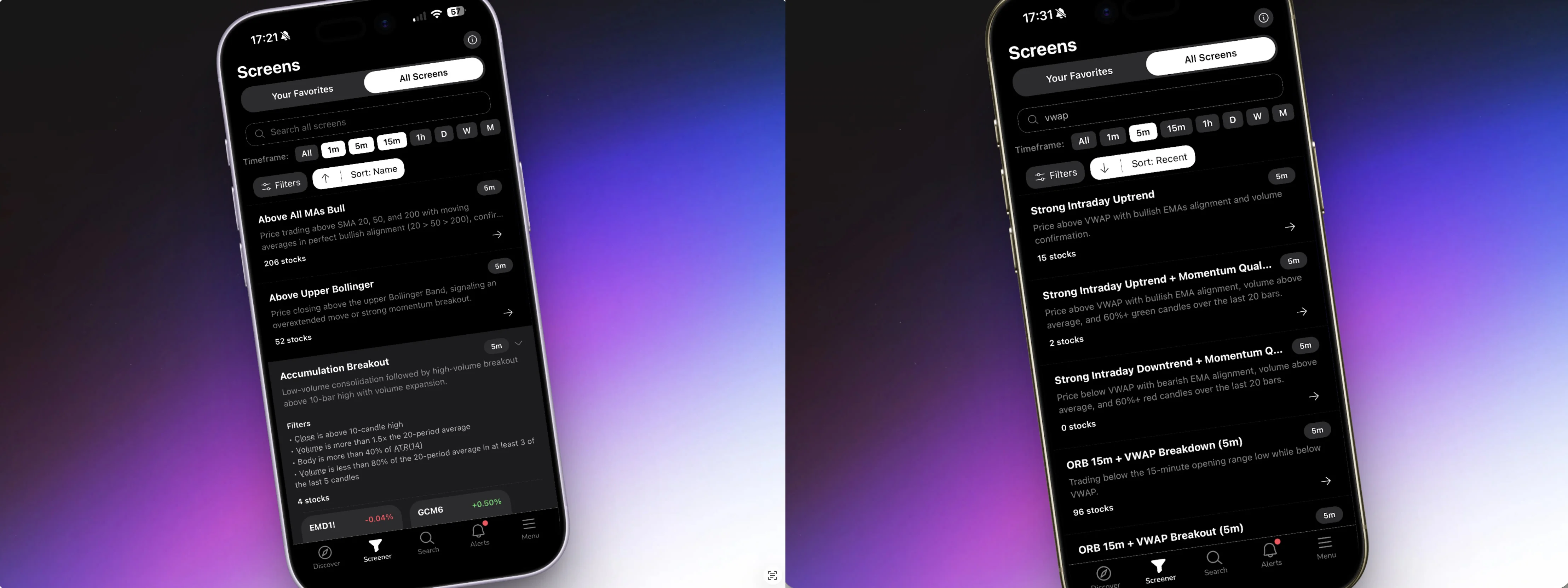
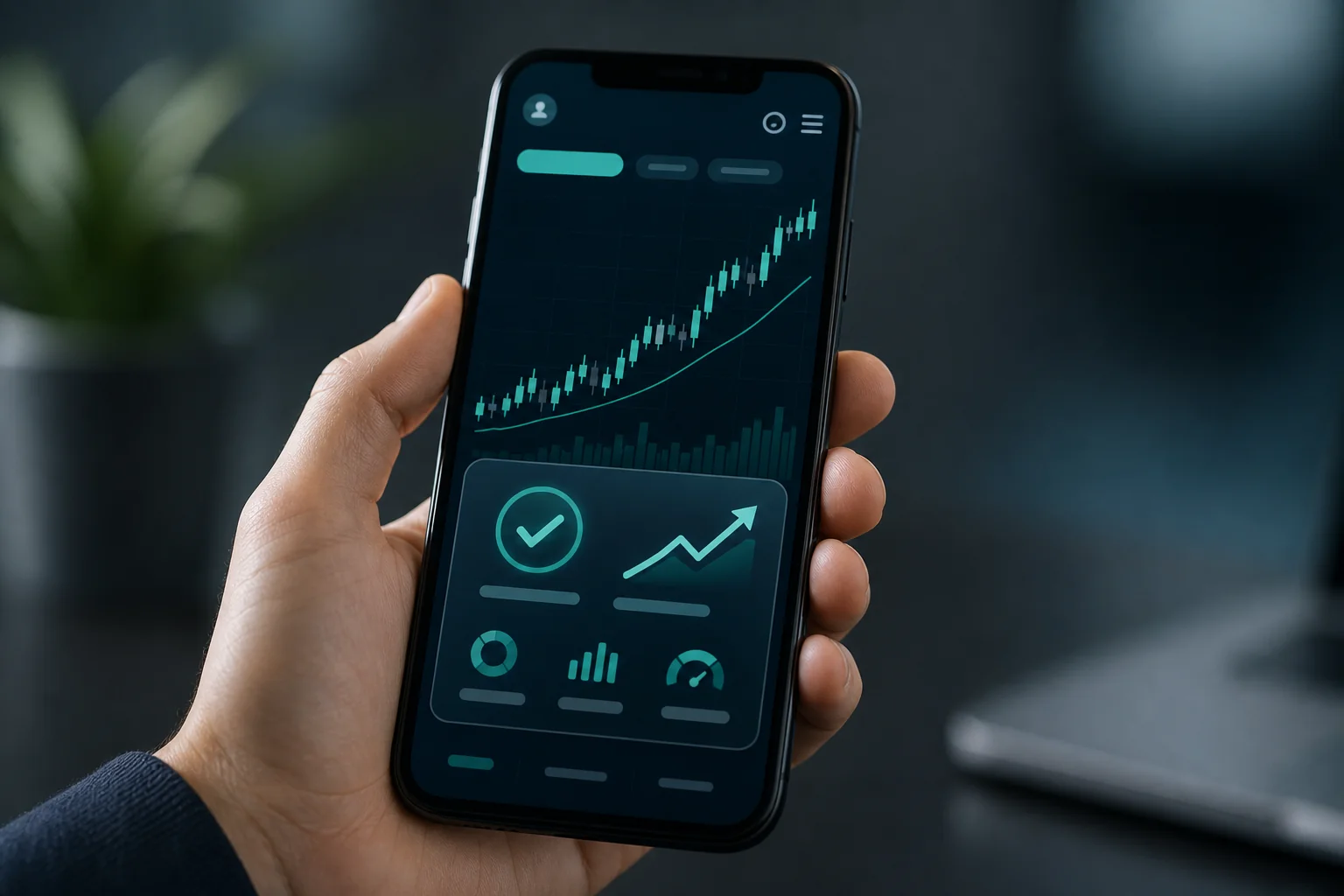
ChartMath is a mobile-first trade-discovery app built specifically for swing traders with a day job. The positioning isn't marketing copy, it's a product decision that shows up in every feature. The app scans a curated universe of 500+ US equities, 100 crypto pairs, and 11 US futures across 200+ pre-built technical screens and 7 timeframes (1m, 5m, 15m, 1h, Daily, Weekly, Monthly), then sends explainable alerts the moment a stock matches a setup.
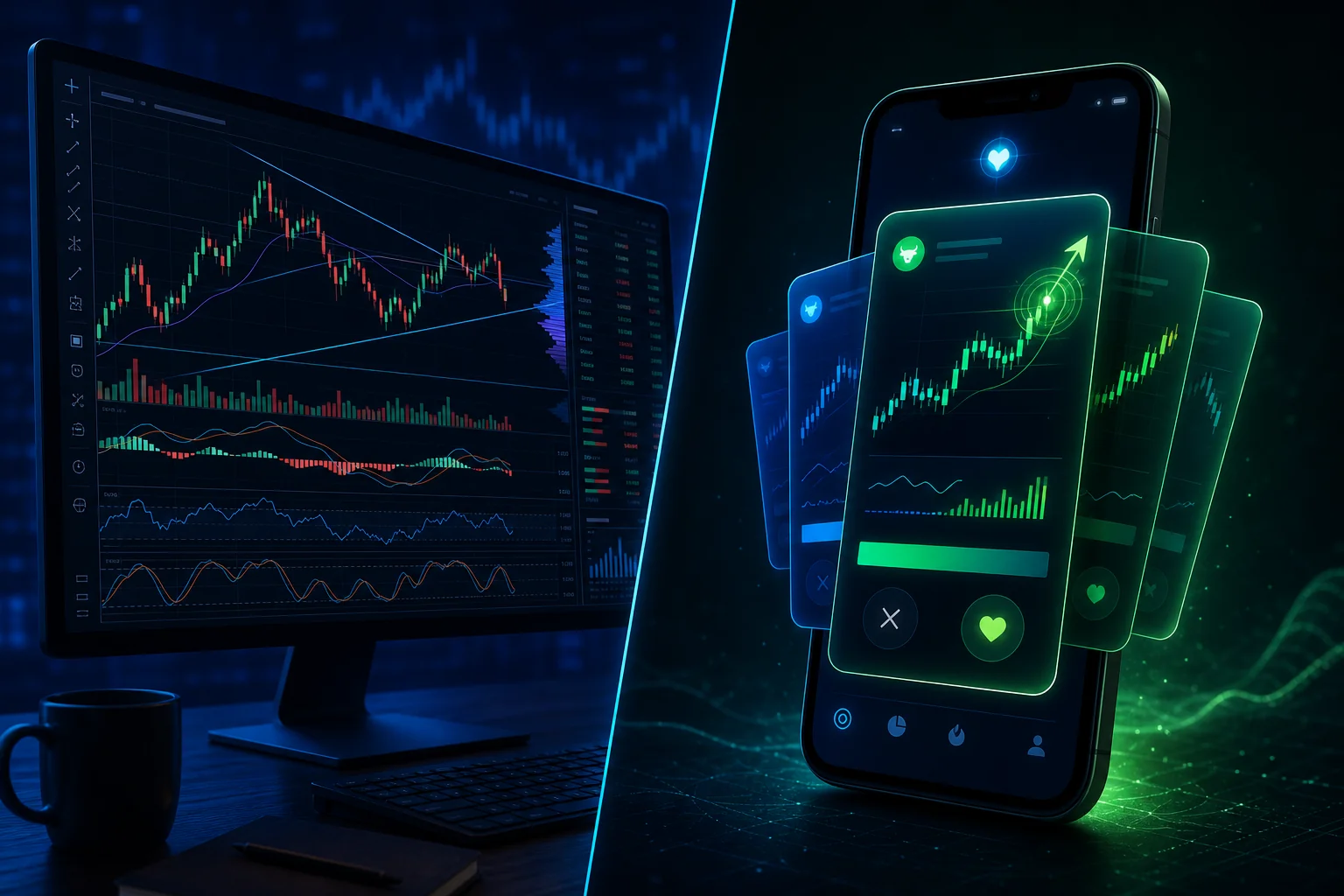
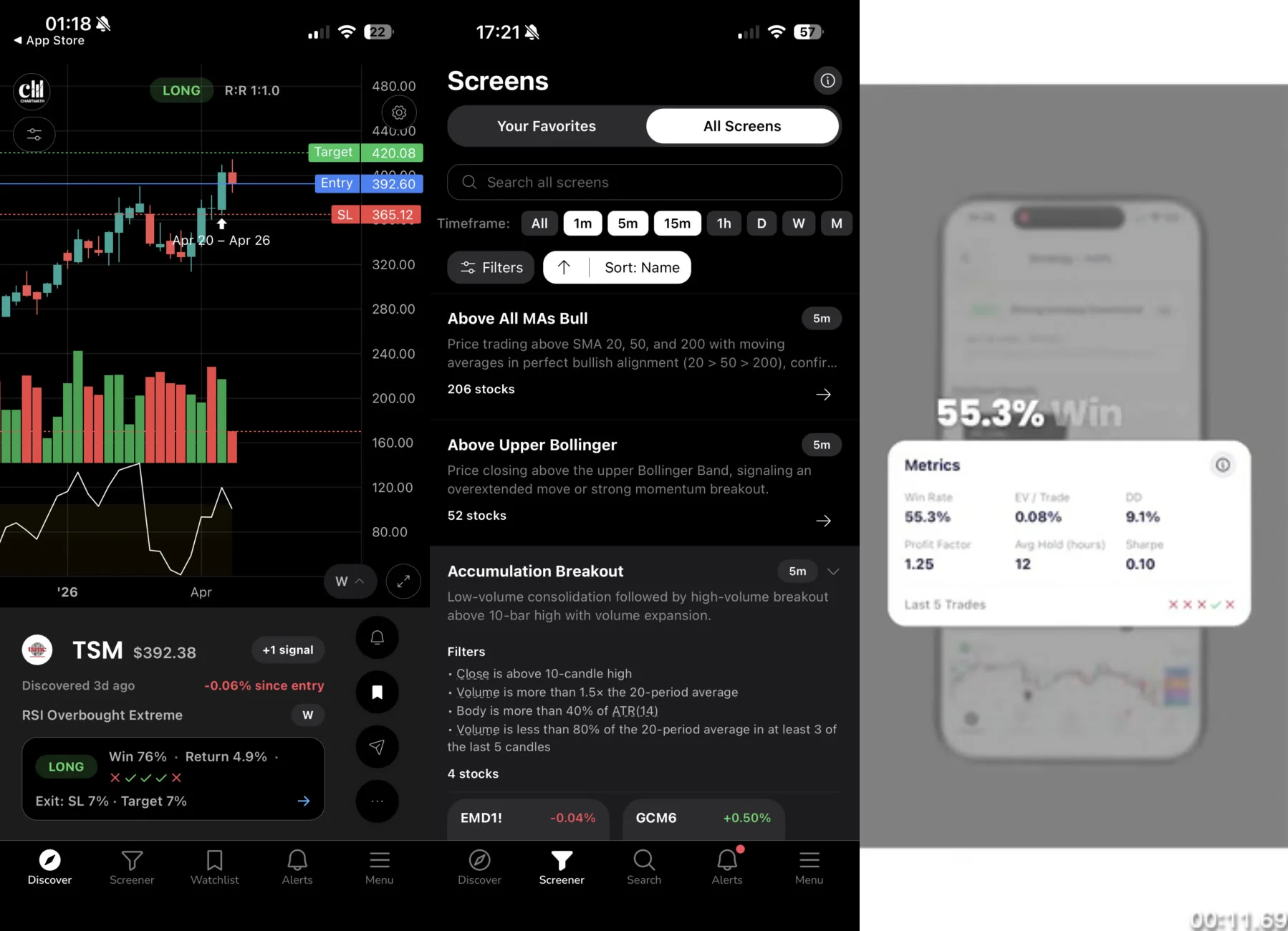
The core surface is the Discover feed: a swipe-first interface where each card shows a symbol, the screen it matched, and a plain-English explanation of why it triggered. Every card also displays the screen's historical Win Rate and Average Return, so you can evaluate the edge before you decide to act. This is the detail most scanners skip entirely.
What Makes It Different for Part-Time Traders
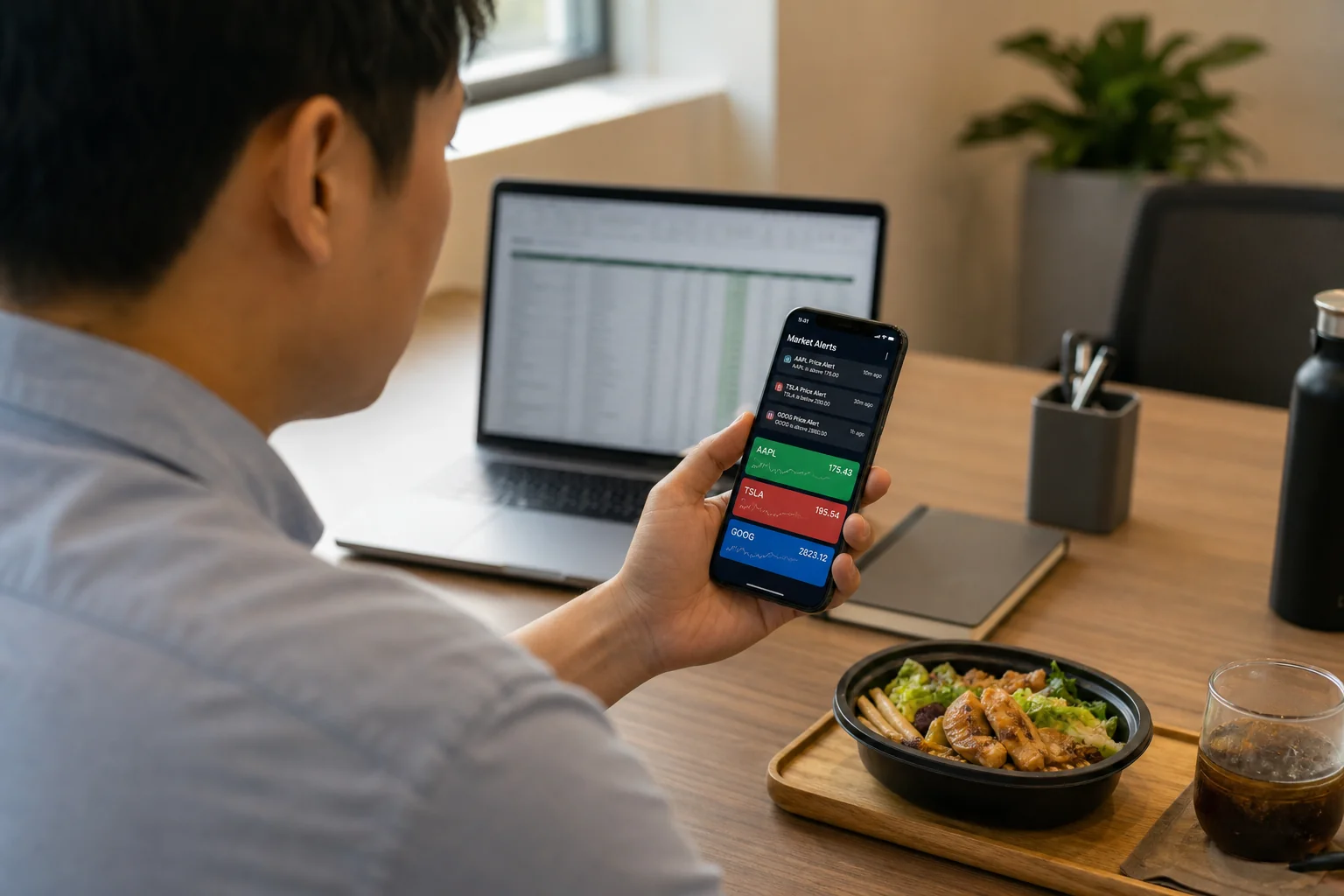
The alert system is where ChartMath earns its place in a part-time trader's stack. Alerts fire via push and email the moment a ticker enters a screen you've favorited. Each alert carries the ticker, timeframe, screen name, a plain-English reason it fired, a timestamp, and a deep link back into the app. You don't need to open a chart to understand what happened, the context is in the notification itself.
ChartMath also handles notification hygiene seriously: de-duplication, throttling, per-bar caps, and timezone-aware quiet hours mean you're not getting pinged at 2 AM or receiving the same alert five times. For traders who've been burned by alert spam on other platforms, this matters.
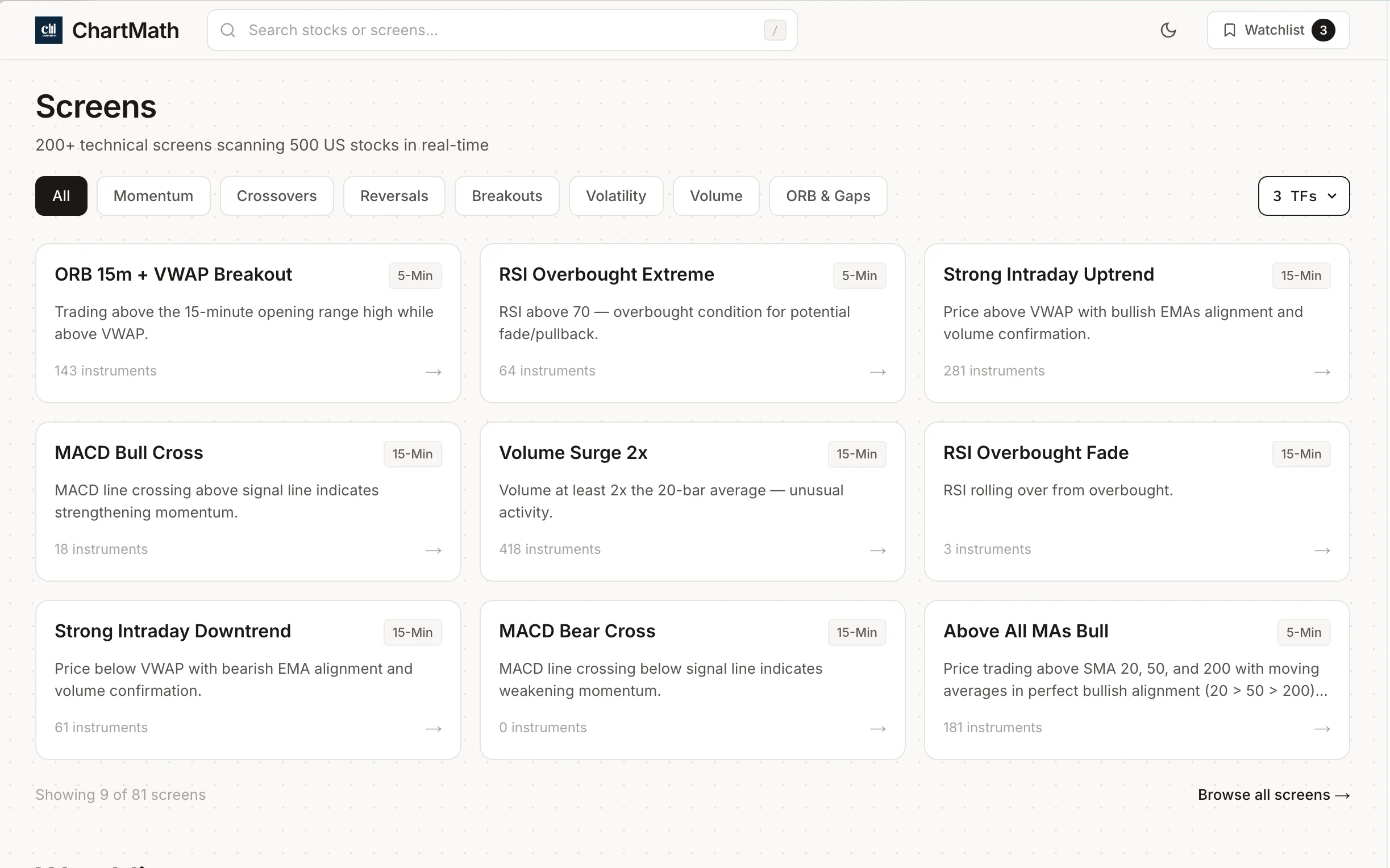
There's no Pine Script, no coding, and no screen builder. The 200+ screens are curated and read-only, which sounds like a limitation until you realize it means every screen has already been backtested and validated before it ships. You're not building from scratch and hoping it works, you're picking from a library of setups with verified historical performance. For a deeper look at how those screens are structured, the guide to using ChartMath's 200+ ready-made screens without Pine Script covers the full catalog.
The Copilot Model
ChartMath is a copilot, not an autopilot. It surfaces setups and explains the edge. You make the call and execute in your own brokerage. There's no broker connection, no order placement, and no automated trading. For self-directed traders who want to stay in control of their decisions, that's a feature, not a gap.
The app is available on iOS and Android, with a read-only web browse layer at chartmath.com/screens for exploring screens without signing in. ChartMath is free, every screen, every backtest, every alert.
"See it. Trust it. Trade it.", ChartMath's three-step model: Discover a setup, verify the edge with backtest data, then execute in your own broker.
TradingView: Great Charts, But Not a Discovery Tool
TradingView is the gold standard for charting. The indicators are precise, the drawing tools are excellent, and the data is real-time. For analyzing a stock you've already identified, it's hard to beat. The problem for part-time traders is that TradingView is reactive, not proactive. It analyzes stocks you bring to it. It doesn't go find them for you.
Custom alerts on TradingView require Pine Script, TradingView's proprietary scripting language. If you're not a developer, building a reliable alert for a specific setup takes significant time and testing. Community scripts exist, but they come with no backtest validation and no guarantee of quality.
Mobile push alerts are available on TradingView, but they're tied to the alerts you've manually configured. There's no proactive discovery feed, no pre-built screens with historical Win Rate data, and no plain-English explanation of why an alert fired. For traders who already know exactly what they're looking for and have the coding skills to build it, TradingView is excellent. For part-time traders who need the system to surface new setups, it's a charting layer, not a scanner.
The best use case: pair TradingView with a discovery tool like ChartMath. ChartMath finds the setup; TradingView gives you the deep chart analysis before you pull the trigger. That's the stack many part-time traders are already running. The guide on integrating trading alerts with your charting platform walks through exactly how to set that up.
Trade Ideas: Powerful, But Built for Full-Time Pros
Trade Ideas is genuinely impressive. The real-time scanning engine is fast, the pre-built strategies are extensive, and the AI-assisted features (Holly) add a layer of automation that serious day traders value. For a professional who trades full-time from a desktop, it's one of the most capable tools on the market.
For a part-time swing trader, the friction points are significant. Trade Ideas is desktop-only, there's no mobile app that delivers real-time push alerts to your phone during market hours. The interface is complex enough that new users typically spend weeks learning the platform before they're getting value from it. And at $118 to $228 per month, the cost is hard to justify unless trading is your primary income source.
The full breakdown of switching from Trade Ideas to a more accessible scanner covers what you gain and lose in detail. The short version: if you're a part-time trader, you're paying for capabilities you can't use because you're not at a desktop during market hours.
Finviz: A Good Starting Point, Not a Real-Time Solution
Finviz is where most traders start, and for good reason. The free tier is fast, the filter interface is intuitive, and the visual stock screener gives you a quick read on the market. For end-of-day prep, it's a solid free tool.
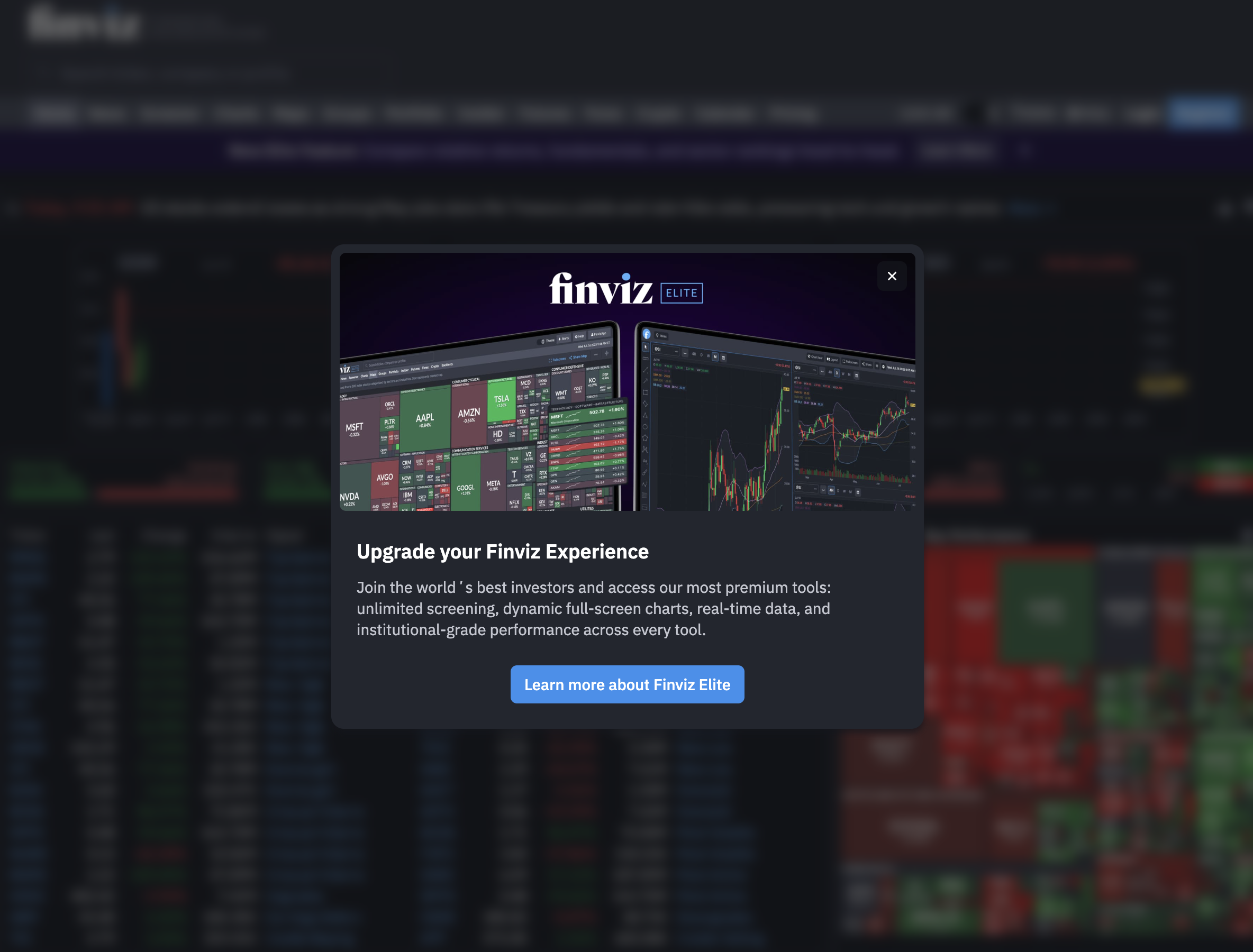
The limitations become clear the moment you need real-time data. The free plan updates end-of-day only, which means any intraday move, a VWAP reclaim, an opening range breakout, a momentum surge on elevated RVOL, is invisible to you until after the close. There's no mobile app, no push alerts, and no backtest data attached to screens. Finviz Elite adds real-time data, but even then, you're pulling up the screener manually rather than receiving proactive alerts.
Finviz works well as a free supplement for end-of-day review. As a primary scanner for catching moves during market hours, it's not the right tool for part-time traders. For a deeper look at what Finviz misses for active traders, the guide to using stock screeners for day trading in 2026 covers the gap in detail.
TrendSpider: Deep Analysis for Stocks You Already Know
TrendSpider sits in a different category from the other tools here. It's an automated chart analysis platform: it draws trendlines, identifies patterns, and runs backtests on stocks you bring to it. The analysis quality is genuinely high, and the multi-timeframe view is useful for swing traders who want to confirm a setup across timeframes before entering.
The core limitation for part-time traders is the same as TradingView's: TrendSpider is reactive. You need to already know which stock you're looking at. It doesn't proactively scan the market and push you a notification when a new setup forms on a ticker you've never considered. Mobile push alerts for new setups aren't a core feature.
TrendSpider is best used as a chart analysis layer after a discovery tool has surfaced a candidate. If ChartMath flags a setup, TrendSpider is a strong tool for doing the deeper technical analysis before you commit. As a standalone scanner for part-time traders, it leaves the discovery problem unsolved.
Side-by-Side Verdict: Which Scanner Fits Your Situation?
Every trader's situation is different. Here's a direct recommendation based on the most common scenarios:
If you need mobile alerts during market hours
ChartMath is the clear answer. It's the only tool in this comparison built from the ground up for traders who aren't at a desktop during market hours. The push alerts are real-time, the screens are pre-built and backtested, and the plain-English explanations mean you can evaluate a setup from your phone in under 30 seconds. Being free removes the cost barrier to getting started.
If you want world-class charts and can write Pine Script
TradingView is excellent for the analysis layer. Pair it with ChartMath for discovery and you have a complete stack: ChartMath finds the setup, TradingView gives you the deep chart work. The guide to building an efficient trading workflow in 2026 covers how to structure this kind of two-tool approach.
If you're a full-time professional day trader with budget
Trade Ideas is worth the investment if you're at a desktop all day and need the most powerful real-time scanning engine available. For part-time traders, the cost-to-value ratio doesn't hold up.
If you only prep end-of-day and want a free supplement
Finviz is a reasonable free addition to your stack for after-hours review. Don't rely on it for intraday signals. For a structured end-of-day scanning routine, the daily chart swing trade setup workflow shows how to use end-of-day data effectively.
If you want deep chart analysis on stocks you've already identified
TrendSpider is a strong analysis layer. Use it after a discovery tool has surfaced a candidate, not as a replacement for proactive scanning.
The recommended stack for most part-time traders
ChartMath for discovery and alerts. TradingView or TrendSpider for chart analysis on the setups ChartMath surfaces. Finviz as a free end-of-day supplement. That combination covers every stage of the workflow without redundancy and without requiring you to be at a desk during market hours.
How to Get Started with ChartMath in Under 10 Minutes
If you've decided ChartMath fits your situation, here's how to go from zero to receiving your first real-time swing trade alert:
- Download the app. ChartMath is available on iOS and Android. Head to chartmath.com/app to get the download link for your device.
- Open the Discover tab. This is the swipe-first feed of today's setups. Each card shows the ticker, the screen it matched, a plain-English explanation, and the screen's historical Win Rate and Average Return. Swipe through and get a feel for the types of setups the app surfaces.
- Browse the Screener tab. This is where all 200+ curated screens live. You can filter by category (breakouts, momentum, VWAP, RVOL, and more) and open any screen to see which tickers currently match it. For a walkthrough of the most useful screens for swing traders, the guide to the 52-week high breakout screener is a good starting point.
- Favorite the screens that match your strategy. Favoriting a screen enables push and email alerts for that screen. When a ticker enters a favorited screen, you get a notification on your phone with the full context: ticker, timeframe, screen name, and why it fired.
- Add tickers to your watchlist via the Search tab. The Search tab lets you look up individual instruments and add them to your single watchlist. Watchlist tickers get setup-based notifications across all your favorited screens.
- Check the backtest data before acting. Every screen card shows Win Rate and Average Return. Before you execute a trade in your own broker, review those numbers alongside the chart. That's the "Trust it" step in ChartMath's three-step model: See it, Trust it, Trade it.
The web browse layer at chartmath.com/screens lets you explore all screens without signing in, which is useful for evaluating the library before you download the app. For traders who want to understand the backtest methodology behind the screens, the complete guide to backtesting strategies covers how to read and interpret Win Rate and Average Return data correctly.
Frequently Asked Questions
What is the best free swing scanner for part-time traders?
ChartMath is the strongest pick for part-time traders in 2026. It is free, with every screen, every backtest, and every alert included. Finviz is a useful free supplement for end-of-day prep, but it doesn't deliver real-time mobile alerts.
Do I need coding skills to use these scanners?
ChartMath requires no coding at all. The 200+ screens are pre-built and ready to use. TradingView requires Pine Script to build custom alerts. Trade Ideas and TrendSpider have no-code interfaces for most features, but advanced customization involves scripting. For traders who want to avoid coding entirely, ChartMath is the clearest option.
Can I get real-time alerts on my phone from a swing scanner?
ChartMath sends real-time push and email alerts the moment a ticker enters a screen you've favorited. Trade Ideas is desktop-only and doesn't deliver mobile push alerts. TradingView can send push alerts but requires Pine Script to configure them. Finviz has no mobile push alerts on any plan.
How is ChartMath different from TradingView or Finviz?
TradingView and Finviz are reactive tools: they analyze stocks you already know about. ChartMath is proactive: it scans the market continuously and pushes you a notification when a new setup forms, with a plain-English explanation and backtest data attached. It's a discovery layer, not a charting platform. Many traders use ChartMath alongside TradingView rather than instead of it.
Does ChartMath work for crypto and futures too?
Yes. ChartMath's universe covers 500+ US equities as the primary focus, plus 100 crypto pairs and 11 US futures, all across 7 timeframes. US equities are the core of the product, but crypto and futures coverage is live and real for traders who want it. For a deeper look at how multi-timeframe analysis works across these asset classes, the comparison of VWAP, RVOL, and ORB indicators covers the setups that apply across markets.
The Bottom Line
Most swing scanners weren't designed for traders with a day job. They assume you're watching a screen, sitting at a desktop, and available to act the moment a signal fires. If that's not your reality, the tool is working against you.
The best swing scanner for part-time traders is one that does the scanning while you're busy, reaches you on mobile with enough context to make a decision, and backs every setup with historical data so you know the edge before you risk capital. ChartMath was built to solve exactly that problem, and it is free.
Stop manually scanning every night and start catching high-quality setups while you're still at work. Download ChartMath on iOS or Android and have your first real-time swing trade alert set up in under 10 minutes. Already want to explore the screens before downloading? Browse the full library at chartmath.com/screens, no sign-in required.

See these setups live in ChartMath
200+ curated screens with backtest data. Free. No credit card required.