Trade Ideas vs ChartMath for Swing Traders: Cost & Mobile
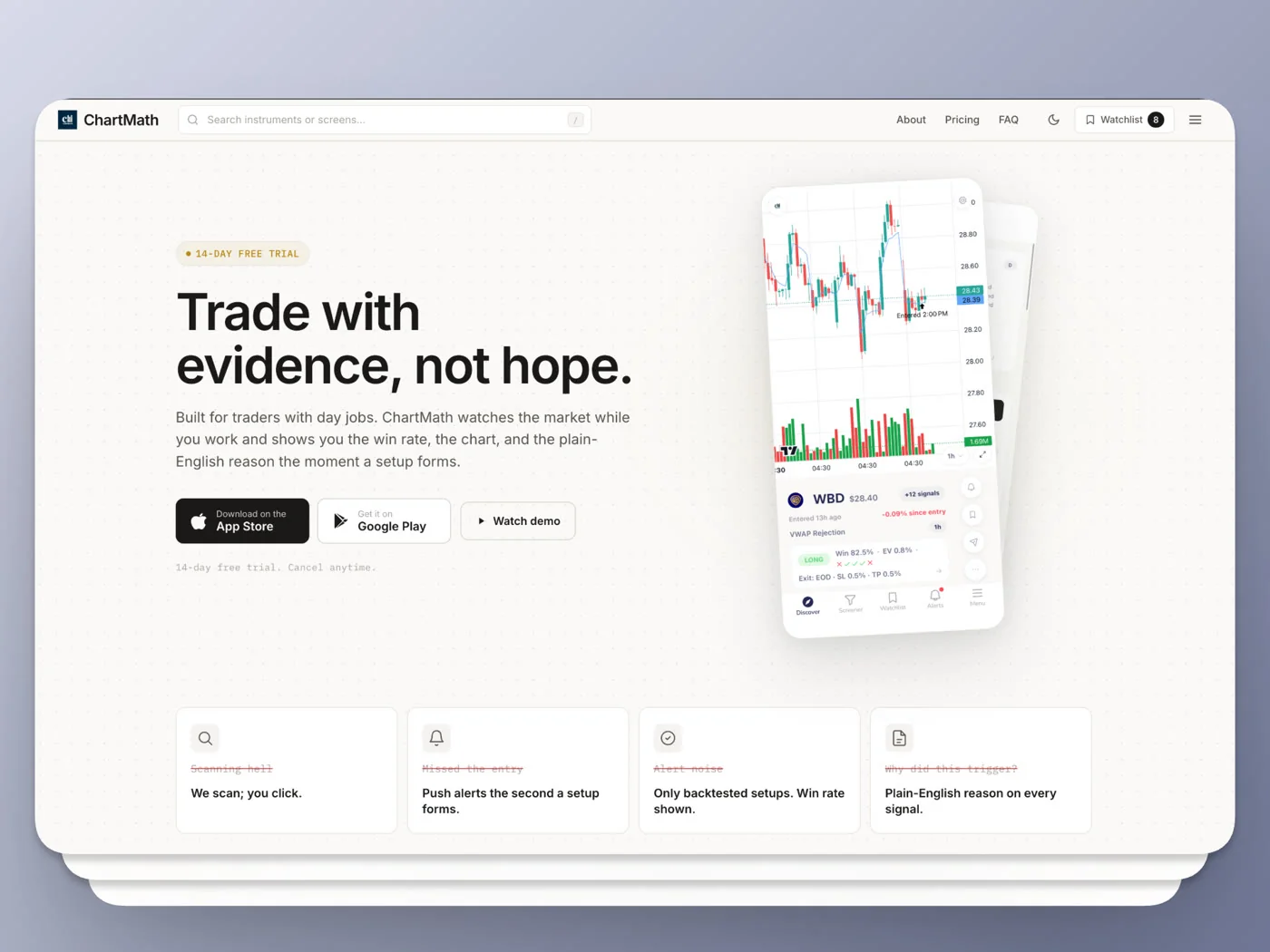
Your phone buzzes at 2:47 PM. You're in a status update meeting, screen face down on the table, and you have no idea whether the setup you flagged Sunday night just triggered or whether that buzz is a calendar reminder. This is the actual decision behind trade ideas vs chartmath for swing traders: not which platform has more features, but which one fits a schedule where you check the market three times a day instead of watching it continuously. Trade Ideas is a desktop scanning powerhouse built for someone glued to multiple monitors. ChartMath is a mobile-first discovery copilot built for someone who is not.
Key Takeaways
- Cost model differs by design, not just price: Trade Ideas sells a desktop-centric scanning terminal on a monthly subscription (check current tiers on their site). ChartMath is free and does not ask for a credit card, so the cost question is really a fit question.
- Mobile is a companion vs the main event: Trade Ideas' mobile app extends a desktop workflow; ChartMath's Discover feed, Screener, and Alerts were designed mobile-first from day one.
- Backtest access requires different effort: Trade Ideas' AI backtesting module rewards traders who can script conditions; ChartMath ships 200+ pre-backtested screens with a recomputable Win Rate and Avg. Return attached to each one.
- Alert explainability is not automatic on either platform unless the scan or screen was built to explain itself. ChartMath's alerts carry a plain-English reason, ticker, timeframe, and timestamp by default.
- Neither tool trades on its own. Trade Ideas has execution integrations for active desktop traders. ChartMath now includes paper trading, so you can place a simulated order with its stop and target pre-filled and track it in a Portfolio tab. Nothing is automated either way: you tap to place, and you keep the call.
At a Glance: Trade Ideas vs ChartMath
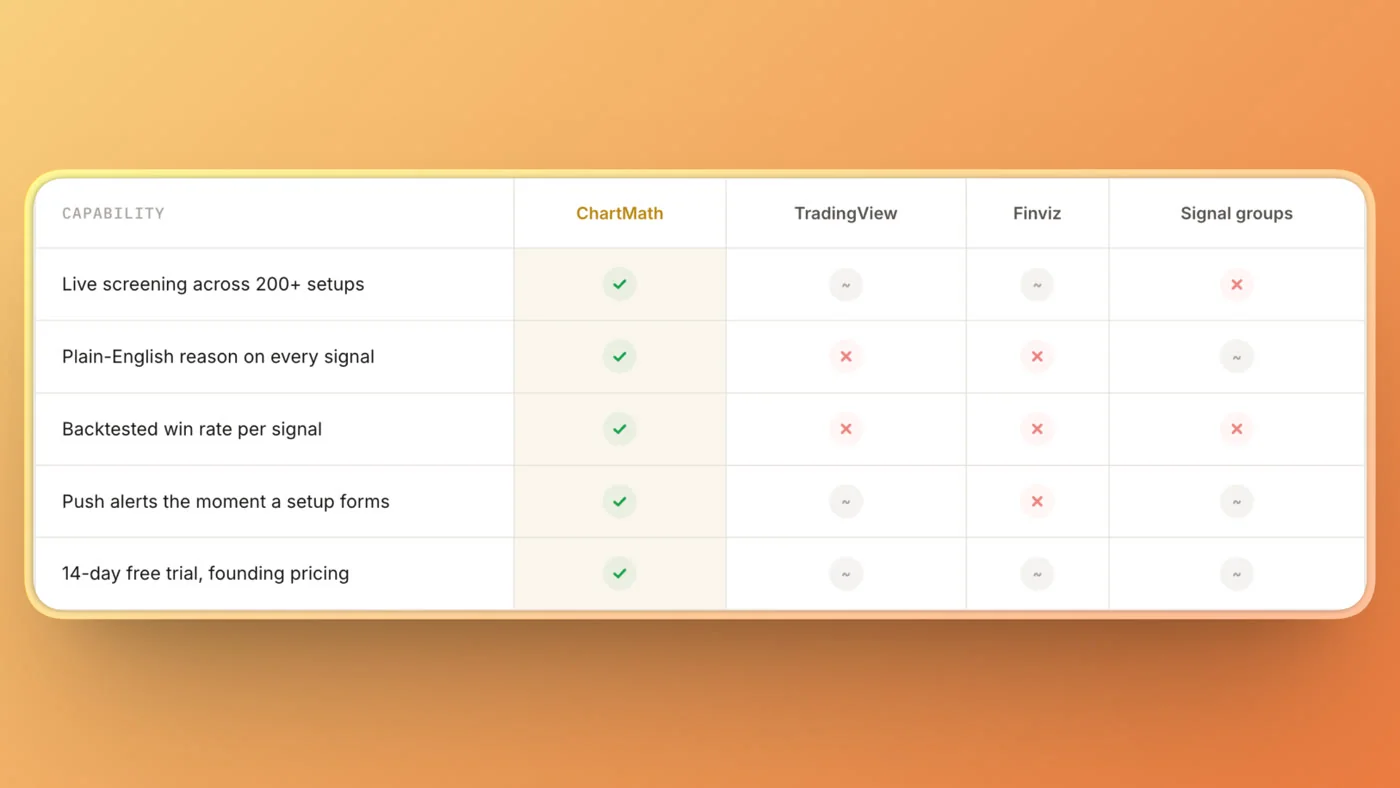
| Factor | Trade Ideas | ChartMath |
|---|---|---|
| Primary platform | Desktop terminal, mobile companion app | Mobile-first (iOS, Android), read-only web browse layer |
| Pricing (verify current tiers on vendor sites) | Monthly subscription, desktop real-time tiers | Free, no credit card required |
| Universe covered | Broad US market scanning, user-defined filters | A fixed universe of 500+ US equities |
| Timeframes | Real-time and historical, user-configured | 7 fixed timeframes: 1m, 5m, 15m, 1h, Daily, Weekly, Monthly |
| Screens/scans | Build your own with scripting (Alpha) or use marketplace strategies | 200+ curated, pre-built, read-only screens |
| Backtesting | AI backtesting module, requires scan-building skill | Every screen pre-backtested with recomputable Win Rate and Avg. Return |
| Coding required | Yes, for custom scans and strategies | No Pine Script, no coding, pick from existing screens |
| Alert delivery | Desktop pop-up, mobile app notification, some email options | Push and email only, no SMS |
| Execution | Brokerage integrations for live order routing | Paper trading built in: place a simulated order with stop and target, track it in Portfolio. You place every order yourself. |
The Tuesday Standup Problem
Picture a trader named Marcus. He holds swing positions for three to seven days, works a 9-to-5 in operations, and has a watchlist of about 40 tickers he built over two years of hand-scanning charts on his lunch break. He is not new to this. He knows what RSI oversold looks like, he can spot a VWAP reclaim, and he's read enough about relative volume to know an RVOL spike above 2x usually means something is happening. What he doesn't have is six free hours a day to babysit a scanner.
This is the exact gap between the two tools people search for when they type "trade ideas alternative" into Google. Trade Ideas was built for someone who can sit at a desk from 9:30 to 4:00 and react to scans firing in real time, ideally across two or three monitors. ChartMath was built for someone whose actual trading window is a lunch break, a commute, and twenty minutes after the kids are asleep.
Neither approach is wrong. The question is fit, not quality. A desktop scanning terminal doesn't get worse because you have a day job, it just gets harder to use well. And a mobile discovery app doesn't get better because you have free time, it just becomes less necessary. Read on for where each one actually earns its keep.
What Trade Ideas Actually Is (and Who It's Built For)
Trade Ideas is a legitimate, capable scanning platform that has been part of the retail scanner conversation for years. Its core strength is real-time scanning across the US market with a scripting layer called Alpha, which lets experienced users write custom conditions, build layered filters, and run an AI-assisted backtesting module against historical data. Add-ons like Brokerage Plus connect scan results to order execution, and the platform supports multiple monitor layouts because it assumes you're sitting in front of them.
Trade Ideas sells its more complete real-time tiers on a monthly subscription; confirm current pricing directly on their site, since SaaS tiers shift. What it buys is serious scanning horsepower. It also assumes you'll be there to use it during market hours, because the platform's design center is a trader who reacts to a scan the moment it fires, not one who checks in twice a day.
If your trading style is intraday, if you already know some scripting logic or are willing to learn it, and if your job (or lack of one) lets you watch the market live, Trade Ideas has more depth than almost anything else in the category. That depth is exactly what makes it a mismatch for someone whose real constraint is time, not tooling.
What ChartMath Actually Is (and Who It's Built For)
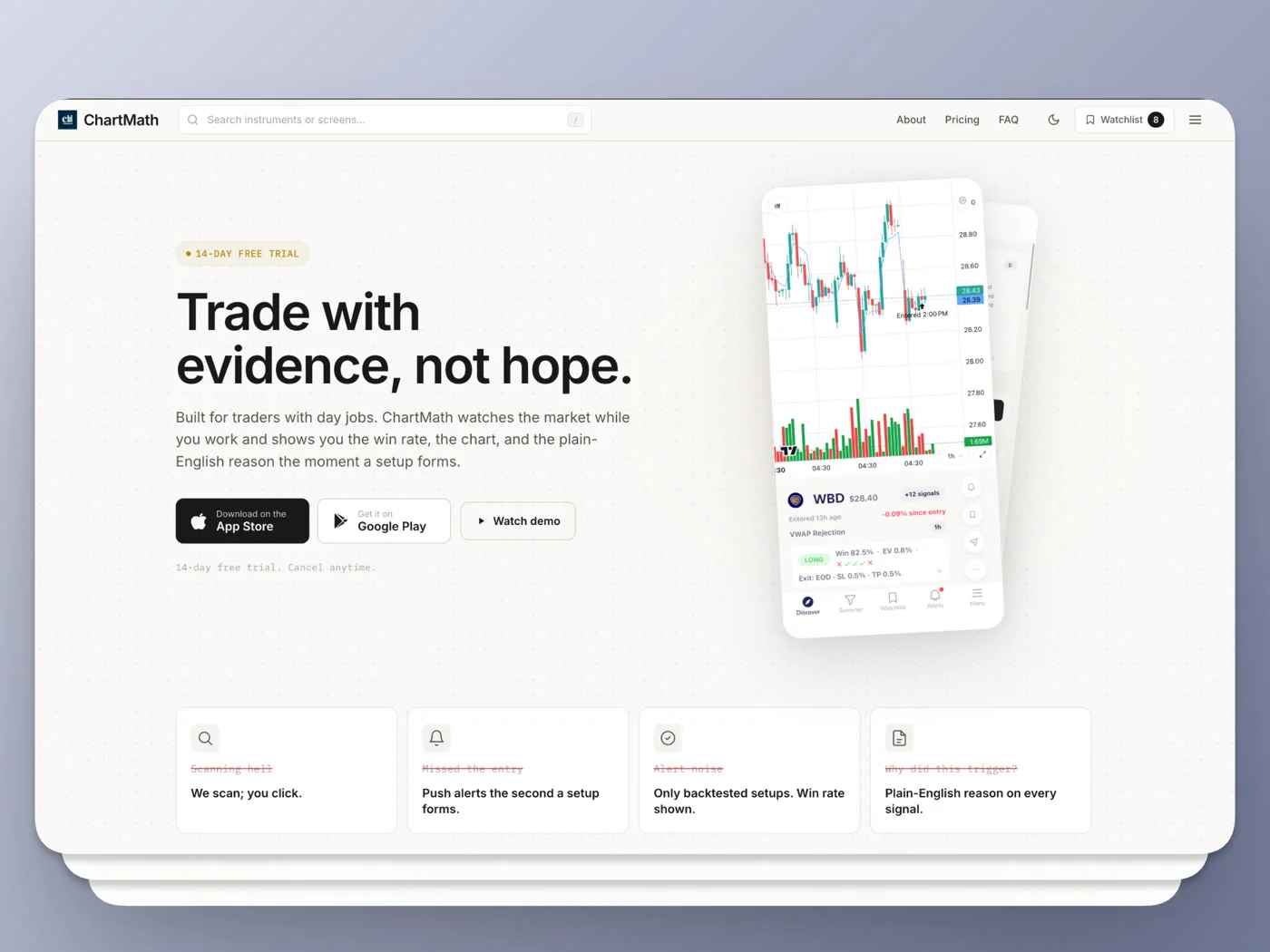
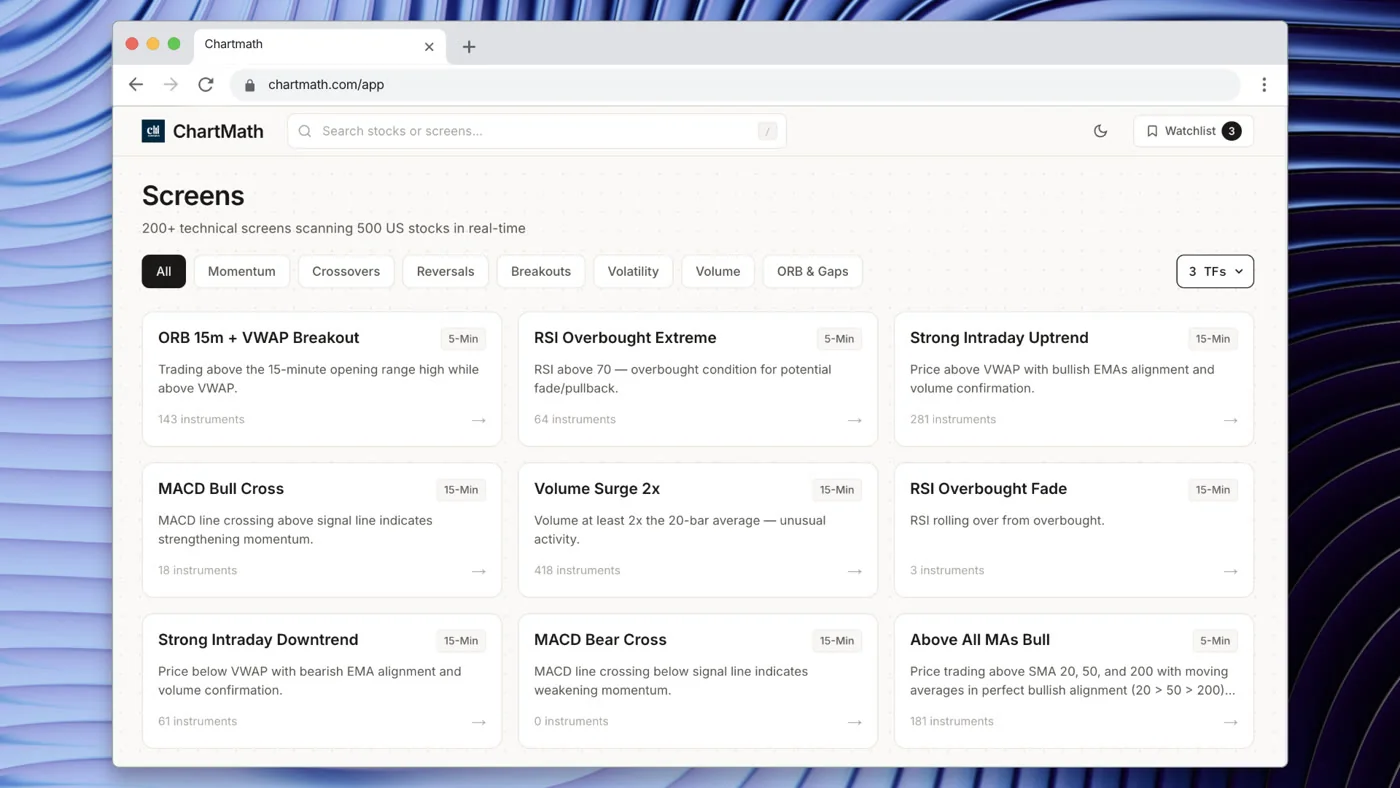
ChartMath is a mobile-first trade-discovery copilot for swing traders who hold positions for days, not minutes, and who trade around a full-time job. It scans a bounded universe of 500+ US equities across 200+ pre-built, read-only technical screens and 7 timeframes (1m, 5m, 15m, 1h, Daily, Weekly, Monthly). There is no screen builder. You don't write logic. You pick from screens that are already backtested, and the app tells you the moment a stock in your universe matches one.
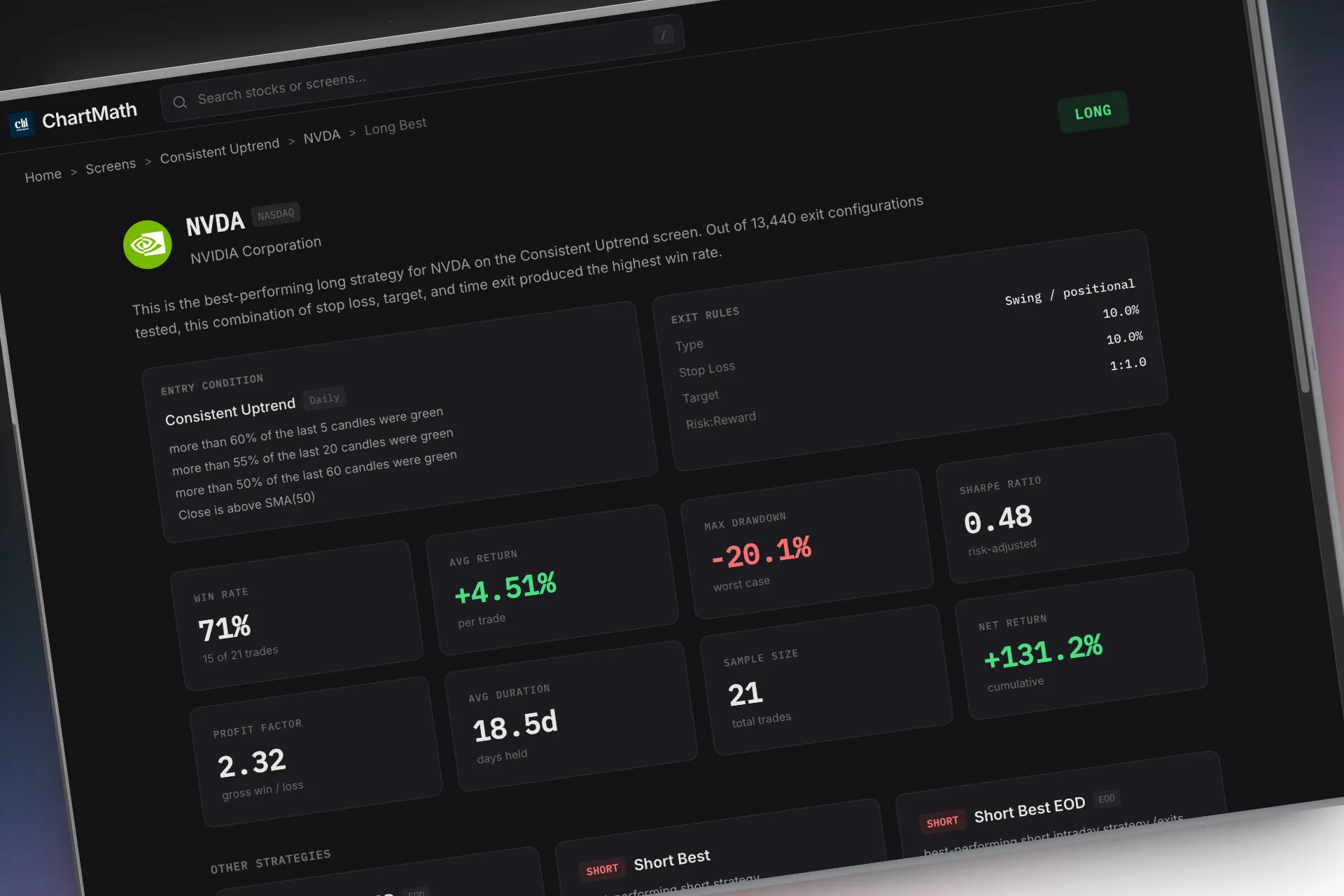
Every screen carries two headline numbers: Win Rate and Avg. Return, computed over the screen's matched historical sample, not "Accuracy" and not a marketing estimate. Because the screen logic is fixed and deterministic, that track record is recomputable, meaning you (or ChartMath's backend) can rerun the same rule against the same data and get the same answer. That's a meaningfully different trust model than a scan you wrote yourself last week and haven't stress-tested.
Alerts go out by push notification and email, never SMS, and each one carries the ticker, timeframe, screen name, a plain-English reason it fired, a timestamp, and a deep link back into the app. Critically, ChartMath is a copilot, not an autopilot. It narrows the field and hands you a setup with its risk already worked out; it never enters a trade on its own. Paper trading lets you place that setup as a simulated order, with the stop and target pre-filled and the share count worked out for you, then follow it in a Portfolio tab. You tap to place every order, and when you trade live you do that wherever you already trade.
Cost: What You're Actually Paying For
Cost only matters in context. A desktop scanning terminal is a reasonable expense for someone who trades six hours a day and needs every scripting tool available. For someone who checks in three times a day, that same subscription buys a lot of capability they'll never touch during market hours because they're in a meeting.
ChartMath sits on the other side of that trade-off. It is free, and it does not ask for a credit card to start, because what it offers is not a scan-building environment you have to master first. It is a library of 200+ screens whose backtests are already run. That makes the real comparison less about "which is cheaper" and more about "which one you'll actually open before your trading window closes."
If you're weighing a straight switch away from Trade Ideas to a lower-cost scanner, the honest tradeoff isn't just dollars. It's whether you lose scripting depth you were actually using, or whether you were paying full desktop price for a feature set your schedule never let you use anyway.
Mobile Experience: Companion App vs Mobile-First Design
Trade Ideas does have a mobile app, and it's a reasonable companion for checking on scans you already built on desktop. But it functions as an extension of the terminal, not a replacement for it. The scripting, the layered scan-building, and the deepest backtesting live on desktop. Mobile is where you glance at what's already running, not where you build anything new.
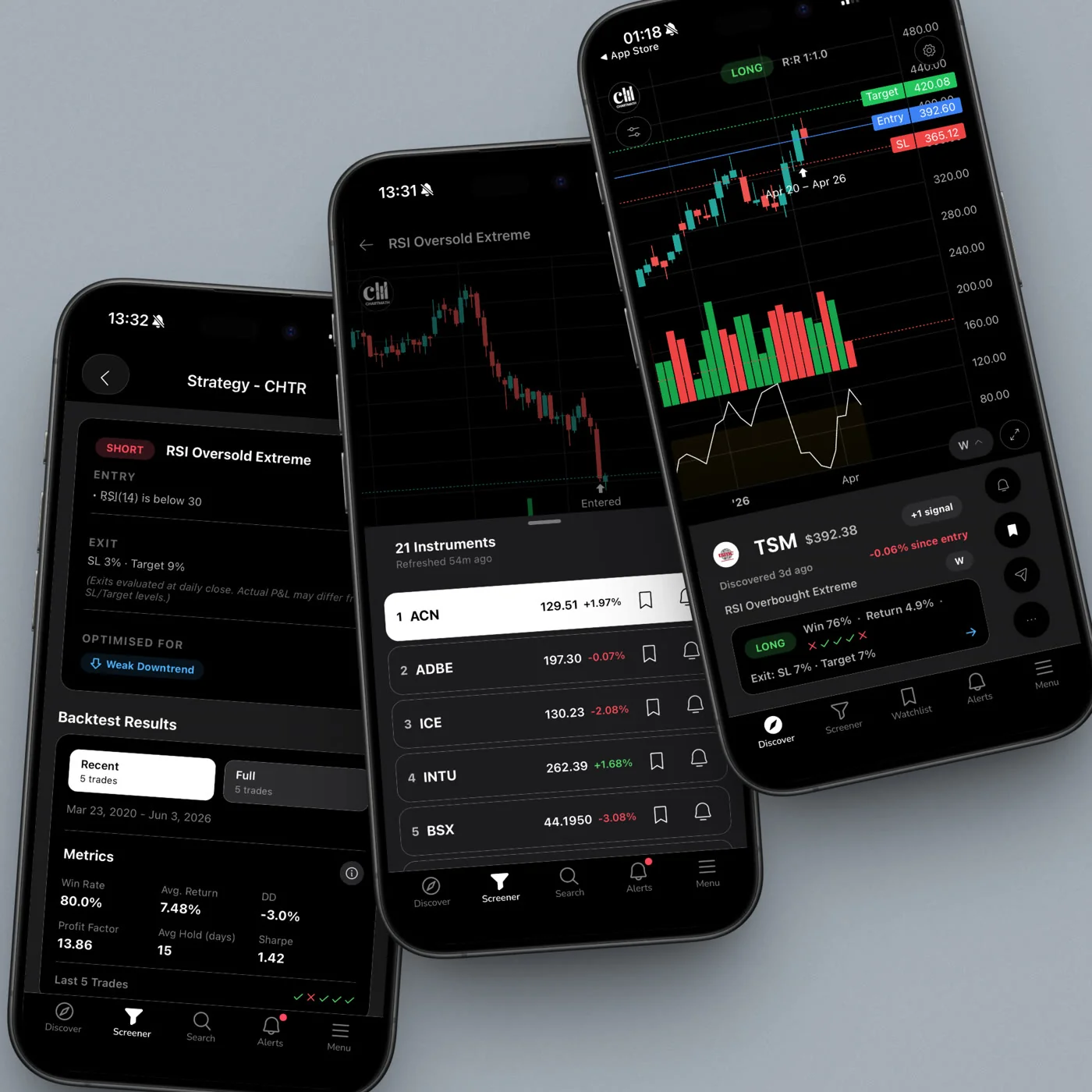
ChartMath flips that relationship. The entire product is designed around a mobile tab structure: Discover (a swipe-first feed of explainable setup cards), Screener (browse all 200+ curated screens), Search (find instruments and reach your single watchlist), Alerts, Portfolio (paper positions and how they are working out), and Menu. There is a read-only web layer at chartmath.com for browsing screens from a desktop browser, but the app itself is where the product actually lives.
That distinction matters for someone like Marcus, whose real trading moments are a lunch break scan and a post-work review, not a continuous desktop session. A real system for swing trading with a full-time job has to work in those exact fifteen-minute windows, and a companion app built around a desktop workflow is a harder fit for that than a tool designed mobile-first from the start.
Alert Explainability: Do You Know Why It Fired?
This is one of the most common questions swing traders actually type into Google, and it's worth answering directly: does a stock screener explain why a signal triggered, or does it just tell you something happened? On Trade Ideas, the answer depends entirely on how the scan was written. If you built the scan yourself, you know the logic because you wrote it. If you're running a strategy from the marketplace or a scan someone else configured, the "why" can be opaque unless the creator documented it well.
ChartMath's alerts are explainable by design. Every push notification and email includes a plain-English reason the screen fired, alongside the ticker, the timeframe, and a timestamp. If a stock enters the VWAP Reclaim screen on the 1-hour timeframe, the alert says that, not just "KEYS: alert triggered." This addresses one of the biggest complaints about screener alerts in general: alert fatigue from unexplained, unfiltered noise.
ChartMath also builds in notification hygiene that most scan-based tools leave to the user to configure: de-duplication so you don't get the same signal five times, throttling, a per-bar cap, and timezone-aware quiet hours so you're not getting pinged at midnight for a screen that fired on the daily close. If you've felt the fatigue of a noisy alert stream before, this is worth reading in more depth in how to read a trading signal before you risk money.
Backtest Transparency: Verifiable Track Record vs DIY Testing
Trade Ideas offers an AI-assisted backtesting module, and for a trader who already knows how to script conditions in Alpha, it's genuinely useful for validating an idea before trading it live. The catch is that the backtest is only as good as the scan behind it, and building a well-specified scan takes real time investment. If you're not comfortable with the scripting layer, the backtesting module becomes something you use occasionally rather than something baked into every idea you look at.
ChartMath takes a different approach: backtesting isn't a module you invoke, it's attached to every one of the 200+ screens by default. Each screen shows its Win Rate and Avg. Return over its matched historical sample, and because the screen's entry and exit logic is fixed and deterministic, that number is recomputable rather than a one-time claim. That's a meaningfully different kind of trust than a backtest you ran once on a scan you're still tweaking.
A backtest that can be rerun and reproduced is a track record. A backtest you ran once, on logic you've since changed twice, is a snapshot.
None of this means every screen wins every time, and no historical Win Rate guarantees a future result. It just means the number in front of you has a documented process behind it instead of being a gut call dressed up as a signal. For a deeper walkthrough of what these numbers actually mean and don't mean, see how to build winning backtesting strategies.
The Learning Curve for Non-Coders
Trade Ideas' real power lives in its scripting layer. If you're willing to learn Alpha's syntax, build custom columns, and layer filters over weeks of iteration, you can construct scans that match your exact process. That's a genuine advantage for a trader who wants full control and has the time to invest in it. It is also, honestly, a steep climb for someone who is indicator-literate (RSI, MACD, moving averages, breakouts, volume, VWAP) but has never written a line of code and doesn't plan to start now.
ChartMath removes that step entirely. There's no scripting layer to learn because there's no screen builder at all, just 200+ pre-built screens you can start using in the time it takes to open the app. If you already understand what a VWAP reclaim or an RSI oversold bounce means (and most swing traders searching for a VWAP trading guide already do), you can go from download to first alert in minutes rather than the days or weeks it can take to get a custom Trade Ideas scan tuned correctly.
That tradeoff is the whole story in miniature: Trade Ideas rewards time invested in the tool itself. ChartMath assumes you'd rather spend that time on trade selection and risk management, and hands you a working screen library on day one.
3 Decision Rules for Choosing Between Them
- If you can watch multiple monitors during market hours, Trade Ideas has more headroom. Its scripting depth and real-time scan layering reward continuous attention. If your job lets you do that, or you trade full time, that depth is worth the subscription and the learning curve.
- If your trades are held for days, not minutes, and your job doesn't allow screen time, mobile-first discovery reduces missed entries. A screen that pings your phone with a plain-English reason beats a scan sitting unattended on a desktop you're not near.
- If you want to check a setup's history before risking capital, without writing a scan yourself, pick a platform where backtesting is attached by default. That's the difference between validating an idea in five seconds and needing an hour of scripting first.
These same rules apply whether you're comparing Trade Ideas to ChartMath specifically, or evaluating any stock screener for day trading in 2026 against a mobile-first alternative. The tool isn't the variable that matters most. Your actual schedule is.
Who Should Pick Trade Ideas, Who Should Pick ChartMath
Be honest with yourself about your actual trading hours before you pick either one. If you're a full-time intraday trader who sits at a desk during market hours, who wants to build custom scans, and who values execution integrations for fast order routing, Trade Ideas is a strong, mature choice built exactly for that job. Don't let a cheaper mobile app talk you out of a tool that fits your actual workflow.
If you hold positions for days, check the market on breaks between meetings, and want a pre-backtested screen library with explainable, mobile-first alerts, ChartMath is built specifically for that constraint. It won't replace a full scripting environment because it isn't trying to. It replaces the gap where you were hand-scanning 40 tickers on a lunch break and hoping you didn't miss the VWAP reclaim that happened at 11 AM while you were in a meeting.
Some traders reasonably use both: Trade Ideas for the days they can sit at the desk, ChartMath for the mobile discovery layer on days they can't. There's no rule that says you need exactly one tool. There is a rule that says you should stop paying for scripting depth you never use during market hours because you were in a standup instead.
FAQ: Trade Ideas Alternatives and Related Questions
Is there a cheaper Trade Ideas alternative for swing traders?
ChartMath is free, requires no credit card, and doesn't ask for the scripting investment that Trade Ideas' deeper features assume. It won't match Trade Ideas' real-time desktop scan layering, but for a swing trader holding positions over days rather than minutes, that layering usually isn't the bottleneck. Missed entries because you weren't watching are the bottleneck, and that's the specific problem a mobile-first, pre-backtested screen library is built to solve.
What is relative volume (RVOL) and why does it matter on both platforms?
Relative volume, or RVOL, compares a stock's current trading volume to its typical volume over a set lookback period. An RVOL reading of 2x means a stock is trading at twice its average volume, often a sign that something (news, a breakout, institutional interest) is driving unusual interest. Both Trade Ideas and ChartMath surface volume-based conditions, but ChartMath bakes RVOL logic into several of its 200+ curated screens, so you don't need to build a custom volume filter to use it.
Does ChartMath replace TradingView or Finviz?
Not exactly, and it isn't trying to. TradingView remains excellent for charting and manual analysis, and Finviz is a solid static screener for one-off scans. ChartMath is positioned as a companion layer that adds backtested, explainable, mobile-first alerts on top of the technical setups you'd otherwise have to hand-check across those tools. Many traders keep TradingView open for charting and use ChartMath as the alert and discovery layer, a pairing covered in more depth in how to integrate trading alerts with your charting platform.
How do I avoid alert fatigue when using either platform?
The fix is filtering at the source, not just muting notifications after the fact. On Trade Ideas, that means tightening your scan conditions so you're not getting pinged for marginal matches. On ChartMath, alert hygiene like de-duplication, per-bar caps, and quiet hours is built in by default, so the alert stream stays limited to setups that actually match a screen's full rule set. Either way, fewer, higher-quality alerts beat a constant buzz you eventually learn to ignore.
Run the Comparison on Your Own Watchlist
The honest answer to trade ideas vs chartmath for swing traders isn't that one platform is better in every case. It's that Trade Ideas is a deep, capable scanning terminal for someone who can sit at a desk during market hours, and ChartMath is a mobile-first discovery copilot built for someone whose real trading window is a lunch break and a commute. If your schedule looks like Marcus's, the fastest way to see the difference is to run it on your own watchlist.
You can download the app and start matching your tickers against 200+ backtested screens without writing a single line of scan logic. No email required to browse, and no credit card to start. If you'd rather see the screen library first, the web-based screener lets you browse all 200+ setups and their historical Win Rate and Avg. Return before you commit to anything. And if you want to see the Discover feed and alert flow in action before you decide, you can watch a quick demo of how a setup goes from screen match to explainable push alert. Either way, the next step isn't reading another comparison. It's checking whether your actual trades show up faster this way than they did on your last hand-scan.

See these setups live in ChartMath
200+ curated screens with backtest data. Free. No credit card required.