How to Use a Stock Screener Watchlist for Alerts
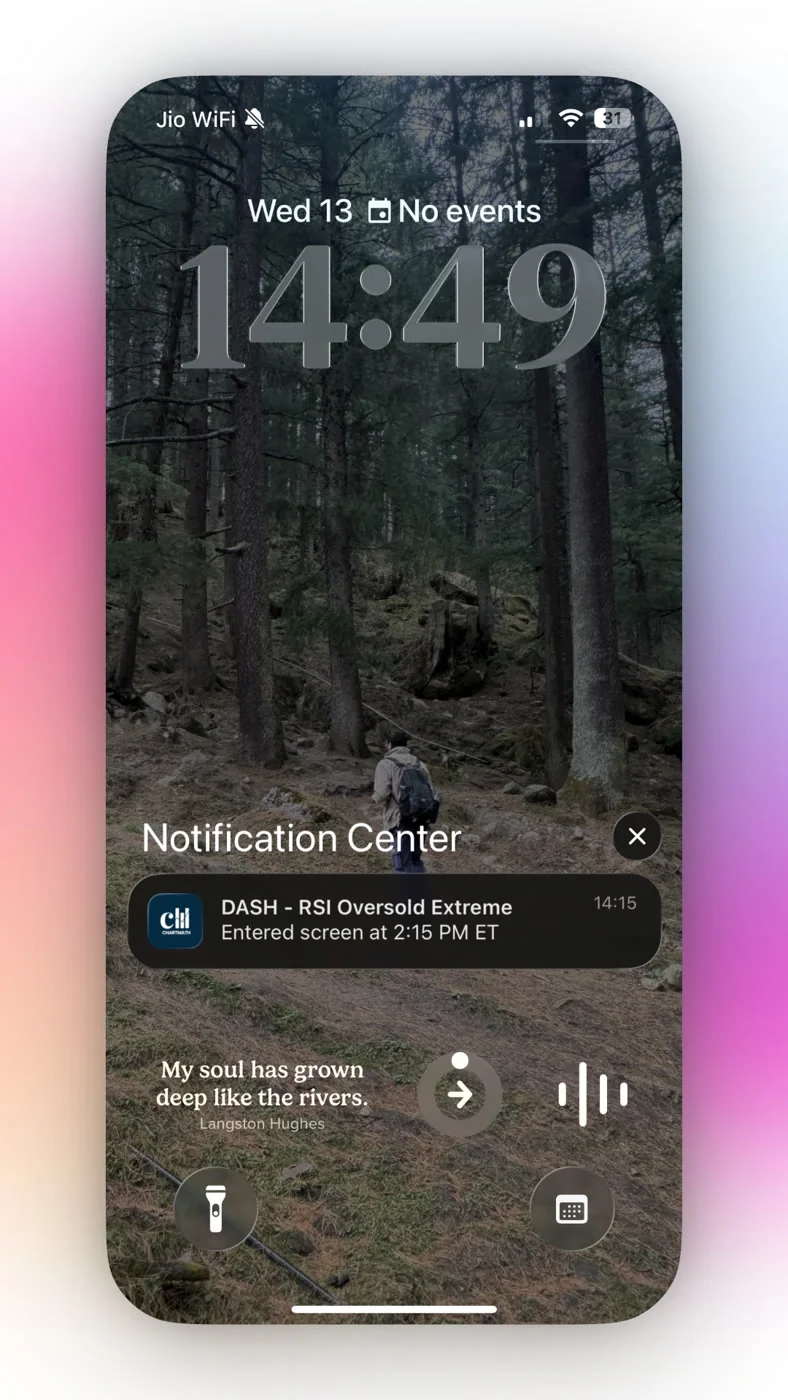
Your buddy texts you at 2:15 PM: "yo, did you see NVDA?" You had it on your watchlist. You just didn't have your eyes on it at 2:15 PM, because you were in a status meeting talking about Q3 deliverables. The setup you'd been waiting three days for came and went while you were muted on a call. This is not a discipline problem. It's an infrastructure problem, and it's exactly what a stock screener watchlist built for alerts is supposed to fix.
Most traders think a watchlist is just a list. Add a ticker, glance at it a few times a day, hope you're looking at the right moment. That approach worked fine in a world where you could sit in front of four monitors from 9:30 to 4:00. It does not work if you have a day job, a commute, or a life outside of price charts. This guide walks through how to use a stock screener watchlist for alerts the right way: how to build one, how to turn on the alerts that actually matter, and how to read what comes through your phone so you're not just trading on a ticker symbol and a vibe.
Why a Static Watchlist Isn't Enough Anymore
A plain watchlist, the kind built into most brokerage apps, is passive. It shows you price and percent change. It doesn't tell you why a stock is moving, whether the move fits a pattern that's worked before, or when to actually look. You still have to do the work of checking it, which means the watchlist is only as good as how often you're free to look at your phone.
The gap between "a setup formed" and "I noticed the setup formed" is where trades get missed. It's also where traders end up chasing entries an hour late, buying the top of a move that already ran. A screener watchlist closes that gap by scanning your saved tickers continuously and pushing a notification the moment something matches a defined, tested pattern. Instead of you watching the market, the market taps you on the shoulder.
1. Understand What a Stock Screener Watchlist Actually Does
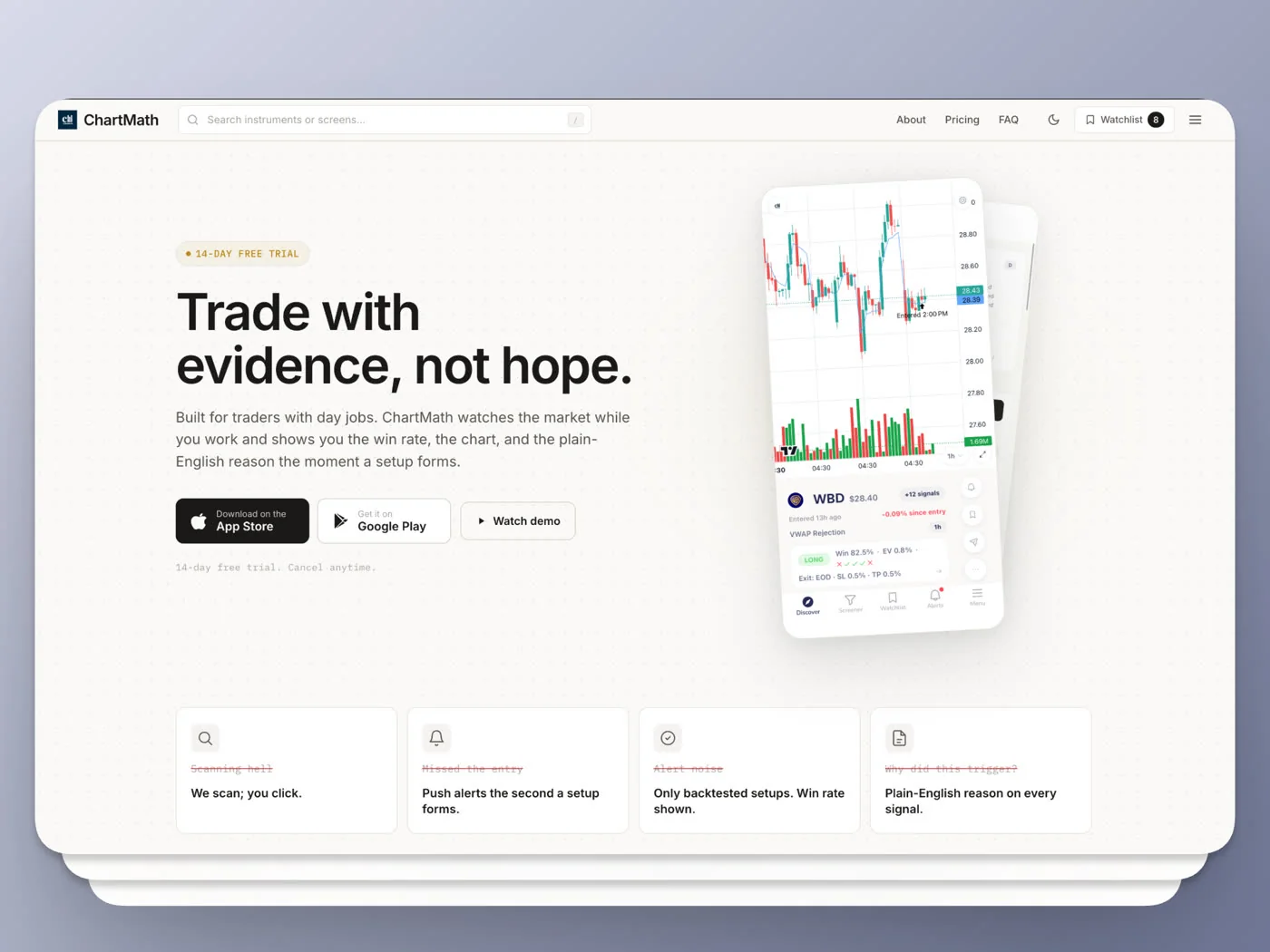
There's a real difference between a static list of symbols and a watchlist that's wired into a screener engine. With ChartMath, every ticker you save to your watchlist gets checked against 200+ curated technical screens across 7 timeframes, from 1-minute and 5-minute charts up through Daily, Weekly, and Monthly. You're not manually running a scan every hour. The scan runs on its own, continuously, against the exact tickers you told it matter to you.
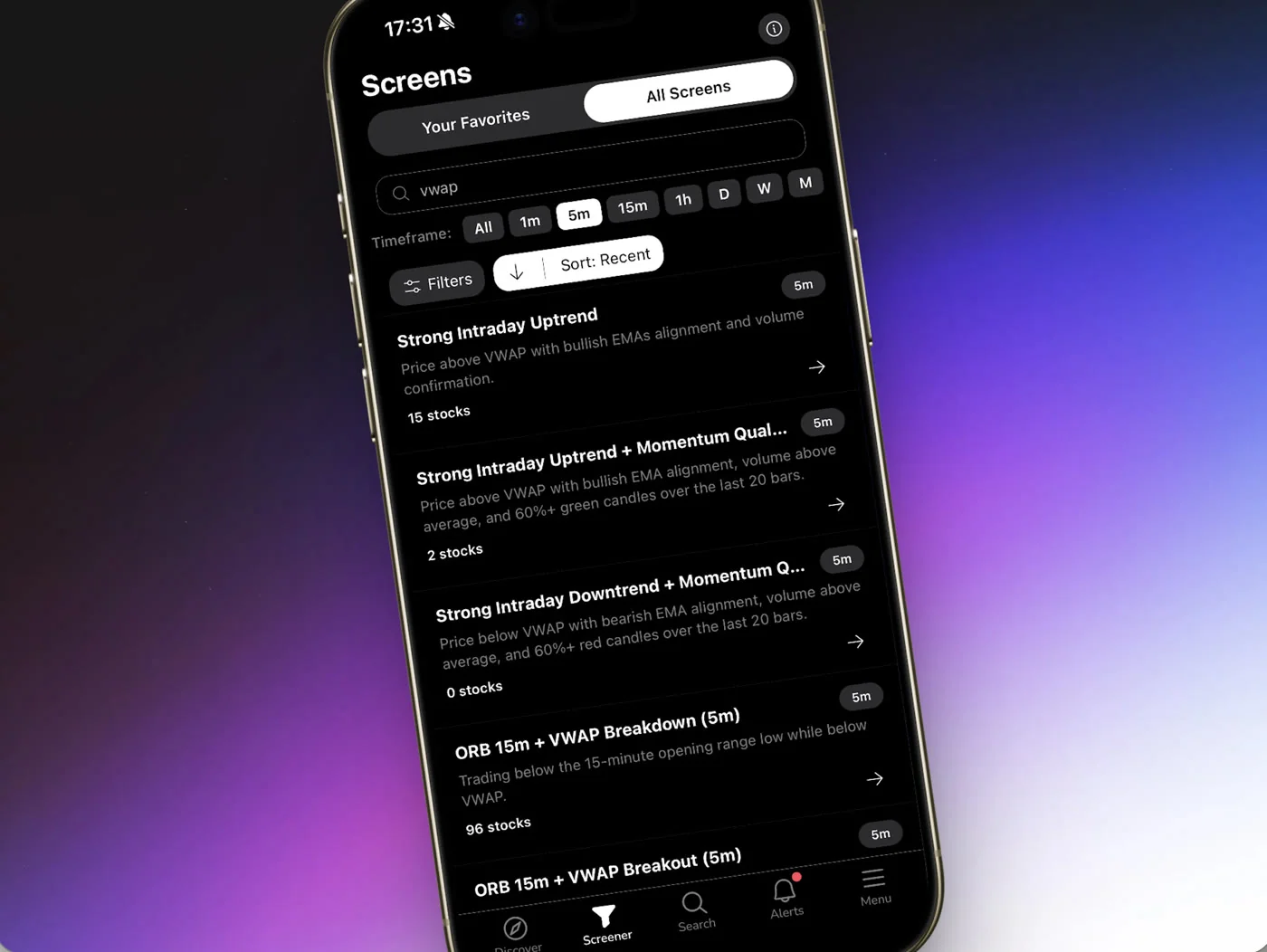
The universe behind this is deliberately curated rather than "the entire market." ChartMath currently covers 500+ US equities, 100 crypto pairs, and 11 US futures, so the screening engine has real depth without trying to be everything to everyone. That's a meaningful distinction from a generic scanner that dumps thousands of low-quality matches on you and calls it coverage.
One thing worth being clear-eyed about: this is a copilot, not an autopilot. ChartMath doesn't place trades, connect to your broker, or execute anything on your behalf. It surfaces the setup and explains why it fired. You still make the call and place the order yourself, in whatever brokerage account you already use. If you want a deeper walkthrough of why that division of labor matters, our post on how to validate a swing trade setup before you risk capital covers the verification step in more detail.
2. Build Your Watchlist the Right Way
Adding a ticker is the easy part: search for the symbol, tap add, done. The part people skip is being intentional about what goes on the list in the first place. A watchlist with 80 tickers on it isn't a watchlist anymore, it's a second job. Every alert you get from it starts feeling like noise instead of signal, and that's the fast track to alert fatigue, which is its own problem worth avoiding entirely.
- Start narrow. Pick 10 to 20 tickers you actually understand: names you've traded before, sectors you follow, or a short list built around a theme (say, semiconductors or mega-cap tech).
- Mix your timeframes on purpose. If you're a swing trader with a day job, weighting toward Daily and Weekly screens means fewer, more meaningful pings instead of a buzzing phone every five minutes.
- Revisit it monthly. Drop tickers that never trigger anything useful. Add ones tied to a current theme or catalyst.
- Remember it's one watchlist. ChartMath keeps this simple with a single, synced watchlist rather than a pile of named lists to manage, so there's no sorting overhead before you can act.
Once an alert fires and you're looking at an actual entry, position sizing still matters more than the alert itself. A backtested setup with a strong Win Rate doesn't mean anything if you size the trade so large that one loss wrecks your week. Keep risk per trade small and consistent, regardless of how good a setup looks on paper.
3. Turn On Watchlist Alerts (Not Just Screen Alerts)
Here's where a lot of people leave value on the table. ChartMath lets you favorite an individual screen and get alerted whenever any stock in the whole universe enters it. That's useful. But Watchlist mode is different and, for most swing traders, more relevant: it narrows the alert down to only fire when one of your saved tickers matches one of the 200+ screens. You're not getting pinged about a random small-cap you've never heard of. You're getting pinged about the names you already decided you care about.
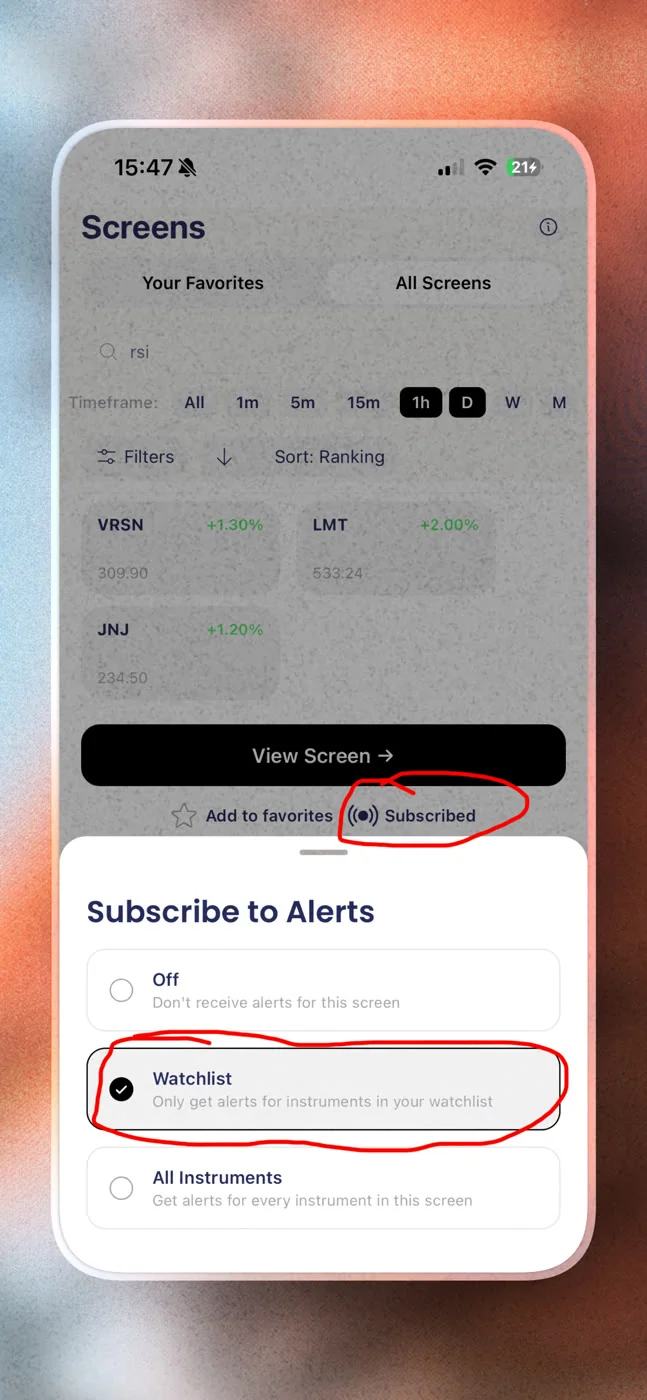
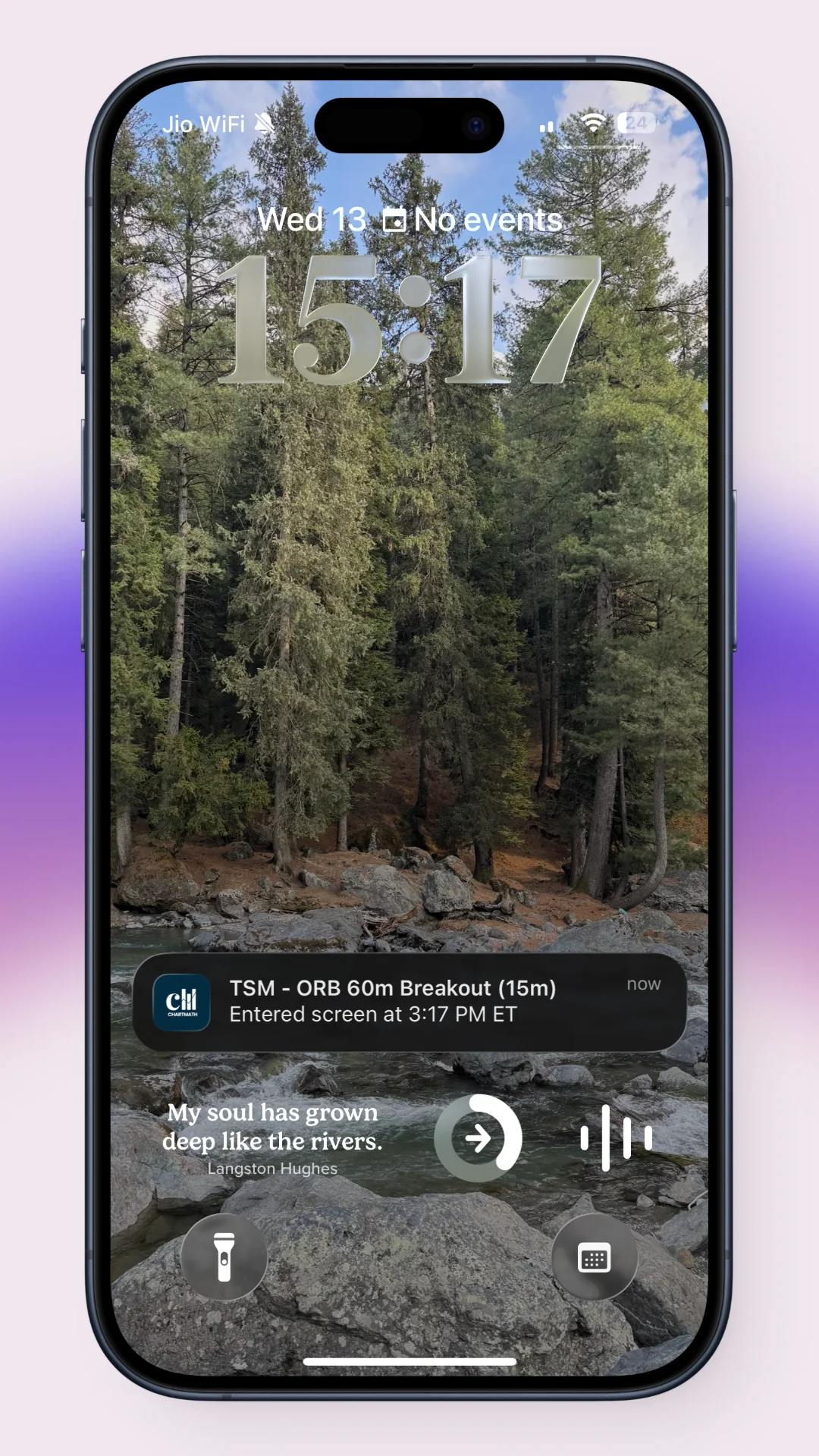
To set it up, open the Subscribe-to-Alerts sheet from a screen or from the Alerts tab, and toggle Watchlist mode on. From that point forward, every ticker on your list is continuously checked against every screen you've subscribed to, across every timeframe you've selected. Alerts arrive by push notification and email. There's no SMS option right now, so it's worth making sure notifications are enabled on your phone if push is your primary channel.
ChartMath also builds in what amounts to notification hygiene, because a screener that fires 40 times a day on the same ticker is worse than useless. Alerts are de-duplicated, throttled, capped per bar, and respect timezone-aware quiet hours so you're not getting buzzed at 3 AM over a crypto pair moving half a percent. If you've dealt with a Discord or Telegram group flooding your phone with noise, this is the opposite of that experience by design. For a deeper look at timing alerts so they land when you can actually act, see watchlist alerts for swing trades that fire at the right time.
4. Read the Alert Card: Win Rate, Avg. Return, and the Plain-English Reason
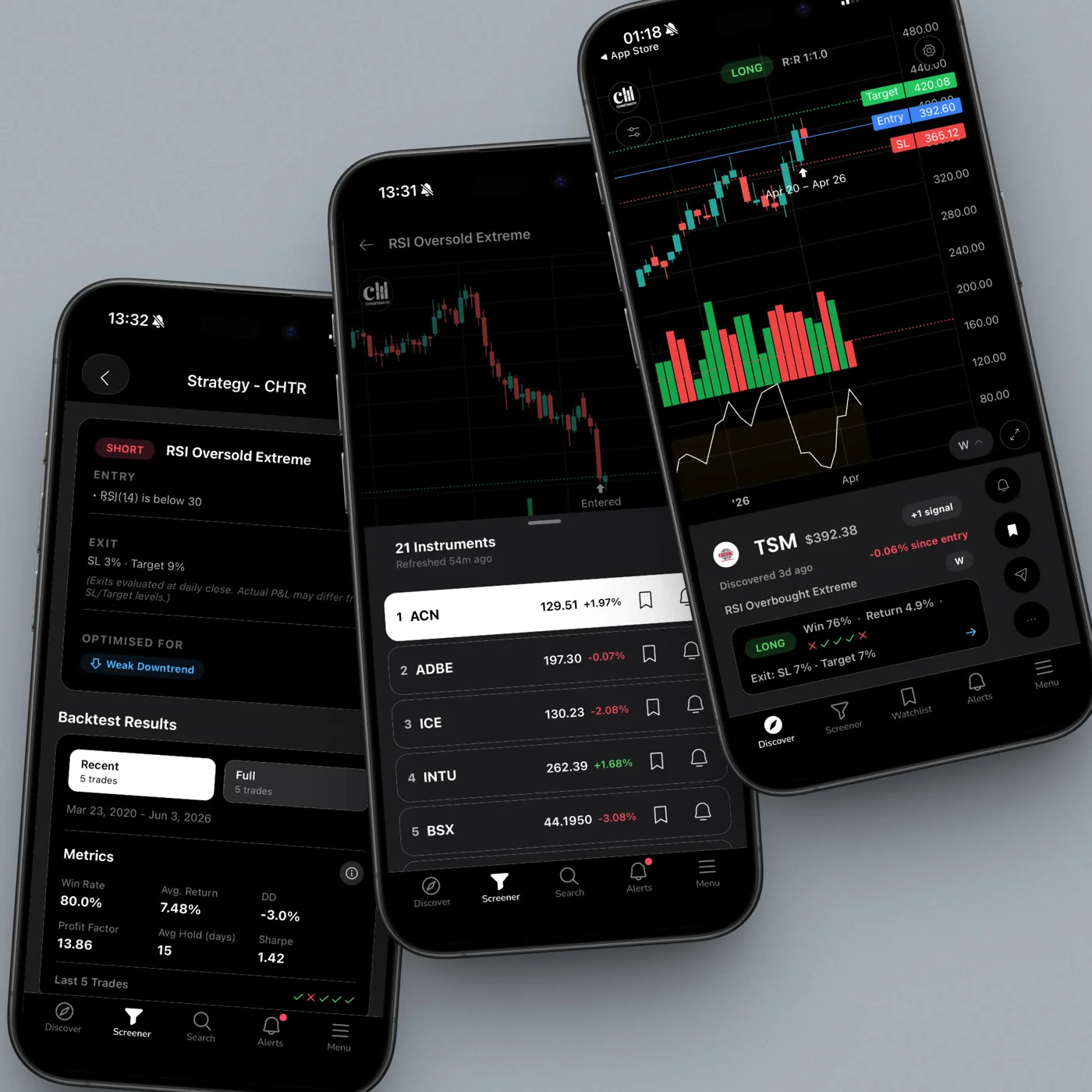
An alert with no context is just a symbol and a guess. This is the core complaint traders have about generic scanners and unvalidated signal groups: you get a ticker, maybe a price, and nothing that tells you whether the setup has ever actually worked. Every ChartMath alert carries the ticker, the timeframe it fired on, the screen name, a plain-English explanation of why it triggered, a timestamp, and a deep link straight into the app.
Underneath that, each screen shows its historical Win Rate and Avg. Return, pulled from a backtest run against that specific pattern. You'll also see the expected value (EV) and the sample size the backtest is built on. This is one of the more important habits to build: a 70% win rate off of 12 historical instances tells you almost nothing. The same win rate off of 400 instances tells you a lot more. Always check the sample size before you trust the headline number.
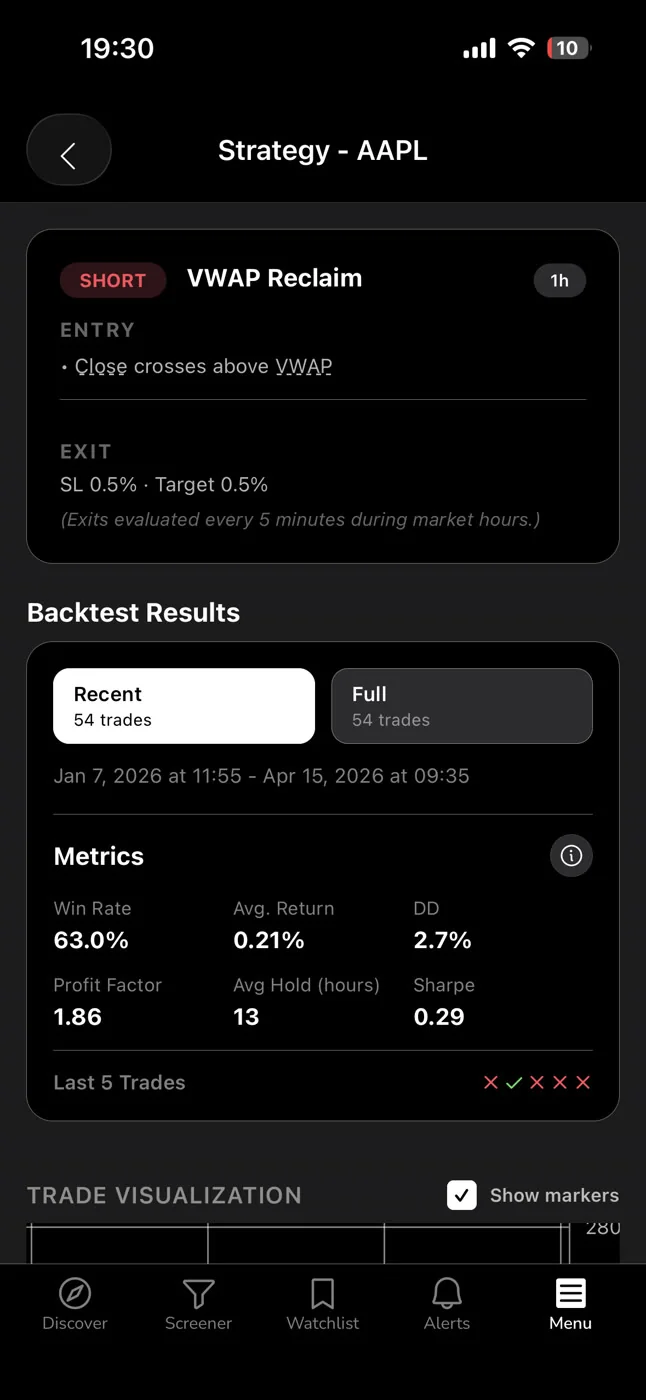
Worth noting: these backtests use bar-close entries and don't yet model commissions, slippage, or spread, so treat the numbers as a directional edge, not a guaranteed outcome. Past performance on a backtested screen is not a promise about what happens on your next trade. It's evidence, not a certainty, which is a very different thing than the loose "this always works" claims you see thrown around in unvalidated trading chats.
The plain-English reason is where a lot of the real value sits. If an alert cites something like an elevated VWAP reclaim combined with above-average relative volume, that's telling you the mechanics of the move, not just that "the stock went up." If you're newer to reading volume context, our explainer on how to use stock screeners for day trading covers what relative volume (RVOL) actually measures and why it matters for confirming a move is real momentum and not just noise.
5. Turn Alerts Into a Repeatable Trading Routine
An alert system only pays off if it plugs into an actual routine. Here's a simple structure that works well for someone juggling a full-time job:
- Morning check (5 minutes): Glance at any overnight or premarket alerts on your watchlist. Note anything worth watching at the open, but don't force a trade just because something pinged.
- Midday glance (2 minutes): During a break, scan whatever fired since the open. Because alerts are de-duplicated and throttled, this shouldn't feel like sorting through spam.
- Evening review (10-15 minutes): Go through the day's alerts, check which ones would have worked, and decide whether any are still live setups for tomorrow.
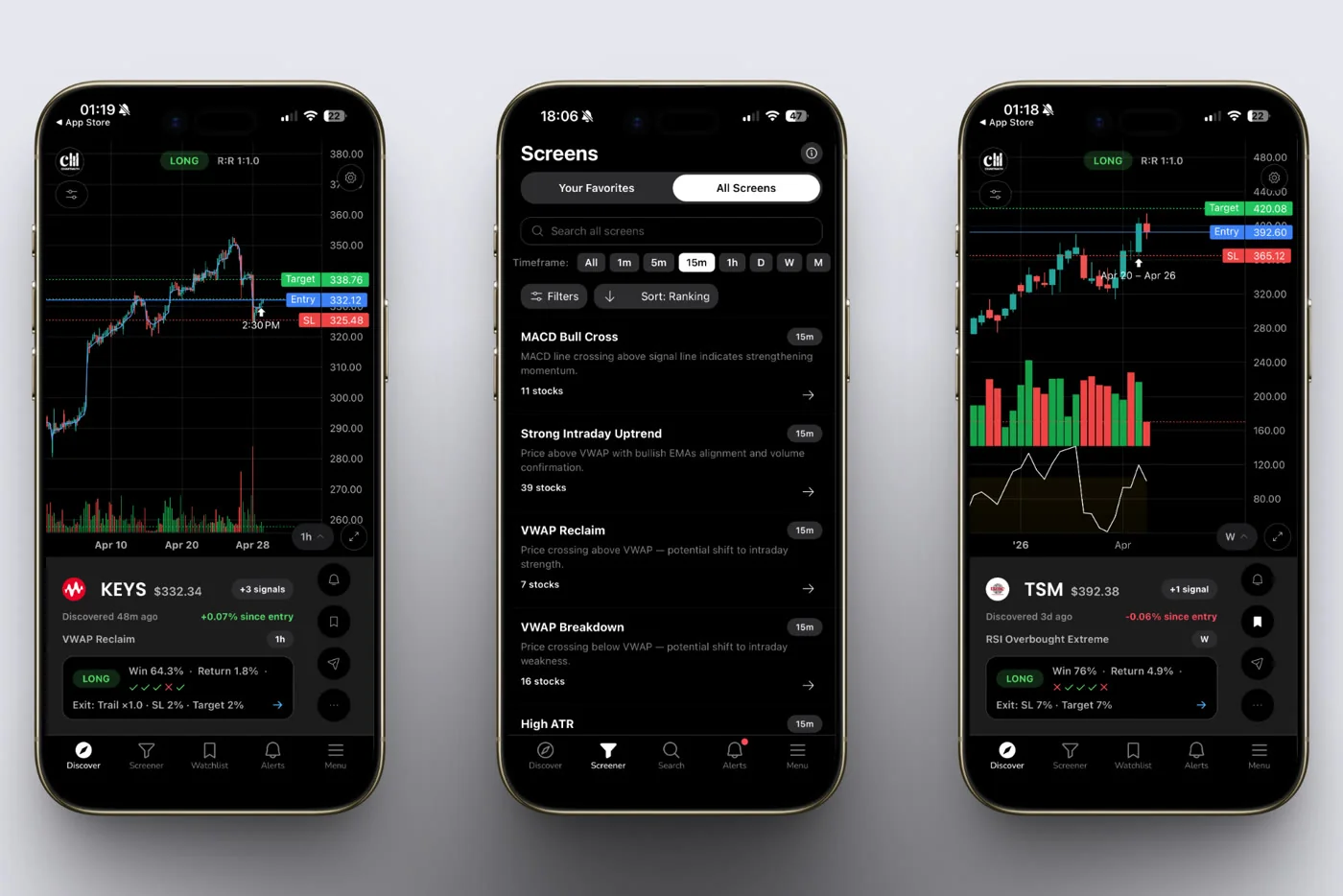
This structure replaces the old habit of refreshing Finviz a dozen times an hour or scrolling a Telegram channel hoping someone posts something useful before the move is over. It also removes the guesswork that comes with signal groups run by anonymous moderators with no track record attached to their calls. You're trading off backtested patterns tied to your own watchlist, not someone else's screenshot.
If you want a more structured version of this cadence, including a weekly retrospective on which setups you took and which you skipped, how to run a weekly trading review in 20 minutes walks through exactly that process. And if the bigger goal is building a full trading system around a day job rather than just an alert habit, swing trading with a full-time job: a real system covers the wider framework.
6. Common Watchlist Alert Mistakes to Avoid
A few habits quietly undermine an otherwise solid alert setup. Watch for these:
- Overloading the list. More tickers doesn't mean more opportunity, it means more noise. A 100-ticker watchlist buzzing constantly is functionally the same as no watchlist, because you'll eventually start ignoring it.
- Chasing every alert regardless of edge. Not every match deserves a trade. Check the Win Rate, Avg. Return, and sample size before acting, and skip setups where the sample is too thin to trust.
- Ignoring the timeframe. A screen-enter alert on the 1-minute chart and one on the Weekly chart are telling you completely different things about the timeline of the move. Trading a Weekly setup like it's an intraday scalp is a common way to get shaken out early.
- Skipping the "why." If you only glance at the ticker symbol and skip the plain-English reason, you're throwing away the exact thing that separates a validated screener from a random tip in a group chat.
These mistakes aren't unique to any one tool. They show up any time a trader treats alerts as commands instead of information. The alert is the start of your process, not the end of it.
FAQ: Stock Screener Watchlist Alerts
Do watchlist alerts cost anything right now?
No. ChartMath is free, alerts included. No credit card required. Browse the full screens catalog on the web, no sign-in required, and read the backtested track record behind each screen. Look at the evidence first.
Can I get alerts without opening the app constantly?
Yes. That's the entire point of Watchlist mode. Alerts go out by push notification and email the moment a saved ticker matches a screen, so you don't need to keep the app open or refresh anything. You just need notifications enabled on your device.
Does a screener watchlist replace my broker?
No, and it shouldn't. ChartMath is a discovery and alerting layer, not a broker. It doesn't place trades or connect to your brokerage account. You still execute every trade yourself, wherever you already hold your positions.
How many tickers should I put on my watchlist?
There's no universal number, but 10 to 20 well-chosen tickers tends to strike the right balance between coverage and signal quality. A tighter list means the alerts you do get are more likely to be worth acting on, which is the whole reason to build a watchlist-driven alert system in the first place.
What if I want to browse screens without a mobile app first?
You can explore the full catalog of 200+ read-only screens on the web before deciding what belongs on your watchlist, no sign-in required. It's a low-friction way to see which patterns actually match your trading style before you commit tickers to alerts.
A watchlist that just sits there is a habit from a market that expected you to watch it all day. Most people don't have that luxury anymore, and honestly, they shouldn't need it. Build a focused list, turn on Watchlist mode, and let the screening engine do the staring at charts so you can do your actual job. When an alert lands, you'll have the ticker, the timeframe, the reason, and the historical Win Rate and Avg. Return right there, which is a lot more than "someone in a group chat said buy."
If you're ready to stop refreshing screeners and start getting pinged the moment a real setup forms, download the ChartMath app and build your first watchlist today, or watch a quick demo to see Watchlist mode in action before you dive in.

See these setups live in ChartMath
200+ curated screens with backtest data. Free. No credit card required.