How to Trade Earnings Gaps Using a Backtested Screener
You trade earnings gaps with a screener by letting a rule-based scan flag the gap the moment it forms, attach that rule's backtested win rate, and hand you a plain-English reason before you decide anything. That replaces refreshing a earnings calendar at 9:29 AM and guessing whether a name will gap-and-go or fill by lunch. The screener does the watching; you still make the call.
Key Takeaways
- Two distinct setups exist: gap-and-go continuation and gap-fill reversion are mechanically different rules, not the same trade in disguise.
- Real-time beats end-of-day here: an earnings gap forms in the premarket and often resolves within the first hour, so a next-day screen misses the entry.
- Win rate needs a sample size next to it: a backtest run on 15 historical gaps tells you far less than one run on 150.
- Paper trading closes the loop: rehearsing the exact stop, target, and share count before risking capital catches sizing mistakes for free.
- Alerts don't replace judgment: a matched screen narrows the list; you still confirm volume and price action before entering.
At a Glance: Earnings Gap Screening Basics
| Element | Detail |
|---|---|
| Gap-and-go trigger | Price gaps up or down on earnings and holds above/below the opening range with volume confirmation |
| Gap-fill trigger | Price gaps but reverses back toward the prior close within the session |
| Best timeframes | 1-minute, 5-minute, and 15-minute for entry timing; Daily for next-day continuation checks |
| Volume confirmation threshold | Commonly 1.5x to 2x the 20-day average volume, per public scanner playbooks |
| Alert channel needed | Push notification, since the setup can resolve within the first hour of trading |
| Rehearsal step | Simulated order with stop, target, and share count pre-filled before live capital is used |
| Key metric to check | Backtested Win Rate and Avg. Return on the specific screen, not a single anecdote |
Why Earnings Gaps Are Hard to Catch by Hand
An earnings gap doesn't wait for you to open your laptop. A company reports before the bell, the stock jumps 8% in premarket, and by the time you've checked your email it's already up 12% or has round-tripped back to flat. Traders with a day job feel this the worst: you cannot watch a earnings calendar and five open chart tabs during a 9 AM meeting.
Manual scanning also introduces a bias problem. If you only remember the gap that ran 20% and forget the four that faded, you start treating every earnings gap as free money. That's the setup, not the trade. According to TradingSim's earnings gap research, the best trend-continuation window for gap trades tends to sit between 10:00 and 11:00 ET, well after most people are done checking their phone for the day.
A screener fixes the timing problem, not the discipline problem. It tells you the moment a gap meets a defined rule; whether you take the trade well is still on you.
1. Know the Two Gap Setups a Screener Can Flag
Earnings gaps split into two opposite trades, and a screen has to define which one it's hunting. Gap-and-go looks for continuation: price opens beyond the prior range and holds, usually confirmed by volume staying elevated through the first 15 to 30 minutes. Gap-fill looks for reversion: the opening move is treated as an overreaction that partially or fully retraces.
Public scanning frameworks separate these clearly. FinanceWorld's post-earnings gapper research notes that a minimum gap size of 3-5% combined with volume above 1.5x average is a common baseline filter before deciding continuation versus fade. TrendSpider's own Power Earnings Gap screener defines its version around a stock's low of the day sitting above the prior day's high, a stricter structural test than a raw percentage gap.
The point: a "gap trade" isn't one thing. Pick the screen whose rule matches the behavior you actually want to trade, and read its logic before you trust its alert.
2. Set Up a Screen That Catches the Gap the Moment It Forms
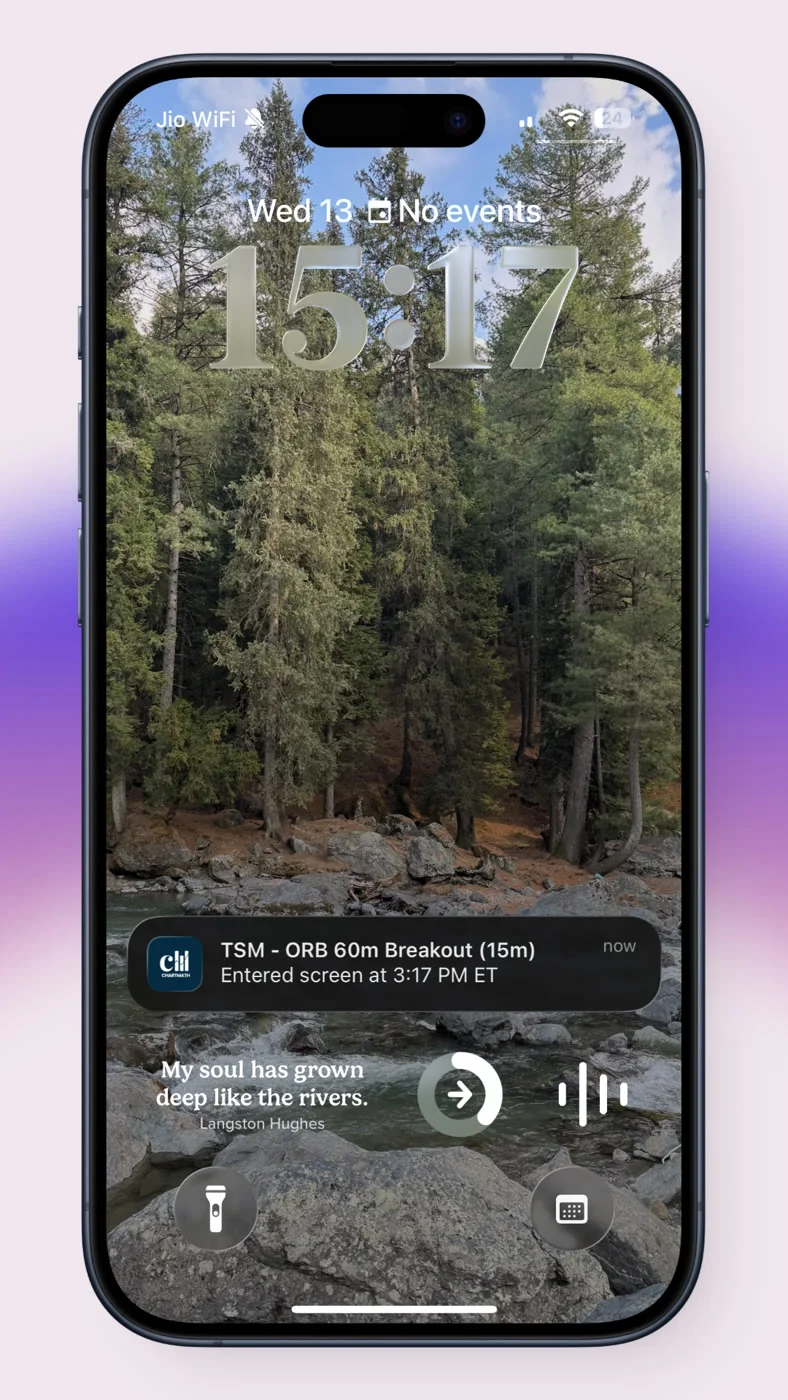
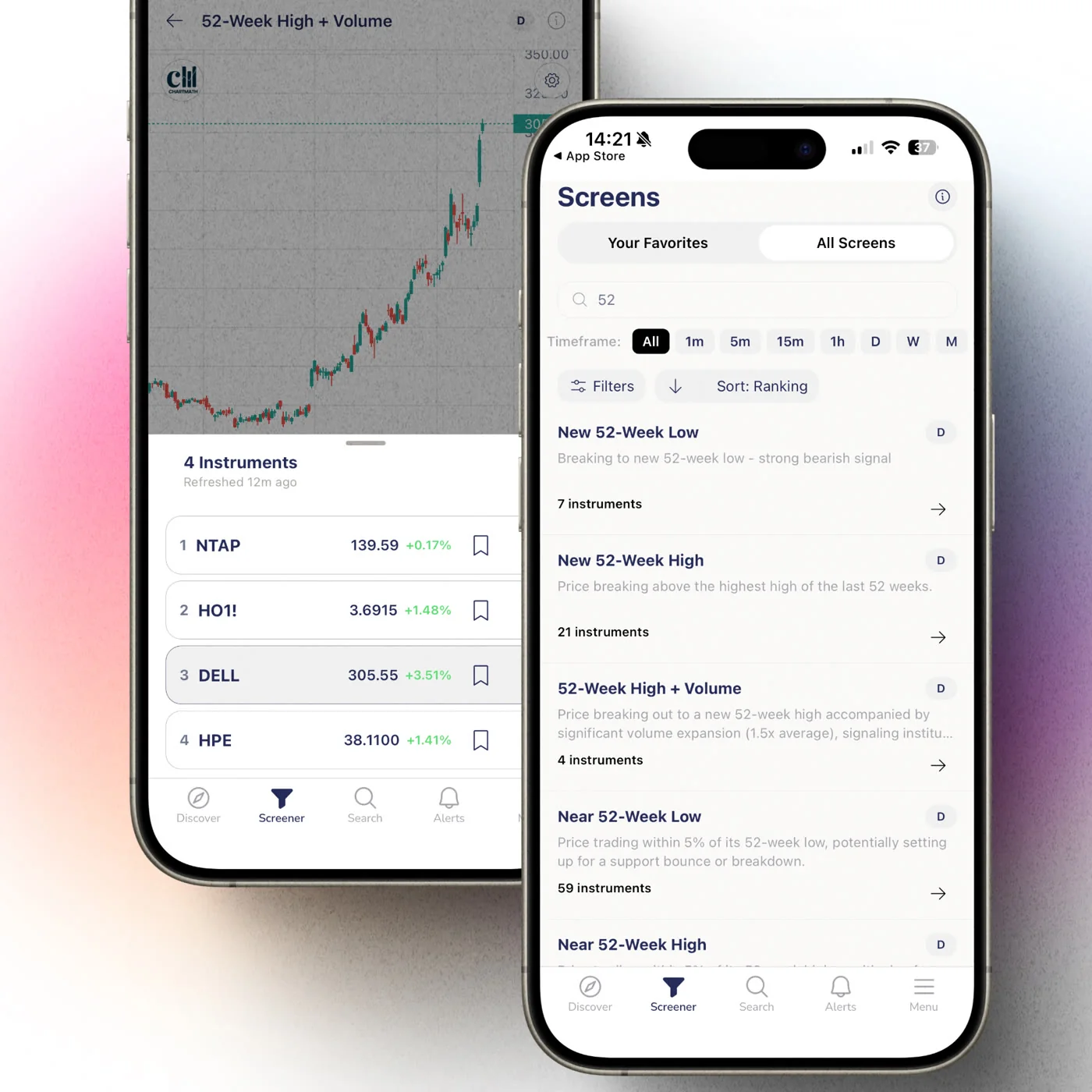
This is where a research-driven screener earns its keep over a manual watchlist. ChartMath runs 200+ pre-built technical screens across a bounded universe of 500+ US equities, and when a ticker matches a gap-related screen, it sends a push alert with a plain-English reason attached, not just a ticker symbol and a percentage.
Favoriting a gap screen means every matching stock across your tracked timeframes triggers a screen-enter alert the moment the rule fires, whether that's during the opening five minutes or later in the session. You're not the one polling a earnings calendar and cross-referencing volume by hand.
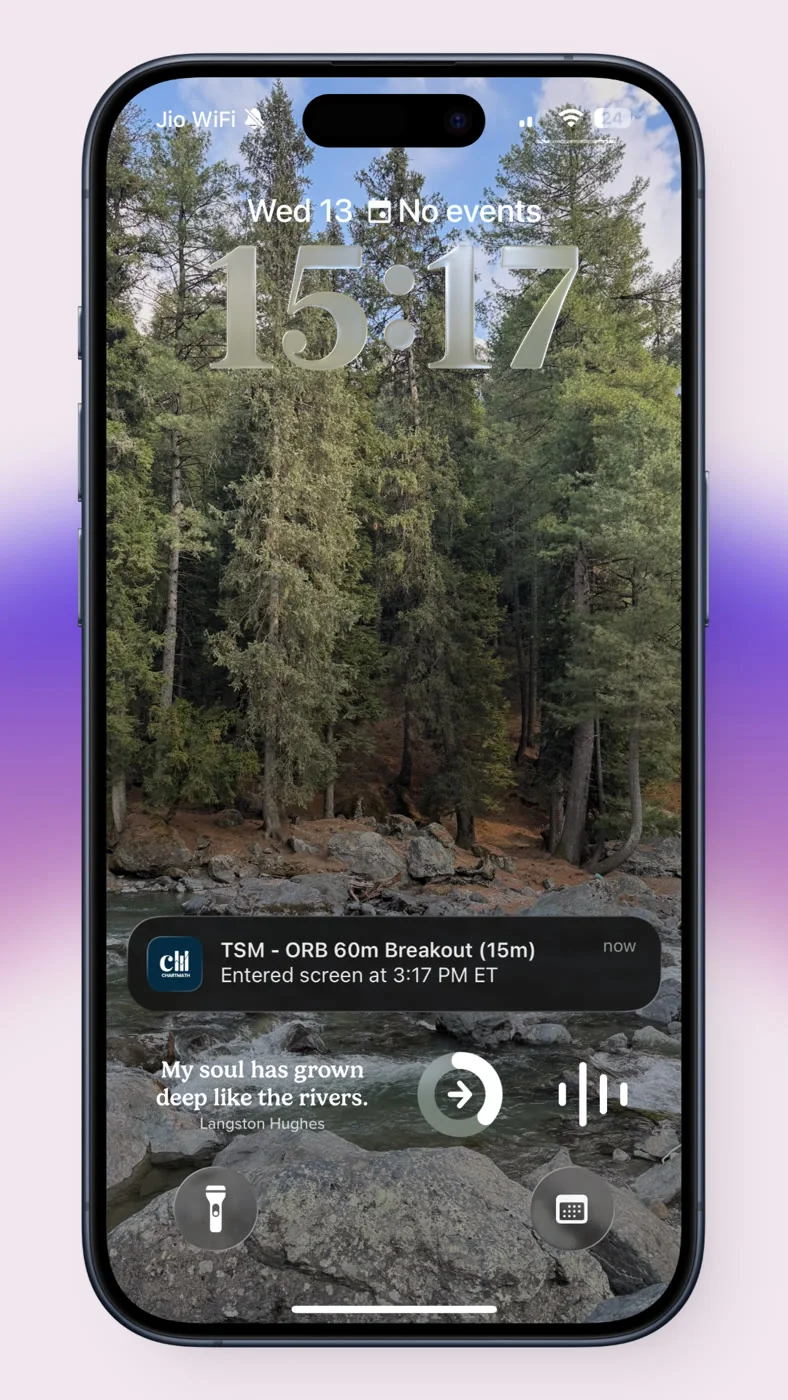
Because ChartMath has no screen builder, you're choosing among curated rules rather than writing your own Pine Script. For someone who reads indicators but doesn't code, that's the trade-off: less flexibility, but nothing to debug at 6 AM before market open. If you want to compare that approach against writing your own scans, the TradingView alternatives guide walks through what a rule-based catalog gives up versus a full builder.
What's the Difference Between a Real-Time Scanner and an End-of-Day Screener?
A real-time scanner checks the market continuously and flags a match the instant price and volume meet a rule, while an end-of-day screener runs its check once, after the close, using that day's completed bar. Earnings gaps need the real-time version, because the move that matters usually happens in the first hour.
An end-of-day screen still has a job here: it confirms whether Tuesday's gap held into Wednesday, which matters for anyone managing a multi-day swing rather than an intraday scalp. Running both isn't redundant. The real-time scan gets you into the setup; the end-of-day check tells you whether to keep holding it. Traders Insight's post-earnings scanner playbook uses a similar two-stage approach, filtering pre-market movers above a 4% threshold with volume confirmation before treating a name as a real candidate for the session.
3. Read the Backtested Win Rate Before You Act
Every screen inside ChartMath carries its own historical Win Rate and Avg. Return, so you're not deciding blind. This matters more on earnings gaps than most setups, because the emotional pull of a big green candle makes it easy to skip your own diligence.
A rule that has resolved a certain way across its backtested history isn't a forecast. It's a record you can recompute, which is a different thing from a tip forwarded in a group chat with no track record behind it. Check the sample size next to the win rate. A screen tested against 20 historical gap events carries far less weight than one tested against 200.
Also watch how the backtest defines its exit. A gap-and-go screen exiting on a trailing stop behaves very differently from one exiting at end-of-day, and the win rate you're reading only means what its exit rule actually did. For a deeper look at reading this metric correctly, see how a screener should present backtest data before you trust it.
4. Rehearse the Trade in Paper Trading First
Once a gap screen matches and you like what the win rate shows, the next step isn't a live order. It's a simulated one. ChartMath's paper trading pre-fills the stop, target, and share count from a capital-split sizing method, tracked in a Portfolio tab, so you can see exactly what the trade would have cost and returned before a single dollar is at risk.
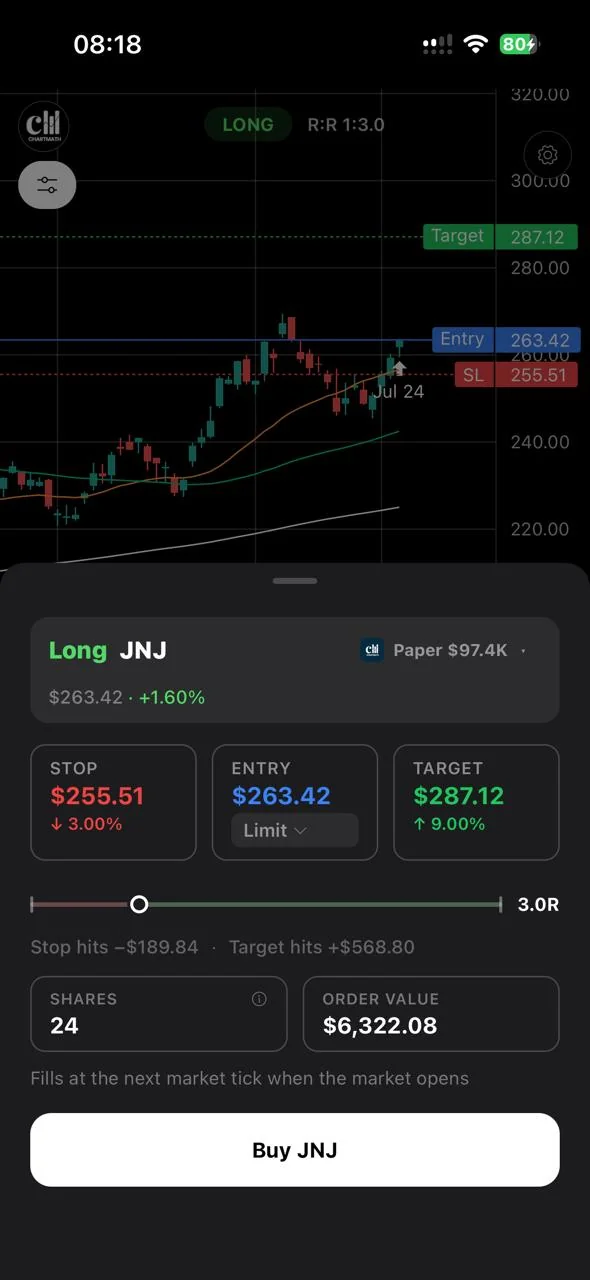
This step catches problems a backtest alone can't. Maybe the fill price you'd actually get differs from the screen's assumed entry. Maybe the position size the capital split produces feels too large for a name this volatile. Paper trading it first surfaces that before it costs you anything real. Order types are Limit (GTC) and Market only, so you're choosing between waiting for your price or taking what the market gives you right now, a genuinely relevant decision on a gap that might not come back to your entry level.
5. Build a Repeatable Earnings Gap Routine
A one-off gap trade is a coin flip dressed up as a strategy. A routine turns it into something you can actually improve over time. Here's a version that fits around a day job:
- Night before: check which of your watchlist tickers report earnings before the next open, and note which gap screens you'll be watching for them.
- Premarket, five minutes: glance at push alerts for any gap-and-go or gap-fill match, not the full earnings calendar.
- First hour: if a screen matched, review the plain-English reason, the win rate, and the sample size before deciding anything.
- Entry: paper trade first if it's a new screen for you, or place the live order if you've validated this exact rule before.
- Weekly: review which gap trades you took, compare them against the screen's own backtested record, and drop screens that keep underperforming their stated history.
This kind of cadence is what separates systematic gap trading from reacting to whichever headline gap is loudest that morning. For a broader version of this workflow across all your setups, not just earnings gaps, the ultimate trading workflow guide covers how to structure the rest of your week around it.
Stock Scanner vs Screener: Which Term Matters for Gap Trading?
A scanner checks the market continuously and flags a match right now; a screener is the catalog of rules it's checking against. For earnings gap trading, you need both: the rule that defines what a valid gap-and-go or gap-fill looks like, and the real-time engine that fires the moment a stock meets it.
People use the two words interchangeably, and the distinction rarely matters until you're deciding whether a tool actually alerts you live or only lets you run a manual search after the fact. ChartMath does both under one roof: 200+ curated rules, checked continuously, delivered by push the moment one matches.
Common Mistakes When Trading Earnings Gaps
Even with an alert in hand, a few habits quietly erode the edge a backtested screen is trying to give you.
- Chasing without volume confirmation: a gap on thin volume is far more likely to fill than one backed by real participation.
- Ignoring gap-fill risk on a gap-and-go trade: even a strong continuation setup can partially retrace before it resumes, and an unprepared trader exits at the worst moment.
- Skipping the paper trade rehearsal: the first time you try a new gap screen live, with real capital, is the wrong time to discover your sizing assumption was off.
- Treating win rate as a guarantee: a high historical win rate on a small sample can flip fast; this is exactly why high win rate doesn't guarantee trading profits on its own.
None of these mistakes are fixed by a better alert. They're fixed by reading what the alert is actually telling you, and rehearsing before you act on it.
Frequently Asked Questions
Do gap screens work on crypto and futures too?
Yes. Since crypto trades continuously and futures gap around scheduled sessions, a gap-style rule can apply to either, though earnings-driven gaps are specific to equities since crypto and futures don't report quarterly earnings.
How big should a gap be to matter?
Public scanner frameworks commonly use a 3-5% minimum gap combined with volume above 1.5x average as a starting filter, though the right threshold depends on the stock's typical daily range and your own risk tolerance.
Is a high win rate enough to trade a gap screen?
No. A win rate needs a sample size, an exit rule, and an average return next to it before it means anything. A screen backtested on a handful of gaps can look impressive and still be unreliable going forward.
Trade the Gap, Not the Guess
Earnings season doesn't slow down for anyone's work schedule. A screener that flags the setup, attaches its backtested record, and lets you rehearse the order before you risk capital is how you catch these moves without staring at five charts from your desk. If you want to see the gap screens and alert flow before committing to anything, you can watch a demo or browse the rules directly on the web-based screener. When you're ready to get the push alerts on your phone, download the app and start rehearsing your next earnings gap trade in paper mode before it's a live one.
Recommended Resources
- Watch Demo
- Web Based Screener

See these setups live in ChartMath
200+ curated screens with backtest data. Free. No credit card required.