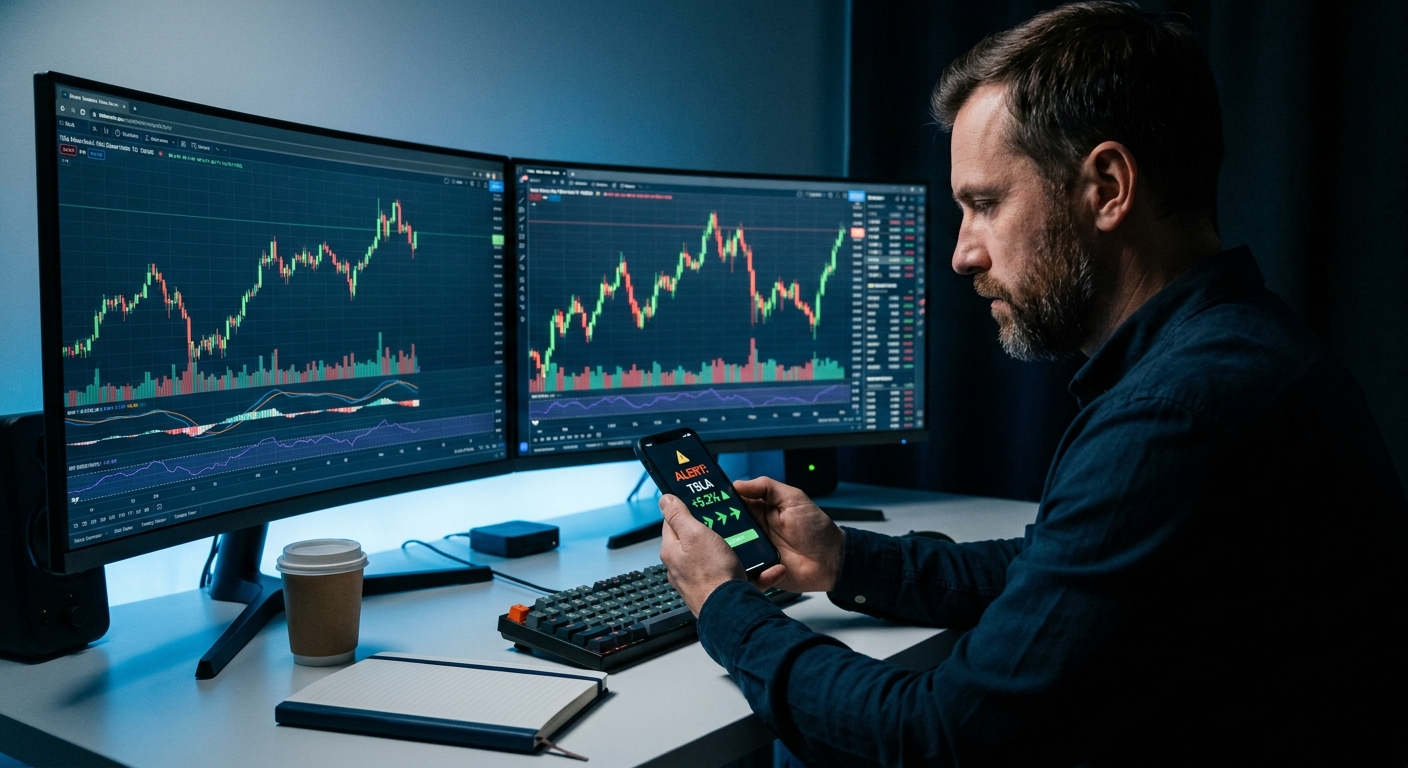
How to Trade Stocks With a Day Job (Without Missing Entries)
Here's something the trading education industry won't tell you: the advice that fills most courses, YouTube channels, and trading books was written by people who trade for a living. They wake up at 9:25 AM, coffee in hand, and watch the open. They're free at 10:47 AM. They can exit a position at 2:15 PM without asking anyone's permission.
That's not your life. And building a trading system around someone else's schedule is exactly why so many working traders feel like they're always one step behind the market.
This guide is different. It's built specifically for how to trade stocks with a day job — not around it, not despite it, but with it. You'll get a step-by-step system that uses premarket prep, automated scanning, and mobile alerts to keep you in the market without requiring you to quit your 9-to-5 or sneak off to the bathroom to check your phone every 20 minutes.
Why Most Trading Advice Fails the 9-to-5 Trader
The core assumption baked into most trading content is that you have time. Time to watch the open. Time to monitor your positions. Time to scan 80 tickers every evening and build a fresh watchlist before bed. For full-time traders, that's realistic. For everyone else, it's a fantasy that leads to one of two outcomes: you either burn out trying to keep up, or you miss entries so often that you stop trying.
The real problem isn't your skill level or your setup quality. It's that your workflow was designed for someone with a different schedule. Manual scanning takes 45 minutes you don't have. Desktop-only platforms don't reach you when you're in a meeting. Generic price alerts fire at the wrong time and tell you nothing useful. And by the time you get back to your desk, the move is already halfway done.
The fix isn't to trade less. It's to build a system that does the work while you're unavailable — and delivers the right information at the right moment, in a format you can act on from your phone. That's what the steps below are designed to do.
1. Build Your Premarket Prep Routine (15 Minutes Max)
The single most valuable trading session for a day-job trader isn't during market hours. It's the 15 minutes before the open. This is when you set your game plan for the day — and if you do it right, you won't need to touch anything until lunch or after the close.
What to Cover in Your Premarket Window
Keep this tight. You're not doing deep research at 8:45 AM, you're confirming what you already know and flagging what's changed overnight.
- Overnight gap-ups and gap-downs: Which stocks on your watchlist gapped significantly? A gap-up on volume above a key level is often the setup you've been waiting for.
- Premarket volume leaders: Which tickers are showing unusual premarket volume? High premarket RVOL (relative volume) often signals a continuation or reversal worth watching at the open.
- Key levels for the day: Mark the prior day's high and low, the weekly open, and the VWAP anchor for any position you're holding or considering. These become your decision points during the day.
- News catalysts: Earnings, FDA decisions, macro data, know what's driving movement before you commit to anything.
The goal is to walk into your workday with a short list of 3 to 5 stocks that are set up and ready. Not 40 tickers to monitor. Three to five. If something breaks out on that list, your alert fires and you know exactly what to do. For a deeper look at premarket strategy, these 7 premarket strategies are worth bookmarking.
2. Set Up Automated Scanning So the Market Finds You
Manual scanning is the enemy of the day-job trader. Not because it's ineffective, it's actually a great way to learn setups, but because it doesn't scale to a schedule you don't control. Spending 45 minutes every night scanning charts is fine until you have a late meeting, a family commitment, or just a week where life happens. Then your watchlist goes stale, you miss the setup, and you're back to square one.

The better approach: let the scanner do the scanning, and use your time to make decisions. This is the difference between a screener (a tool you query when you remember to) and a discovery layer (a system that continuously monitors the market and pushes setups to you).
What a Good Automated Scanner Covers
For a day-job swing trader, your scanner needs to watch for the setups you'd actually take, not every possible technical condition across 8,000 tickers. The most useful screens for this style of trading include:
- RVOL spikes: Stocks trading at 2x, 3x, or higher relative volume signal institutional interest or a catalyst. Understanding RVOL is one of the highest-leverage skills for part-time traders.
- VWAP reclaims: A stock that reclaims VWAP on elevated volume is one of the cleanest intraday momentum signals. VWAP-based setups work especially well for traders who can only check in at specific windows.
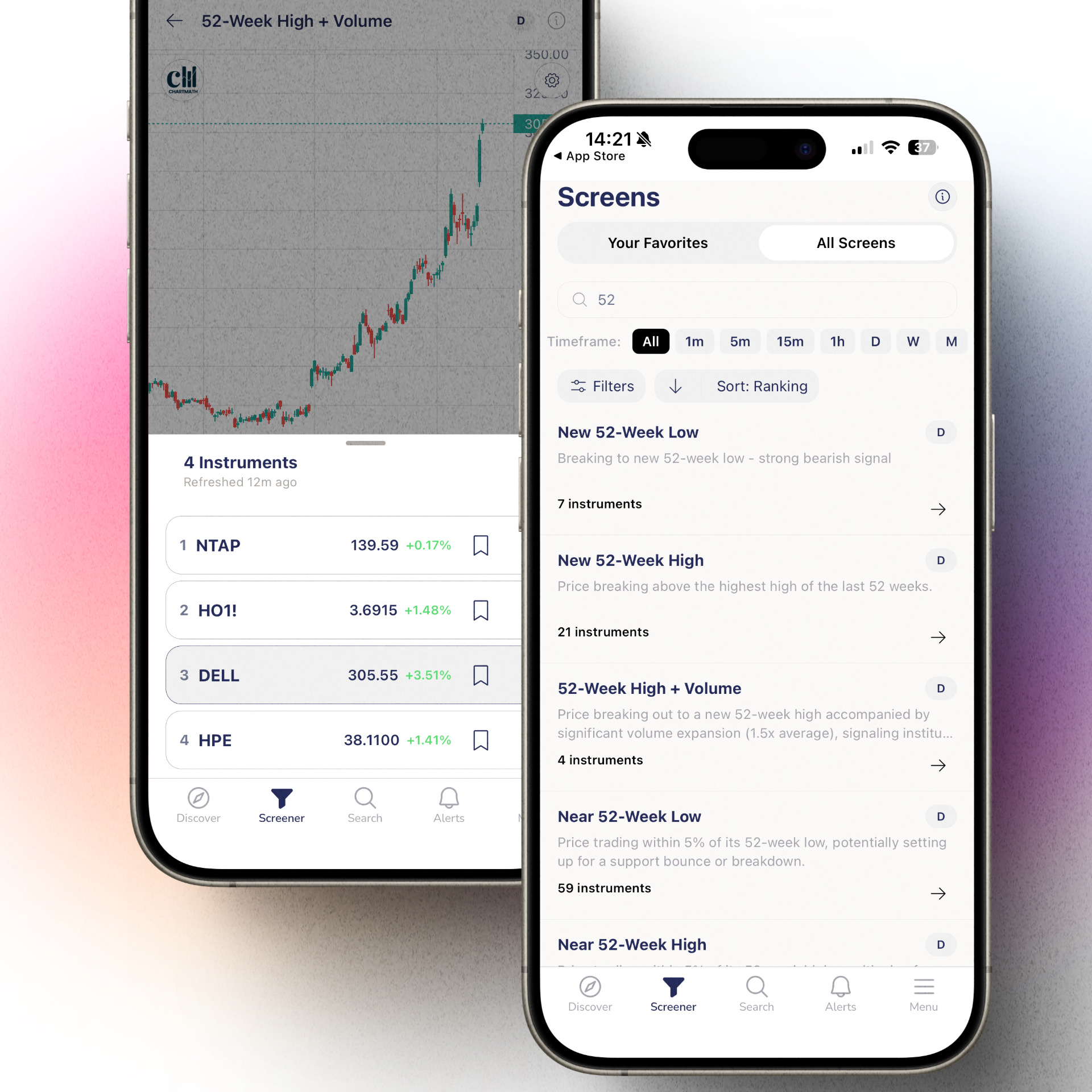
- Breakouts above key levels: 52-week highs, multi-week bases, prior resistance, these are the setups that produce the biggest moves and the cleanest risk/reward.
- Opening Range Breakouts (ORB): The first 15 to 30 minutes of trading often set the tone for the day. ORB alerts catch the move early, before it's obvious to everyone.
- Momentum indicators: RSI, moving average crossovers, and trend continuation signals that confirm a setup is still valid when you check in at lunch.
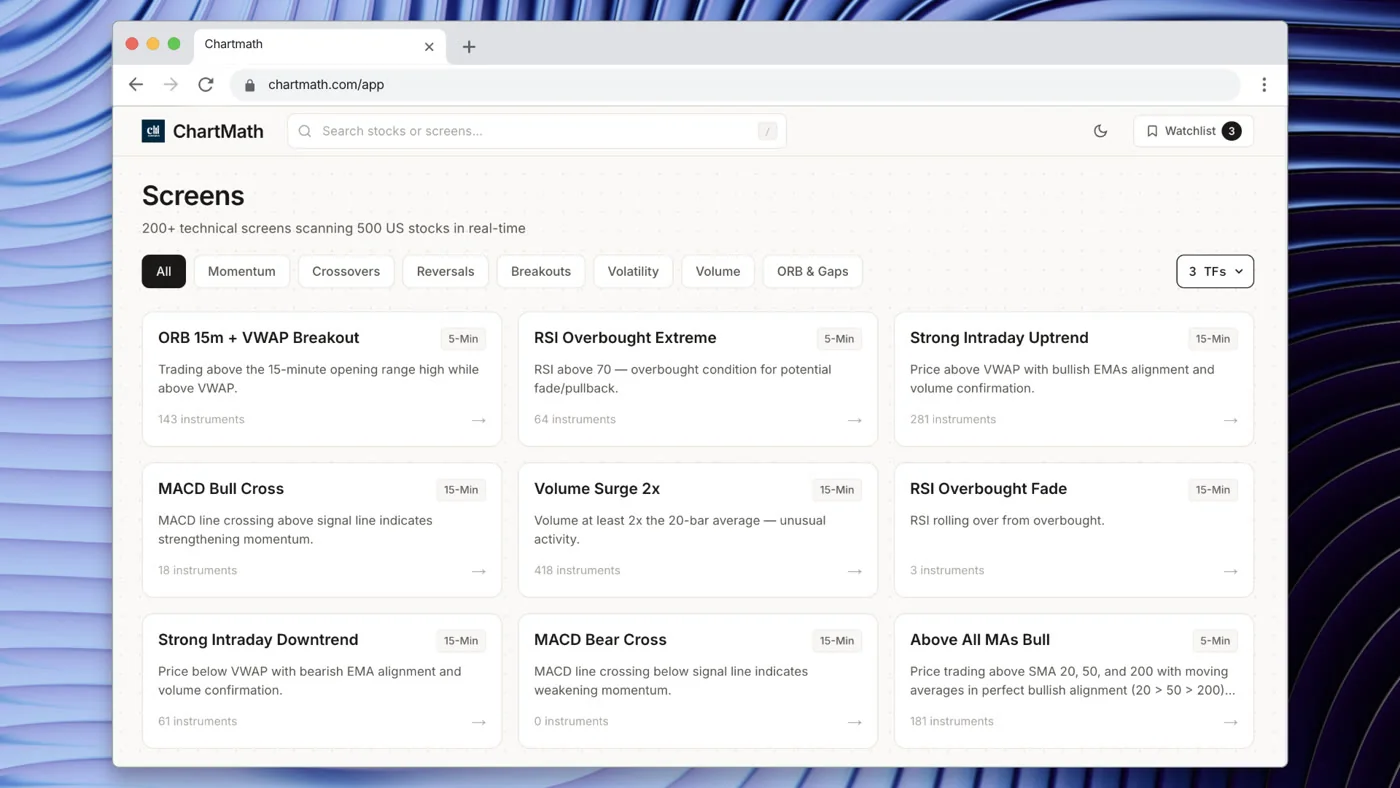
ChartMath runs 200+ pre-built technical screens across all of these categories, continuously, in real time, across the entire market. You don't write a single line of Pine Script. You don't manually refresh a screener. The setups come to you. If you've been relying on Finviz or TradingView alerts you built yourself, here's what a no-code scanner actually looks like in practice.
3. Configure Mobile Alerts That Actually Mean Something
Most traders have experienced alert fatigue. You set up 30 price alerts across your watchlist, and within two days you're ignoring every notification because 90% of them are noise. A stock hit a price level, but was it on volume? Was it the right time of day? Did it actually trigger the setup, or just touch a number?
Generic price alerts are not trading alerts. They're reminders. And reminders don't tell you whether to act.
What Makes an Alert Actionable
A useful alert for a day-job trader answers three questions the moment it fires:
- What happened? The specific technical event, not just "price moved," but "stock broke above 6-week resistance on 3.2x relative volume."
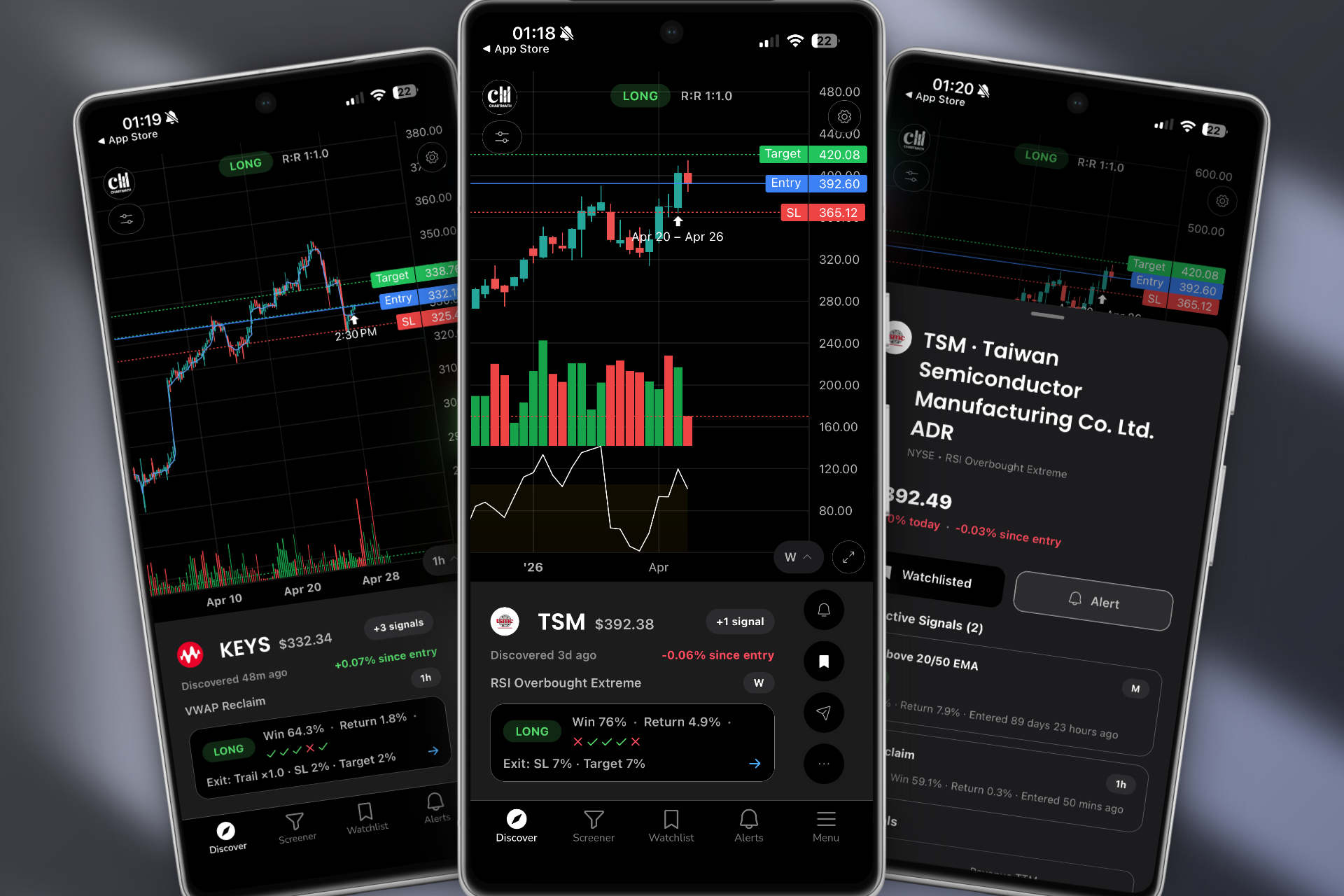
- Why does it matter? The context behind the setup, what pattern triggered, what the historical win rate looks like, what the risk/reward profile is.
- What do I do now? A clear decision point, entry zone, stop level, and whether this is a "check at lunch" or "act now" situation.
ChartMath's push alerts are built around this model. Every alert includes a plain-English explanation of why it triggered, which screen it matched, and the backtest data behind that setup. When your phone buzzes at 10:47 AM during a meeting, you can glance at the notification and know in five seconds whether it's worth stepping out for or whether it can wait until your postmarket review.
This is the opposite of alert fatigue, it's alert clarity. For more on building a watchlist that fires at the right time rather than constantly, this guide on trading without watching screens all day covers the setup in detail.
4. Use Your Lunch Break as a Decision Window
The 12 PM to 1 PM window is underrated for day-job traders. The morning volatility has settled, the market has established a direction, and you have a natural break in your schedule. This is your intraday check-in, not a full analysis session, but a 5-minute scan of what's happening with your active alerts and open positions.
What to Do in Your Lunch Break Window
Keep this to three things:
Review fired alerts: Which setups triggered this morning? Are they still valid, or did the move already complete? A stock that broke out at 9:45 AM and is now extended is a different decision than one that's consolidating near the breakout level at noon.
Check RVOL and VWAP position: For any stock you're considering entering, is volume still elevated? Is price above or below VWAP? These two data points take 30 seconds to check and tell you a lot about whether a setup is still live. Understanding how VWAP, RVOL, and ORB interact makes this check much faster.
Manage open positions: Do any of your current trades need a stop adjustment? Has anything hit your target? This is maintenance, not analysis, it should take two minutes.
If you can't act on a setup at lunch, note it for your postmarket review. Many swing trade setups are still valid at the close or the next morning's open. The goal of the lunch check isn't to force a trade, it's to stay informed without disrupting your workday.
5. Run Your Postmarket Review After Hours
For the day-job swing trader, the postmarket review is the most important session of the trading day. This is where you do the real work: reviewing what happened, building tomorrow's watchlist, and validating the setups you're considering entering.
Your Postmarket Review Checklist
Block 20 to 30 minutes after the close for this. It's not glamorous, but it's what separates traders who consistently find good setups from those who feel like they're always reacting.
- Review triggered alerts: Which setups fired today? Did they work? If you missed an entry, why, and would you have taken it if you'd seen it in real time?
- Review open positions: Are your stops still in the right place? Has the thesis changed? Do you need to adjust anything before tomorrow's open?
- Build tomorrow's watchlist: Use your scanner results from today to identify stocks that are setting up but haven't triggered yet. These go on your premarket list for tomorrow.
- Validate new setups with backtest data: Before adding a new setup to your watchlist, check the historical performance. What's the win rate? What's the average return? What's the typical drawdown? Building a backtesting habit is one of the fastest ways to improve your setup selection.
The postmarket review is also when you use ChartMath's daily and weekly signal feeds, the end-of-day scan results that show you which setups are forming across the market right now, ranked by setup quality and historical edge. This is your raw material for tomorrow's game plan.
6. Size Positions for a Schedule You Can't Control
Position sizing is always important. For day-job traders, it's critical, because you can't babysit a trade that goes against you at 11 AM when you're in a budget review meeting.
The Core Rules for Part-Time Position Sizing
Risk a fixed percentage per trade, not a fixed dollar amount. Most experienced traders risk 0.5% to 2% of their account per trade. At 1% risk on a $25,000 account, you're risking $250 per trade. That's a number you can be comfortable with when you can't monitor the position intraday.
Use wider stops on swing trades. Intraday noise can stop you out of a perfectly good swing trade if your stop is too tight. Swing traders typically use daily chart stops, below a key support level or the base of the pattern, rather than intraday stops. This means smaller position size to keep dollar risk the same, but it also means you won't get shaken out by normal intraday volatility while you're at work.
Set hard stops before you walk away. Every trade you enter should have a stop-loss order in the market before you close your phone. Not a mental stop. A real order. If you can't set a hard stop, don't take the trade. This is non-negotiable for traders who can't monitor positions during the day.
Use alerts as a secondary safety net. Set a price alert at your stop level so you get notified if the stock approaches it. This gives you a chance to review the situation before the stop triggers, but the hard stop is still there as a backstop if you can't respond.
7. Choose the Right Tools for Your Trading Stack
The tools you use matter more when your time is limited. A desktop-only platform that requires you to be at your computer to get alerts is a liability for a day-job trader. A scanner that updates end-of-day is useless for catching intraday momentum setups. And a platform that requires Pine Script to build custom alerts is a barrier that most working traders will never clear.
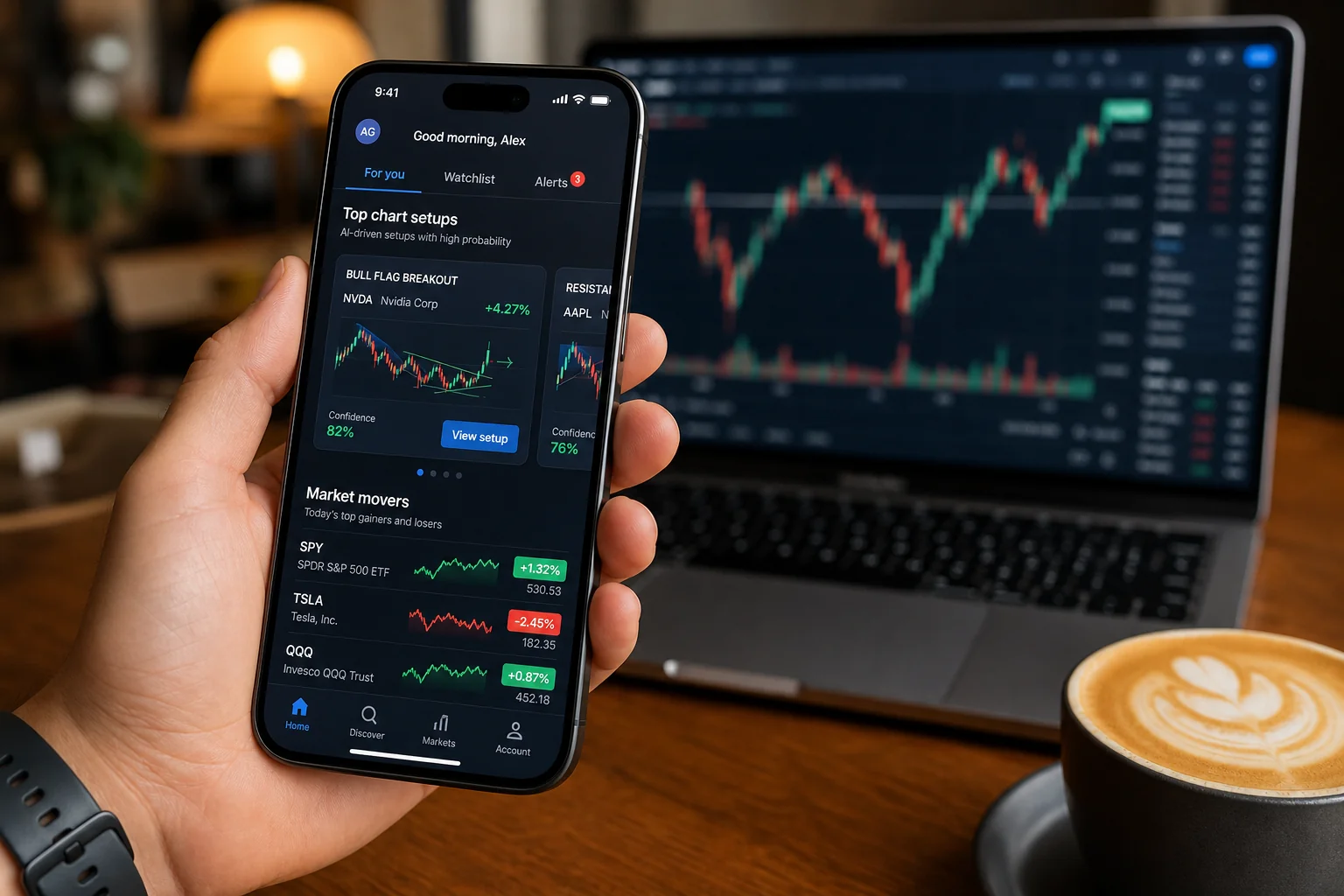
What a Day-Job Trader's Tool Stack Actually Needs
You need three things, and only three things:
- A charting platform for analysis: TradingView, TrendSpider, or a similar tool for reviewing charts, drawing levels, and doing your postmarket analysis. You probably already have this.
- A discovery layer for finding setups: This is the gap most traders have. Your charting platform only analyzes stocks you already pulled up. You need something that proactively scans the entire market and surfaces setups you haven't thought to look at yet.
- Mobile-first alerts that reach you away from your desk: Real-time push notifications that fire when a setup triggers, with enough context to make a decision from your phone.
ChartMath is built to fill roles two and three. It runs alongside whatever charting platform you already use, it doesn't replace TradingView or TrendSpider, it completes them. When ChartMath surfaces a setup, you take it to your charting platform for final analysis and execution. The discovery and the analysis are separate jobs, and trying to do both with one tool is why so many traders feel like they're always missing something.
For traders currently paying for Trade Ideas, it's worth knowing that Trade Ideas starts at $118/month, is desktop-only, and is built for professional day traders with multiple monitors. If that's not your setup, here's an honest breakdown of what you gain and lose by switching. And if you want to see how ChartMath fits into a complete trading workflow, this workflow guide walks through the full stack.
Your Repeatable Weekly Workflow at a Glance
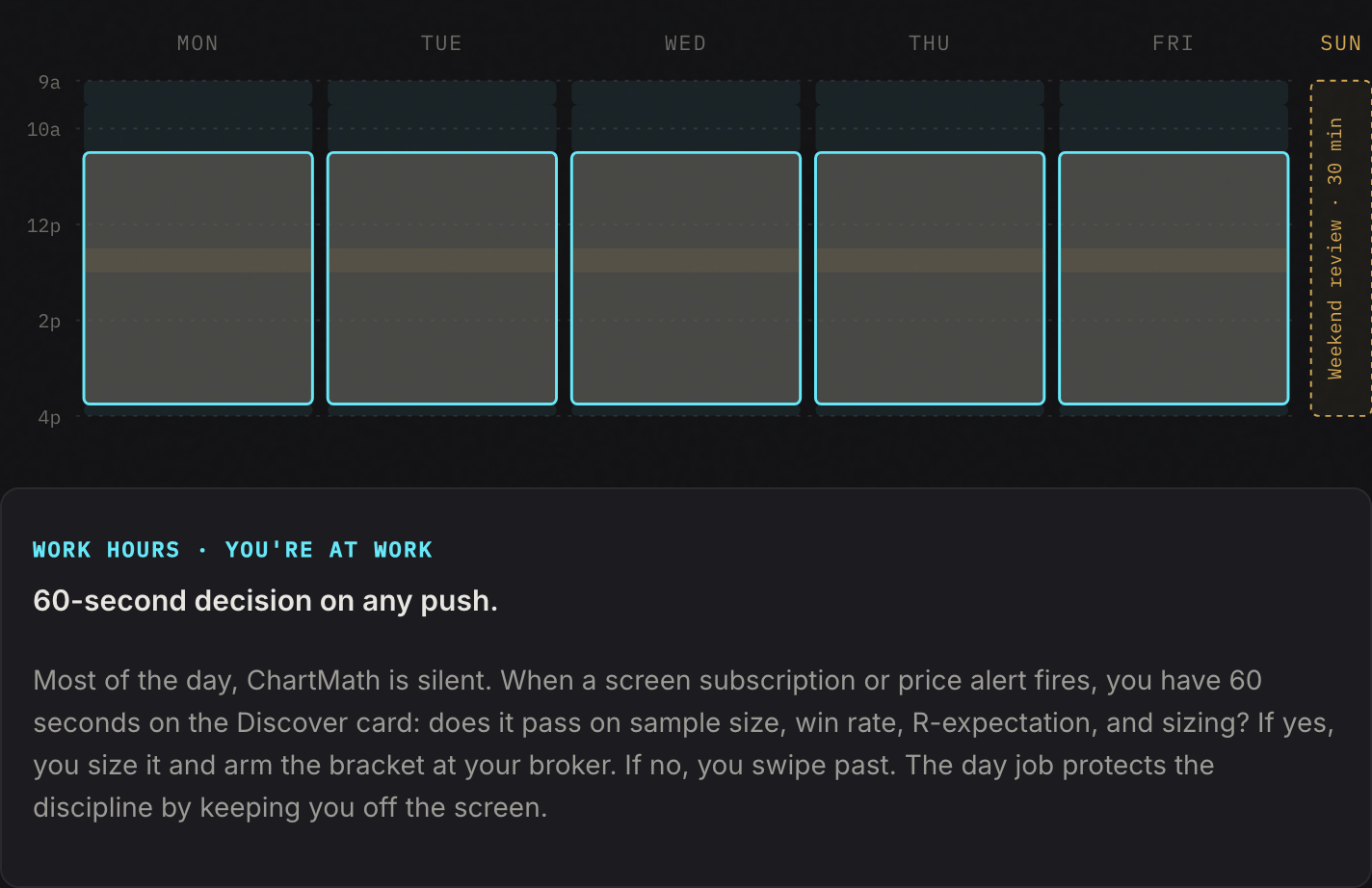
Here's how the full system comes together across a typical trading week. This isn't a rigid schedule, it's a framework you adapt to your own hours and setup preferences.
Monday Morning (15 Minutes)
Set your weekly bias. Is the market in a trending or choppy environment? Which sectors are showing strength? Pull up your scanner's weekly signal feed and identify 3 to 5 stocks that are setting up on the daily chart. These are your candidates for the week.
Tuesday Through Friday, Daily Rhythm
- Premarket (15 min): Check overnight gaps, confirm key levels, review any new alerts from the scanner. Finalize your 3 to 5 stock watchlist for the day.
- During the day (passive): Let your alerts run. You don't need to check anything unless a push notification fires. If it does, a 30-second glance tells you whether it's worth acting on at lunch or waiting for the postmarket review.
- Lunch break (5 min): Review fired alerts, check RVOL and VWAP position on active setups, manage any open positions that need attention.
- Postmarket (20, 30 min): Full review, triggered alerts, open positions, tomorrow's watchlist, setup validation with backtest data.
Weekend (30 Minutes)
Review the week's trades. What worked? What didn't? Update your screens and watchlist for the following week. This is also a good time to explore new setups in ChartMath's screen library, there are 200+ pre-built screens, and rotating through different setups keeps your edge fresh. For a structured approach to the daily chart workflow, this scanner workflow guide is a useful reference.
Frequently Asked Questions
Can I really trade stocks with a full-time job?
Yes, but only if you use the right style and the right tools. Swing trading (holding positions for days to weeks) is far more compatible with a day job than day trading, which requires intraday monitoring. With automated scanning and mobile alerts, you can stay active in the market without watching screens during work hours.
What's the best trading style for someone with a day job?
Swing trading on daily charts is the most practical approach. Setups form over days, entries and exits don't require split-second timing, and positions can be managed with hard stops and alerts rather than constant monitoring. Some traders also use end-of-day signals to enter positions at the close or the next morning's open, which eliminates intraday decision-making entirely.
How many stocks should I have on my watchlist?
For a day-job trader, 3 to 7 stocks is the right range. More than that and you can't track them properly during the limited windows you have. Your scanner handles the broad market, your watchlist is just the short list of setups that are close to triggering. Quality over quantity, always.
Do I need to watch the market open?
Not necessarily. Many swing trade entries are valid at the close or the next morning's premarket. If you're trading ORB setups or intraday momentum, the open matters more, but for daily chart breakouts and swing setups, the first 30 minutes of trading is often the noisiest and least reliable window anyway. Set your alerts, check at lunch, and review at the close.
What if I miss an alert during a meeting?
This is exactly why explainable alerts matter. When you come out of a meeting and see a notification, you need to know immediately whether the setup is still valid or whether the move already happened. An alert that says "XYZ broke above $47.20 on 2.8x RVOL, 6-week base breakout, 68% historical win rate" gives you everything you need to make that call in 30 seconds. A generic price alert gives you nothing.
What's the difference between a stock screener and a trade discovery tool?
A screener is reactive, you query it when you remember to, and it shows you what's happening right now. A trade discovery tool is proactive, it continuously monitors the market and pushes setups to you the moment they trigger. For a day-job trader, the difference is enormous. You can't query a screener from a meeting. But a push alert reaches you wherever you are. This guide on using stock screeners effectively covers the distinction in more depth.
Start Trading Around Your Schedule, Not Against It
The system described in this guide isn't complicated. Fifteen minutes of premarket prep. Automated scanning running in the background. Explainable mobile alerts that catch setups while you're at work. A lunch-break check-in. A postmarket review that builds tomorrow's game plan. That's it. No Pine Script. No desktop-only platforms. No refreshing Finviz 47 times hoping something shows up.
The traders who make this work aren't the ones with the most time, they're the ones with the best system. And the first step to building that system is having a discovery layer that does the scanning for you.
ChartMath was built specifically for this workflow. It scans 200+ technical screens in real time, sends explainable push alerts the moment a setup triggers, and works alongside the charting platform you already use. You keep the final call. The system does the scanning.
If you want to see how it works before committing, watch the demo to see the alert and discovery workflow in action. Or if you're ready to stop missing entries while you're at work, download the ChartMath app and let the market come to you. You can also explore the full library of 200+ pre-built screens to see exactly which setups the scanner covers.
Your day job isn't going anywhere. Neither is the market. The only thing that needs to change is the system you use to connect them.

See these setups live in ChartMath
200+ curated screens with backtest data. Free. No credit card required.