Stock Screener With Backtesting vs Without: Which Wins?
Pull up Finviz right now. Run a VWAP reclaim scan. You'll get a list of tickers. Some of them will look clean on the chart. A few will feel like obvious entries. Now answer one question: how many of those setups have historically worked?
You don't know. Finviz doesn't tell you. Neither does TradingView's screener. Neither does the Discord group that just pinged you with three tickers and a fire emoji. You have a list of stocks that match a pattern. What you don't have is any evidence that the pattern produces a positive outcome over time.
That gap — between a filter and a proven edge — is exactly what separates a stock screener with backtesting from one without. This post breaks down what that difference means in practice, where the most popular tools fall short, and what it actually looks like when every screen ships with a documented Win Rate and Average Return before you risk a dollar.
A Filter Is Not an Edge
A screener is, at its core, a filter. You define a set of conditions, RSI below 30, price above the 20-day moving average, volume above average, and the screener returns every ticker that currently meets those conditions. That's useful. It narrows a universe of hundreds of stocks down to a manageable list.
But a filter tells you nothing about what happens next. It tells you a stock looks a certain way right now. It does not tell you whether stocks that looked this way in the past went on to produce gains, losses, or nothing at all.
An edge is different. An edge means: when this specific set of conditions has appeared historically, the outcome has been positive more often than not, by a margin large enough to be worth trading. That's a claim you can only make after running the setup against historical data, after backtesting it.
The distinction matters because trading without an edge is not a strategy. It's a guess dressed up in chart patterns. And the problem with guesses is that they feel like analysis when you're making them. The chart looks right. The setup looks clean. The pattern matches what you've seen work before. None of that is evidence. It's pattern recognition applied to a sample size of one.
What a Stock Screener Without Backtesting Actually Gives You
Tools like Finviz and TradingView are genuinely excellent at what they do. Finviz is one of the fastest static screeners available. TradingView has the best charting layer in retail trading. Neither of these is a criticism. The limitation is specific: neither tool ships a backtested Win Rate or Average Return alongside each signal it surfaces.
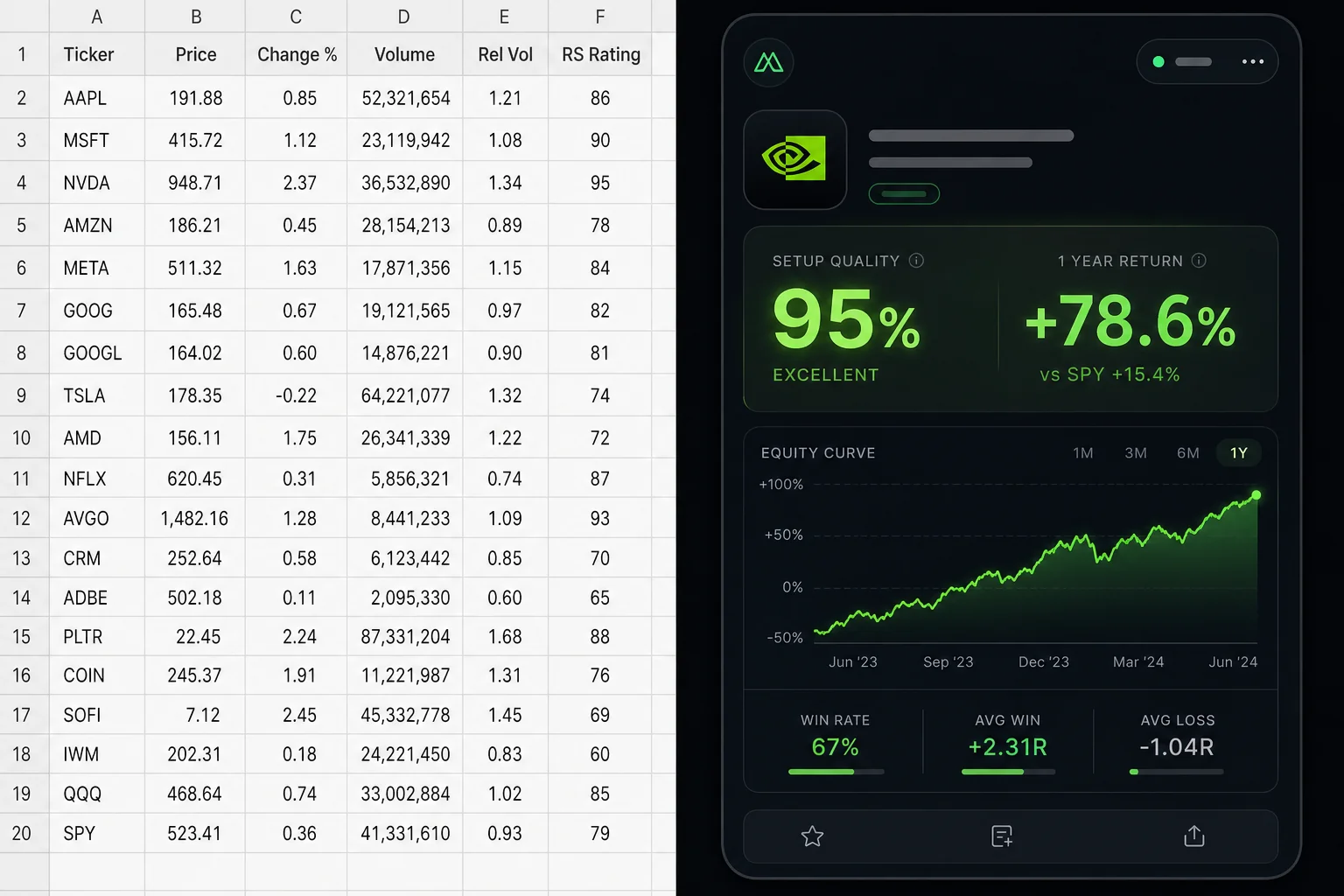
When Finviz returns a list of 40 tickers matching your filter, you get the ticker, the price, some fundamental data, and a chart thumbnail. You do not get: how often this setup has worked historically, what the average gain or loss was, how large the sample is, or what the expected value of taking the trade is. That information simply isn't there.
TradingView's screener works similarly. You can build sophisticated filters using Pine Script, but the screener layer itself doesn't attach historical performance data to each signal. To get that, you'd need to write a full strategy script, run it on each ticker individually, and interpret the results yourself. That's a significant technical lift, and it's a separate workflow from the screener entirely.
The Problems This Creates
- No way to rank signals by reliability. If your screener returns 40 tickers, you have no systematic way to know which setups have the strongest historical track record. You're left using gut feel, chart aesthetics, or recency bias to pick.
- Alert fatigue from unvalidated signals. When every alert carries equal weight because none of them have been tested, you either act on all of them (overtrading) or start ignoring them (missing real setups). Neither outcome is good. For more on this, see how to avoid alert fatigue from stock screeners.
- The recency bias trap. A setup that worked three times last month feels like a reliable edge. It might be. Or it might be a pattern that happened to align with a specific market regime. Without a backtest across hundreds of historical instances, you can't tell the difference.
- Small sample sizes masquerade as evidence. "This setup worked 4 out of 5 times for me" is not a win rate. It's noise. A meaningful win rate requires a large enough sample to be statistically credible.
Signal groups on Discord and Telegram have the same problem, compounded by human bias and promotion risk. There's no backtest behind the call. There's someone's opinion, sometimes with a chart attached. That's not an edge either.
What Backtested Screens Actually Tell You
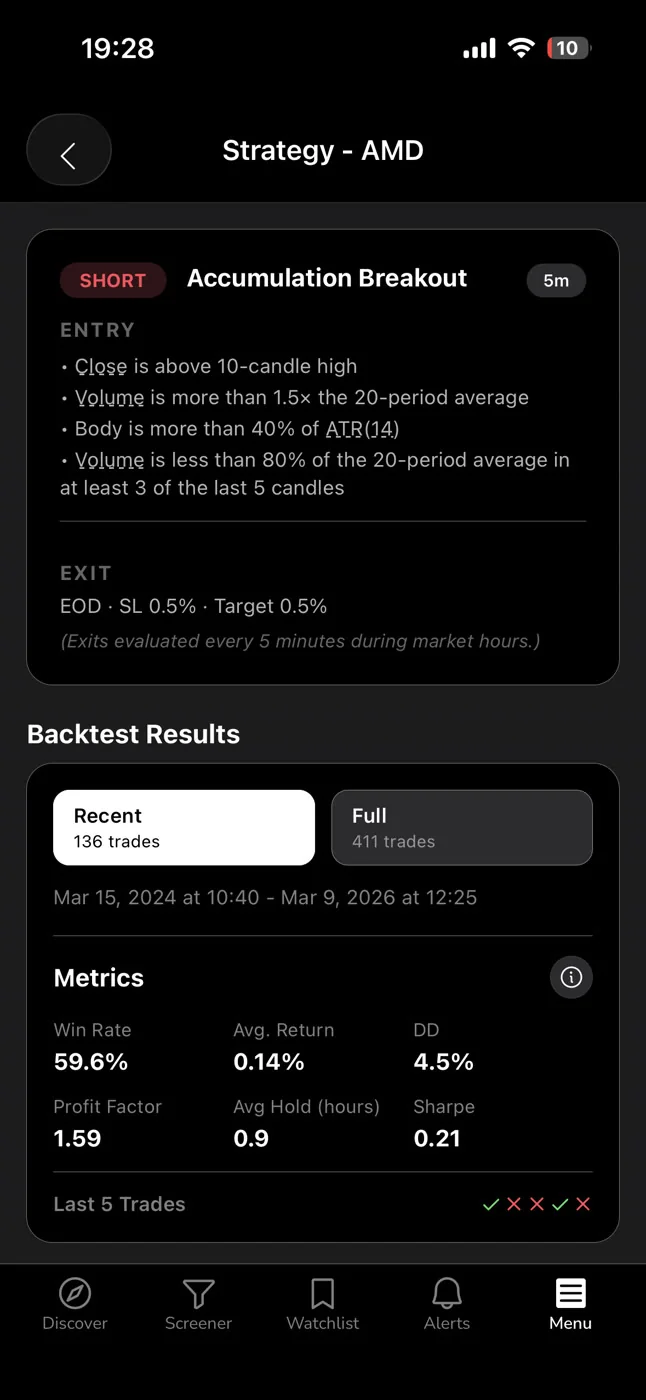
A backtested screen runs a defined set of entry conditions against historical price data and measures what happened after each instance. The output is a set of metrics that tell you, with statistical grounding, whether the setup has historically produced a positive outcome.
Here are the metrics that matter:
Win Rate
Win Rate is the percentage of historical instances where the setup resulted in a profitable outcome, given a defined exit rule. A 60% Win Rate means 6 out of every 10 historical instances closed in profit. It's a useful starting point, but it's not the whole picture. A setup with a 60% Win Rate and an average loss twice the size of the average gain is still a losing strategy.
Average Return
Average Return is the mean gain or loss across all historical instances. This is where Win Rate gets context. A 55% Win Rate with an Average Return of +3.2% per trade is a very different setup from a 55% Win Rate with an Average Return of +0.4%. The second one barely covers friction costs.
Expected Value (EV)
Expected Value is the probability-weighted outcome per trade. It combines Win Rate and Average Return into a single number that answers the question: if I take this setup 100 times, what is my expected outcome per trade? A positive EV means the setup has a mathematical edge. A negative EV means it doesn't, regardless of how good it looks on a chart. This is the number that tells you whether a setup is worth taking at all.
Sample Size
A 70% Win Rate on 8 historical instances is noise. A 70% Win Rate on 200 historical instances is signal. Sample size is the credibility check on every other metric. Without it, you can't know whether you're looking at a genuine edge or a statistical artifact of a small dataset.
Equity Curve and Drawdown
The equity curve shows how the setup performed over time, not just on average. A setup with a strong average return but a deep drawdown period in the middle tells a different story than one with steady, consistent gains. Drawdown data tells you what you'd have to stomach to capture the edge.
One important caveat: backtests use bar-close entries with no look-ahead bias. They do not model commissions, slippage, or spread. Real-world results will differ. Backtest data is historical evidence of a setup's behavior, not a guarantee of future performance. It's a starting point for a decision, not the decision itself. For a deeper look at how to use this data well, see how to build winning backtesting strategies.
Where Finviz and TradingView Fall Short
To be precise about this: Finviz and TradingView are not bad tools. They're the wrong tools for the specific job of validating a setup's historical edge before you trade it.
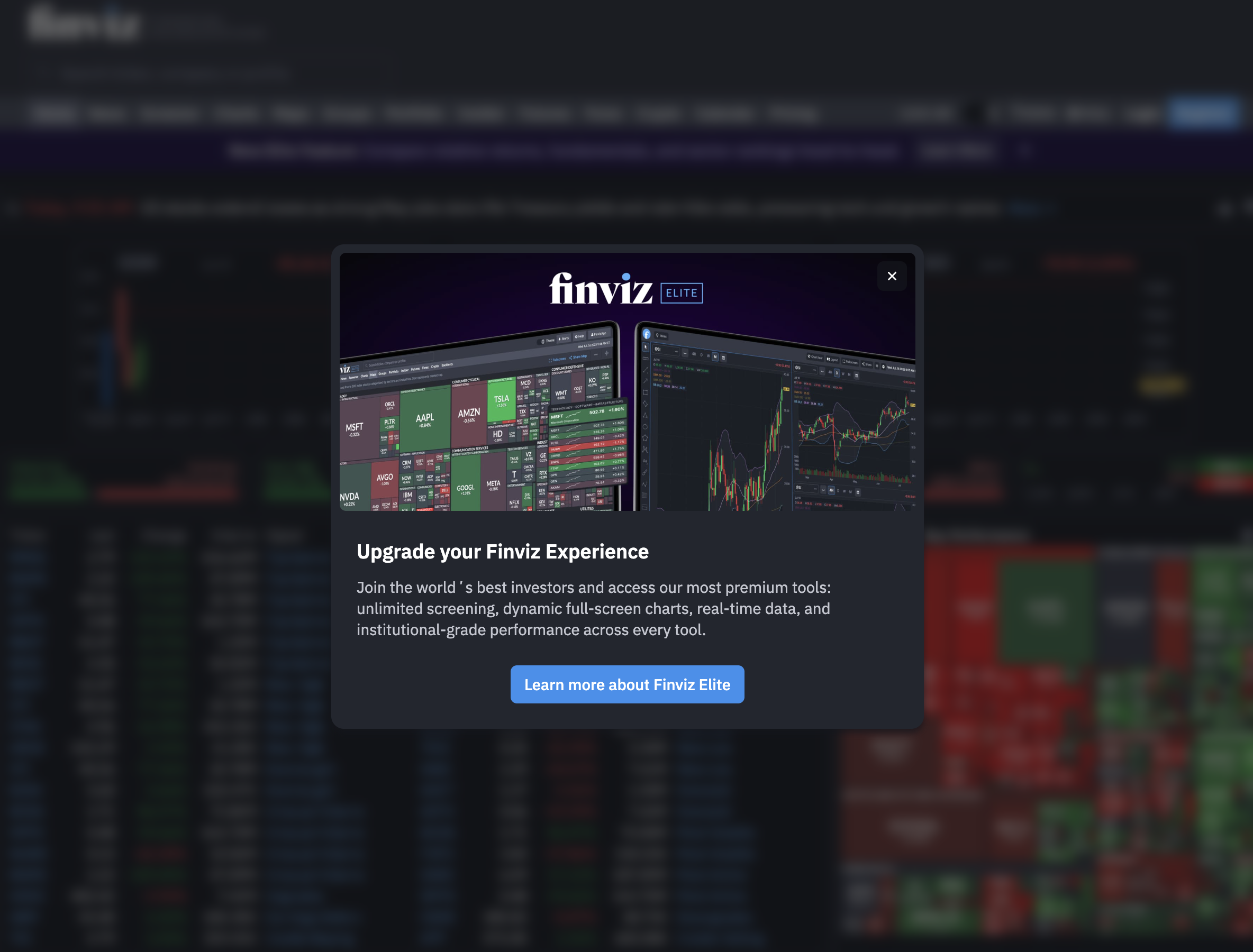
Finviz is a static screener. It's fast, it covers a wide range of fundamental and technical filters, and the Elite version adds real-time data. What it doesn't do: attach a backtested Win Rate to each signal, send push alerts to your phone, or tell you whether the pattern you're looking at has historically produced a positive expected value. You get a list. What you do with it is entirely on you.
TradingView is the gold standard for charting. The screener is functional, and Pine Script gives advanced users the ability to build custom strategies. But building a backtested strategy in Pine Script requires coding knowledge, significant time investment, and a separate workflow from the screener itself. The screener layer doesn't surface historical Win Rate or Average Return per signal. You'd need to build that yourself, ticker by ticker. Most retail traders don't have the time or the technical background to do that systematically. If you're already using TradingView for charting, see how a TradingView companion app for swing traders can fill the gap.
Signal groups on Discord and Telegram have no backtest at all. The signal is someone's opinion. Sometimes it's an experienced trader's opinion. Sometimes it's a paid promoter's opinion. There's no Win Rate, no Average Return, no sample size, and no accountability. The signal looks the same whether it has a 30% historical win rate or a 70% one.
The gap across all three: you can find a setup, but you can't answer the question that matters most before you size into it. Has this setup historically worked?
What a Screener With Backtesting Looks Like in Practice
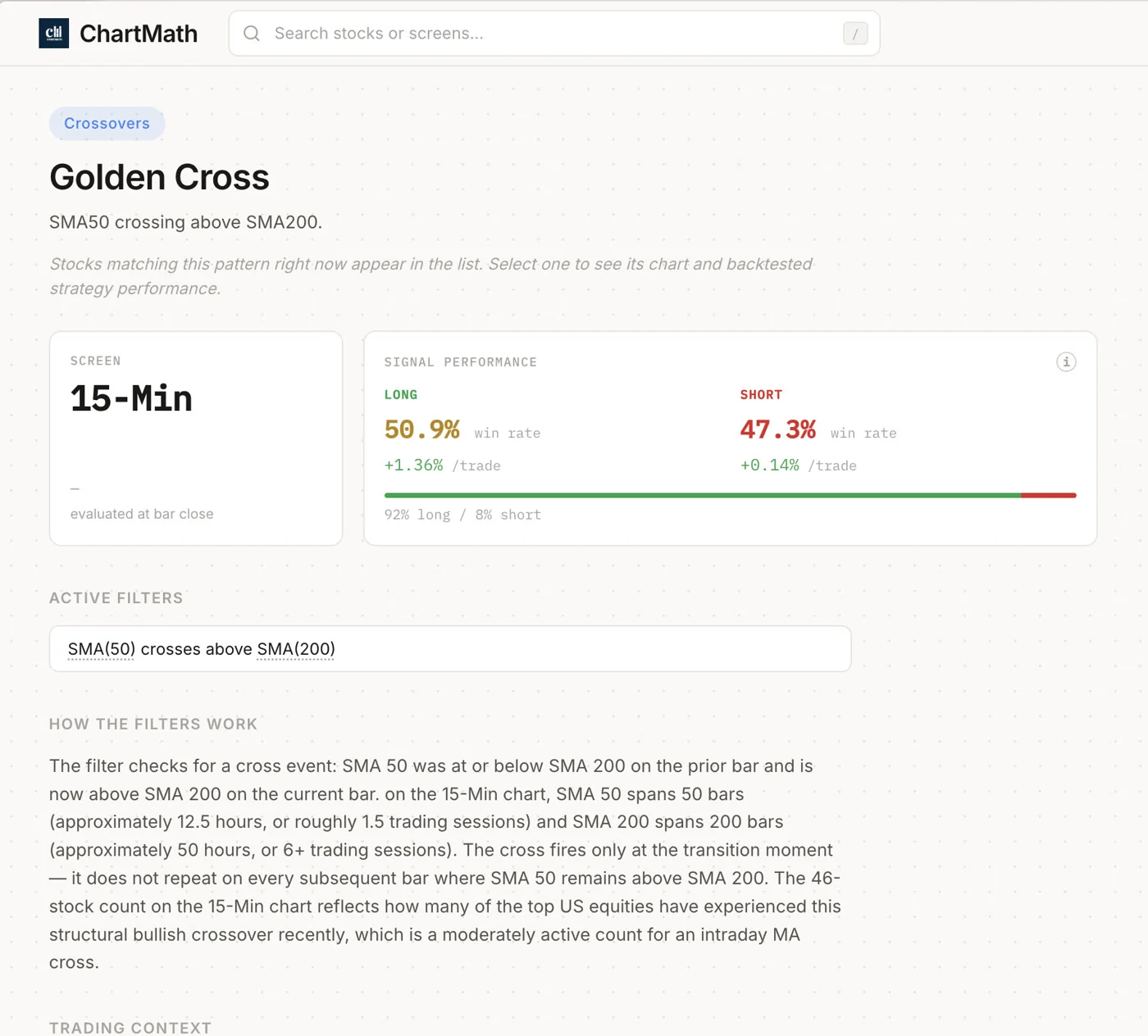
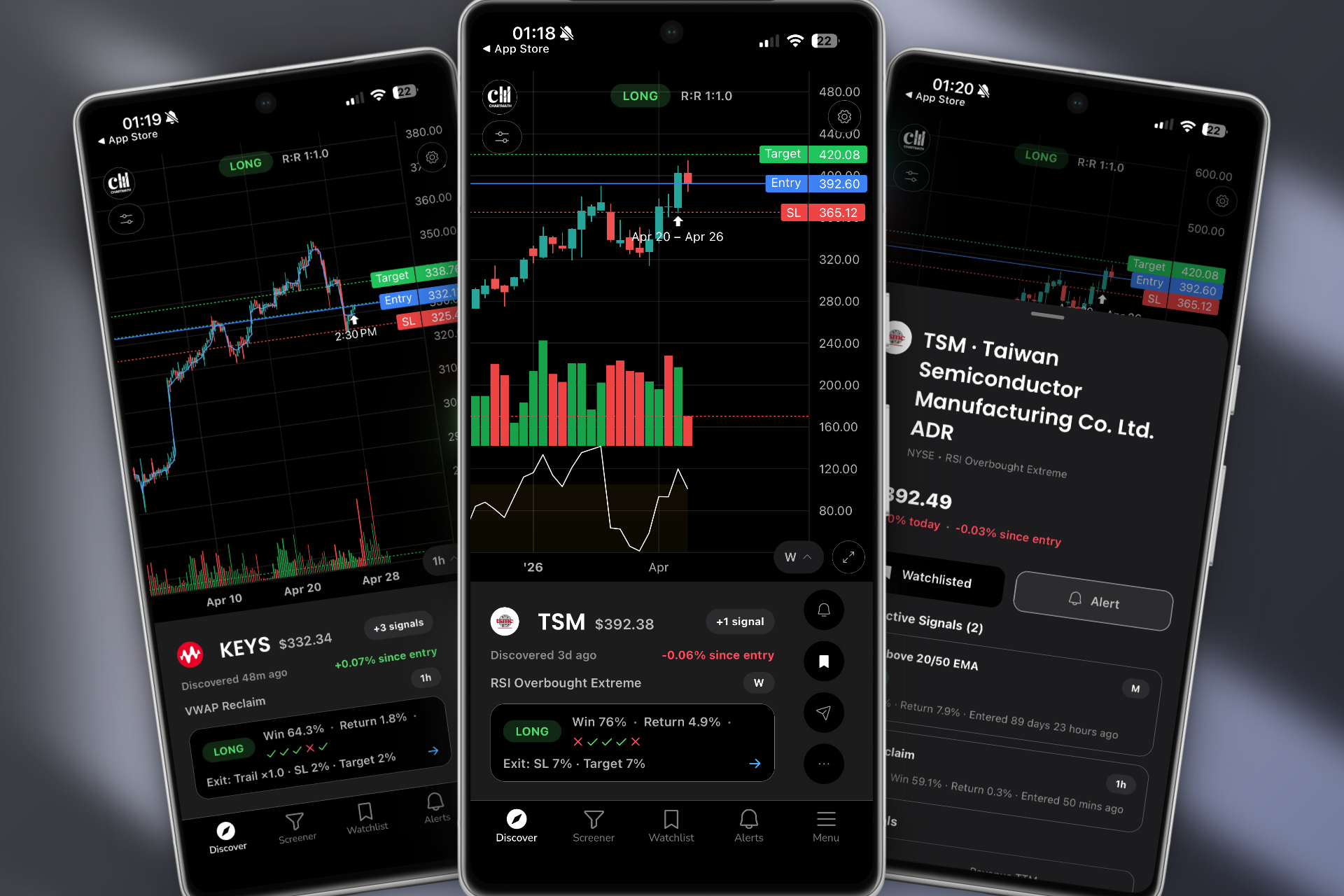
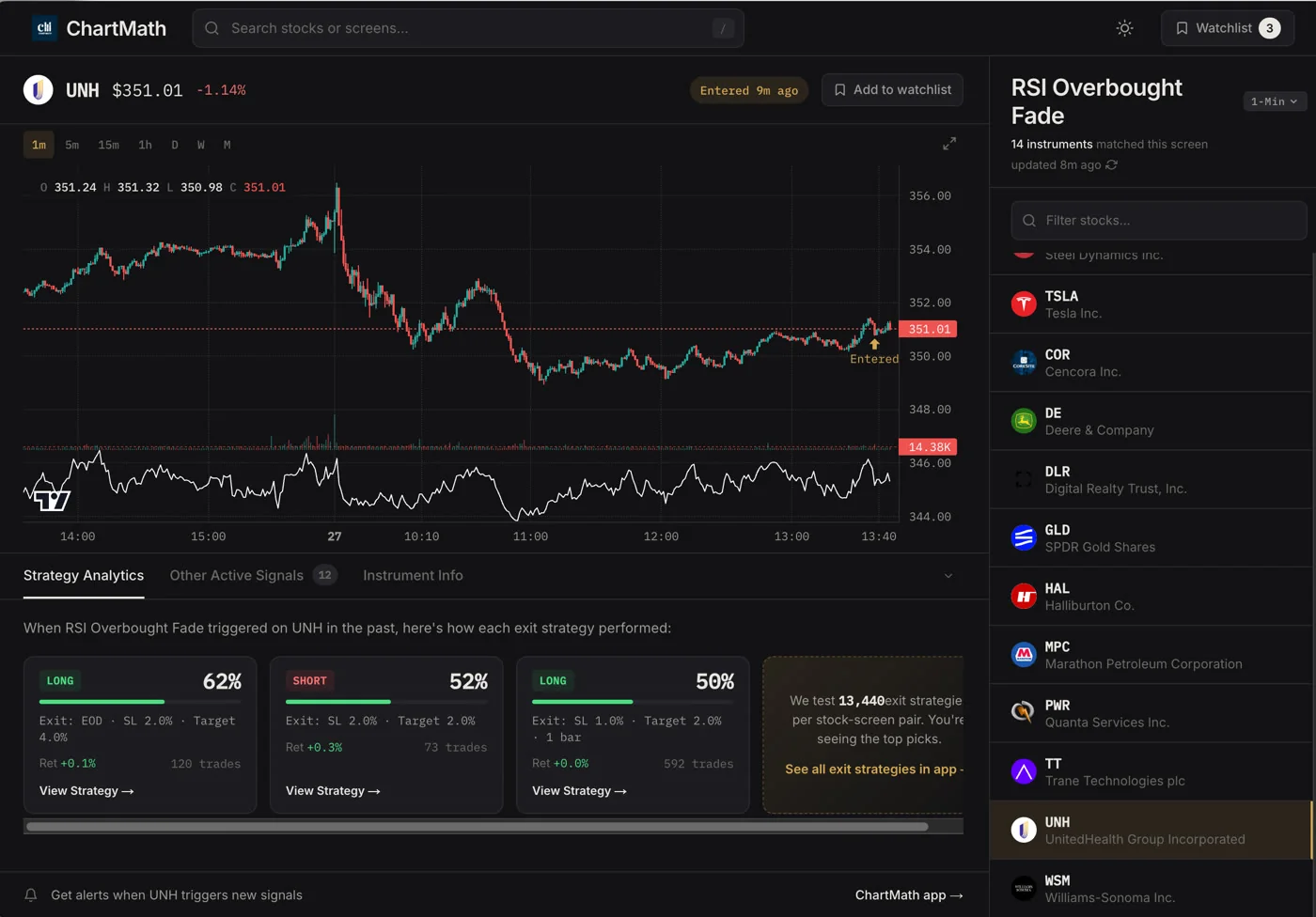
ChartMath is built around a single premise: every screen that ships to users has been backtested, and every signal surfaces its historical track record alongside the entry. No screen goes live without a verified Win Rate and Average Return. That's the gatekeeper.
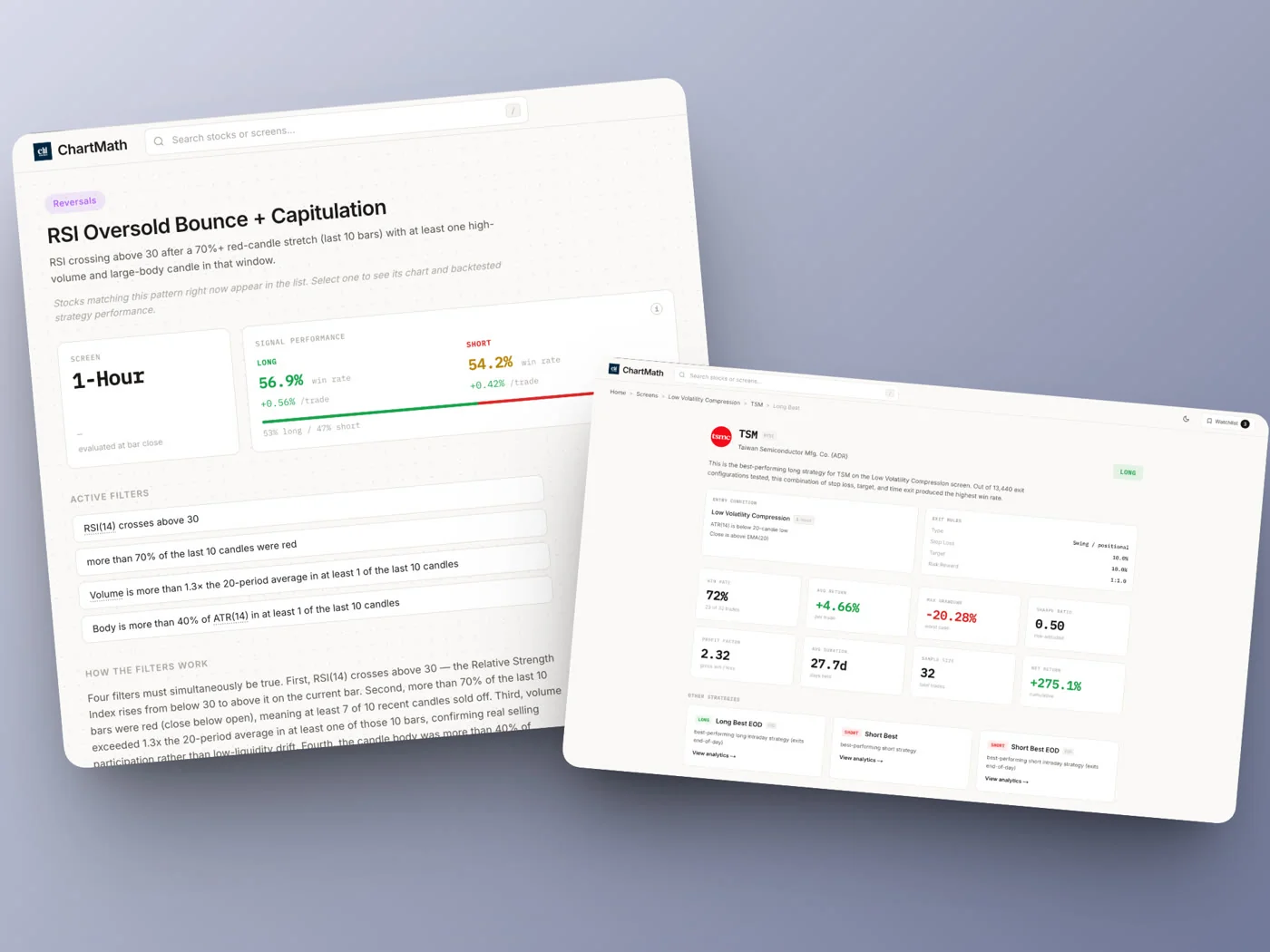
The app covers 500+ US equities, 100 crypto pairs, and 11 US futures, across 200+ curated, read-only technical screens and 7 timeframes: 1m, 5m, 15m, 1h, Daily, Weekly, and Monthly. Every screen in that library ships with Win Rate, Average Return, EV, sample size, equity curve, and drawdown data. You're not looking at a filter that looks good on a chart. You're looking at a filter with a documented track record.
How the Screens Work
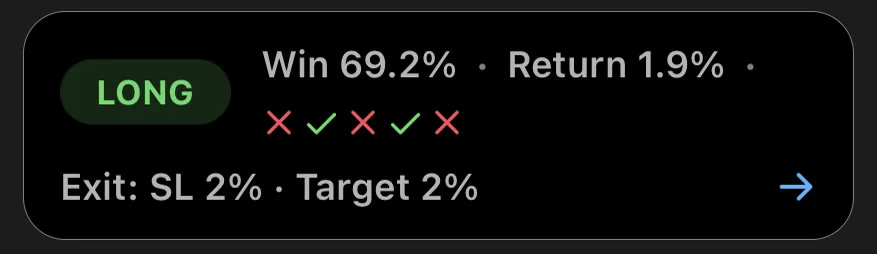
Screens are pre-built and curated. There's no Pine Script, no coding, no screen builder. You don't build them, you browse them. Each screen has a plain-English description of its filter rules, so you know exactly what conditions triggered the signal. When a ticker enters a screen, you see the screen's historical Win Rate and Average Return for that setup. The same metrics apply to every stock entering that screen, because the backtest is on the screen's logic, not on any individual ticker.
The Discover feed surfaces setups ranked by backtested reliability and recency. Swipe through entry cards, each showing the setup name, timeframe, and the screen's historical performance metrics. It's a curated feed of setups that have earned their place, not a raw dump of everything that matches a filter right now.
Browse the full screen library at chartmath.com/screens to see what's available before you download anything.
Alerts That Carry Context
When a ticker enters a screen you've favorited, ChartMath sends a push alert to your phone. The alert carries the ticker, the timeframe, the screen name, and a timestamp. You know what fired, when it fired, and which backtested screen it belongs to. That's the context a raw price alert from a non-backtested screener can't give you.
For swing traders with a day job, this matters. You can't watch charts from 9:30 AM to 4 PM. Every alert that reaches your phone needs to have earned its place. Backtest data is how you know it has. See also: how to trade stocks without watching the screen all day.
Copilot, Not Autopilot
ChartMath surfaces the setup. You make the decision. You execute in your own broker. There's no broker connection, no order placement, no automated trading. The app is a research and discovery layer, a copilot that does the scanning work so you can focus on the decision. That's the right division of labor for a systematic trader.
The Decision Framework: When Does Backtesting Matter Most?
A screener without backtesting isn't useless. It's just incomplete for certain jobs. Here's how to think about when backtest data is essential versus when a plain filter is enough.
When Backtesting Is Non-Negotiable
- Before you size into a new setup. If you're trading a pattern you haven't traded before, you need to know its historical behavior before you commit real capital. Win Rate and EV are the minimum viable evidence.
- When you're trading with limited time. Swing traders with a day job can't afford to act on every signal. Backtest data lets you rank setups by historical reliability and focus on the ones with the strongest documented edge. For a full workflow built around this, see swing trading with a full-time job: a real system.
- When you're trying to build systematic habits. Gut feel doesn't scale. A documented edge does. Backtested screens give you a repeatable framework: take setups with positive EV, size appropriately, let the edge play out over a large sample.
- When you're learning which setups are worth mastering. For newer traders, Win Rate and Average Return data tells you which patterns are worth spending time on. Not every chart pattern has a positive expected value. Backtest data filters out the ones that don't.
When a Plain Screener Is Fine
- Exploratory research. If you're building a watchlist of stocks to follow, a plain filter is a reasonable starting point. You're not making a trade decision yet.
- Fundamental screening. Filtering by market cap, P/E, or sector doesn't require backtesting. Those are selection criteria, not entry signals.
- Charting and analysis. Once you have a ticker, TradingView is the right tool for drawing levels, checking multi-timeframe structure, and planning the trade. That's a different job from signal discovery.
The hybrid workflow that makes sense for most systematic retail traders: use a backtested screener like ChartMath for signal discovery and validation, then use TradingView or your charting platform to analyze the specific setup before executing. Each tool does what it's best at. For more on building this kind of workflow, see how to build an efficient trading workflow in 2026.
Side-by-Side: Screener With vs Without Backtesting
Here's how the tools stack up across the dimensions that matter for a risk-aware retail trader:
| Feature | Finviz | TradingView | Signal Groups | ChartMath |
|---|---|---|---|---|
| Real-time screening | Elite only | Yes | Varies | Yes |
| Backtested Win Rate per signal | No | No | No | Yes |
| Average Return per signal | No | No | No | Yes |
| Mobile push alerts | No | Yes (limited) | Yes | Yes |
| Plain-English screen rules | No | No | No | Yes |
| Coding required | No | For strategies | No | No |
| Cost | Free / paid Elite | Free / paid plans | Free / paid | Free |
The pattern is clear. Backtested Win Rate and Average Return per signal is the single capability that separates a screener that shows you what looks right from one that shows you what has historically worked. Every other feature on this list is available in multiple tools. That one isn't.
ChartMath is free: every screen, every backtest, every alert. Get started at chartmath.com/app or browse the screen library first at chartmath.com/screens.
Frequently Asked Questions
Is a high Win Rate enough to trade a setup?
No. Win Rate only tells you how often a setup closes in profit. You also need Average Return and Expected Value to know whether the setup is worth trading. A 70% Win Rate with an average loss larger than the average gain can still be a losing strategy. Always look at Win Rate and Average Return together, alongside sample size.
Do backtests guarantee future results?
No. Backtest data is historical evidence of how a setup has behaved in the past. Markets change, regimes shift, and past performance does not guarantee future results. Backtesting is a tool for identifying setups with a documented historical edge, not a promise of what will happen next. Treat it as a starting point for a decision, not the decision itself.
Can I build my own screens in ChartMath?
No. ChartMath's 200+ screens are curated and read-only. There's no screen builder, no Pine Script, and no coding required. Every screen has been backtested before it ships. You browse and use the screens; you don't build them. That's a deliberate design choice: it keeps the library validated and removes the technical barrier for traders who don't want to code.
What markets does ChartMath cover?
ChartMath covers 500+ US equities (NYSE/Nasdaq), 100 crypto pairs, and 11 US futures, across 7 timeframes from 1-minute to monthly. It's US-first, built around the US equity universe for swing traders, with crypto and futures coverage for traders who want it.
How much does ChartMath cost?
ChartMath is free. No credit card required. Every screen, every backtest, and every alert is included.
The bottom line: a screener without backtesting is a filter. It shows you what looks right. A screener with backtesting is a research tool. It shows you what has historically worked, with the numbers to back it up. For a trader who wants to make decisions based on evidence rather than instinct, that difference is the whole game.
If you're ready to trade setups that have a documented track record, download ChartMath on iOS or Android and start with the screen library. Every screen ships with its Win Rate and Average Return. Start for free. No coding, no guesswork.

See these setups live in ChartMath
200+ curated screens with backtest data. Free. No credit card required.