Best Stock Alert App for iPhone Swing Traders in 2026
Ask ten swing traders what their biggest problem is, and nine of them will say some version of the same thing: they knew the setup was forming, they just couldn't act on it fast enough. Not because they lacked skill. Because they were in a meeting, on a call, or away from their desk when the alert that mattered most never arrived.
The iPhone in your pocket is more powerful than the trading terminals of twenty years ago. But most stock alert apps treat it like a second-class citizen, a place to glance at charts you already pulled up on a desktop. That gap between what mobile could do for swing traders and what most apps actually deliver is exactly what this guide covers.
Below, we rank the five best stock alert apps for iPhone swing traders in 2026, evaluate each on the criteria that actually matter for part-time traders, and explain what separates a genuinely mobile-first experience from a desktop platform with a bolted-on app.
What Makes a Stock Alert App Actually Good for iPhone Swing Traders
Not all stock alert apps are built with the same trader in mind. A professional day trader running six monitors at 9:30 AM has completely different needs from someone who checks their phone at lunch and reviews charts after the kids are in bed. Before ranking any app, it helps to define what "good" actually means for the swing trader with a day job.
Here are the five criteria we used to evaluate every app in this guide:
- Alert speed and reliability: Does the push notification arrive while the setup is still actionable, or does it show up an hour late?
- Explainability: Does the alert tell you why it fired, or just that a price crossed a level? A good alert carries the ticker, the timeframe, the screen name, and a plain-English reason.
- Backtest transparency: Can you see the historical Win Rate and Average Return for the setup that triggered the alert, before you decide whether to act?
- True mobile-first design: Is the app built for a phone, or is it a desktop platform squeezed into a smaller screen?
- Alert hygiene: Does the app send a manageable number of high-quality alerts, or does it flood your lock screen until you turn notifications off entirely?
One more principle worth naming upfront: the best alert app is a copilot, not an autopilot. It surfaces setups and gives you the evidence to evaluate them. You make the final call and execute in your own broker. Any app that promises to trade for you is a different product category entirely, and not one covered here.
For a deeper look at how to structure your trading day around alerts, see our guide on how to trade stocks without watching the screen all day.
The 5 Best Stock Alert Apps for iPhone Swing Traders in 2026
We evaluated ChartMath, TradingView, Trade Ideas, Finviz, and TrendSpider against the five criteria above. Here is the short version before we go deep on each one.
| App | Push Alerts | Explainability | Backtest Data | Mobile-First | Alert Hygiene |
|---|---|---|---|---|---|
| ChartMath | Yes | Yes (plain English) | Yes (Win Rate + Avg. Return) | Yes (iOS + Android native) | Strong (de-duplication, throttling) |
| TradingView | Yes | No (price-level only) | No | Partial (desktop-first) | Moderate |
| Trade Ideas | Limited | Partial | Partial | No (desktop-only) | Weak on mobile |
| Finviz | No | No | No | No (web-only) | N/A |
| TrendSpider | Yes | Partial | Partial | Partial (desktop-first) | Moderate |
1. ChartMath — Best Overall for Swing Traders with a Day Job
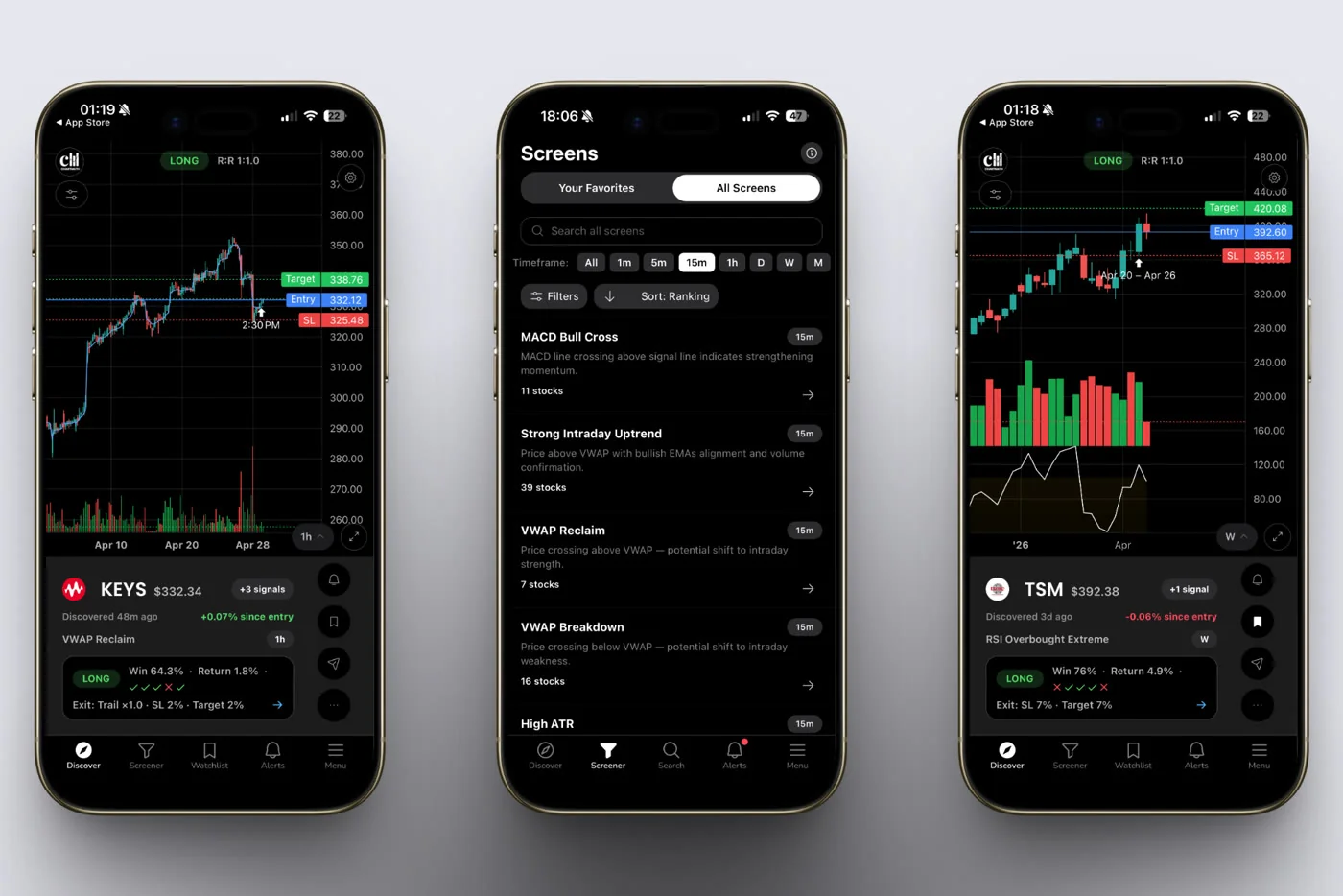
ChartMath is the only app in this comparison built from the ground up for the swing trader who cannot watch charts all day. Every design decision, from the swipe-first Discover feed to the plain-English alert payloads, reflects a single constraint: the user is probably not at their desk when the alert fires.
The app scans a curated universe of 500+ US equities, 100 crypto pairs, and 11 US futures across 200+ curated technical screens and 7 timeframes (1-minute, 5-minute, 15-minute, 1-hour, Daily, Weekly, and Monthly). That range covers everything from intraday momentum plays to multi-week swing setups, all without you writing a single line of code.
How the alerts work
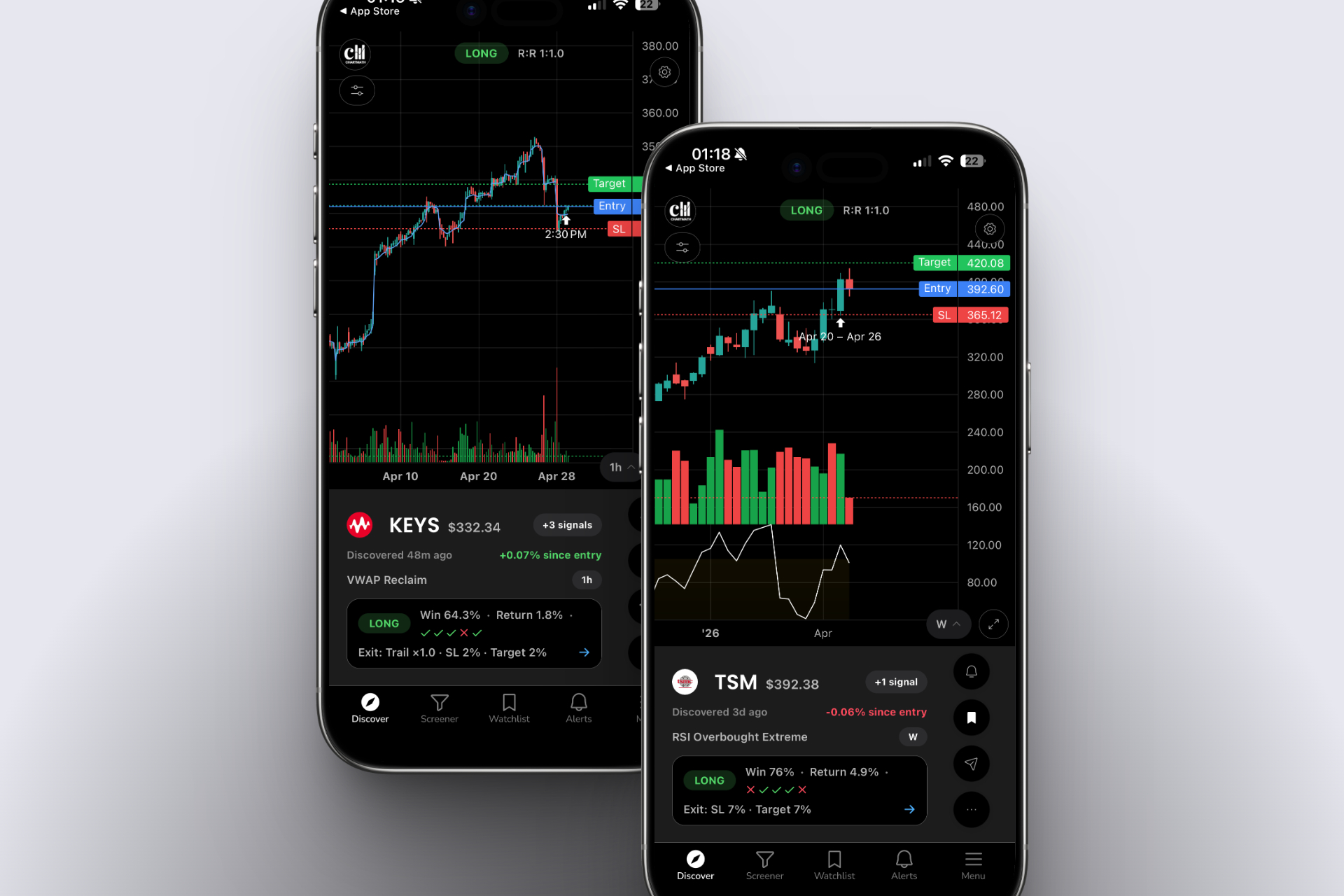
When a ticker enters a screen you've favorited, ChartMath sends a push notification and an email. The alert payload carries the ticker symbol, the timeframe, the screen name, a plain-English explanation of why it fired, a timestamp, and a deep link back into the app. You know exactly what triggered it and why, before you even open the app.
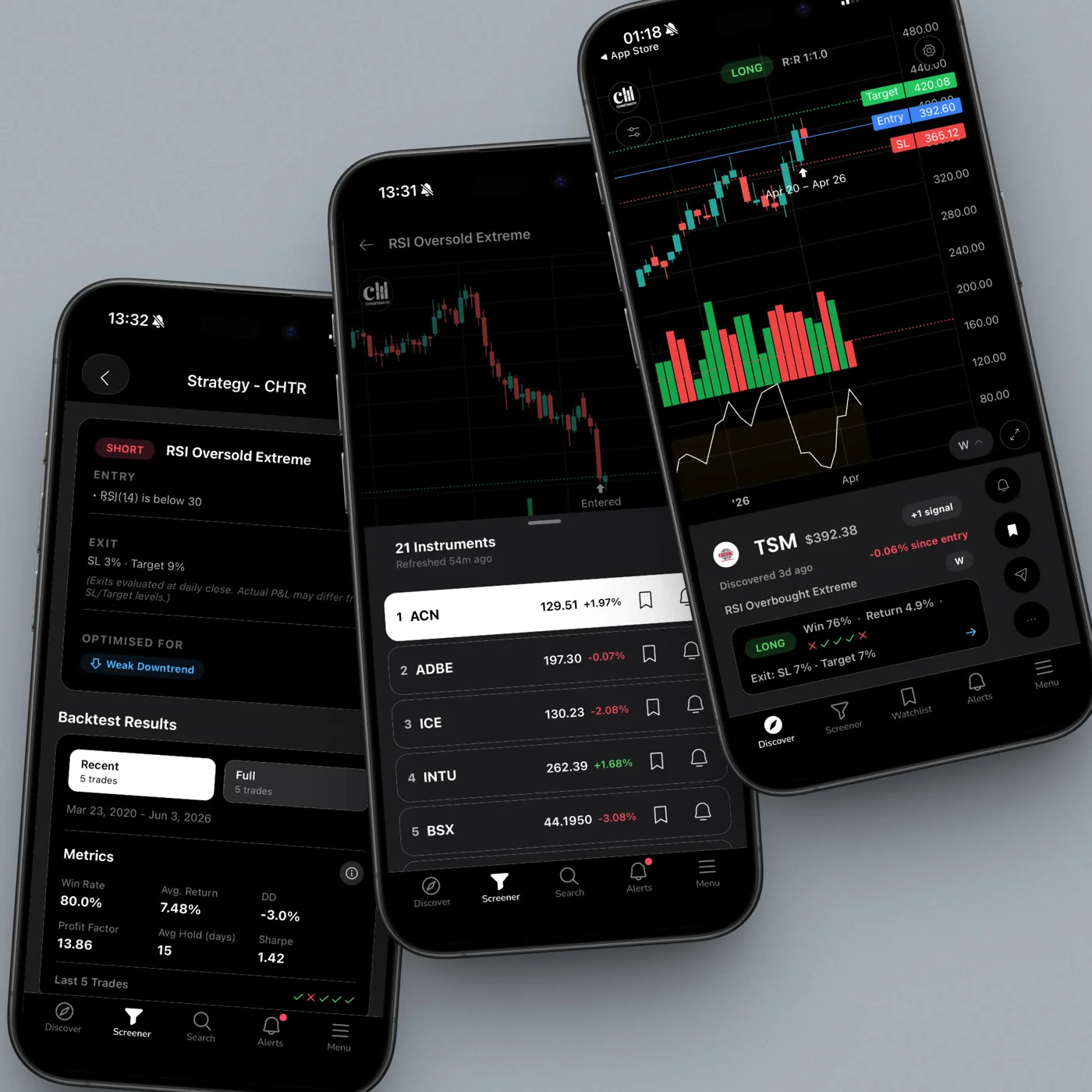
Each screen also shows its historical Win Rate and Average Return, so you can evaluate the edge behind the setup before you decide to act. That backtest transparency is rare in mobile-first tools and is one of the clearest differentiators ChartMath has over every other app in this list.
Alert hygiene that actually works
ChartMath's alert system includes de-duplication, throttling, a per-bar cap, and timezone-aware quiet hours. In practice, this means you get notified when something genuinely new happens, not every time the same condition re-fires on the same bar. For traders who have turned off notifications on other apps because of spam, this is a meaningful difference. Our guide on building an efficient trading workflow covers how to layer alerts into a daily routine without getting overwhelmed.
The interface
The app has five bottom tabs: Discover, Screener, Search, Alerts, and Menu. Discover is the signature surface: a swipe-first feed of explainable entry cards, each one showing a symbol, the screen it matched, and the plain-English reason it qualifies right now. The Screener tab lets you browse all 200+ curated screens and see which stocks currently match each one. Search gives you access to your single watchlist. Alerts shows your notification history.
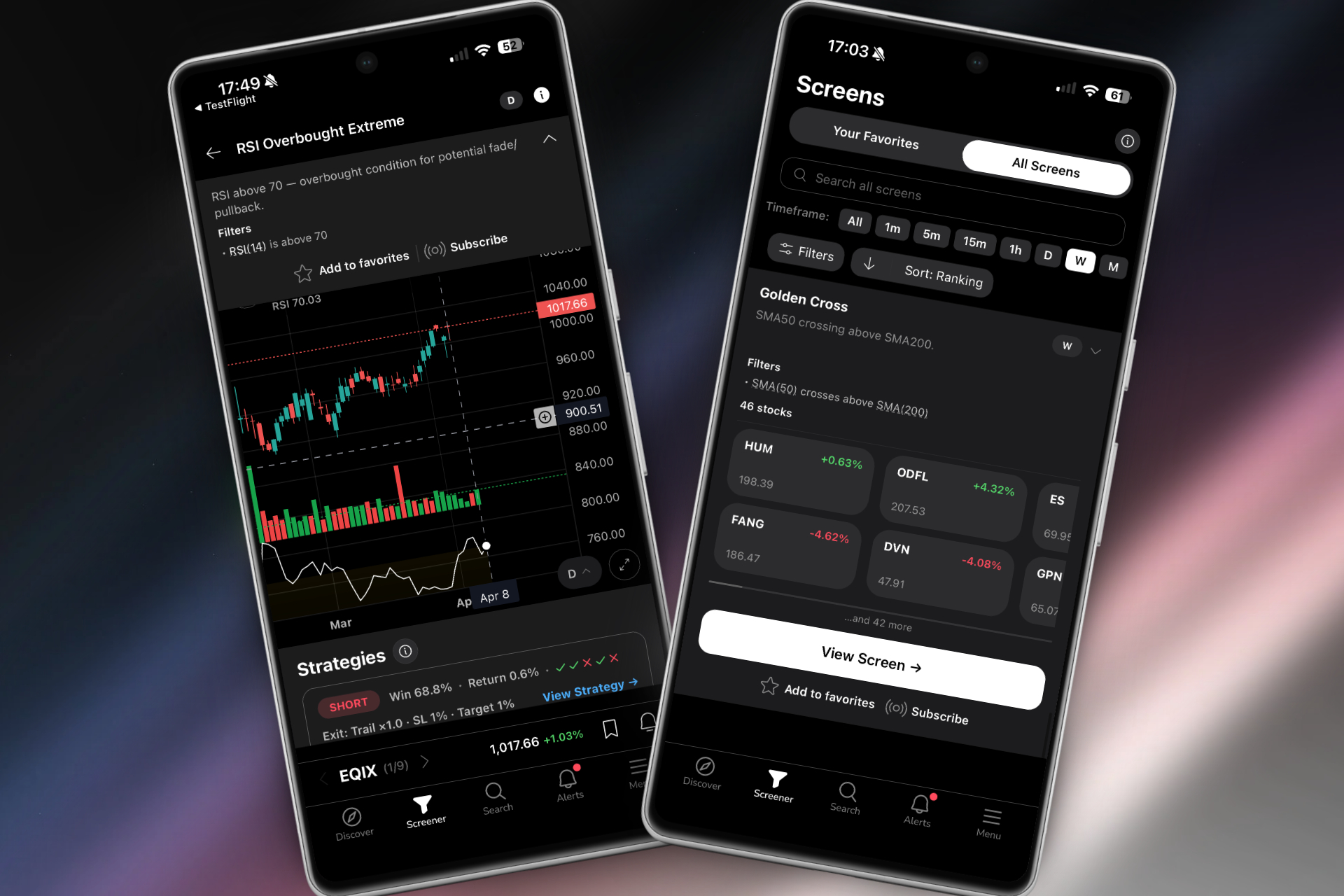
There is no screen builder. The screens are curated, read-only, and pre-validated. That is a deliberate choice: instead of giving you a blank canvas that requires coding expertise, ChartMath gives you 200+ ready-made setups that have already been backtested. If you want to explore what those screens look like before downloading, the web-based screener at chartmath.com/screens lets you browse anonymously with no sign-in required.
Pricing
ChartMath is free: every screen, every backtest, every alert.
Best for: Swing traders with day jobs who want proactive, explainable alerts with backtest data, delivered to their iPhone without any coding.
Download ChartMath for iOS free to see how it fits into your existing trading workflow.
2. TradingView — Best for Chart Depth, Weakest on Mobile Alerts
TradingView is the gold standard for charting. Its library of indicators, drawing tools, and community scripts is unmatched, and its mobile app is genuinely well-built for reviewing charts on the go. But as a stock alert app for swing traders, it has a fundamental limitation: it only analyzes stocks you already pulled up.
TradingView's alerts are price-level and condition-based, set manually on individual charts. To get a push notification when a stock crosses a moving average or breaks a trendline, you need to either draw the alert manually on each chart or write a Pine Script condition. For traders who don't code, that means alerts are limited to the handful of tickers already on their watchlist, not the broader market.
There is no proactive discovery layer. TradingView will not surface a stock you've never looked at because it just entered a high-probability setup. That is a meaningful gap for swing traders who want the market to come to them, not the other way around.
Push alerts do work on iOS, and they arrive reliably. But the alert message is typically a price-level notification with no plain-English context and no backtest data attached. You know the condition fired; you don't know whether the setup has a strong historical edge.
Best for: Traders who already use TradingView for charting and want to add a discovery layer on top of it. ChartMath is designed to work alongside TradingView, not replace it. See our post on how to integrate trading alerts with your charting platform for a practical workflow.
3. Trade Ideas — Most Powerful Scanner, Least Mobile-Friendly
Trade Ideas is one of the most capable stock scanners available. Its AI system (Holly) runs thousands of simulated strategies overnight and surfaces high-probability setups for the next trading day. For professional day traders who live in front of multiple monitors, it is a serious tool.
For iPhone swing traders with day jobs, it is largely inaccessible. Trade Ideas starts at $118 per month and is built around a desktop interface that takes significant time to learn. Its mobile experience is limited and not designed around the swing trader's workflow. The alert system is powerful on desktop but does not translate cleanly to iOS push notifications with the kind of plain-English explainability that makes mobile alerts actionable.
If you are currently paying for Trade Ideas and wondering whether there is a better fit for your trading style, our detailed breakdown of switching from Trade Ideas to a cheaper scanner covers exactly what you gain and lose in that transition.
Best for: Professional day traders who trade full-time from a desktop setup and need maximum scanning power. Not the right fit for part-time swing traders who need mobile-first alerts.
4. Finviz, Good Screener, No Real-Time Mobile Alerts
Finviz is where most traders start, and for good reason. The filter interface is fast, the free tier is genuinely useful for end-of-day research, and the visual stock screener is one of the best in the business for building watchlists. But as a stock alert app for iPhone swing traders, it has a hard ceiling.
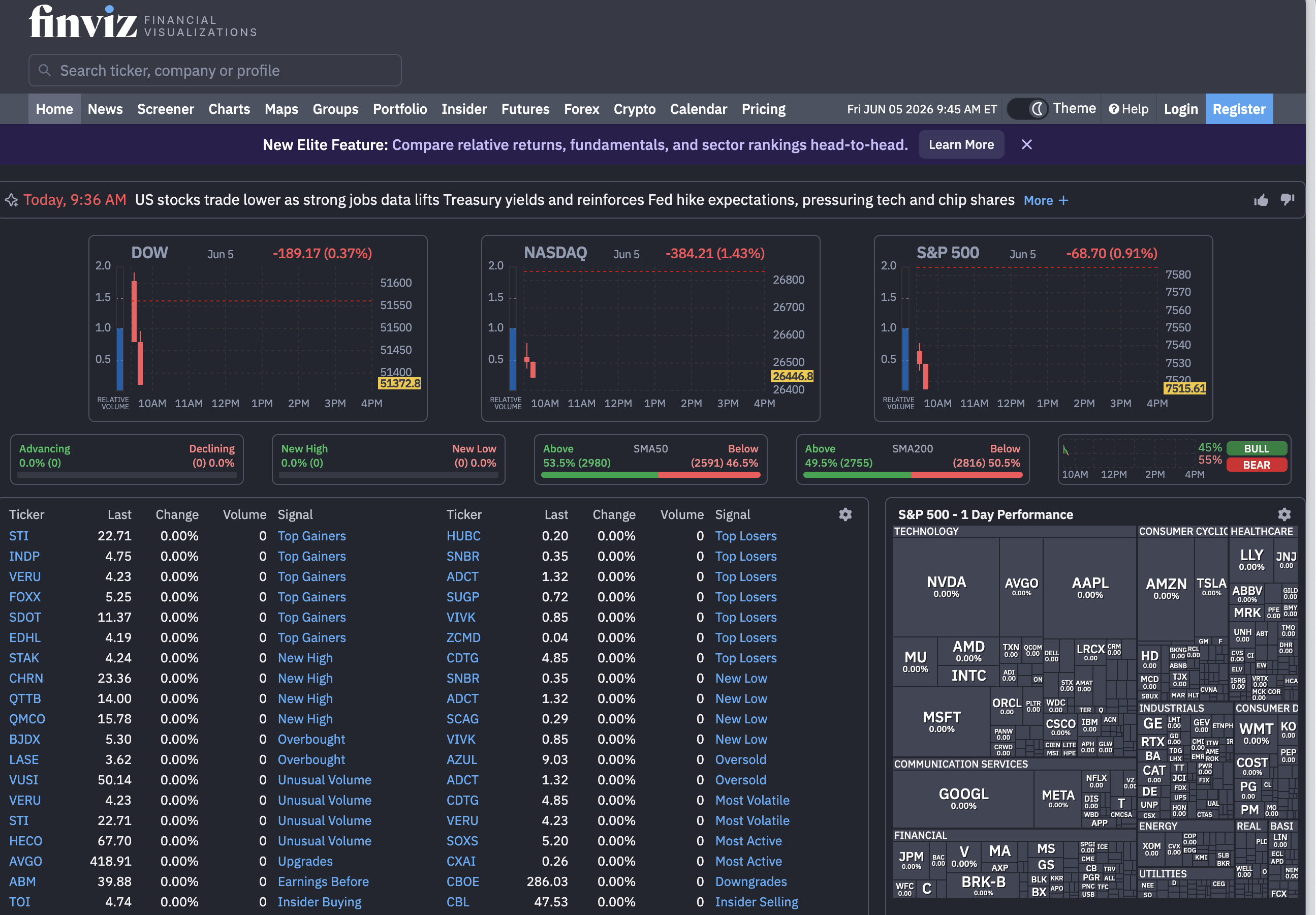
Finviz does not have a mobile app. It is a web-only experience. The free tier updates end-of-day, which means any intraday setup, a VWAP reclaim, an ORB breakout, a momentum surge on elevated relative volume, is invisible until after the market closes. Finviz Elite adds real-time data, but there are still no push notifications to your iPhone.
There is also no backtest data. Finviz shows you which stocks match your filters right now, but it does not tell you whether that setup has historically worked or what the average return looks like when it does.
Best for: End-of-day research and watchlist building. Not suitable as a primary alert app for swing traders who need real-time mobile notifications.
5. TrendSpider, Best for Chart Analysis, Not Trade Discovery
TrendSpider is an excellent tool for automated chart analysis. It can identify trendlines, Fibonacci levels, and multi-timeframe patterns automatically, which saves significant time for traders who do detailed technical analysis on individual charts. Its mobile app is functional, and it does support alerts.
The core limitation for swing traders looking for an alert app is the same as TradingView's: TrendSpider analyzes stocks you are already watching. It does not proactively scan the broader market and surface new setups you haven't considered. If you want to know whether a stock you already own is approaching a key level, TrendSpider is excellent. If you want the market to surface a new opportunity you haven't seen yet, it is not built for that.
Alert explainability is also limited compared to ChartMath. TrendSpider alerts tell you a condition was met; they do not carry a plain-English reason or historical Win Rate context in the notification itself.
Best for: Traders who want automated chart analysis on stocks they are already tracking. Works well as a verification tool after ChartMath surfaces a setup worth investigating.
Side-by-Side Comparison: How Each App Scores on the Five Criteria
Here is a more detailed breakdown of how each app performs against the five criteria that matter most for iPhone swing traders.
Alert Speed and Reliability
ChartMath and TradingView both deliver push alerts reliably on iOS. Trade Ideas is strong on desktop but inconsistent on mobile. Finviz has no push alerts. TrendSpider's mobile alerts work but are secondary to the desktop experience.
Explainability
ChartMath is the clear leader here. Each alert carries the ticker, timeframe, screen name, and a plain-English reason it fired. TradingView alerts are price-level only. Trade Ideas provides some context but not in a mobile-optimized format. Finviz and TrendSpider offer minimal explainability in alert payloads.
Backtest Transparency
ChartMath shows Win Rate and Average Return for every screen, visible before and after an alert fires. Trade Ideas has some historical performance data but it is not surfaced cleanly in mobile alerts. TradingView, Finviz, and TrendSpider do not provide backtest data attached to alerts. For a deeper look at why backtest data matters before you risk capital, see our guide on building winning backtesting strategies.
True Mobile-First Design
ChartMath is the only app in this list built mobile-first from day one. iOS and Android native apps, a swipe-based discovery interface, and an alert system designed around the reality that you are probably not at your desk. TradingView has a good mobile app but it is a desktop platform adapted for mobile. Trade Ideas is desktop-only in any meaningful sense. Finviz is web-only. TrendSpider is desktop-first with a functional mobile companion.
Alert Hygiene
ChartMath includes de-duplication, throttling, a per-bar cap, and timezone-aware quiet hours. This is the most sophisticated alert hygiene system in the comparison. TradingView and TrendSpider offer moderate control. Trade Ideas is powerful but complex to configure on mobile. Finviz has no alert system to evaluate.
What "Explainable Alerts" Actually Means (and Why It Matters)
There is a version of a stock alert that most traders have received at some point: a push notification that says something like "AAPL crossed $195." It arrives on your lock screen while you are in a meeting. You glance at it. And then what? You have no idea whether this is a setup worth acting on, a random price level you set six months ago, or a condition that has fired seventeen times this week with no follow-through.
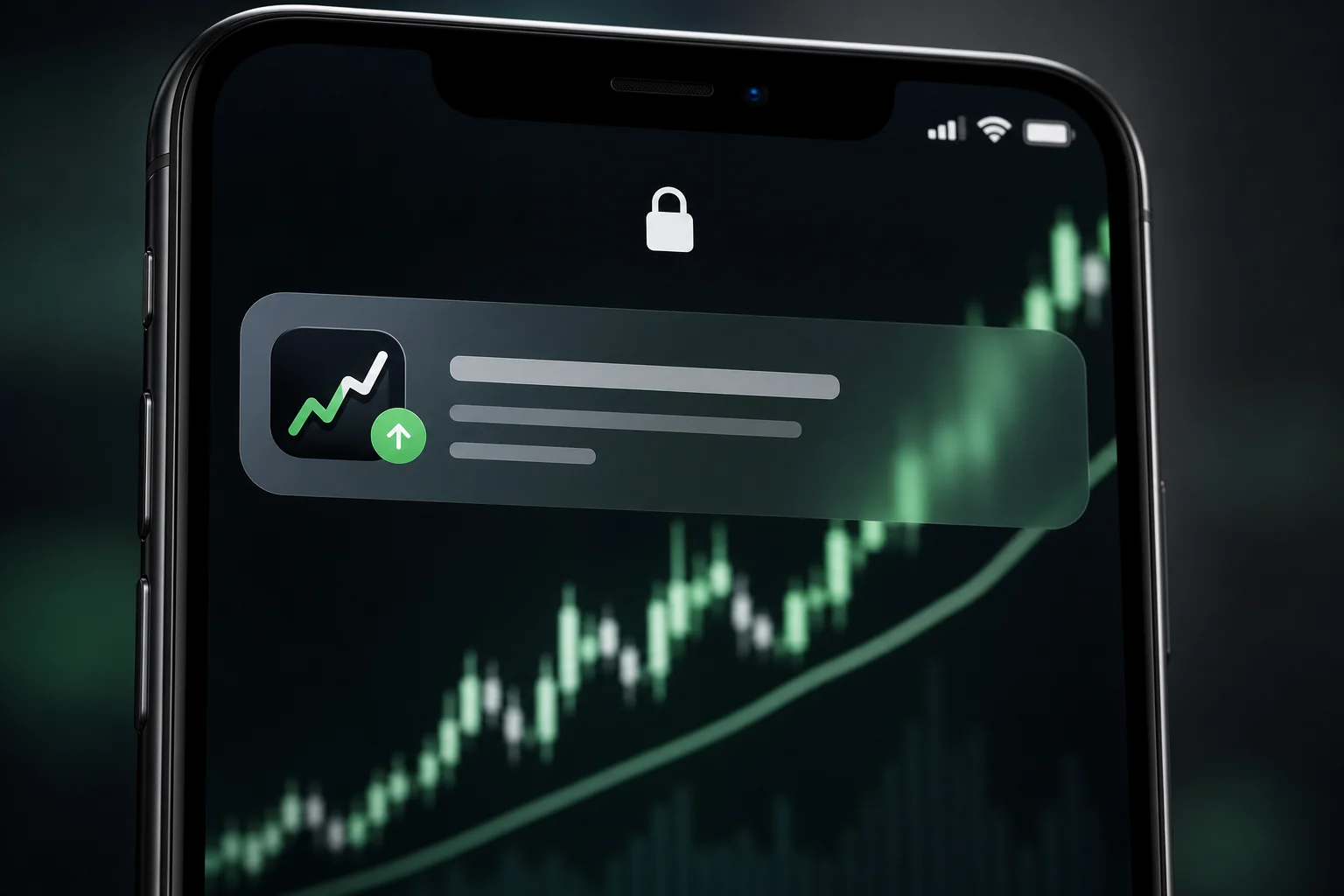
That is the problem with most stock alert apps: they tell you what happened but not why it matters. An explainable alert is different. It carries enough context for you to make a decision without opening a chart.
A well-structured alert payload includes:
- The ticker and timeframe: Which stock, on which chart timeframe, triggered the condition.
- The screen name: Which specific setup fired (for example, a VWAP reclaim, a 52-week high breakout, or an ORB setup).
- The plain-English reason: A sentence explaining what the stock did to qualify. Not just "condition met" but something like "stock reclaimed VWAP on elevated volume after a morning pullback."
- Historical context: The Win Rate and Average Return for that screen, so you know the edge behind the setup before you decide to act.
- A deep link: One tap takes you directly to the setup card in the app, not just the app's home screen.
ChartMath's alerts are built around this structure. Every push notification and email carries all five elements. That means you can evaluate a setup from your lock screen, decide whether it fits your criteria, and either act on it or dismiss it, without spending ten minutes pulling up charts to reconstruct the context.
The other side of explainability is alert fatigue. An app that sends fifty notifications a day, even if each one is technically accurate, trains you to ignore them. ChartMath's alert hygiene features (de-duplication, throttling, per-bar cap, and quiet hours) are designed to keep the signal-to-noise ratio high. You get notified when something genuinely new happens, not every time the same condition re-fires. For more on managing notification overload, our post on daily chart swing trade setups and scanner workflow covers how to structure your alert setup for a day-job schedule.
How to Choose the Right iPhone Alert App for Your Trading Style
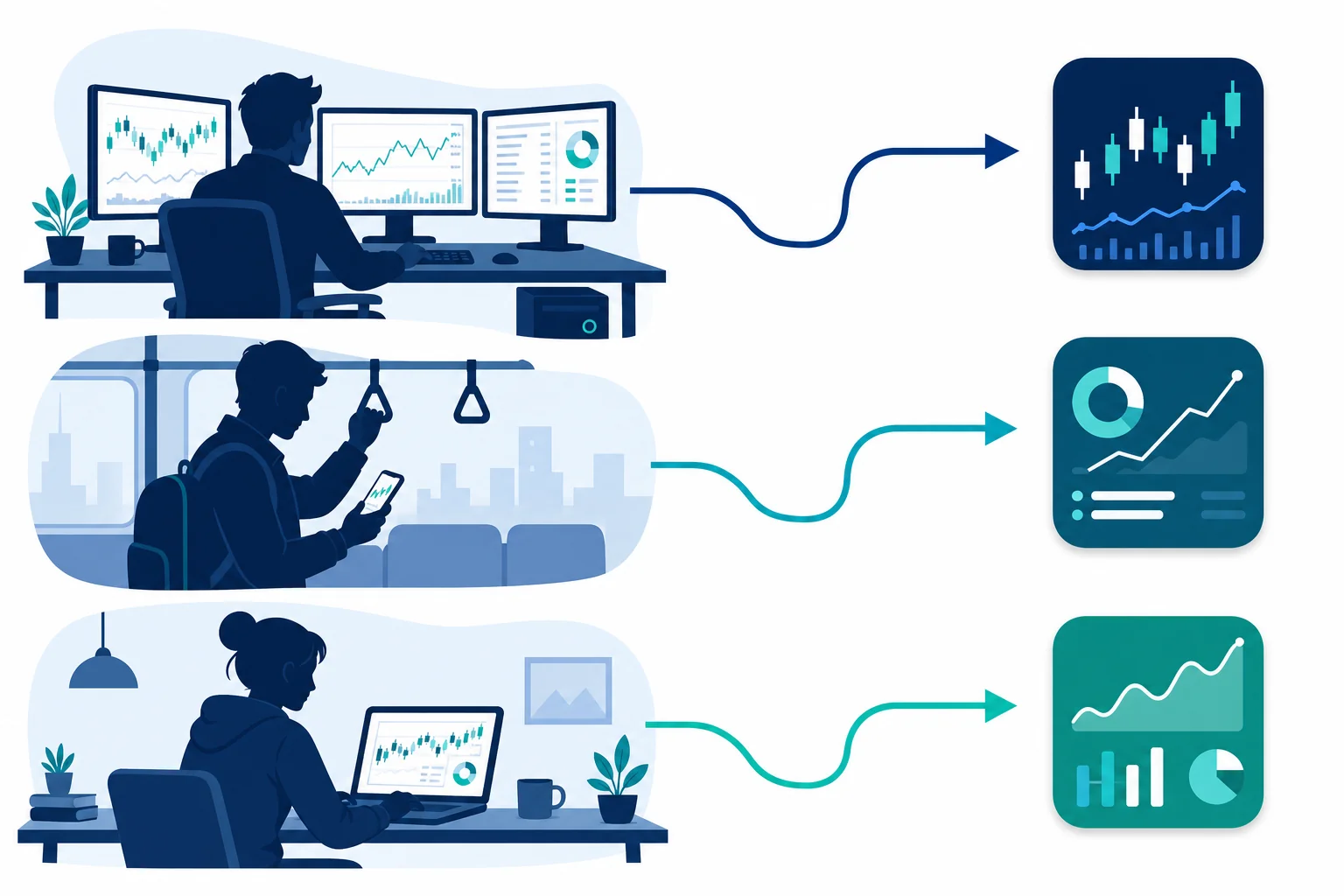
The right app depends on how you trade, not just what features sound appealing in a comparison table. Here is a practical decision framework.
If you are a swing trader with a day job
You need proactive discovery, explainable alerts, and backtest transparency, all delivered to your iPhone while you are away from your desk. You do not have time to manually scan charts every night or configure complex alert conditions. ChartMath is built for exactly this profile. The 200+ curated screens cover the setups most swing traders care about (breakouts, VWAP reclaims, momentum, 52-week highs, ORB), and the alerts arrive with enough context to act on without a desktop.
If you are an active day trader who also wants mobile alerts
You probably already use TradingView or a similar charting platform. The gap is proactive discovery: finding new setups across the market, not just monitoring stocks you already know about. ChartMath works well as a discovery layer alongside TradingView. Use ChartMath to surface new setups via push alerts, then verify them in TradingView before executing in your broker.
If you are newer to technical trading
The 200+ curated screens in ChartMath come with plain-English explanations of why each setup works, backed by backtest data. That combination of pre-built screens and transparent performance metrics is a faster learning path than building strategies from scratch. The no-Pine-Script approach means you can start using real setups immediately, without a coding detour.
If you are already paying for a desktop scanner
If you are on TradingView, TrendSpider, or another charting platform and happy with it, you do not need to replace it. ChartMath is designed as a discovery layer that works alongside the tools you already use. It finds new setups across 500+ US equities (plus 100 crypto pairs and 11 US futures) and pushes them to your iPhone. You verify and execute using whatever platform you prefer.
"The best trading setup is the one you actually catch. A mobile-first alert app is not a replacement for your charting platform. It is the system that makes sure you never miss an entry because you were in a meeting."
Frequently Asked Questions
Is ChartMath free on iPhone?
You can start free. ChartMath is free: every screen, every backtest, and every alert. Download the iOS app here to get started.
Do I need to know Pine Script to use stock alert apps?
Not with ChartMath. The 200+ curated screens are pre-built and ready to use. You pick the screens you want to follow, favorite them, and alerts fire automatically when a stock qualifies. No Pine Script, no coding, no configuration required. TradingView does require Pine Script for custom alert conditions, which is one of the reasons many traders use ChartMath alongside it rather than relying on TradingView alerts alone.
What is the difference between a stock screener and a stock alert app?
A stock screener shows you which stocks match a set of conditions right now, when you open the app and run a scan. A stock alert app monitors the market continuously and pushes a notification to your phone the moment a condition is met, whether you are looking at the app or not. For swing traders with day jobs, the alert delivery is the critical piece: you need the market to come to you, not the other way around.
Can I use a stock alert app without a broker connection?
Yes, and that is how ChartMath works. It is a discovery and alert tool, not a broker. It surfaces setups and sends you alerts; you execute in whatever brokerage account you already use. There is no broker connection, no in-app order placement, and no positions tab. That separation is intentional: ChartMath is a copilot, not an autopilot.
How do I avoid alert fatigue from stock apps?
Alert fatigue usually comes from one of two problems: too many alerts with no context, or alerts that fire repeatedly on the same condition. ChartMath addresses both with de-duplication, throttling, a per-bar cap, and timezone-aware quiet hours. On the user side, the most effective approach is to favorite only the screens that match your actual trading setups, rather than following every screen available. Quality over quantity applies to alerts as much as it does to trades.
The Bottom Line
Most stock alert apps were built for desktop traders and adapted for mobile as an afterthought. The result is a category full of tools that technically send push notifications but fail the swing trader with a day job at the moment that matters most: when an alert arrives on your lock screen and you have thirty seconds to decide whether it is worth acting on.
ChartMath is the exception. It is a mobile-first trade-discovery app built around the reality that you are probably not at your desk when the best setups form. The 200+ curated screens, the explainable alert payloads, the Win Rate and Average Return transparency, and the alert hygiene system all point at the same problem: giving you the right information, at the right moment, on the device you actually have with you.
You can start for free. If you have been missing entries because your alert app was not built for your schedule, the practical next step is straightforward: download ChartMath for iPhone, favorite the screens that match your setups, and let the market come to you. Or browse the full screen library first at chartmath.com/screens to see what is available before you commit to anything.
Your charting platform is not going anywhere. ChartMath sits on top of it, finds the setups you would have missed, and puts them on your phone before the move is over.
Frequently asked questions
What are the best stock alert apps for iPhone in 2026?
This guide ranks five apps for iPhone swing traders: ChartMath, TradingView, Trade Ideas, Finviz, and TrendSpider. ChartMath is a free stock screener app for iOS and Android that shows the backtested win rate behind every screen, with 200+ prebuilt screens. The other four are stronger on charting, scanning, or screening depth than on proactive mobile discovery.
How do I get swing trade alerts on my phone?
Pick an app that scans the market for you and pushes a notification when a setup qualifies, then favorite only the screens that match your own setups. Useful alerts name the ticker, the timeframe, the screen, and a plain-English reason it fired, so you can judge them from the lock screen.
Can I get trade setup alerts by email instead of a newsletter?
Yes. Some alert tools deliver the same trigger by push notification and email, which is closer to a real-time feed than a daily newsletter. The advantage over a newsletter is timing: the alert fires when the condition is met on your chosen timeframe, not on a publisher's send schedule. Each payload can also carry the reason it fired.
How do I get notified about major crypto price swings on mobile?
Use a mobile alert app that monitors crypto pairs continuously and pushes a notification when your chosen condition triggers, rather than checking charts manually. Look for timeframe options from intraday to weekly, plain-English alert context, and hygiene features like de-duplication, throttling, and timezone-aware quiet hours so overnight moves do not flood your phone.
What should a good stock alert notification include?
A useful alert carries the ticker, the chart timeframe, the screen or setup name, a plain-English reason it qualified, historical context such as win rate and average return, and a deep link straight to the setup card. Without those, a bare price-level alert leaves you unable to judge whether it is worth acting on.
Is a desktop scanner or a mobile-first alert app better for part-time swing traders?
Mobile-first tools usually suit part-time traders better, since setups form while you are at work and away from a desk. Desktop scanners offer more scanning power and configurability, but their alerts often lose context on a phone. Treat either as a copilot, not an autopilot: you still execute in your own broker.

See these setups live in ChartMath
200+ curated screens with backtest data. Free. No credit card required.