TradingView Missing Real-Time Push Alerts Mobile? Here's How to Fill the Gap
TradingView's mobile push alerts work fine, that's not the gap. The gap is method: lower tiers ration your alert count across a big watchlist, alerts only fire on conditions you already drew on a ticker you were already watching, and when one does fire, it arrives with zero history attached. No win rate, no sample size, nothing telling you whether that exact condition has ever paid off before. That's why traders searching for a fix around tradingview missing real-time push alerts mobile aren't missing a feature. They're missing a discovery layer that scans for them and shows its work.
Key Takeaways
- The feature exists, the workflow doesn't: TradingView's push notifications fire correctly on mobile. The problem is everything upstream of the alert, not the delivery mechanism.
- Alert quotas force triage: Lower-tier plans cap total active alerts, so traders with 60-100 tickers on a watchlist end up covering a handful and hoping the rest stay quiet.
- Alerts are reactive by design: TradingView can only notify you about a condition you manually drew on a ticker you already picked. It cannot surface a setup on a name you weren't watching.
- A trigger carries no evidence: When price crosses your line, TradingView tells you it crossed. It doesn't tell you how often that exact crossing has historically worked, or on what sample size.
- The fix is additive, not a replacement: Keep TradingView for charting and trade management. Add a backtested discovery layer that scans your full universe continuously and hands you a recomputable win rate before you size anything.
At a Glance: TradingView Alerts vs the Discovery Gap
| Workflow Stage | What TradingView Does | Where the Method Breaks | What Closes the Gap |
|---|---|---|---|
| Alert delivery | Sends real push and email notifications on mobile | Works as designed, not the problem | No fix needed here |
| Alert capacity | Caps total active alerts by plan tier | Forces rationing across a large watchlist | A screen-based scan that covers a fixed universe without per-ticker alert slots |
| Setup discovery | Notifies only on conditions you manually drew | Can't flag a setup on a ticker you weren't watching | Continuous scanning across 200+ curated screens |
| Evidence on trigger | Tells you a line was crossed | No win rate, no average return, no sample size attached | A backtested Win Rate and Avg. Return on the matched sample |
| Charting and drawing | Best-in-class indicator library and drawing tools | Not a weakness, keep using it | Pair with a companion, don't replace it |
| Trade execution | Charting-first, routing depends on your broker setup | You still make and place every call yourself | Any companion should stay copilot, not autopilot |
A Setup Fires at 11:40 AM. You See It at 6 PM.
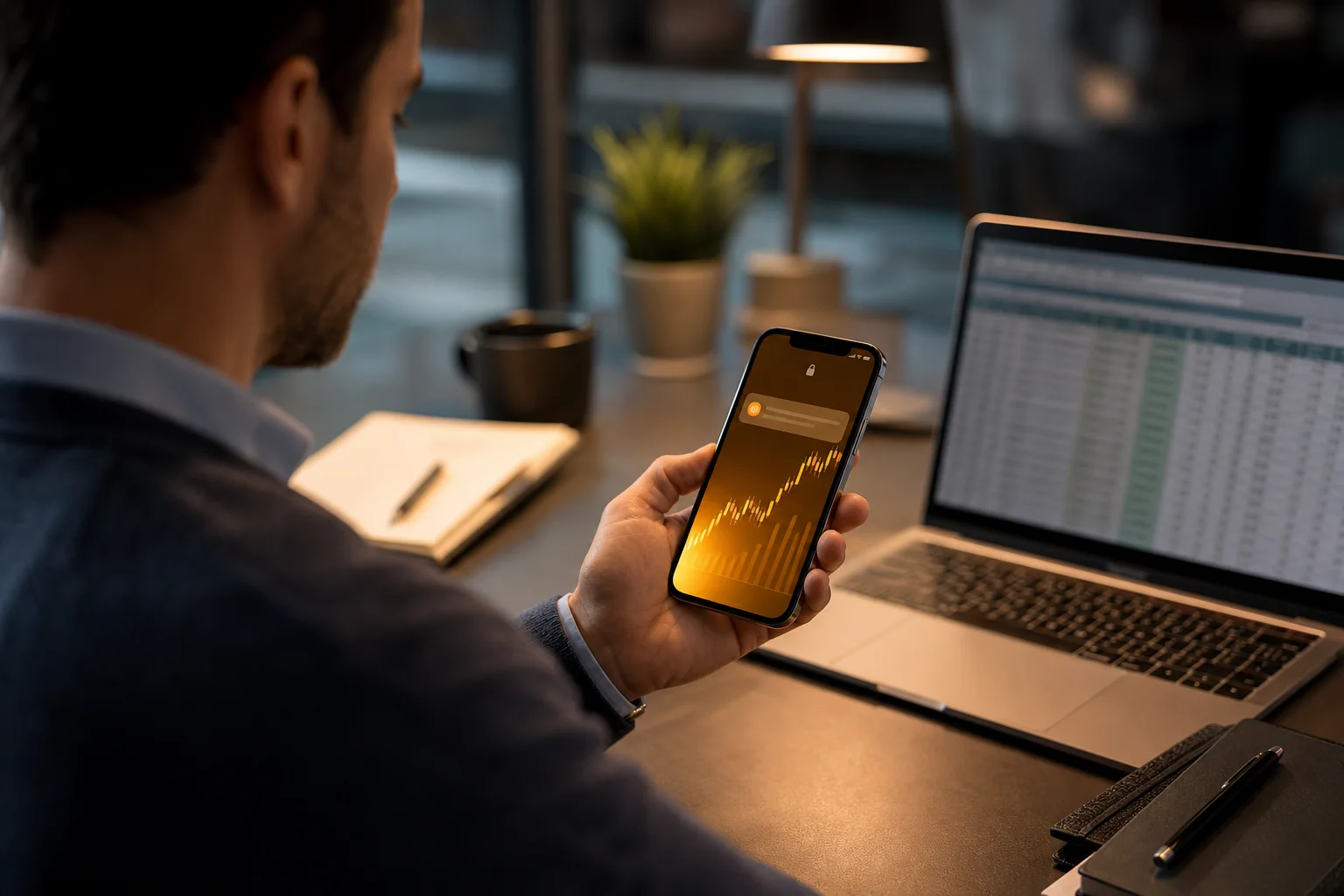
A ticker on the edge of your watchlist reclaims VWAP at 11:40 AM with volume running well above average. You're in a meeting, phone face-down, doing the professional thing. You didn't have an alert on that name. Why would you? You've got a day job, a watchlist of 60 names, and a TradingView plan that only lets you keep a fixed number of alerts active at once. You picked your battles weeks ago, and that ticker didn't make the cut.
You check your phone at 6 PM. The move already happened. Price is up, the entry window closed hours ago, and you're left scrolling the chart wondering what you'd have done differently. This isn't a story about a bad tool. TradingView's charting is genuinely excellent, and its alerts did exactly what you configured them to do. The problem sits one layer above the alert: nobody was watching that ticker for you.
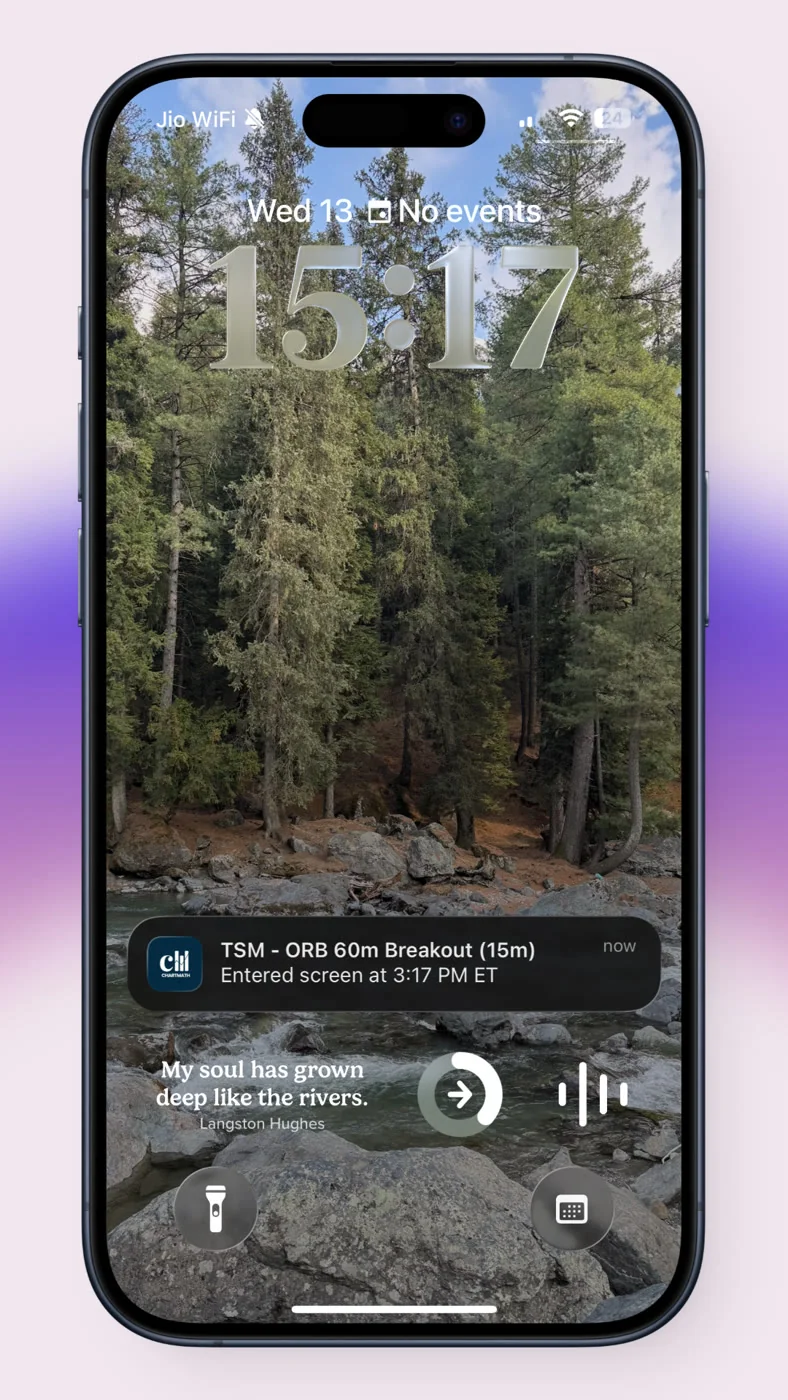
That's the real shape of the tradingview missing real-time push alerts mobile complaint. It's rarely about the push notification itself failing to arrive. It's about the notification never getting a chance to exist, because the condition was never drawn on that ticker in the first place.
1. TradingView Is Excellent at Charting. Alerts Are a Different Job.
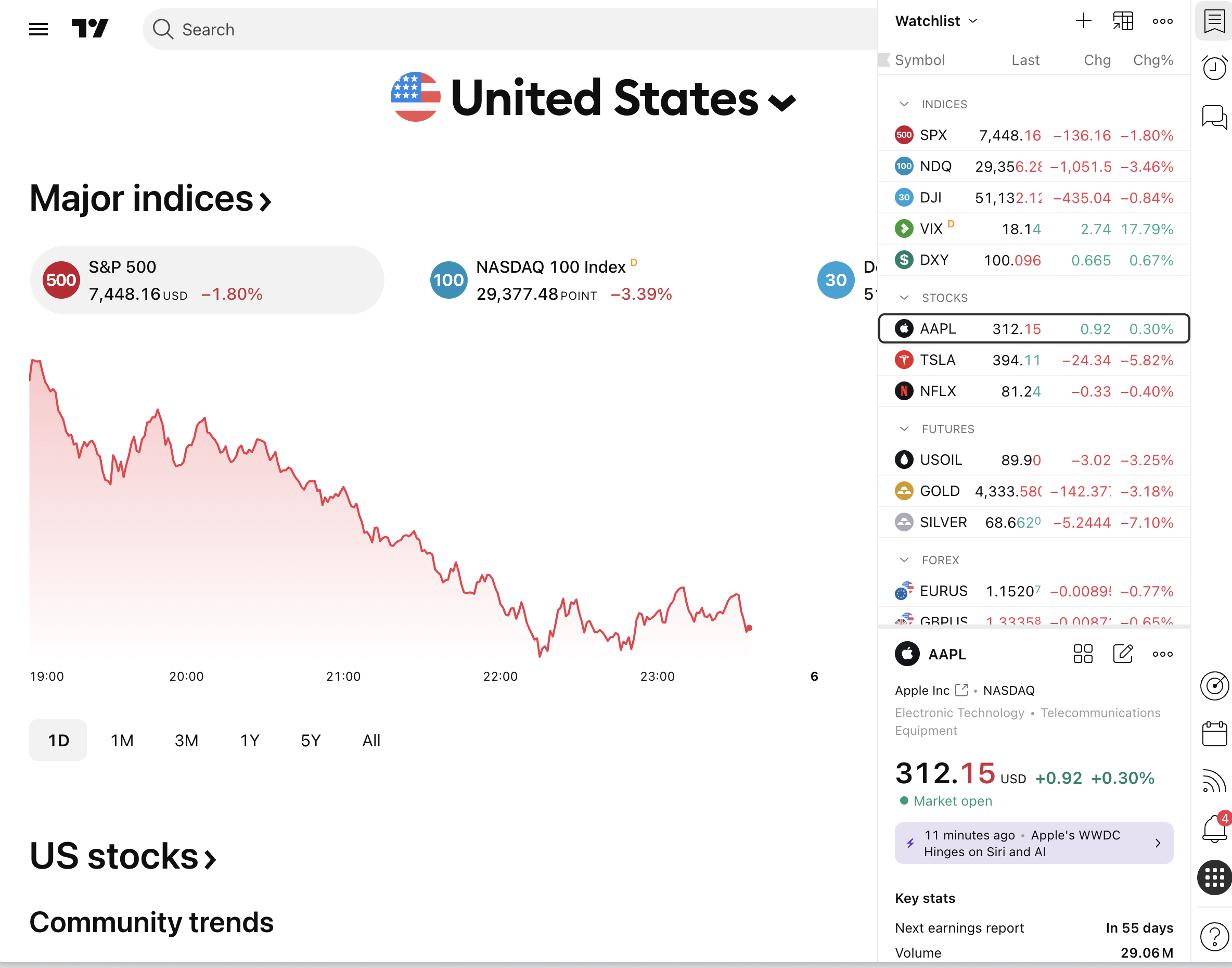
Give TradingView its due. The drawing tools, the indicator library, the multi-timeframe layouts, all of it holds up against anything on the market. If you want to mark up a chart, backtest a manual thesis visually, or manage an open position with precision, TradingView is a legitimate home base. Nothing here argues otherwise.
Its alert system also does what it says. Set a price cross, an indicator condition, or a drawing-based trigger, and TradingView will push a real notification to your phone when it fires. That part of the pipeline works as designed. If your alerts genuinely aren't arriving, check your notification permissions and your plan's alert type settings first, that's usually a device or account setting, not a platform failure.
The actual limitation is upstream. TradingView alerts are a tool you point at something you've already chosen to watch. They were built to help you manage attention on names you've already picked, not to go find names for you. That's a reasonable design choice for a charting platform. It just leaves a hole for anyone trying to trade stocks without watching a screen all day.
2. Gap One: Alert Quotas Force You to Ration a Big Watchlist
Most retail traders don't hold five tickers. They hold a shortlist of 20, or a broader watchlist of 60 to 100, because swing setups don't show up on a schedule. You need coverage across the names you'd actually trade, not just the two or three you happen to be staring at this week.
TradingView's lower tiers cap the total number of active alerts you can run. Once you hit that ceiling, adding a new alert means dropping an old one. Traders respond to this the only way they can: they triage. They keep alerts on the five or ten names that feel most "active" right now and let the rest of the watchlist go dark. The math doesn't change just because you stopped watching. Setups still fire on those uncovered names. You just won't hear about it.
This is a rationing problem, not a discipline problem. No amount of organization fixes a hard cap on alert slots. The honest fix is a system that doesn't charge you per-ticker for coverage, one built to scan the whole list continuously instead of asking you to pick favorites. That's the core idea behind building a trading workflow that scales past a handful of names.
3. Gap Two: Alerts Are Reactive, Never a Discovery Engine
Here's the structural piece that trips people up. A TradingView alert requires you to do two things first: pick the ticker, and draw the condition. Both steps happen before the alert can ever exist. That means TradingView's push notifications, however reliable, can only ever tell you about a setup you'd already have found manually. They can't tell you about a setup on a name that never made it onto your radar.
Contrast that with a discovery-first approach: a system that already knows the condition (RSI oversold bounce, VWAP reclaim, opening range breakout) and continuously checks it against a fixed universe of tickers, flagging every match the moment it happens, on names you never manually flagged. That's a fundamentally different job than "notify me when this line I drew gets crossed."
This distinction also answers a question a lot of traders type into Google without quite knowing how to phrase it.
What's the Difference Between a Real-Time Scanner and an End-of-Day Screener?
A real-time scanner checks a defined universe of instruments continuously throughout the session and pushes a notification the moment a rule matches, whether that's a breakout, a moving-average cross, or a volume spike. An end-of-day screener runs its filter once, after the close, and hands you a list to review that evening or before the next open.
Both have a place. End-of-day screening is genuinely useful for planning: you're building tomorrow's shortlist, not chasing a live entry. But if the setup you care about is intraday (an opening range breakout, a VWAP reclaim, a same-day RSI bounce) an end-of-day list is already stale by the time you see it.
TradingView's alert system sits in an odd middle ground. It's real-time in the sense that it checks continuously and pushes instantly. But it's still scoped to only the conditions you manually set up in advance, so it behaves like a narrow, hand-built real-time scanner rather than a broad one. You get the speed of real-time with the coverage limits of a list you built by hand.
4. Gap Three: A Triggered Alert Carries No Evidence
Say the alert does fire. Price crosses your line, the notification lands on your lock screen, and now you're standing at a decision point with real money on the line. What do you actually know? You know price crossed a level. That's it. TradingView's alert doesn't tell you whether that exact crossing has historically led anywhere useful, and it doesn't attach a sample size so you can judge whether the pattern is even statistically meaningful.
This is the gap that matters most, arguably more than the quota problem or the reactive-discovery problem. A signal without a backtest behind it is a guess wearing a notification. You're being asked to size a real position against a naked call: no win rate, no average return, no record of how many times this setup has actually played out before.
Community-sourced alternatives don't solve this either. If you've searched around "real time stock scanner breakout alerts community," you've probably run into Discord or Telegram groups posting live breakout calls. Those channels can be fast, but a breakout call from a channel carries the exact same evidence gap as a bare TradingView trigger: no documented win rate, no recomputable sample, just one person's read of the chart in the moment. Vet either source the same way: ask for the win rate, the sample size, and the universe it was measured on before you treat it as decision-ready.
How a Backtested Discovery Companion Closes All Three Gaps
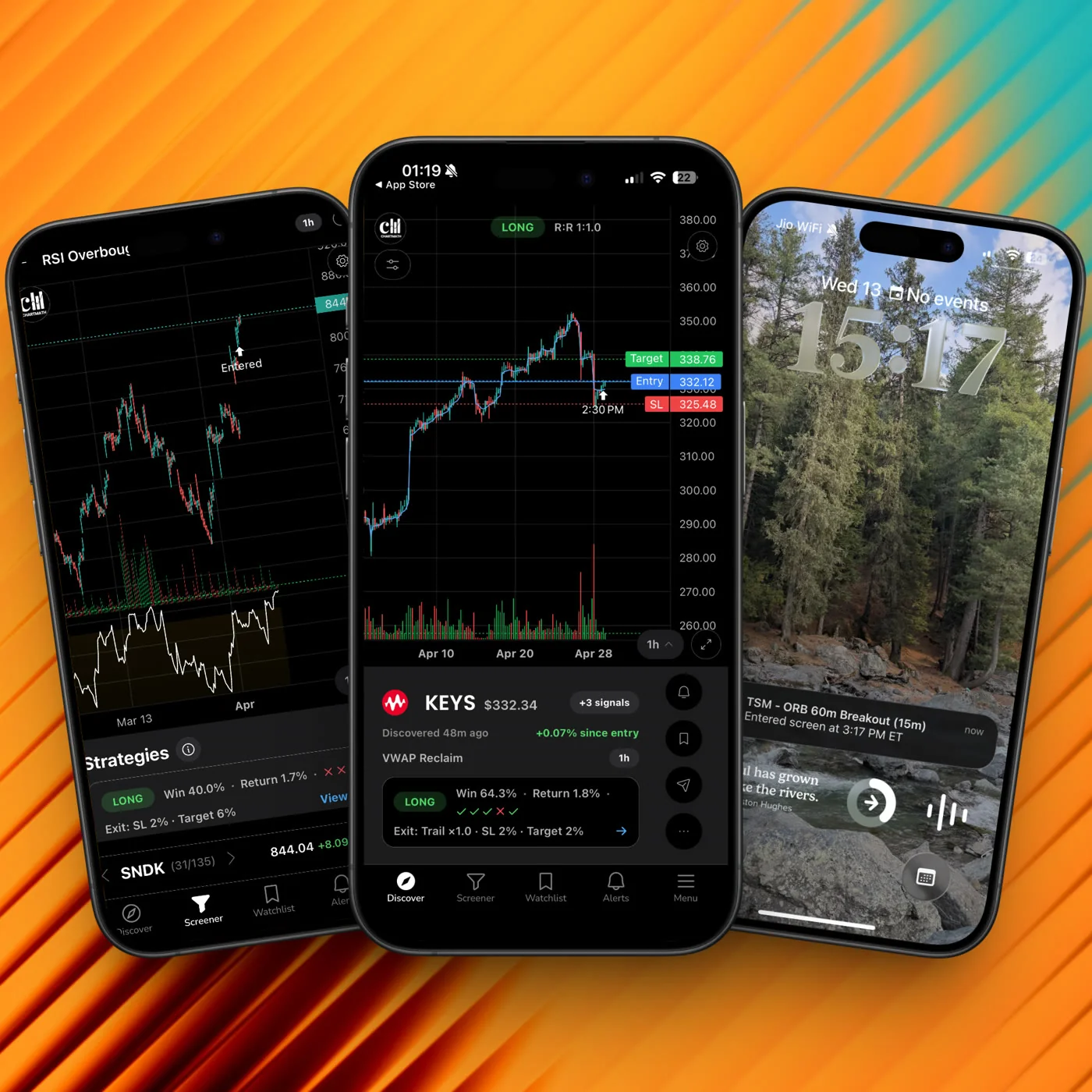
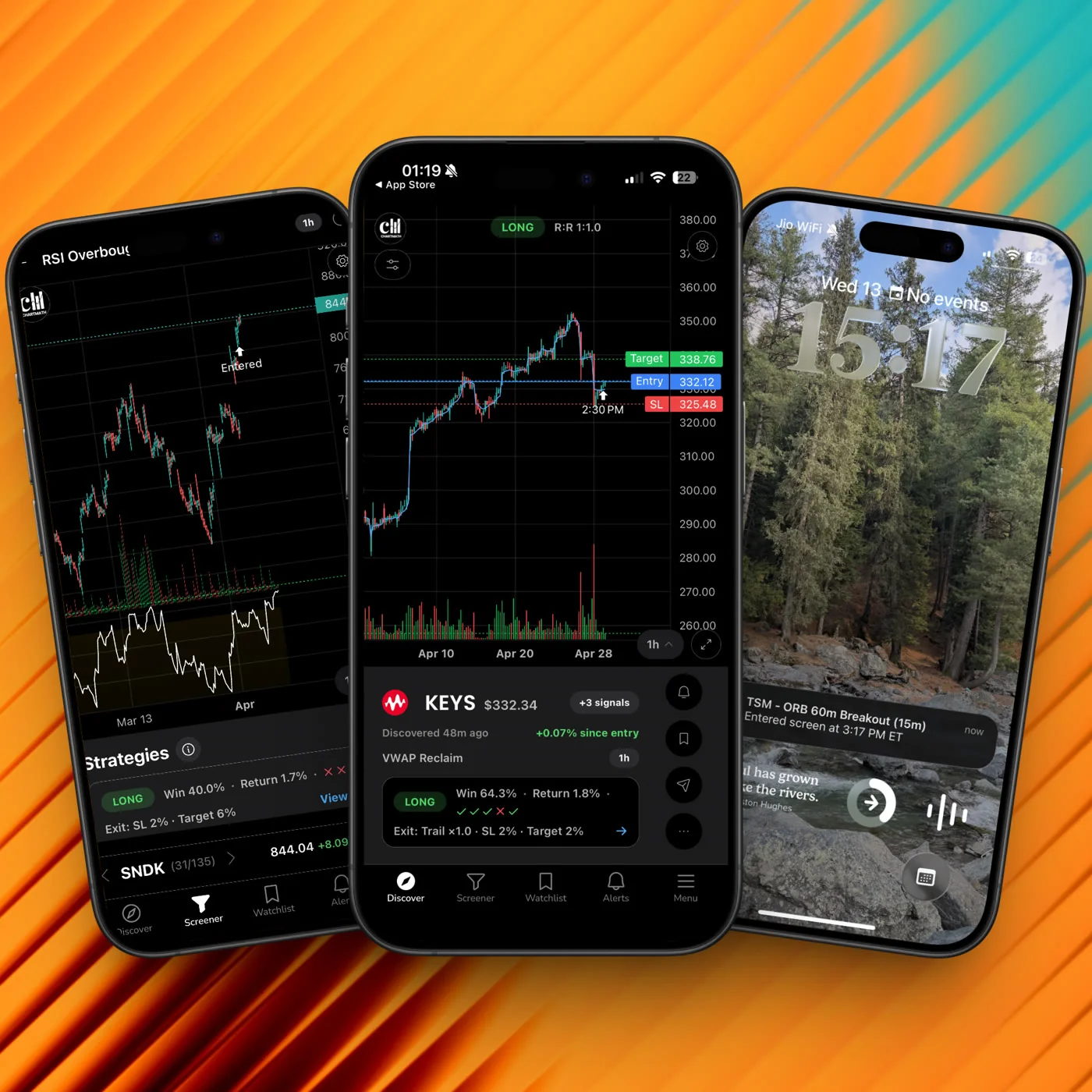
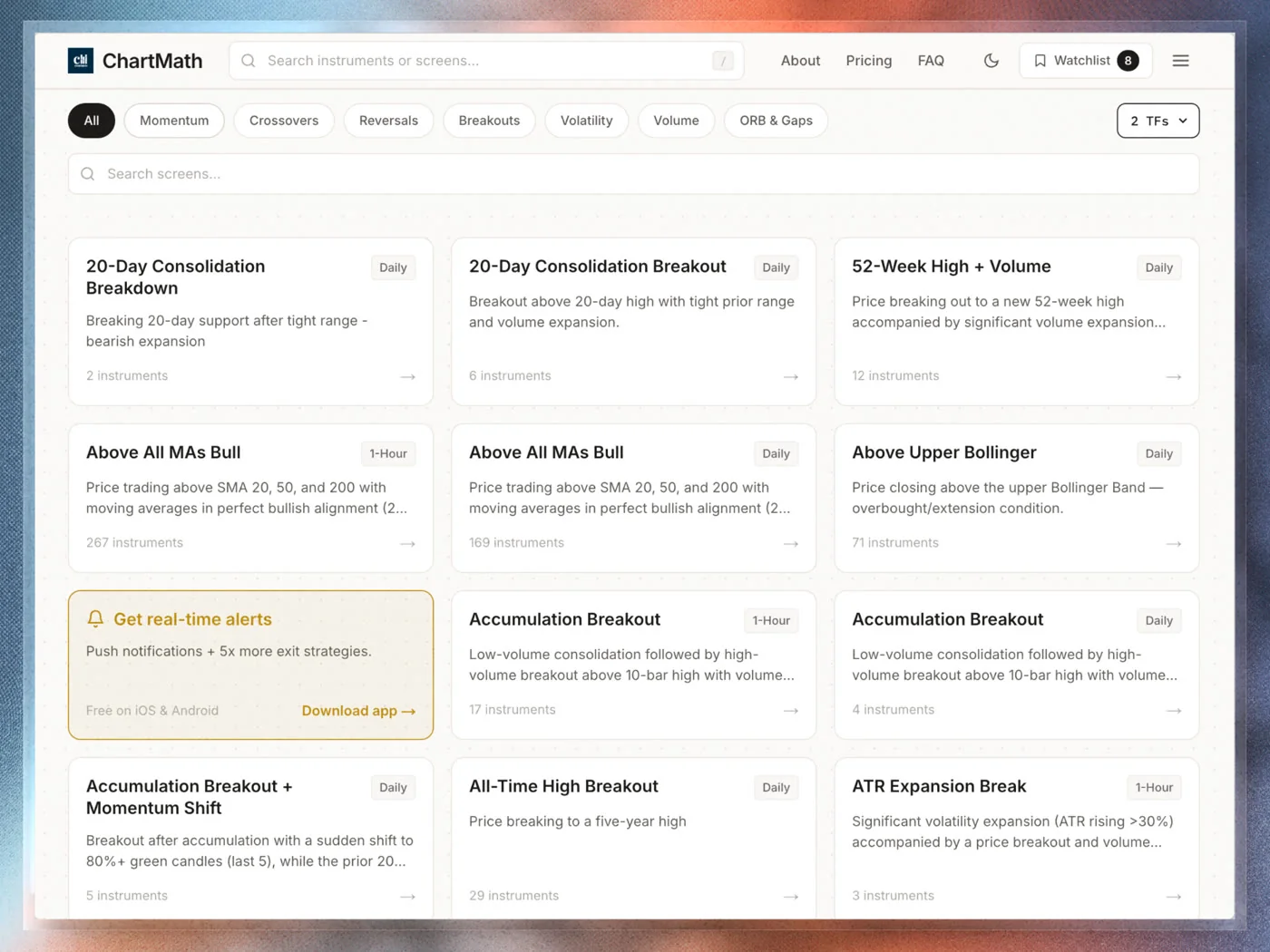
This is where a discovery copilot earns its place next to your existing charting setup, not instead of it. ChartMath is built as a trade discovery companion: it scans a fixed, curated universe of 500+ US equities across 7 timeframes, from 1-minute to monthly, against 200+ pre-built, read-only technical screens. There's no screen builder to configure and no condition to draw by hand. The screens already exist, and the scan already runs continuously.
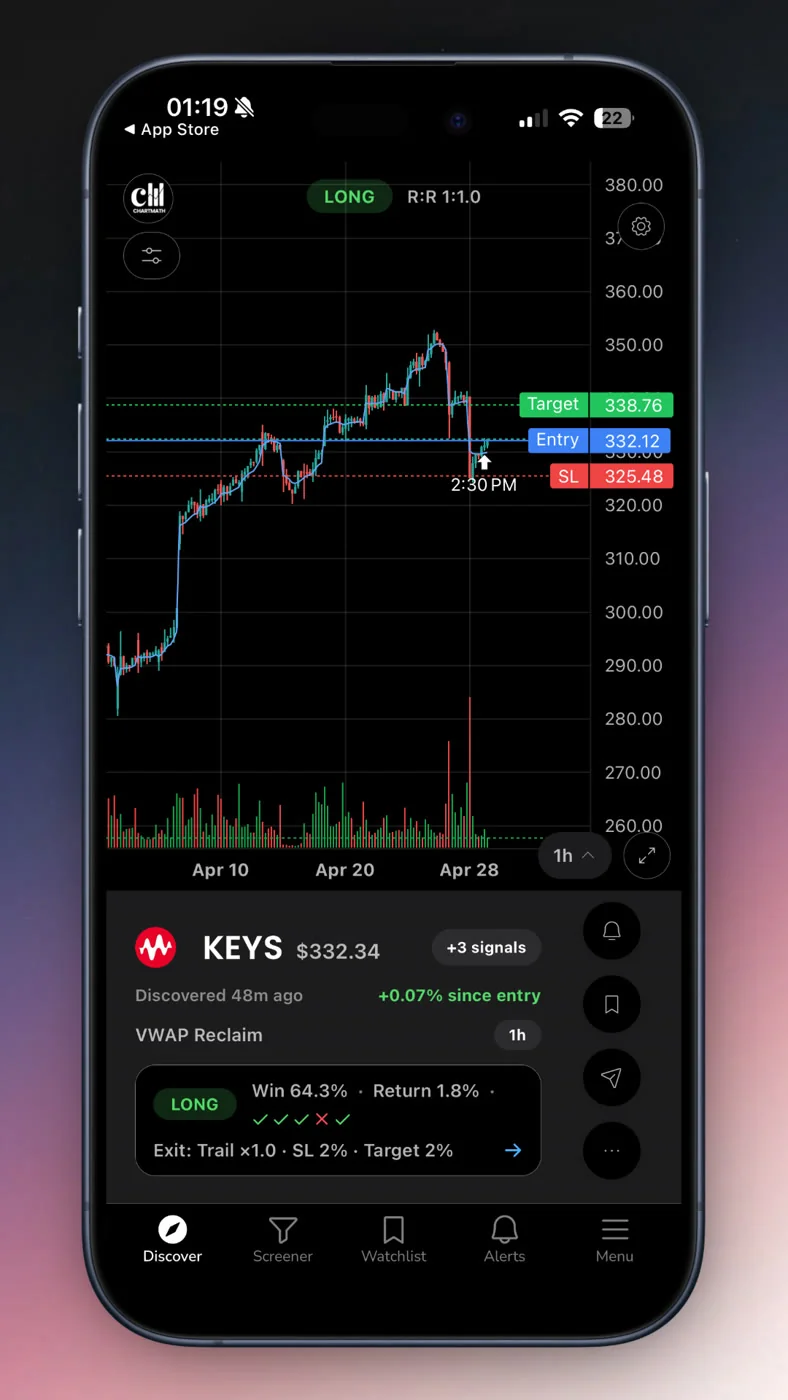
Each screen carries a backtested Win Rate and Avg. Return over its matched sample, evidence you can recompute against the same fixed universe rather than a number you're asked to trust blindly. That directly answers the evidence gap from a bare TradingView trigger: instead of "price crossed a line," you get "here's how this exact condition has historically resolved, and here's the sample it's based on."
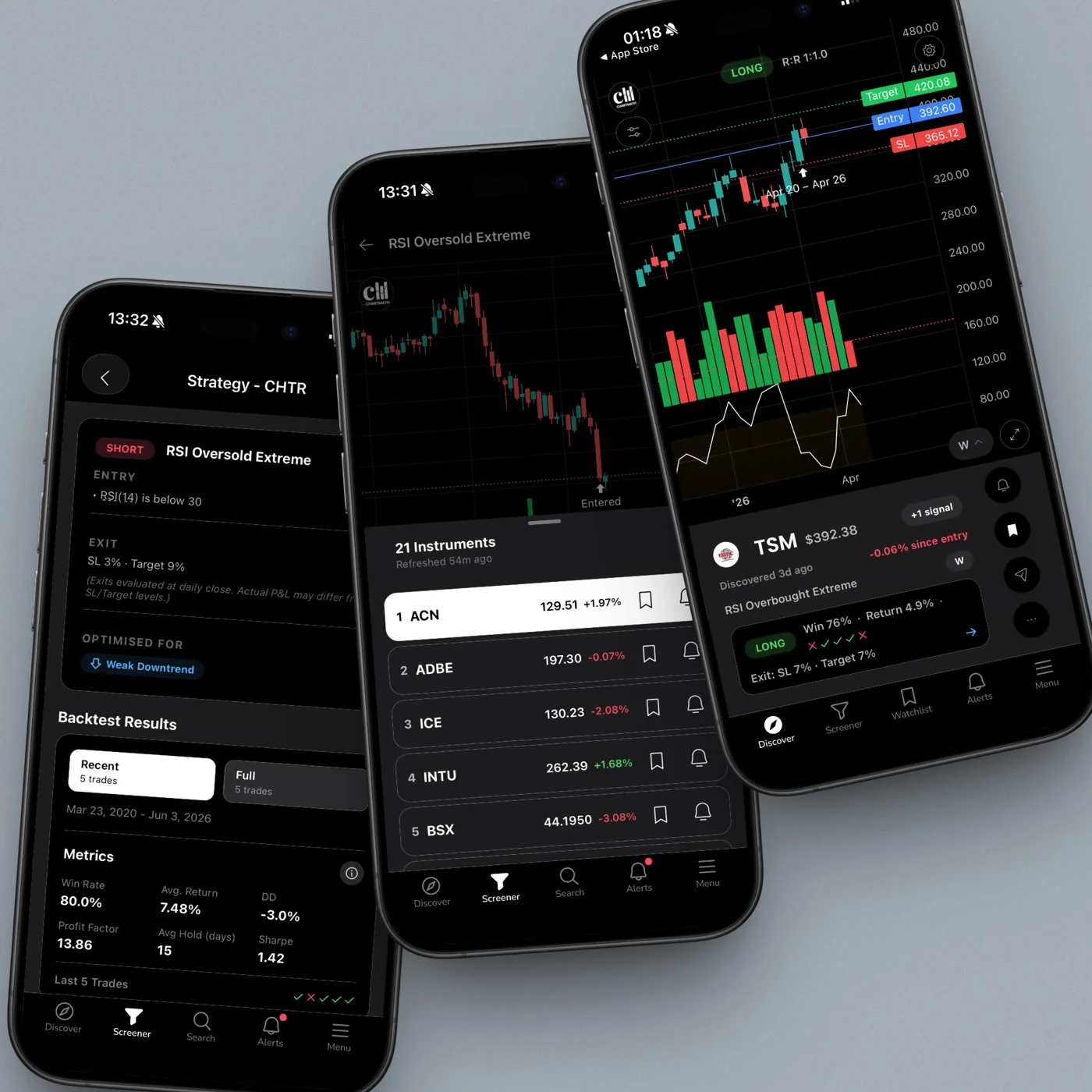
Alerts go out by push and email the moment a ticker enters a screen you're following, no per-ticker slot to ration, because the scan covers the whole curated universe rather than a hand-picked shortlist. That closes the quota problem from the earlier section: you're not choosing which 10 names get coverage, the screen itself defines what qualifies.
None of this replaces TradingView. It's a copilot, not autopilot: ChartMath surfaces the setup and the historical context, then stops. You open the chart, apply your own judgment, and decide every entry yourself. Nothing is entered on your behalf. The scan narrows a wide field down to the names worth a second look. You still make the call. If you want to see the screen catalog directly, the web-based screener is browsable without an account.
For traders coming from a Discord or Telegram-heavy routine, the shift is less about adding another notification and more about replacing an unverifiable call with something you can check yourself.
How to Set This Up Without Replacing Your Charting Platform
You don't need to abandon TradingView to fix this. The goal is layering a discovery engine underneath your existing charting habit, not swapping tools.
- Keep TradingView for what it's good at. Charting, drawing, indicator stacking, and managing positions once you're in a trade. None of that needs to change.
- Add a continuous discovery layer for the watchlist itself. Instead of manually drawing a condition on each of your 60-100 tickers, let a curated screen run against the full list and flag matches as they happen. This is the practical fix for covering a full swing watchlist without hitting an alert cap.
- Pick screens that match your actual setups. If you trade VWAP reclaims, opening range breakouts, or RSI bounces, follow the equivalent curated screens rather than trying to hand-build each condition ticker by ticker.
- Turn on push and email alerts on the screens you follow. This is where the timing gap closes: you get notified the moment a ticker enters the screen, not hours later when you happen to check.
- Verify on the chart before you size anything. The backtested win rate tells you the setup has historical merit. It doesn't replace looking at the actual chart, current market context, and your own risk rules before entry. Position sizing still matters regardless of how good the signal looks.
- Fold the review into your existing routine. If you already run a weekly trading review, add "which screens actually paid off this week" to that checklist so you're tuning the system, not just reacting to individual alerts.
If you want to see the discovery flow before committing your watchlist to it, the demo walkthrough shows how a screen match turns into a push alert end to end.
FAQ
Does TradingView actually have real-time push alerts on mobile?
Yes. TradingView's push notifications work correctly on iOS and Android when configured properly. If notifications aren't arriving, check device permissions and your account's alert settings first. The gap this article addresses isn't delivery, it's coverage and evidence: what gets watched, and what you know once it fires.
Why does my TradingView alert fire late or seem to miss moves entirely?
Usually one of two things: you hit your plan's alert quota and the ticker in question wasn't one you kept active, or the setup that moved fired on a condition you never drew, because you weren't watching that ticker in the first place. Both are coverage problems, not bugs.
Can a discovery companion like ChartMath replace TradingView?
No, and it isn't meant to. TradingView remains the stronger tool for charting, drawing, and active trade management. A discovery companion adds continuous scanning across a broader universe and attaches backtested evidence to each setup, closing gaps that sit upstream of the charting itself.
Is this an autopilot or auto-trading tool?
No. It's a copilot: it surfaces setups with historical context and sends alerts, then stops. You review the chart, apply your own risk rules, and decide every trade yourself.
What's the difference between RVOL-based scans and simple price alerts?
A relative volume (RVOL) condition measures whether current volume is running meaningfully above a ticker's typical average, which often precedes or confirms a real move. A simple price alert only tells you a level was crossed, with no context on whether volume supports the move. Screens that combine price action with volume context tend to carry more useful evidence than a bare price trigger.
If TradingView's alerts have been leaving you a step behind on names outside your usual shortlist, the fix isn't more alerts, it's a discovery layer that watches the full universe for you and shows the historical record before you act. Run it against a ticker you already own and see whether the screen would have caught the same move you almost missed. Get the app and add your watchlist to a screen that scans continuously, no per-ticker alert slots to ration.

See these setups live in ChartMath
200+ curated screens with backtest data. Free. No credit card required.