How to Avoid Alert Fatigue From Stock Screeners
Your phone buzzes for the eleventh time before lunch. You don't even look anymore. That is alert fatigue, and it is not a notification-settings problem, it is an evidence problem. You go numb because most of those alerts were never filtered by anything that earned your attention in the first place. The fix for how to avoid alert fatigue from stock screeners is not muting your phone. It's cutting the stream down to fewer alerts that each carry a documented reason to exist.
Key Takeaways
- The root cause is unfiltered conditions, not too many notifications: a screener that pings on any threshold cross scales its noise with the number of screens you run, not with the quality of the setups.
- A condition firing and a setup worth trading are different things: an alert with no backtest attached to it is noise with a sound, no matter how urgent it feels.
- Notification hygiene beats muting: de-duplication, throttling, per-bar caps, and quiet hours cut volume without cutting signal, because they remove repeats, not real matches.
- Timeframe mismatch is a hidden fatigue source: a 1-minute or 5-minute screen firing all day is irrelevant noise if you actually hold positions for days, not minutes.
- Becoming systematic means less screen time, not more: a premarket scan, a midday ping only when something actually triggers, and a weekend review is a full routine. Silence in between is the feature working correctly.
Alert Fatigue at a Glance
| Factor | Unfiltered Screener Alerts | Filtered, Backtested Alert Stream |
|---|---|---|
| What triggers an alert | Any threshold cross on any screen you've turned on | A specific, pre-built setup matched against your watchlist |
| Context attached | Ticker and price only | Ticker, timeframe, screen name, plain-English reason, timestamp |
| Historical evidence | None, or a vague "accuracy" claim | Recomputable Win Rate and Avg. Return over the matched sample |
| Repeat pings | Same ticker can re-fire every tick or bar | De-duplicated, throttled, capped per bar |
| Timeframe match to holding period | Rarely considered | Chosen from 7 timeframes (1m to Monthly) to fit your style |
| Quiet hours | Fires around the clock | Timezone-aware, respects sleep and work blocks |
| Typical daily volume for a swing trader | Dozens to hundreds | A handful, sometimes zero |
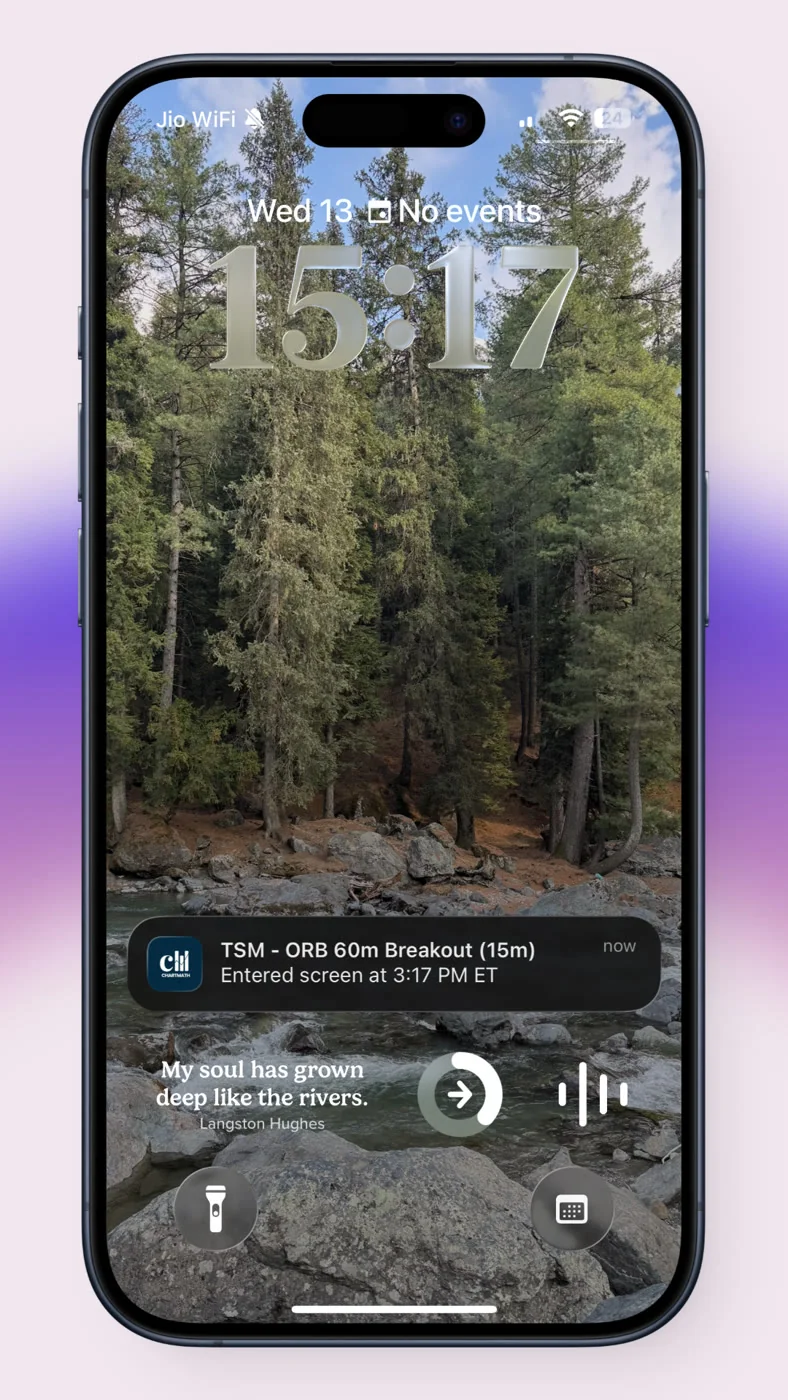
The Problem: Every Screener Eventually Trains You to Ignore It
Week one, you turn on alerts for every screen your scanner offers, breakouts, RSI crosses, moving average flips, volume spikes, the works. More coverage means more opportunity, or so it looks from there. By week six the phone is buzzing dozens of times a day and you are swiping notifications away without reading them. By week eight you miss a real move, because it looked exactly like the noise you had trained yourself to dismiss.
This is the pattern almost every trader who tries a screener without any filtering discipline runs into. The alert volume scales with the number of screens you turn on, not with how many of those matches are actually worth trading. A screener that alerts on "RSI crossed below 30" will fire on that exact condition dozens of times a week across a watchlist of 40 to 100 tickers, regardless of whether that cross has ever meant anything for the stock in question.
Once a chunk of those alerts turn out to be nothing, your brain does what brains do with unreliable signals: it starts filtering all of them out, including the ones that mattered. That's not a discipline failure. It's a predictable response to noise. If you want to understand the mechanics of it in more depth, our piece on using stock screeners for day trading in 2026 breaks down why raw condition-matching tools create this exact trap.
A Condition Firing Is Not the Same as a Setup Worth Acting On
Here's the distinction that actually matters: a condition is a single technical fact, like "price crossed above the 20-day moving average" or "RVOL is above 2x." A setup is that same condition tied to a documented history of what happened the last several dozen or several hundred times it occurred. An alert with no backtest behind it is noise with a sound. It might be real. It might be nothing. You have no way to tell the difference in the two seconds you glance at your lock screen.
This is the gap most free scanners and Discord-style signal groups never close. They tell you something happened. They don't tell you whether that something has historically led anywhere. Compare that to a screen where the win rate and average return are recomputable against the exact rule that fired, not a vague marketing number, an actual sample you could theoretically check yourself.
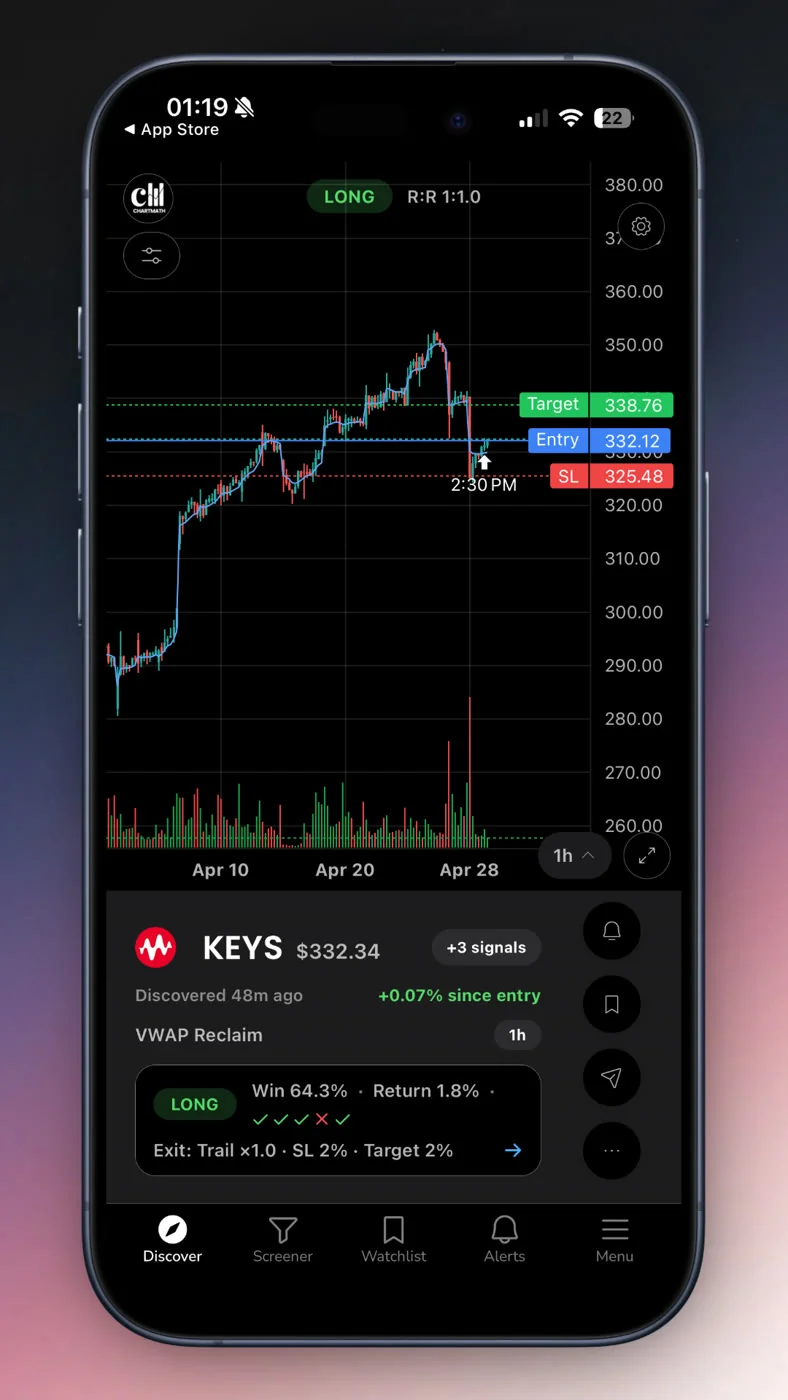
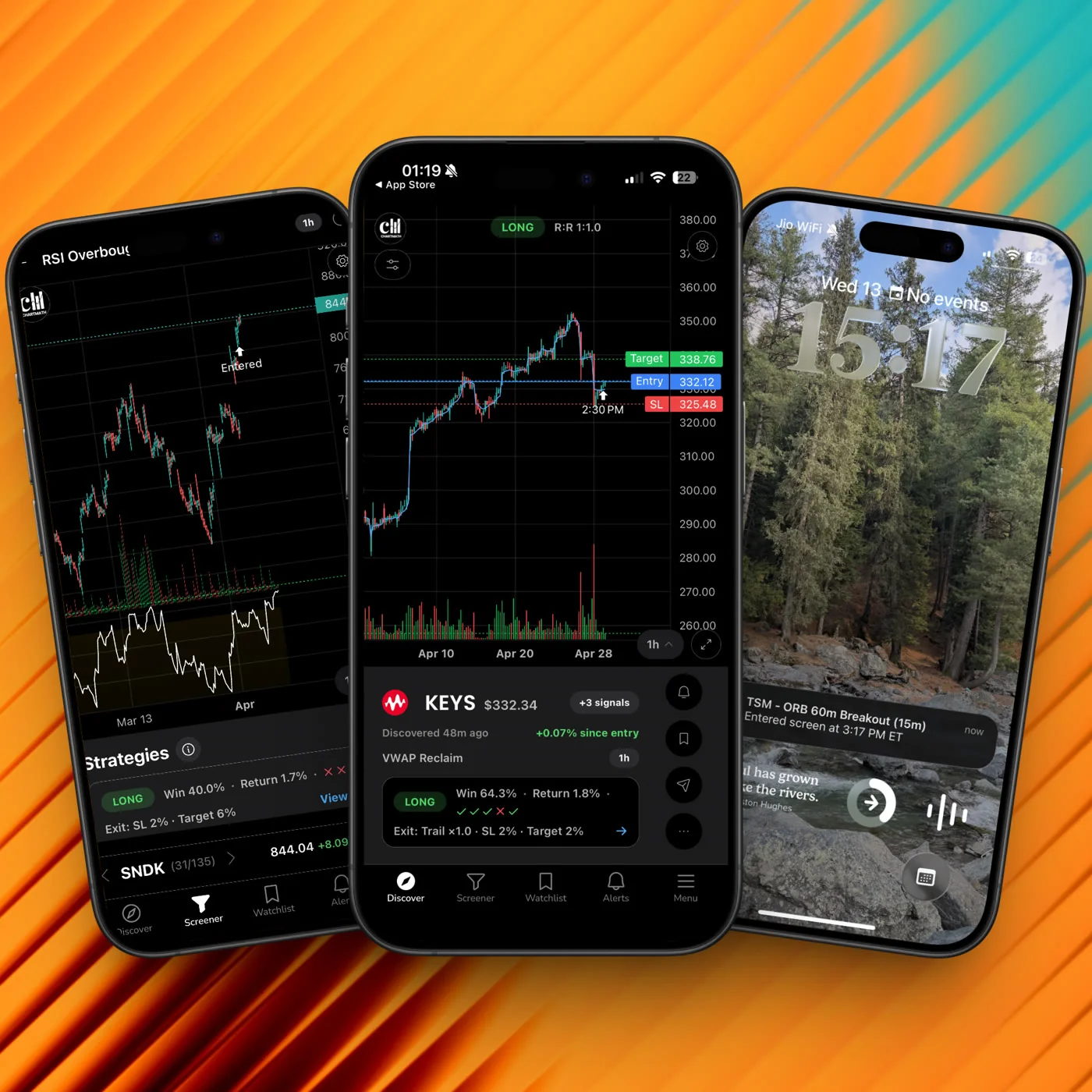
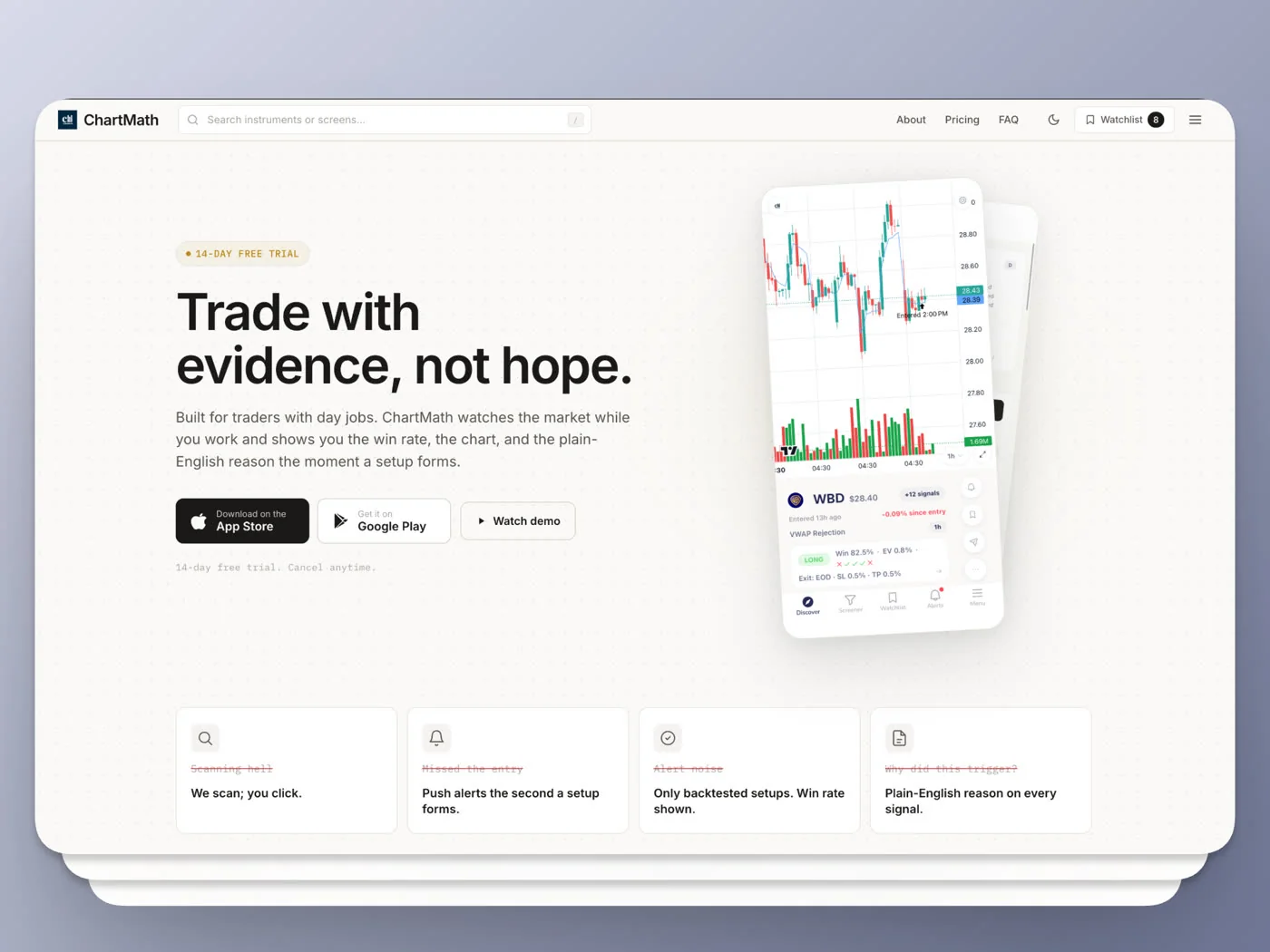
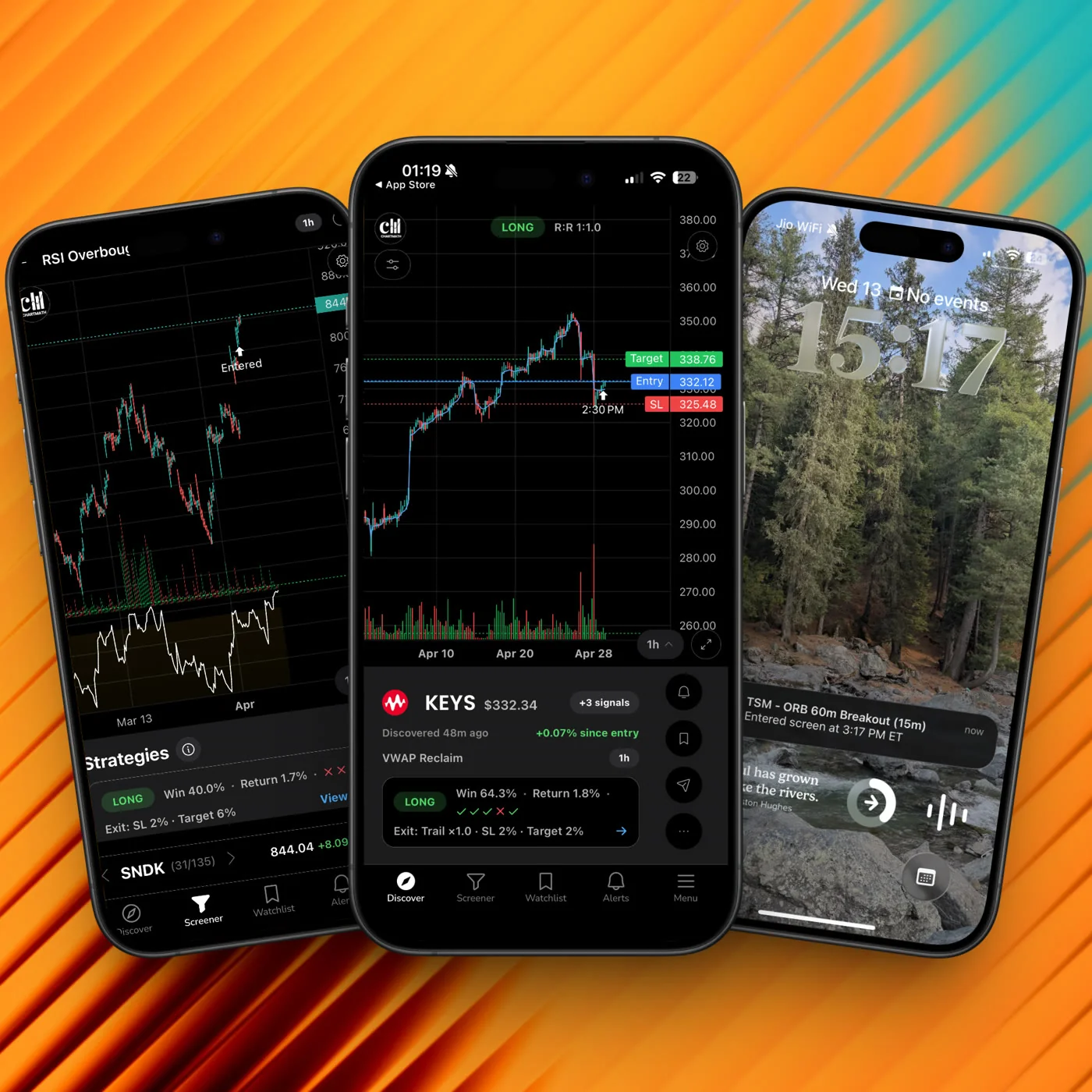
ChartMath runs 200+ deterministic screens across a bounded universe of 500+ US equities specifically so each screen's track record is something you can hold it to, not a claim you take on faith. When an alert says a ticker matched the VWAP Reclaim screen on the 1-hour timeframe, it comes with the Win Rate and Avg. Return computed over that screen's actual matched sample, plus the plain-English reason it fired. That's the difference between "something crossed a line" and "here's a setup with a history, decide for yourself." If you want the deeper mechanics of reading that kind of signal before committing capital, see how to read a trading signal before you risk money.
None of this makes the decision for you. ChartMath is a trade discovery copilot, not an autopilot. It narrows 500+ US equities down to the handful that match a specific, backtested rule right now. You still decide whether to take the trade, size it, and place it yourself.
The Solution: Five Rules That Cut the Stream, Not the Signal
Fixing alert fatigue is a filtering problem, and it breaks into five rules you can apply this week. The first three cut volume, the last two raise the evidence bar on whatever survives. None of them involve muting your phone.
1. Run Fewer Screens, Deliberately
The single biggest driver of alert fatigue is running every available screen "just in case." If you're a swing trader holding positions for days, running an intraday scalping screen alongside a breakout screen alongside a mean-reversion screen alongside a volume-spike screen means you're getting pinged for setups that have nothing to do with how you actually trade.
Go through the last 30 days of trades you actually took. Which screens led to those trades? For most swing traders, the honest answer is two or three, maybe a trend-continuation screen, a pullback-to-support screen, and something volume-based for confirmation. Turn off the rest. Not because they're bad screens, but because they're not your screens.
- Audit monthly: if a screen hasn't produced a trade you actually took in 30 days, it's adding noise, not value.
- Match screens to style: a swing trader holding for days needs trend and pullback screens, the Consistent Uptrend screen (Daily) or the RSI Oversold Bounce and Capitulation screen (Daily), far more than intraday scalp triggers.
- Fewer screens, deeper trust: three screens you understand and act on beat twenty you half-ignore.
2. Match the Alert Timeframe to Your Holding Period
A screen running on the 1-minute or 5-minute chart can fire constantly, every single trading day, because short timeframes generate conditions constantly. If you hold positions for three to ten days, that firehose is irrelevant to you. It's not wrong information, it's just information built for a different trading style.
ChartMath runs the same screen logic across 7 timeframes, from 1-minute up to Monthly. Swing traders who hold for days typically get the most signal from Daily and Weekly screens for direction, with 1-hour reserved for entry timing once the daily or weekly picture already lines up. If you're new to matching timeframe to style, our guide on swing trading with a full-time job walks through building that cadence around a normal workweek.
The rule of thumb: pick two, maybe three timeframes that match how long you actually hold, and turn off alerts on the rest. A 1-minute screen has nothing to tell a trader who checks positions once at lunch and once in the evening.
3. De-duplication, Throttling, and Per-Bar Caps
Notification hygiene isn't about muting real signals, it's about removing the repeats that were never separate signals to begin with. Three mechanics do most of the work:
- De-duplication: if a ticker is already matching a screen, you shouldn't get re-pinged for the same match every few minutes. One alert per new match, not one per refresh cycle.
- Throttling: a hard cap on total alerts over a period, so a volatile morning doesn't turn into 40 pings before 10 AM.
- Per-bar caps: one alert per bar close instead of one per tick. On a 1-hour screen, that means at most one alert per hour for a given ticker and screen, not a dozen as price oscillates around the trigger level.
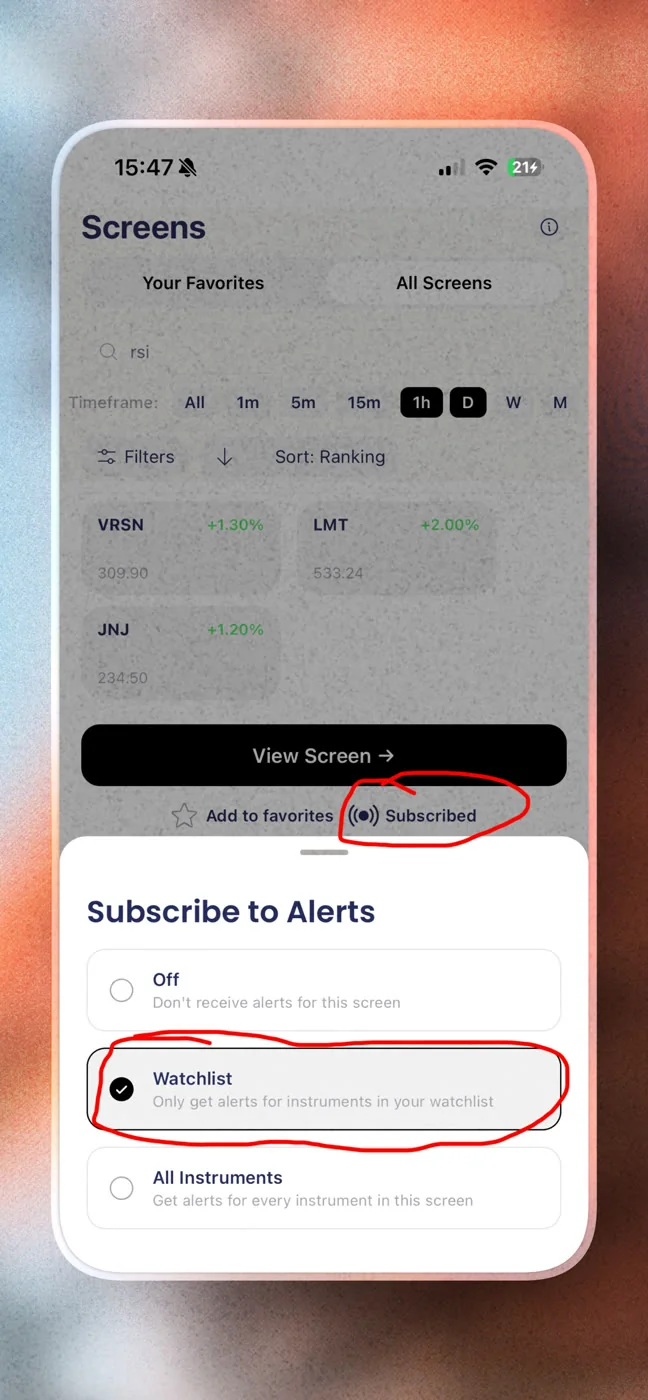
These three together are what separate a usable alert stream from a flood. None of them remove real matches. They remove the mechanical repeats that make a single real event look like five events. If you're stacking a screener alongside a charting platform like TradingView, this is also where a lot of duplicate pinging creeps in. Our post on integrating trading alerts with your charting platform covers how to keep the two systems from double-notifying you on the same event.
4. Set Quiet Hours That Match Your Actual Life
Quiet hours aren't about missing moves, they're about accepting that you hold positions for days, not minutes, so you don't need to see every intraday wiggle live. Timezone-aware quiet hours stop alerts from firing at 2 AM or during a block you've already marked as a meeting. If your trading style has a multi-day hold time built in, a setup that matched at 11 PM will generally still be there, or will have invalidated itself, by the time you check in the morning.
This matters more than it sounds like. A trader who gets pinged at every hour of the day starts to resent the tool. A trader who gets pinged at three predictable checkpoints, premarket, midday, and evening, actually reads what shows up.
5. Demand a Plain-English Reason on Every Alert
If you can't explain in one sentence why an alert fired, it shouldn't have fired, at least not without more context attached. A bare price trigger, "AAPL crossed $198," tells you nothing about whether that crossing matters. An alert that instead says the ticker, the timeframe, the screen name, why it matched in plain English, and when it happened gives you enough to make a real decision in the ten seconds you have between meetings.
This is the same standard that separates a research-driven signal from a bare price ping. It's worth applying to anything you currently get alerts from, including Discord and Telegram groups, which almost never carry a documented win rate behind the call. For a deeper breakdown of what "explainable" should actually mean before you risk a dollar, read how to read a trading signal before you risk money.
What This Looks Like in a Real Week
Becoming systematic does not mean staring at charts more. It means the opposite. A realistic week for a swing trader with a day job looks like this:
- Premarket, 10 minutes: scan the two or three screens that match your style, check what's new on your watchlist, and you're out. No lingering.
- Midday, only if something fires: a single push alert lands only when a ticker on your watchlist actually matches a backtested setup. If nothing fires, there's nothing to check. Silence is the expected state, not a malfunction.
- Evening, 10 to 15 minutes: confirm any positions, check whether an alert from earlier still holds up on the chart.
- Weekend, 20 minutes: review which screens actually produced trades that week, and whether any screen is earning its spot on your list. Our guide to running a weekly trading review in 20 minutes lays out exactly this cadence.
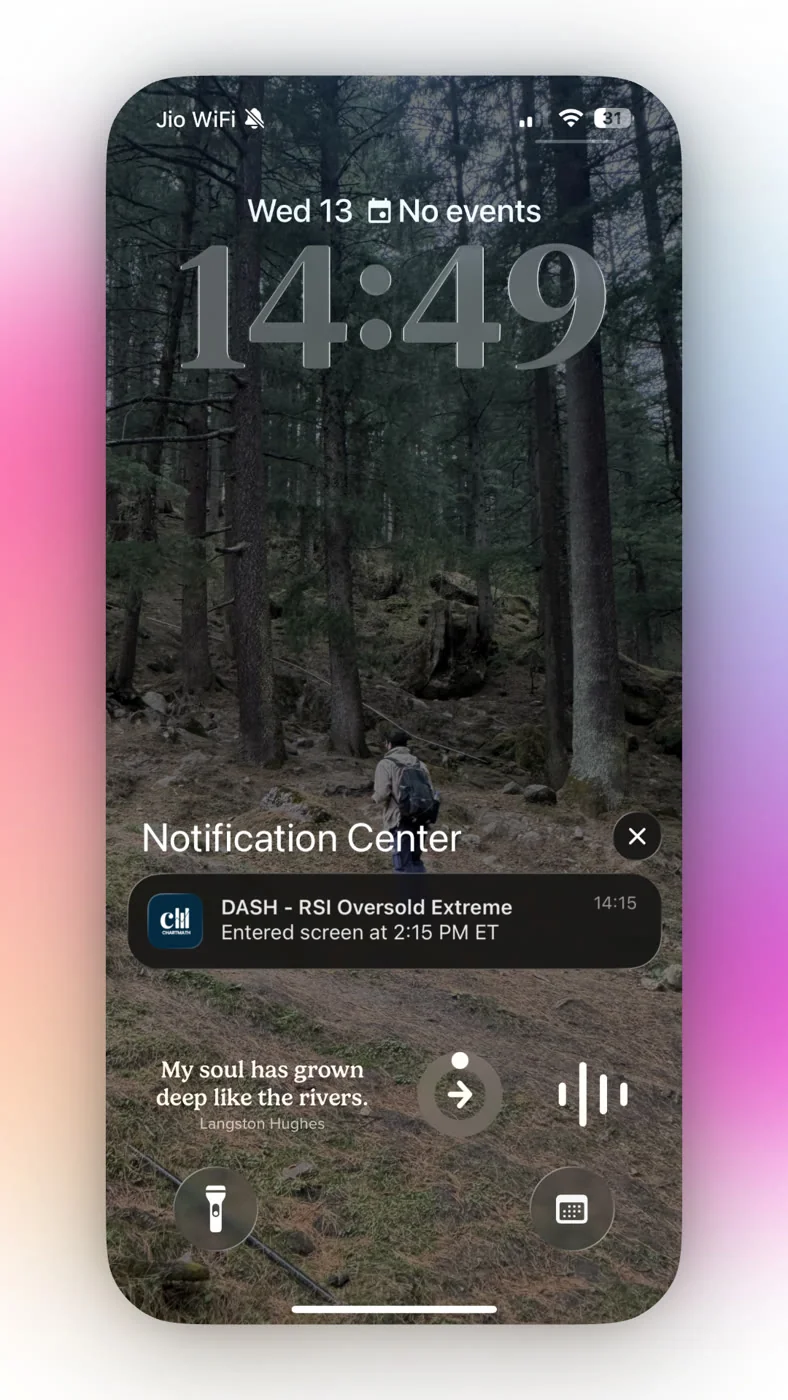
Other tools keep you scrolling because engagement is the business model. A research-driven screener has the opposite incentive: fewer, better alerts mean you trust the ones that show up. That's the entire point of building a trading workflow around explainable, backtested screens instead of a feed you have to babysit.
Where Alert Design Actually Differs Between Tools
Price isn't the differentiator most people think it is. Plenty of tools are free, and we've broken down what a free tier actually gets you in the free stock screener for active traders. The real gap is in what the alert carries when it lands on your phone.
- Static screeners (like Finviz): you set a filter, and you have to manually refresh to see new matches. No push alerts, no plain-English reasoning, no backtest attached. Great for research, weak for real-time discovery. Our comparison of scanner alternatives covers this tradeoff in more depth.
- Charting-platform screeners (like TradingView): strong charting, but screener alerts typically lack a built-in win rate or a plain-English explanation of why a signal matters for your specific holding style.
- Signal groups (Discord/Telegram): real-time, but each call is one person's opinion. No recomputable track record, no consistent methodology, and no way to check whether the last 50 calls actually worked.
- ChartMath: free, no credit card required, with the screen catalog browsable on the web without installing anything, offering 200+ deterministic screens across a bounded universe of 500+ US equities, each with a recomputable Win Rate and Avg. Return, delivered as a push or email alert with the plain-English reason attached.
You can browse the full catalog of screens without installing anything through the web-based screener, which is a useful first step if you want to see what a backtested screen actually looks like before deciding which ones fit your style. For a full walkthrough of what a no-code screen catalog offers compared to writing your own scripts, see our guide to a stock scanner without Pine Script.
FAQ: Alert Fatigue and Stock Screener Notifications
Why do I ignore most of my stock alerts after a few weeks?
Because most alerts you receive early on turn out to be unremarkable. Once your brain notices that pattern, it starts filtering out the entire stream, including the alerts that actually mattered. The fix is reducing the number of screens firing and demanding that each alert carry evidence, not just a price cross.
Is muting notifications the same as fixing alert fatigue?
No. Muting hides the symptom, it doesn't fix the underlying problem, which is that too many low-context alerts are firing in the first place. The actual fix is running fewer, better-filtered screens with de-duplication, throttling, and per-bar caps so the volume drops without losing real matches.
How many screens should a swing trader run at once?
Most swing traders holding positions for days get real value from two to four screens that match their actual style, typically a trend or pullback screen on Daily or Weekly, plus one volume or momentum confirmation screen. Running more than that usually adds noise rather than opportunity.
Can a free stock screener still have low alert fatigue?
Yes. Cost and alert quality are separate variables. What actually reduces fatigue is de-duplication, quiet hours, and a recomputable Win Rate and Avg. Return behind each screen, not the price tag. ChartMath is free, no credit card required, and its full screen catalog is open to browse on the web.
Run It on Your Own Watchlist
Alert fatigue isn't solved by turning your phone on Do Not Disturb and hoping you check it often enough anyway. It's solved by only getting alerted when something has a documented reason to matter, on a timeframe that actually matches how you trade. Start by trimming your screen list down to the two or three that reflect your real holding period, turn on de-duplication and quiet hours, and demand a plain-English reason on every alert that survives the cut.
If you want to see what that looks like against your own tickers, download the ChartMath app and run your watchlist through 200+ backtested screens across 500+ US equities. You can also see how the screens work first if you'd rather look before installing anything. Either way, the goal is the same: fewer pings, each one worth opening.

See these setups live in ChartMath
200+ curated screens with backtest data. Free. No credit card required.