After-Hours Stock Scanning Routine for Working Traders
You close your laptop at 5:30 PM, finally free from back-to-back meetings. You sit down to prep for tomorrow's session. An hour later, you've manually scrolled through 60 tickers, opened 12 charts, and written down four setups — two of which you already had on your list from last week. You're tired, your notes are scattered, and you're not even sure you caught everything worth catching.
That's not a discipline problem. That's a system problem. And it's the most common trap for swing traders with a day job: spending the most valuable hours of their evening doing work a scanner should be doing for them.
This guide walks through a lean, repeatable after-hours stock scanning routine built specifically for working traders. The goal is to cut your nightly prep to under 20 minutes, queue the right setups for the next session, and let automated alerts do the watching while you're at your desk the next day.
Why Your Evening Scanning Session Is Eating Your Night (and Still Missing Setups)
The average swing trader with a day job spends 45 to 90 minutes on postmarket prep. That's not a small number. Over a five-day trading week, that's up to seven and a half hours of scanning, filtering, and note-taking — most of it manual, most of it repetitive, and a surprising amount of it redundant.
The deeper problem is that manual scanning is reactive by nature. You can only check the tickers you already know about. If a stock you've never watched before sets up a clean breakout above a multi-week base tonight, you won't find it unless you happen to scroll past it. And with 500+ liquid US equities moving every session, the odds of that are low.
There's also the fatigue factor. By the time you've reviewed your 40-ticker watchlist, cross-referenced volume, checked the daily chart, and looked at the weekly for context, your decision-making quality has dropped. The setups you queue at the end of a long manual scan are often worse than the ones you'd have picked in the first 10 minutes.
The fix isn't to scan harder. It's to scan smarter, with a structured routine that separates what you need to review from what a scanner can handle automatically. Here's how to build that routine.
1. Start With a Postmarket Review (Not a Full Rescan)
The first mistake most traders make is treating the postmarket session as a full rescan from scratch. It doesn't need to be. Your job in the first phase of the evening is to review what happened today, not to rebuild your entire watchlist.
What to actually review after the close
Keep this phase to 10 minutes. Focus on three things:
- Setups that nearly triggered. Did any of your queued candidates come close to your entry criteria but not quite get there? If the setup is still intact, it stays on the list. If it broke down, remove it.
- Alerts that fired during the day. If you had alerts running, check what triggered and why. Did the stock follow through? Did it reverse? This is fast feedback on whether your alert criteria are calibrated well.
- Volume anomalies on the daily chart. Unusual volume on a stock you weren't watching is often the first signal that something is setting up. A quick scan of the day's volume leaders takes two minutes and frequently surfaces candidates you'd have missed otherwise.
The daily and weekly timeframes are your primary focus for swing setups. You're not looking at 1-minute or 5-minute charts in the evening — those are intraday tools. Stick to the timeframes that match your holding period, and you'll cut your review time significantly.
For a deeper look at building this kind of structured workflow, the guide on building an efficient trading workflow in 2026 covers the full picture from premarket through postmarket.
2. Identify the Setups Worth Queuing for Tomorrow
Once you've reviewed what happened today, the next step is building your queue for tomorrow. This is where most traders go wrong in the opposite direction: instead of scanning too broadly, they add too many candidates to their list.
A watchlist with 40 tickers is not a plan. It's a pile. You can't monitor 40 stocks during a lunch break, and you can't make good decisions when you're choosing between 40 options at 9:31 AM. The goal is a short list of 3 to 5 high-conviction setups, each with a clear entry trigger and a reason it's worth the risk.
Which setups to prioritize
Not all setups are equal, and not all setups suit a trader who can't watch the screen intraday. For swing traders with a day job, the highest-value setups tend to share a few characteristics:
- Clear, objective entry triggers. Breakouts above a defined level, VWAP reclaims on elevated volume, 52-week high clearances, these are setups where you can set an alert and know exactly when it fires.
- Volume confirmation. Relative volume (RVOL) is one of the most reliable filters for separating real moves from noise. A breakout on 0.8x average volume is a very different trade from the same breakout on 2.5x average volume. For a full breakdown of how to use RVOL, see the guide on volume analysis and RVOL for day traders.
- Backtested edge. Before you queue a setup, you should know whether it has a historical edge. What's the Win Rate on this pattern? What's the Average Return over the last 100 occurrences? If you can't answer those questions, you're trading on intuition, not evidence.
Using backtest data to filter candidates
Backtest data is the most underused filter in a working trader's toolkit. Most traders skip it because pulling historical performance on a specific setup used to require either a paid platform or the ability to write code. Neither is true anymore.
When you're evaluating a setup, the two numbers that matter most are Win Rate and Average Return. Win Rate tells you how often the setup produced a profitable outcome historically. Average Return tells you the magnitude of those wins relative to the losses. A setup with a 55% Win Rate and a 2:1 average win-to-loss ratio has a positive expected value. A setup with a 70% Win Rate but tiny wins and large losses does not. Both numbers together tell the story that either one alone misses.
For a deeper look at how to evaluate backtest data before risking capital, the guide on building winning backtesting strategies is worth reading alongside this one.
3. Set Alerts So the System Watches While You Work
This is the step that separates traders who consistently catch entries from traders who consistently miss them. Once you've identified your 3 to 5 setups for tomorrow, your job is to configure alerts so you don't have to watch the screen to know when they trigger.
Why manual watchlist monitoring fails during work hours
You already know the answer to this. You're in a meeting. You're on a call. You're heads-down on a deadline. The stock you've been watching for two weeks breaks out at 10:47 AM on 3x volume, and you find out about it at 12:30 when the move is already 6% in. That's not bad luck. That's a monitoring gap.
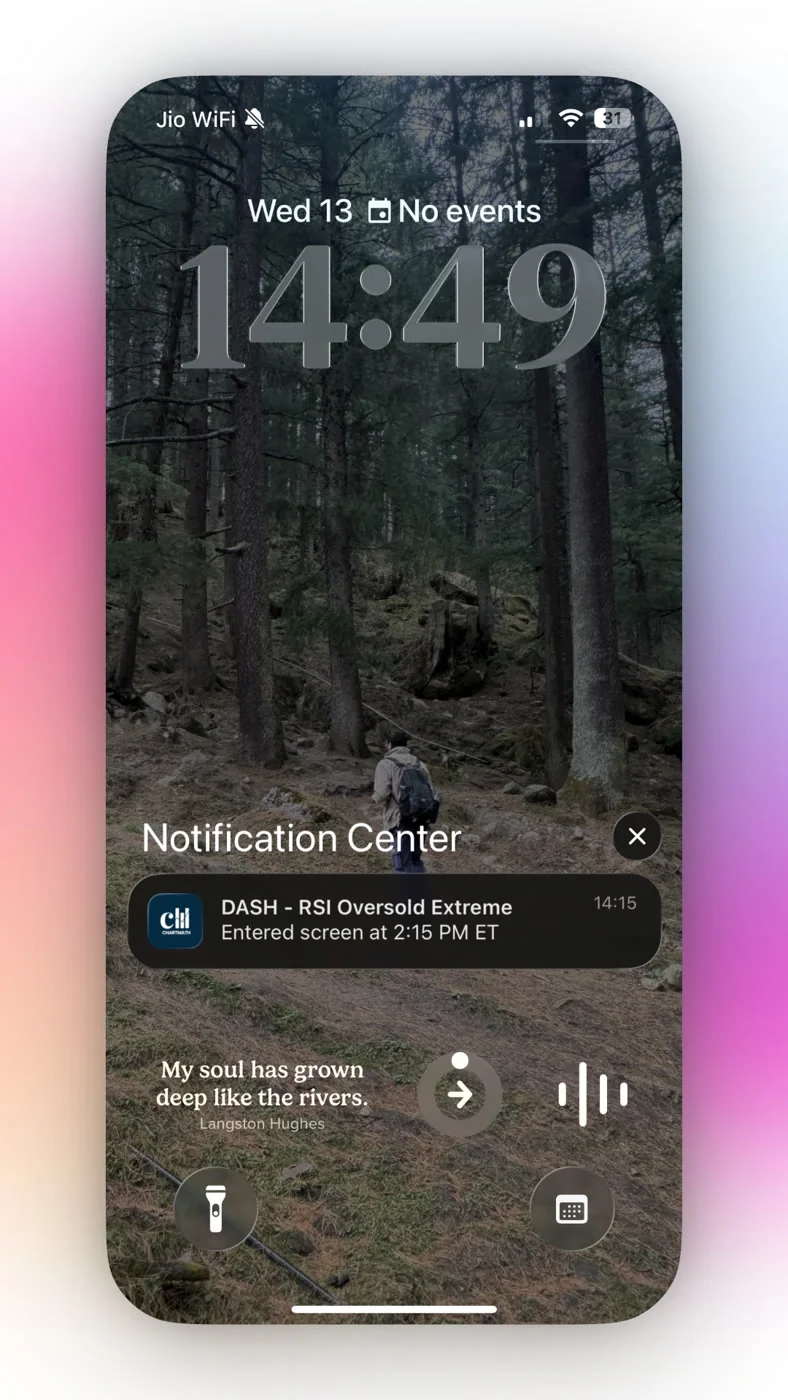
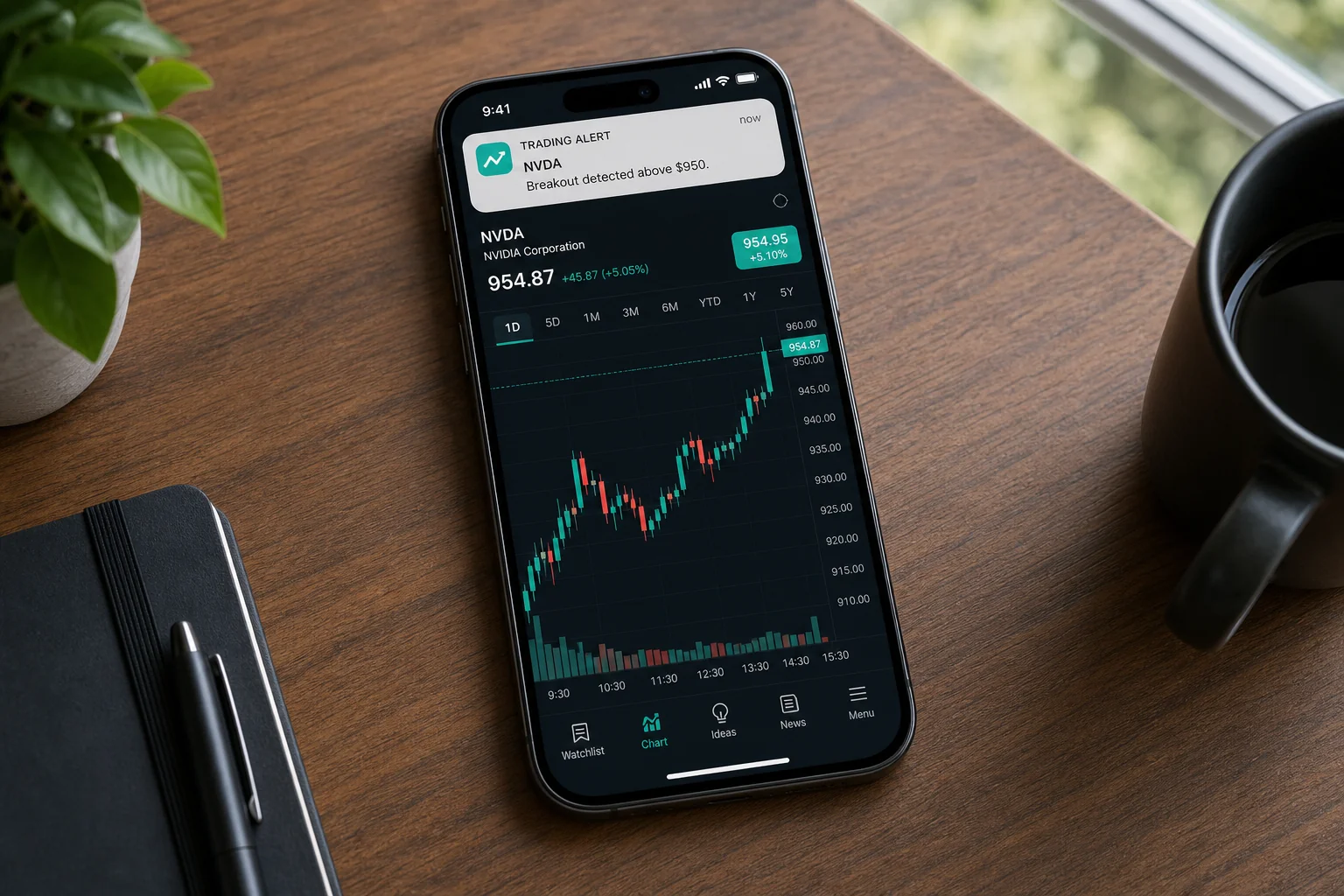
The solution is alerts that fire the moment a setup triggers, not alerts you have to check manually. There's a meaningful difference between a price alert that says "AAPL hit $195" and a screen-enter alert that says "this stock just entered the 52-Week High Breakout screen on the daily timeframe, here's why it triggered, and here's the historical Win Rate on this setup." The second one gives you everything you need to make a decision in 30 seconds.
Alert hygiene matters as much as alert setup
Alert fatigue is real, and it's self-inflicted. If your scanner sends you 40 alerts a day, you'll start ignoring them. The alerts that matter will get buried in the noise, and you'll be back to square one.
Good alert hygiene means:
- Favoriting only the screens you actually trade. Don't subscribe to every available screen. Pick the setups that match your strategy and your risk tolerance, and only alert on those.
- De-duplication and throttling. A well-designed alert system won't fire the same alert five times in a row because a stock is oscillating around a level. One alert per setup, per bar, per session.
- Quiet hours. You don't need alerts at 2 AM. Timezone-aware quiet hours mean your phone isn't buzzing during sleep, and your morning starts with a clean, relevant summary instead of a backlog of noise.
For more on managing alert quality across your trading stack, the post on integrating trading alerts with your charting platform covers the setup in detail.
4. Use a Scanner That Does the Heavy Lifting Automatically
The manual scanning problem has a direct solution: a scanner that runs continuously, covers the universe you care about, and surfaces setups with enough context that you can evaluate them in seconds rather than minutes.
This is where the tool choice matters. Most traders default to Finviz or TradingView for scanning. Both are excellent for what they do. But Finviz updates end-of-day and has no real-time alerts. TradingView requires Pine Script to build custom alert conditions, and its mobile push alerts are limited. Neither was designed to be a proactive discovery layer for a trader who can't watch the screen.
What a purpose-built trade discovery tool looks like
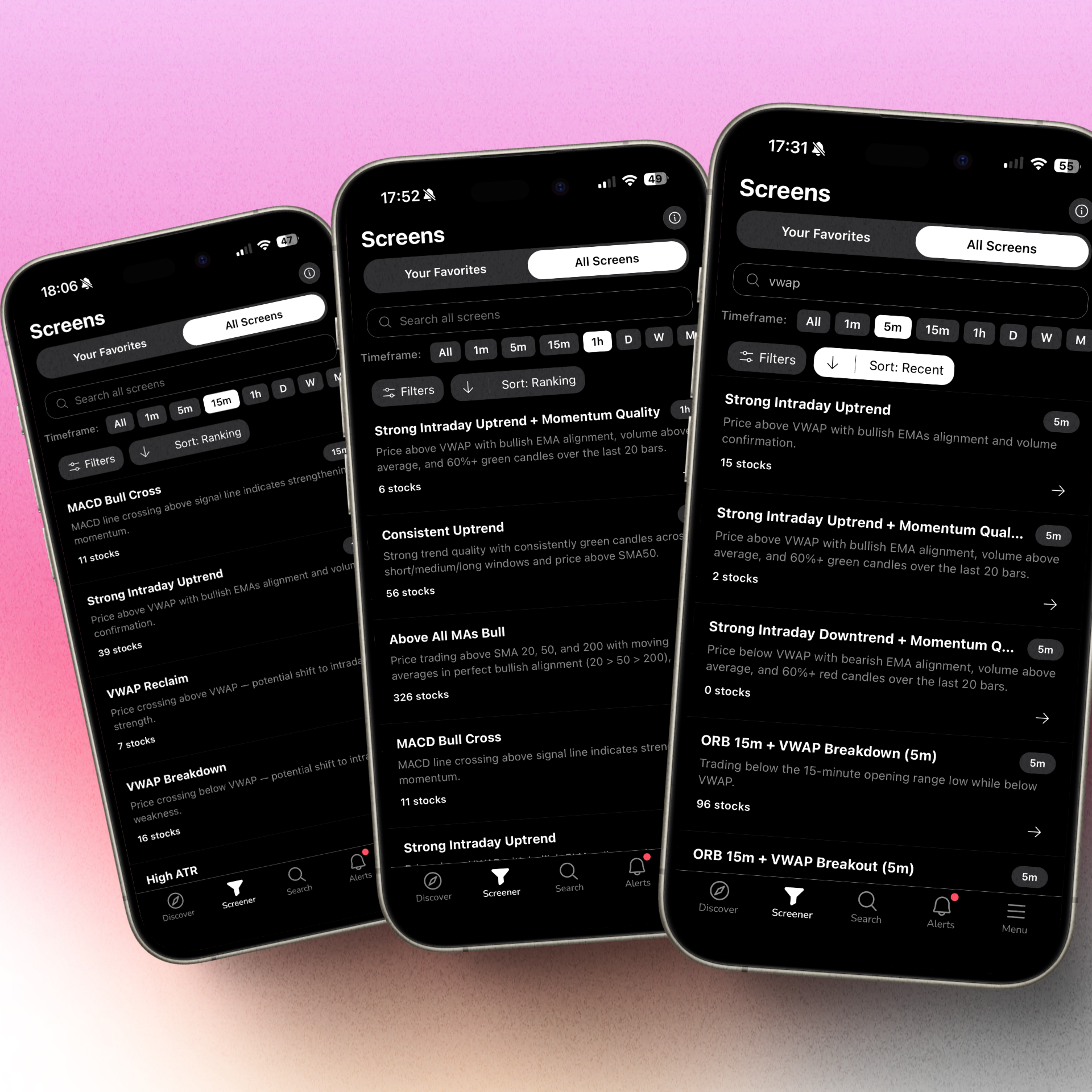
ChartMath is a mobile-first trade-discovery app built specifically for swing traders with a day job. It scans a curated universe of 500+ US equities, 100 crypto pairs, and 11 US futures across 200+ pre-built technical screens and 7 timeframes (1-minute through monthly), and sends explainable, backtested alerts the moment a stock matches a setup.
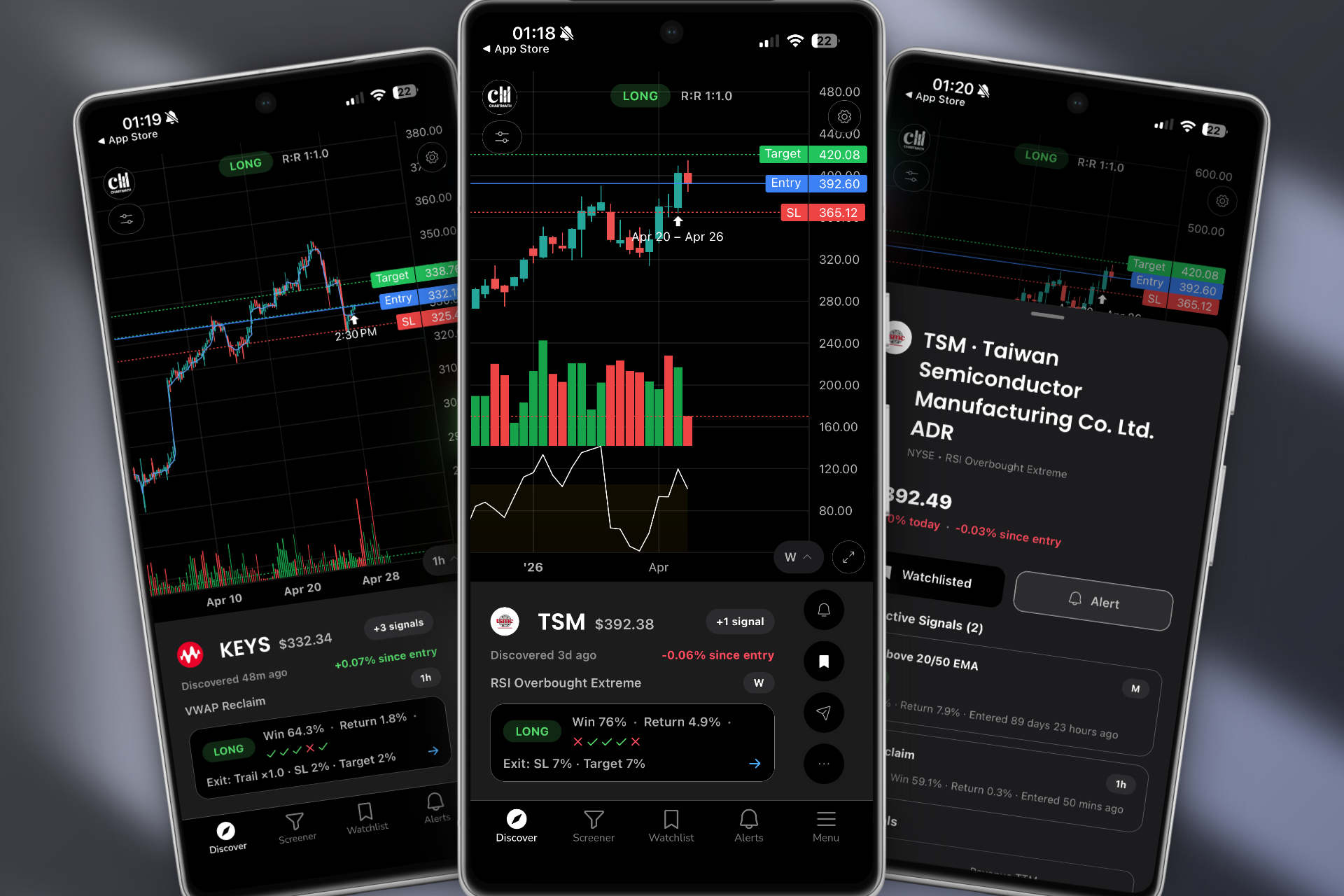
The key word is "explainable." Each alert tells you in plain English why it fired: which screen triggered, on which timeframe, and what the historical Win Rate and Average Return are for that setup. You're not getting a ticker and a price. You're getting a reason to look, with evidence behind it.
No Pine Script, no coding required
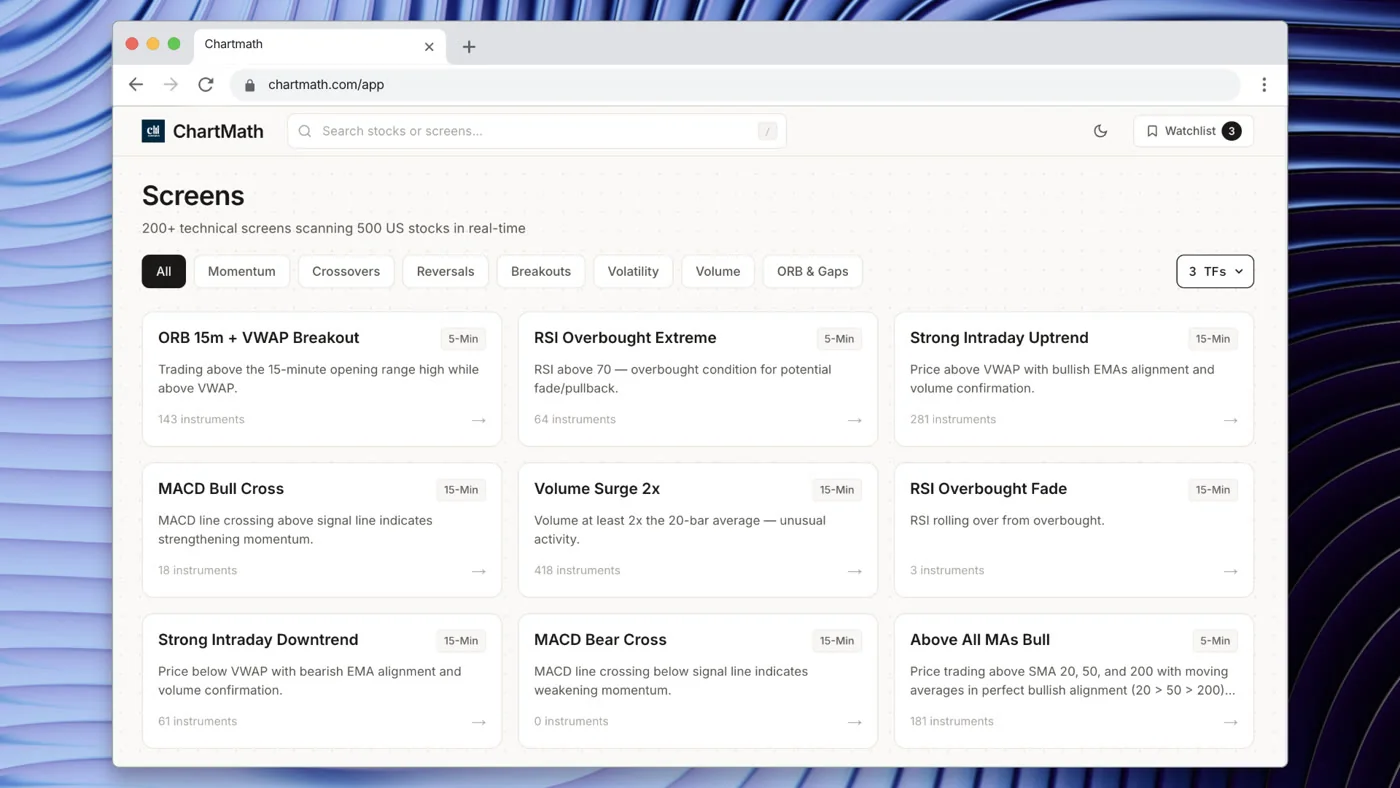
Every screen in ChartMath is pre-built and backtested. There's no screen builder, no custom filter interface, and no Pine Script. You pick from 200+ curated technical screens covering breakouts, VWAP setups, RVOL spikes, momentum patterns, 52-week highs, and more. Each screen has already been validated against historical data before it ships. The Win Rate and Average Return are visible on every setup card.
For traders who've been putting off building a proper scanning system because they don't want to learn Pine Script, this is the direct answer. The guide on stock scanning without Pine Script goes deeper on why pre-built screens are often more reliable than custom-coded ones anyway.
The Discover feed: your after-hours scanning done for you
The Discover tab in ChartMath is the core of the after-hours routine. It's a swipe-first feed of explainable setup cards, each representing a specific stock on a specific screen with a specific strategy. Each card shows the symbol, the screen that triggered, the timeframe, the Win Rate, the Average Return, and a plain-English explanation of why the setup is relevant right now.
Instead of manually scanning 60 tickers, you swipe through the Discover feed, review the setups that match your criteria, and add the ones worth watching to your watchlist. The whole process takes minutes, not an hour. The scanner did the scanning. You're doing the deciding.
ChartMath is available on iOS and Android, with a read-only web browse layer at chartmath.com/screens where you can explore the full screen catalog without signing in. You can start for free, with every screen, every backtest, and every alert available.
5. Build Your Nightly Routine Into a Repeatable System
The goal of all of this is a routine you can run consistently, not just on the nights when you have energy and motivation. Here's what the full under-20-minute system looks like in practice.
The evening routine (15 minutes)
- Postmarket review (5 minutes). Check which alerts fired during the day. Review the daily charts on your existing queue. Remove setups that broke down. Note any volume anomalies worth investigating.
- Discover feed review (7 minutes). Open ChartMath's Discover feed and swipe through the evening's setups. Filter by your preferred screens (breakouts, VWAP, RVOL, 52-week highs). Add 3 to 5 high-conviction candidates to your watchlist.
- Alert configuration (3 minutes). Set screen-enter alerts on your favorited screens for the candidates you've queued. Confirm your quiet hours are set. Close the app.
The next-day check-ins
The evening routine sets the system up. The next day, you have two brief check-in points:
- Premarket (5 minutes). Review any alerts that fired overnight or premarket. Confirm or discard the setups you queued. Check the daily chart for gap context. You're not rescanning, you're confirming.
- Lunch break (5 minutes). Check which alerts fired during the morning session. If a setup triggered and you missed the entry, note it for the postmarket review. If a setup is still pending, it stays on the list.
The entire system, evening prep, premarket confirm, lunch check, runs in under 30 minutes across the full day. That's a meaningful reduction from the 45 to 90 minutes most working traders spend on manual scanning alone.
For a broader look at how this fits into a full trading workflow, the post on trading stocks without watching the screen all day covers the intraday side of the same system.
Common Mistakes That Blow Up Your After-Hours Routine
Even with a solid system in place, a few common mistakes can undermine the whole thing. Here's what to watch for.
Over-scanning and watchlist bloat
The most common mistake is adding too many tickers to the watchlist. A watchlist with 40 names is not a curated list, it's a backlog. When everything is on the list, nothing is a priority. Keep your active queue to 3 to 5 setups. Everything else can stay in the Discover feed for the next evening's review.
Ignoring backtest data
If you're queuing setups without checking the Win Rate and Average Return, you're trading on pattern recognition alone. That's not necessarily wrong, but it's incomplete. Backtest data tells you whether the pattern has a historical edge, and it helps you compare two similar setups when you can only take one. Use it.
Setting too many alerts
Alert fatigue is the silent killer of a good scanning routine. If you favorite 30 screens and set alerts on 50 tickers, your phone will buzz constantly, and you'll start ignoring it. Be selective. Alert on the screens you actually trade, on the tickers you've specifically queued. Quality over quantity.
Skipping timeframe context
A setup that looks clean on the 1-hour chart may be fighting the trend on the daily. A breakout on the daily may be extended on the weekly. Always check at least one timeframe above your entry timeframe before queuing a setup. For swing traders, that usually means checking the weekly chart before acting on a daily signal. The guide on daily chart swing trade setups and scanner workflow covers this multi-timeframe confirmation process in detail.
Treating the scanner as autopilot
A scanner surfaces setups. It does not make decisions. The final call, whether to enter, how much to risk, where to set the stop, is always yours. ChartMath is a copilot, not an autopilot. It has no broker connection and places no orders. The alerts tell you what to look at and why. You decide whether to act, and you execute in your own brokerage. That's the right division of labor.
Frequently Asked Questions
How long should an after-hours scanning routine take?
For a working trader with a curated watchlist and automated alerts already running, the evening routine should take 15 to 20 minutes. If you're spending more than 30 minutes, you're likely rescanning from scratch rather than reviewing and refining. The goal is to let the scanner do the broad search and use your time for the final filtering and decision-making.
What timeframes should swing traders focus on after hours?
For swing traders holding positions for days to weeks, the daily and weekly timeframes are the primary focus during postmarket review. The daily chart shows the setup structure and entry trigger. The weekly chart provides trend context. Intraday timeframes (1-hour, 15-minute) are useful for fine-tuning entries the next morning, but they're not the right lens for evening prep.
Can I use a scanner if I have no coding experience?
Yes. Platforms like ChartMath are built specifically for traders who don't code. All 200+ screens are pre-built and ready to use. There's no Pine Script, no custom filter syntax, and no configuration required beyond choosing which screens match your strategy. You browse the screens at chartmath.com/screens, favorite the ones you want alerts on, and the scanner handles the rest.
What's the difference between a screen-enter alert and a price alert?
A price alert fires when a stock hits a specific price level. A screen-enter alert fires when a stock meets a full set of technical conditions, for example, when it enters the VWAP Reclaim screen on the daily timeframe. Screen-enter alerts are more specific and more actionable because they tell you not just that a price was reached, but that a complete setup has formed. They also carry context: the screen name, the timeframe, and the historical Win Rate and Average Return for that setup.
How do I avoid alert fatigue from my scanner?
Alert fatigue comes from volume and lack of context. The fix is to be selective about which screens you favorite (only the setups you actually trade), use a scanner that de-duplicates and throttles alerts so the same setup doesn't fire repeatedly, and set quiet hours so alerts don't accumulate overnight. Each alert should carry enough context, ticker, screen, timeframe, plain-English reason, that you can evaluate it in under 30 seconds. If you need to open a chart just to understand why an alert fired, the alert isn't doing its job.
The after-hours stock scanning routine that works for a trader with a day job is not the one that covers the most ground. It's the one that covers the right ground, consistently, in the least amount of time, and then hands off the monitoring to a system that doesn't need to sleep.
If you're still spending an hour every evening manually scanning tickers and waking up to missed breakouts, the problem isn't your setup selection. It's that you're doing work a scanner should be doing for you. ChartMath was built to solve exactly that: 200+ curated, backtested screens across 500+ US equities, 100 crypto pairs, and 11 US futures, with explainable push and email alerts that tell you what triggered and why, so your evenings are for decisions, not digging.
Start for free, every screen and every alert. Download the app on iOS or Android and run your first after-hours scan tonight. The setups are already waiting.
Read more about an ideal weekly routine for systematic trading here.

See these setups live in ChartMath
200+ curated screens with backtest data. Free. No credit card required.