How to Prep Swing Trades During Lunch Break in 15 Minutes
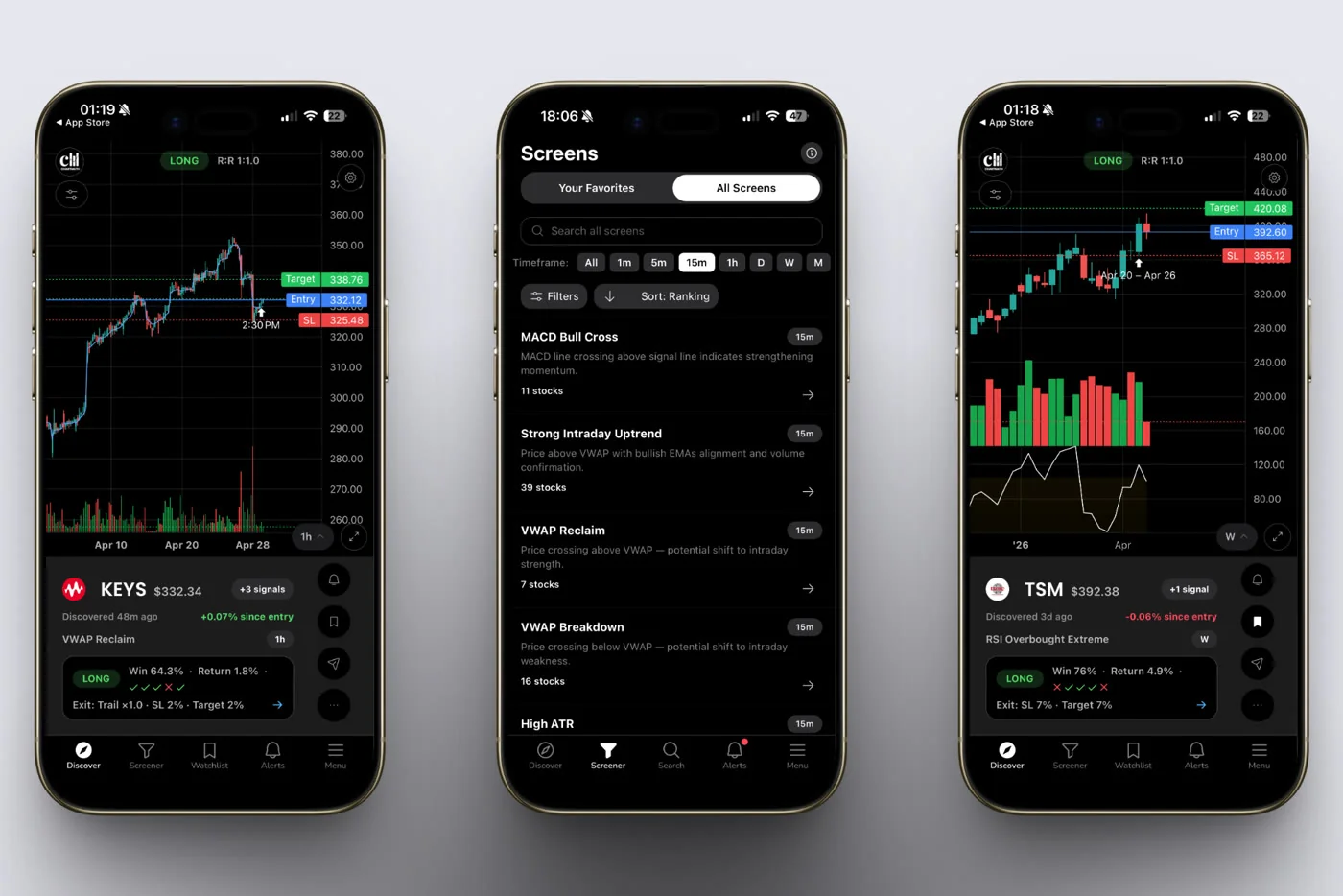
12:40pm. Cafeteria table, half a sandwich, phone face up next to it. Six push notifications have stacked up since the open. That's the actual moment this guide is built for, not a definition of swing trading, not a motivational pitch. How to prep swing trades during lunch break comes down to a fixed 15-minute sequence: triage the alerts, check the evidence behind whichever ones survive, set a limit order and stop, write one line in a journal, close the app.
Key Takeaways
- Four fixed blocks, 15 minutes total: 0-3 minutes to triage alerts, 3-8 to check the evidence, 8-12 to set the order and stop, 12-15 to log one line and close the app.
- Lunch is one checkpoint, not a second trading session: the goal is to make a decision and put the phone down, not to keep monitoring through the afternoon.
- Silence is a feature: no alert during lunch means no qualifying setup that day, not a tool failure and not a reason to force a trade.
- Every screen carries a backtested Win Rate and Avg. Return over its matched sample, recomputable, so the 5-minute evidence check has an actual number behind it instead of a gut feeling.
- Alerts arrive by push and email only, so there's nothing to babysit between checkpoints. The scanning already happened before you sat down.
At a Glance: The 15-Minute Lunch Ritual
| Time block | What happens | Output |
|---|---|---|
| Minutes 0-3 | Triage push and email alerts against your watchlist and risk bandwidth | 0-3 candidate tickers |
| Minutes 3-8 | Open the matched screen, read the plain-English reason, check Win Rate and Avg. Return | Go/no-go decision |
| Minutes 8-12 | Set entry as a limit order, set the stop first, size position off account risk | Order placed |
| Minutes 12-15 | Write one journal line: ticker, screen, reason, size, stop, target | Closed app, back to work |
| 0 alerts | Nothing to triage | Close the app, no trade today |
| End of week | Review the journal lines from all five lunches | Pattern check, not a new scan |
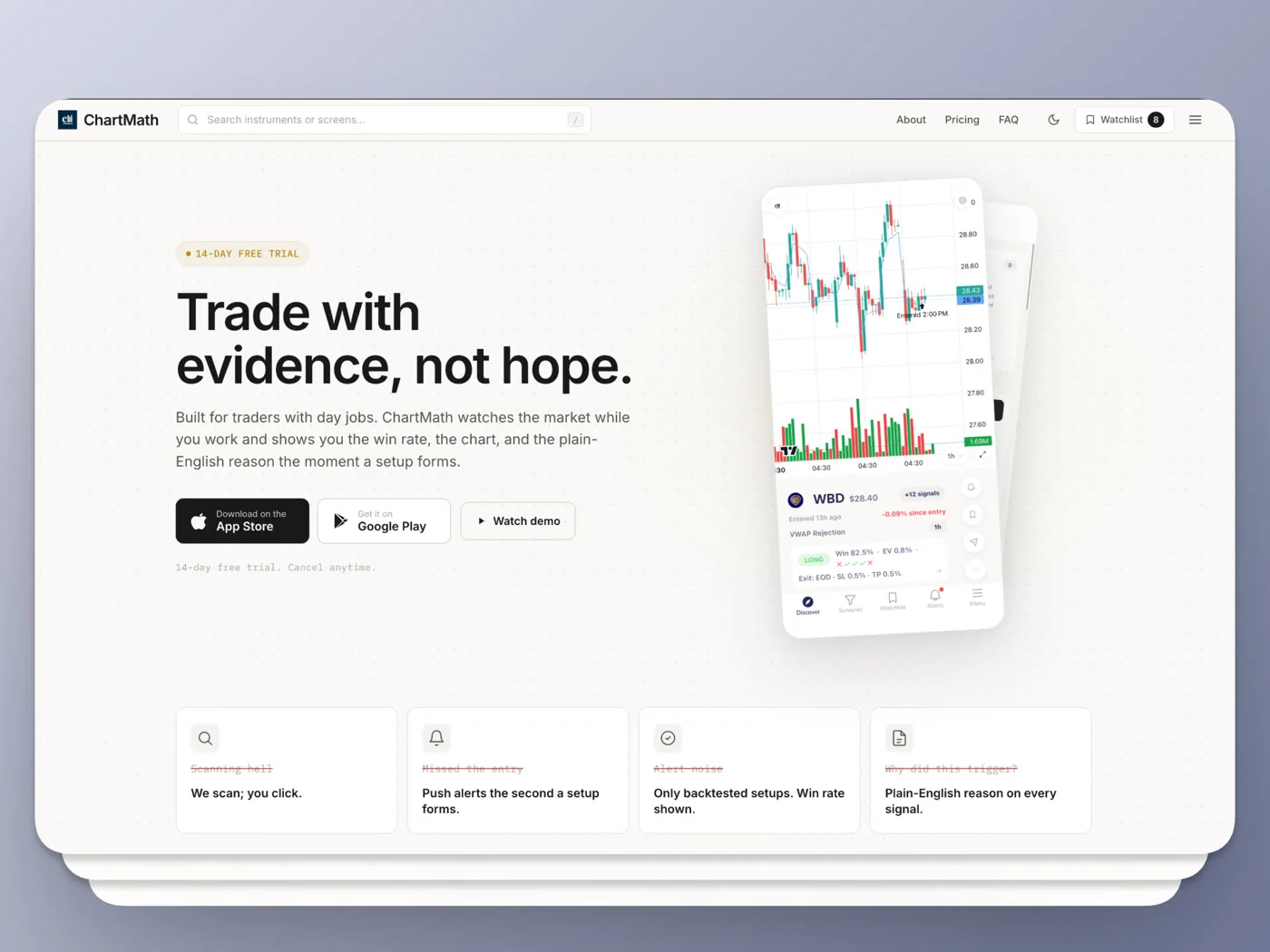
12:40 PM, Cafeteria Table, Six Alerts Waiting
You've got fifteen minutes left before you're back at your desk. Six alerts have come in since the market opened at 9:30. Old habit says open five browser tabs, re-run a scan across 40 tickers, start clicking through charts one at a time. By the time you've opened the third chart, lunch is over and you've decided on nothing. That's not a discipline problem. That's a math problem: manual scanning takes longer than the break you have.
The fix isn't finding more time. It's changing what the fifteen minutes are for. You're not scanning at lunch. The scanning already ran in the background across a fixed universe of 500+ US equities while you were in a meeting. Lunch is for triage and decision, nothing else. That distinction is the entire guide.
This matters more if you're holding swing positions with a full-time job rather than day trading. You're not trying to catch a 1-minute wiggle. You're deciding whether to add a position you'll hold for days, which means the bar for "good enough evidence in 15 minutes" is actually achievable.
Why Lunch Works as a Trading Checkpoint
Swing trades are held for days, sometimes weeks. That changes the math on when you need to check in. A day trader needs eyes on the 1-minute or 5-minute chart constantly, because the setup can invalidate in seconds. A swing trader working off the daily or weekly chart doesn't have that constraint. Checking in three or four hours after the open, instead of at the open itself, doesn't cost you the trade.
By lunch, the market has had three-plus hours to sort out the noise. Gaps have either held or filled. Opening range breakouts have either confirmed or failed. A ticker that reclaimed VWAP at 9:45 and held it through 12:30 is a cleaner signal than the same reclaim ten minutes after the bell. You're not trading against the freshest, noisiest data of the day. You're trading against three hours of confirmation.
This is also why relative volume, or RVOL, matters more at midday than it does at 9:31am. A stock trading at 3x its average volume by lunch has shown real, sustained interest, not just an opening print. If you're building the shortlist itself, daily chart swing trade setups and a scanner workflow is worth a read alongside this one.
None of this works if you're still manually scanning 40 or 100 tickers by hand at noon. That's the actual bottleneck a discovery copilot removes. A screening layer that already ran your watchlist against 200+ pre-built, read-only screens across 7 timeframes means the alerts waiting on your phone are the output of a process that ran continuously all morning, not a task you still owe yourself at lunch.
The 15-Minute Ritual, Minute by Minute
Four blocks. No block borrows time from another. If a block runs long, you cut the number of candidates, not the time.
1. Minutes 0-3: Triage the Alerts
Open your push and email notifications. You're not reading charts yet, just sorting. Ask three questions per alert:
- Is this a ticker I already know, or one I'd have to research from zero?
- Does the setup type match something I've traded before, or is it new territory?
- Can I size this within my normal risk bandwidth without stretching?
Anything that fails two of the three questions gets dropped immediately. Rule of thumb: no more than three candidates should survive triage. If six alerts turn into six candidates, you're not filtering, you're just relabeling the same six alerts as "maybe." The whole point of this block is to cut volume fast, not to evaluate quality yet.
2. Minutes 3-8: Check the Evidence
This is the block most people skip when they're rushed, and it's the one that actually separates a systematic decision from a tip. For each surviving candidate, open the matched screen and read the plain-English reason it fired. Not "MSFT alert," but the actual mechanism: opening range breakout on the 60-minute chart, RSI oversold bounce, VWAP reclaim, whatever it says.
Then look at two numbers: Win Rate and Avg. Return over the matched sample. This is where a discovery copilot earns its place next to a chart. A backtested Win Rate tells you how often this specific setup, on this specific screen, has historically worked out over its matched sample, and it's recomputable, meaning you can check the sample size and the date range yourself rather than take someone's word for it. If you want the deeper mechanics of what makes a backtest trustworthy versus decorative, how to build winning backtesting strategies covers sample size and lookback period in more detail.
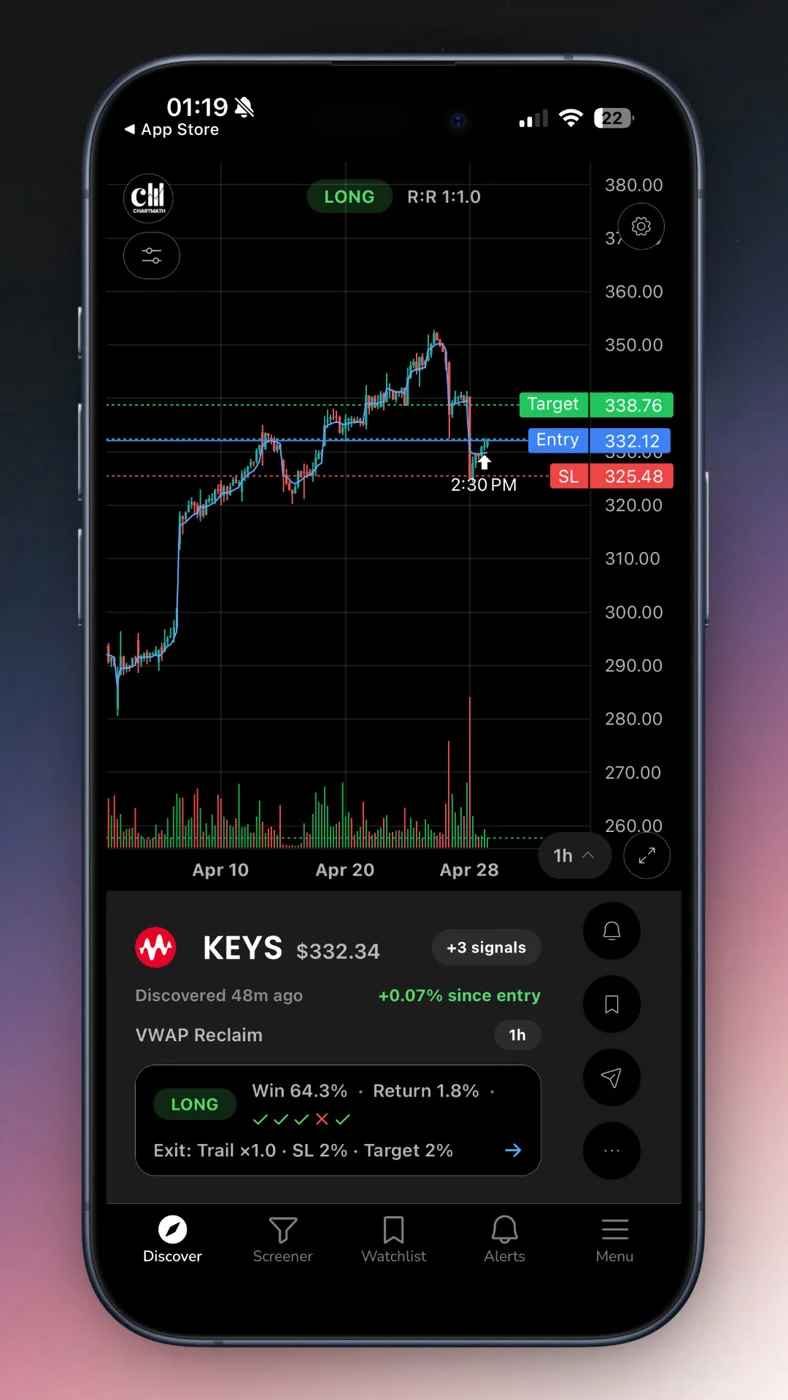
Cross-check RVOL and price location versus VWAP while you're in there. A setup with a Win Rate over 55% but paired with mediocre relative volume is a weaker version of the same setup with 3x average volume behind it. This block is also where you confirm the setup hasn't already run away from you. If the alert fired at 10am and the stock is up 6% by lunch, the entry you'd be taking now isn't the entry the backtest describes. Reading a signal before you risk money walks through exactly this kind of gap-check.
3. Minutes 8-12: Set the Limit Order and Stop
Decide your entry as a limit order. Don't chase with a market order during a lunch break, you won't be watching the fill and slippage on a market order compounds the risk of walking away distracted. Set the stop before you think about size, based on the setup's own structure: below the breakout level, below the reclaim point, below the recent swing low, whatever the setup calls for.
Only once the stop is set do you size the position. Position sizing should stay boring: risk 1-2% of account equity per trade, and let the distance between entry and stop determine share count, not the other way around. If a tighter stop gets you a bigger position and a wider stop gets you a smaller one, that's the system working correctly. Place the order, then physically move on. Don't sit there refreshing the fill status. That's a different kind of screen time than the ritual is designed to prevent.
4. Minutes 12-15: One Journal Line and Close the App
Write one line. Ticker, screen name, the plain-English reason, position size, stop, target. That's it. Not a paragraph, not a rationale essay, one line. This single habit is what makes a weekly trading review possible without reconstructing your week from memory on Sunday night.
Close the app. Not minimize it, close it. The habit you're building isn't "check the app less." It's "the app tells you when something needs a decision, and everything else is silence." Leaving it open invites you to re-check during a 3pm lull, which defeats the entire premise of a 15-minute checkpoint.
What NOT to Do at Lunch
A few habits quietly turn a 15-minute checkpoint back into an hour of screen time, or worse, into a bad trade:
- Don't open a symbol search and start hunting fresh. If nothing on your watchlist or alert feed qualifies, that's the answer for today. Going looking for a new idea from scratch is the exact manual scanning this ritual replaces.
- Don't chase a ticker that already ran. If the setup alerted at 9:45 and it's up 5%+ by the time you check at lunch, the risk-to-reward you're evaluating isn't the one the backtest measured. Let it go.
- Don't skip the stop to save two minutes. A trade without a predefined stop isn't a faster version of the ritual, it's a different, riskier activity wearing the same clothes.
- Don't force a trade because you opened the app. Opening the app is not a commitment to trade. Some days the answer is zero candidates and that's a complete, correct outcome.
- Don't leave the app open through the afternoon "just to check." Set the alert, close the tab. If something changes, you'll hear about it, not see it, because you already closed the loop.
When the Alerts Are Empty: Silence Is a Feature
Some lunches, there's nothing. Zero alerts that match your watchlist, zero setups clearing the bar. That's not a broken scan. That's what a filtered, backtested universe of 500+ US equities across 200+ screens is supposed to produce on a slow day: nothing, because nothing qualified.
Compare that to manually scanning 20 to 100 tickers by hand. Scroll through enough charts for long enough and your brain will find a reason to trade something, even on a genuinely quiet day. That's a known failure mode, not a personal flaw. A fixed set of rules that returns zero results some days is doing exactly what it's supposed to. Forcing a trade because you sat down and opened an app is the opposite of systematic, it's just impatience wearing a spreadsheet.
The lunch check isn't there to produce a trade every day. It's there so the setups that clear your rules actually get seen, and the ones that don't never get forced.
Building the Habit Around a Day Job
The lunch ritual isn't the whole system, it's the middle checkpoint. A full week for someone trading stocks with a day job looks like three fixed touchpoints: a short premarket scan before the open, this 15-minute lunch check, and a weekly review on the weekend to look at the journal lines as a set instead of one at a time.
Each checkpoint has a different job. Premarket sets your watchlist and flags overnight gaps. Lunch triages whatever alerted since the open and either places an order or doesn't. The weekly review looks for patterns across five lunches, not five isolated decisions. If you want the mechanics of that weekend pass, how to run a weekly trading review in 20 minutes picks up exactly where this leaves off. And if you're still assembling the full daily structure, building an efficient trading workflow covers how the three checkpoints fit together across a full week.
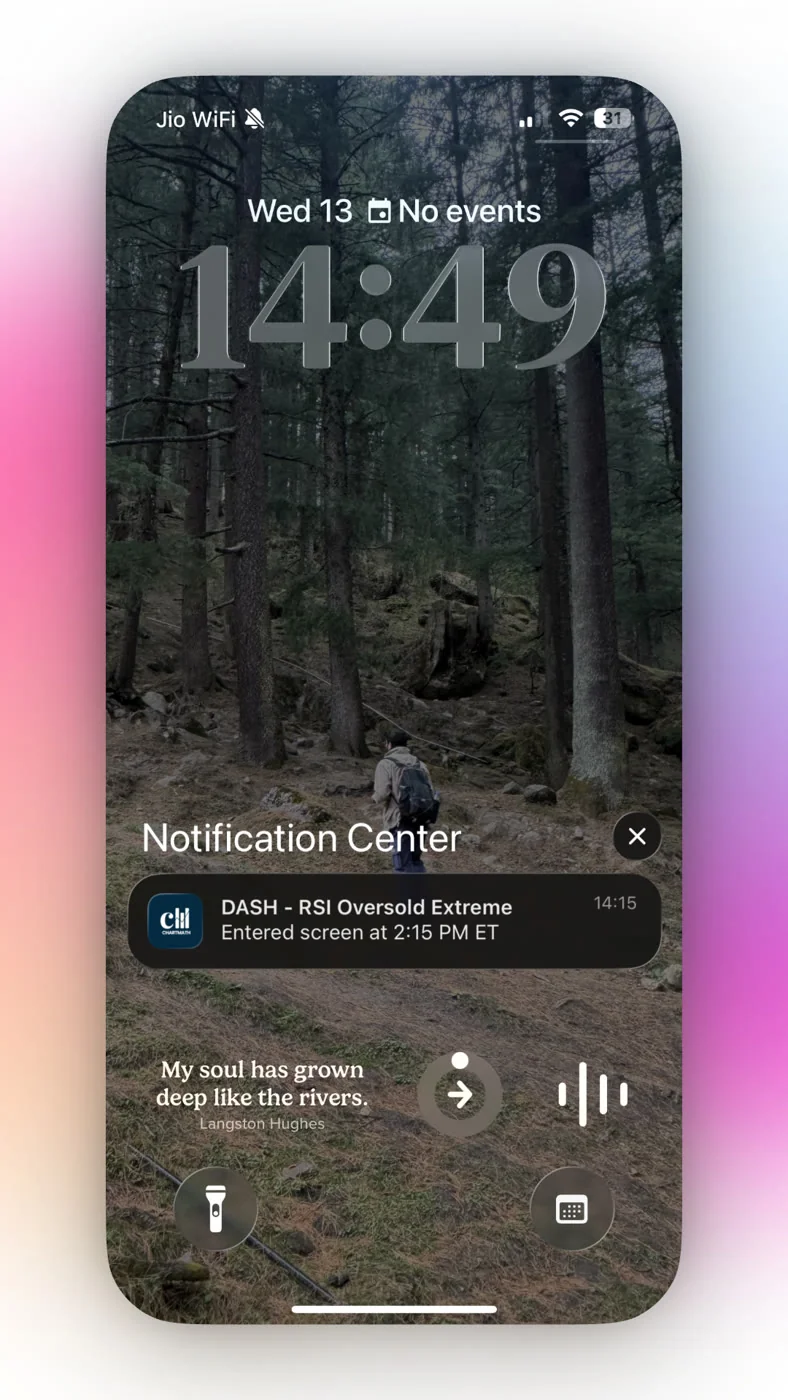
None of this requires watching a chart during work hours. That's the point of pairing a fixed ritual with a tool that pushes alerts instead of requiring you to pull them. If you've been burned by alert fatigue from unfiltered scanners or noisy signal groups, the fix isn't more discipline, it's fewer, better-qualified alerts to begin with. And before you act on any call that arrives from outside a system you can audit, the SEC's investor alerts and bulletins are worth a scan, since most of the recurring retail traps start with an unverifiable tip and a deadline attached to it.
FAQ: Prepping Swing Trades on a Lunch Break
Can 15 minutes really be enough to prep a swing trade?
Yes, if the scanning already happened before lunch started. Fifteen minutes isn't enough time to scan 50 charts from scratch. It's plenty of time to triage a handful of pre-filtered alerts, check a backtested Win Rate and Avg. Return, and place a limit order. The time budget only works because the heavy lifting, the 200+ screens running across a fixed universe, happened in the background all morning.
What if my alert fires after lunch is already over?
Then it waits for tomorrow's checkpoint, or your evening review if you keep one. Swing trades are held for days. A setup that's still valid tomorrow morning doesn't need same-second execution. Chasing an alert the second it lands is a day-trading habit, not a swing-trading one.
Do I need to watch the chart after I place the limit order?
No. That's the entire premise of setting a limit order and a stop before you close the app. If the order fills, your stop is already in place. If it doesn't fill, nothing happened and nothing needed your attention. Checking every twenty minutes doesn't improve the outcome, it just turns your lunch back into screen time.
How is this different from day trading during lunch?
Day trading needs constant monitoring because the setups can invalidate in minutes on a 1 or 5-minute chart. Swing setups built off daily, weekly, or even 1-hour screens have more room. That's why a midday checkpoint works for swing trades and doesn't work for scalping. You're not trying to catch a wiggle, you're deciding whether to hold a position for the next several days.
What if I get alerts for tickers I don't already follow?
Treat unfamiliar tickers with more skepticism during triage, not less. It's fine for a discovery layer to surface a new name outside your usual watchlist, that's part of the value. But if you don't recognize the ticker and don't have time to research it properly in the remaining minutes, drop it. There's always tomorrow's alert, and there's no rule that says every alert deserves a trade.
Run This Pass Before You Go Back to Your Desk
The next time six alerts stack up before lunch, don't reach for five browser tabs. Pick one ticker you already own or watch, pull up its matched screen, and run the same four-block pass: triage, evidence, order, journal. You'll know inside 15 minutes whether it's a hold, an add, or a pass, and you'll know it with a documented Win Rate and Avg. Return behind the decision instead of a gut call made between bites of lunch. Open the web-based screener and check a position you're already holding against its screen right now, no download required.
If you want the full loop, premarket scan, lunch checkpoint, and weekly review, running from your phone with push and email alerts instead of a browser tab you have to remember to refresh, grab the ChartMath app and set up your watchlist before tomorrow's open. Or if you'd rather see the discovery-to-decision flow first, watch the demo to see exactly what a triaged alert looks like before it ever reaches your phone.

See these setups live in ChartMath
200+ curated screens with backtest data. Free. No credit card required.